Desertcart purchases this item on your behalf and handles shipping, customs, and support to Greece.
🚀 Print Smarter, Sell Faster, Save Bigger!
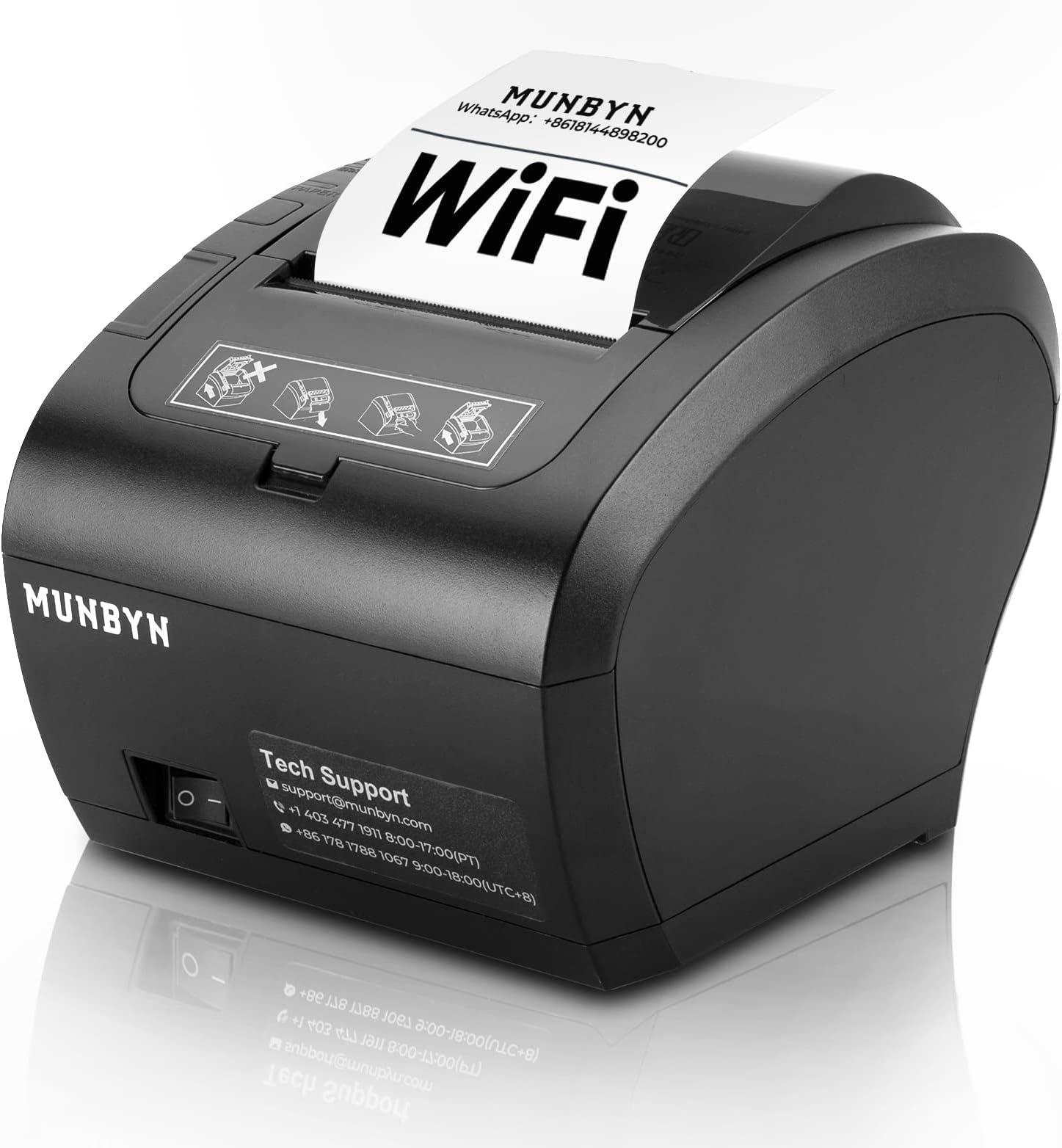
The MUNBYN WiFi Thermal Receipt Printer (P047-WiFi) is a versatile, high-speed 80mm POS printer designed for modern retail environments. Featuring multi-port connectivity (WiFi, USB, LAN, RS232), compatibility with Square and major OS platforms, and an automatic paper cutter, it delivers 40+ receipts per minute at 300 dpi resolution. ENERGY STAR certified for energy efficiency, it supports wall mounting to save space and comes with 18 months warranty plus expert tech support, making it a reliable business partner for any point-of-sale setup.


| Brand | MUNBYN |
| Colour | Schwarz |
| Connectivity technology | WIFI+USB+Ethernet+Serial |
| Model name | ITPP047P-USEW-BK-UK |
| Printing technology | Thermal |
| Special feature | Energy Star |
M**E
Fantastic Thermal Receipt Printer
This product, for the price is Awesome! Tested so far: Font A and B and regular and Bold. Works. Native QR code and barcode CODE128 printing, Works. Rasterized image printing works. Nice compact design. Wifi setup with static IP no problems nor was the driver installation. Would suggest codepage 14 for Europe be set as default, so Euro currency symbols work out of the box. A really nice product.
P**E
Good Product & Support
I've bought two WiFi receipt printer. At the beginning I was struggling to setup & finally decided to return the item. But as a last try I tried to message the support team stated on the manual & they guided me & at the end found the fixes. So it's ok to buy this product as there is a good support available.
T**G
Arrived Faulty
Wouldn’t even turn on.
D**D
If you can manage to get it worked, it is perfect
I bought it from an Amazon Warehouse deal, it has been returned before and repacked, there was nothing missing but the thermal roll was almost finished. I guess it gives a clue why it has been returned ( the printer prints a small note everytime you fiddle with settings, so whoever bought it must have tried really a lot to be able to get it working) I took me a while to manage to settings right. Support videos are partially helpful, if you are familiar with networking, it must be a piece of cake but if not like me, it might be a challenging task but not impossible. I can confidently say that if someone cant manage to get it running on wifi most likely it is not printer's fault but users. On the other hand it is not simple to set up. OS Win10 , currently using WIFI never tried USB connection
J**E
Easy setup for Loyverse POS
bought this printer for my client's Loyverse POS, very easy to setup as a Wifi printer with just an iPad. Printing speed is good, will see if it's durable for long term use.
R**A
Good And Fast
i have been this printer using for sevral years and very good and fast . After i encountered a small problem , i contacted with the customer sevice in China and Timber and Li solved the problem for me and i am very grateful to them.
Y**A
Just Ok
Not the best. Everything is fine, It's just that the printed words are not clear enough
W**K
Great customer service
Printer arrived really quickly and easy to set up using links and tutorial videos. Had one issue trying to upload a logo ti the receipt but the Whatsap chat was very quick and helped resolve the problem. Would recommend.
B**L
Schneller guter Druck, keine losen Zettel
Der Drucker ist super, die Anleitung für die WLAN-Konfiguration nicht. Deshalb schreibe ich hier mal, wie ich es erfolgreich gemacht habe. 1. Den Drucker einschalten und das Handy oder den Rechner mit dem AP (Access Point) des Druckers verbinden. SSID ist WIFI Printer, Schlüssel 012345678 2. Im Browser die Adresse 10.10.100.254 aufrufen 3. Im Menü STA auswählen und die eigene SSID und den entsprechenden Schlüssel eingeben. 4. Im Menü Restart auswählen 5. Den Drucker aus- und wieder einschalten. Wenn sich der Drucker mit dem eigenen WLAN verbunden hat, wird ein kleines Protokoll ausgedruckt. Darin ist auch die zugeteilte IP-Adresse enthalten. 6. Das Handy oder den Rechner wieder mit dem eigenen WLAN verbinden. In dem Menü des Druckers können auch die Zugangsdaten des eingebauten AP und die Papierbreite angepasst werden.
M**Z
Inutilisable
Imprimante non compatible avec odoo et ma tablette. Inutilisable.
S**A
Excellente Imprimante pour Ticket de Caisse et autres fonctions POS
L'imprimante est vraiment au top Installable sur Windows, Linux et Android, fournis avec tous les drivers ( sauf Raspbian ) que j'espere bientôt disponible avec CUPS :) Tres facile à installer, il suffit de suivre le tutoriel complet en ligne sur youtube sur la chaine de 'Mark Yuan' et voir : MUNBYN ITPP047 WIFI printer setting (STA mode) WIFI printer driver installation Il faut en effet modifié les parametres réseaux sur 2 endroits (Portail Web + Advanced sur le logiciel POS Driver) sinon cela ne marchera pas, on peut configurer le spooler, afin de passer par l'USB ou le Wifi selon la connexion automatiquement Je l'utilise avec Google Cloud Print et elle fonctionne parfaitement ! contrairement à certaines qui ne font pas correctement la conversion et du coup résulte dans des erreurs de conversions Je recommande vraiment leurs produits, Mark est disponible pour le support et il fait de l'excellent travail, cette société fait des tutoriels videos et est proche de ses clients quand ils ont des questions, Rien à dire je ferais vraiment appel à leurs produits pour ma société !
C**N
Rapide et facile à utiliser
Facile d’installation, fonctionne avec Linux
P**L
Stampante TOP e ottima assistenza
Ho ordinato la stampante e l'ho connessa facilmente al mio computer. Durante il processo avevo dei dubbi e il servizio di assistenza mi ha servito eccellentemente aiutandomi in tutti i passi relativi alla configurazione. La stampa è perfetta e veloce.
Trustpilot
3 days ago
5 days ago