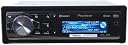
๐ถ Elevate your drive with Pioneerโs ultimate sound command center!
The Pioneer DEH-P9400BH is a high-performance mobile CD receiver featuring a built-in MOSFET amplifier delivering 14 watts RMS per channel, integrated HD Radio tuner with iTunes tagging, and Bluetooth for hands-free calls and audio streaming. It supports a wide range of media formats including CDs, MP3s, and WMAs, and offers dual rear USB ports for discreet device connectivity. With advanced sound customization options and a customizable display, itโs designed to upgrade your car audio experience with professional-grade sound and seamless smartphone integration.
| ASIN | B006YBQ6Z2 |
| Audio Output Mode | Stereo |
| Audio Output Type | Speakers |
| Brand | Voroar |
| Compatible Devices | Smartphone, Speaker |
| Connectivity Technology | Auxiliary , Bluetooth, RCA , USB |
| Connector Type | USB |
| Control Method | App, Remote |
| Controller Type | iOS |
| Customer Reviews | 4.4 out of 5 stars 163 Reviews |
| Format | WAV, WMA |
| Manufacturer | Pioneer |
| Mfr Part Number | 151903148730 |
| Model Number | DEH-X6500BT |
| Number of Channels | 4 |
| Other Special Features of the Product | Equalizer, Pandora |
| Output Power | 14 watts |
| Output Wattage | 50 watts |
| Special Feature | Equalizer , Pandora |
| Supported Internet Services | Pandora |
| UPC | 884938151986 884938147118 |
| Wattage | 200 watts |
| Wireless Technology | Bluetooth, IR |
N**M
Using this with new Google Nexus 4 Android
I won't reiterate all the reviews discussing sound quality, etc. Its a Pioneer..sound quality is fantastic so no need to rehash that. I will point out you do NOT need to purchase a separate wiring harness. This comes with one already. Also purchase that $11 USB adapter here at Amazon (link below). Since the USB ports are in the back of this unit (very clean install!) you can drill a 3/4 hole in your glove box and snap it in and run the cable into the rear of your Pioneer during installation..its PERFECT for a hidden USB port for running memory sticks. I'm using a 32GB stick for music and nobody knows..plus you can lock your glovebox for a little more added security. *** Ok I want to give a voice to those who want to pair this with an android phone; specifically what we DO and DO NOT get vs. iPhone/iPod and how it works with android. First, this unit works very well with an android, don't let the fact Pioneer only talks about iPhones scare you. You can pair up to 3 devices; I'm just using one. Once you pair, it shows as "nexus 4" on the display. The mic I mounted to the back of my steering column. GREAT sound quality; no one I talk to thinks they're on a speakerphone. Another cool thing, you start your car and when radio comes on it automatically connects and you're ready to recieve phone calls or your bluetooth music app on your phone starts playing. Bluetooth Phone Android Functions - Downloads last 50 dialed calls - Downloads last 50 recieved calls - Downlaods last 50 missed calls - Downloads all contacts/phonebook - Switch incoming call off bluetooth back to phone (for privacy) by touching one button on the radio so the person's voice isn't coming out of car speakers - Ignore call - Answer call - Pick up call while on phone (call waiting) From those 4 options, you can simply use the dial to find a person to call. Very cool and easy. No need to touch your phone. Android phone BT services all work perfect here. **Very cool feature regardless of what input source is playing (radio, bluetooth, CD, USB, etc.) the audio will mute and the phone will ring through the speakers and you can take the incoming call by touching the big silver button (or right arrow on your steering wheel control). Bluetooth General Audio Functions (Android) - Play - (automatically starts) click BAND button on radio or on steering wheel control to resume play if paused. - Pause - hit BIG SILVER BUTTON, move to FUNCTION mode and click again. in the future, just click FUNCTION on your steering wheel control and hit the RIGHT arrow to pause/play - Stop - hit function twice on steering wheel remote and hit RIGHT arrow or hit BIG SILVER BUTTON on radio, move to STOP screen and hit it again - Rewind - hold down DOWN radio lever (or hold down RIGHT arrow on steering wheel remote) - Fast Forward - hold down UP radio lever (or hold down LEFT arrow on steering wheel remote) - Next Track - tap DOWN arrow (or tap RIGHT arrow on steering wheel remote) - Previous Track - tap UP arrow (or tap LEFT arrow on steering wheel remote) Using any music player app on android the head unit will control those functions on your phone. Super cool. Bluetooth Pandora Audio (Android) - Play - (automatically starts) click BAND button on radio or on steering wheel control to resume play if paused. - Pause - hit BIG SILVER BUTTON, move to FUNCTION mode and click again. in the future, just click FUNCTION on your steering wheel remote and hit the right arrow to pause/play - Next track - tap DOWN arrow on radio (or RIGHT arrow on steering remote control) Note Android Pandora will NOT display song title on the head unit or give you access to your mix stations or allow you to use the "up" and "down" arros to thumb-up or thumb-down tracks like the iPhone. However, those features are good enough for me to enjoy Pandora completely. Don't really miss those features..just happy I can play/pause and jump to the next track all from my steering wheel controls. Bluetooth and Navigation - Using the default Google Maps and Navigation the radio mutes whatever is playing and you can cleanly hear navigation instructions. This is great; just toss the phone in your center console or on the seat and you still get voice turn-by-turn directions and you don't have to be distracted looking at the phone. Bluetooth General - Shuts off/pauses music when you get out of car (and radio goes off) and resumes automatically when you get back in! Probably a standard feature but I love this. I don't have to do a thing..just grab my phone and go..the music pauses until I'm back in my car again and the radio is on. So, in summary, I highly recommend this unit, and I would also add the following accessories to make it complete USB adapter link: PAC 6' USB Cable with Mounting Bracket USBCBL wireless steering wheel remote: Pioneer Cdsr100 Steering Wheel Remote Control
G**T
car receivers keep getting better!
I bought this to replace a Kenwood (http://www.amazon.com/Kenwood-Excelon-KDC-X595-CD-Receiver/dp/B004NMHCIY/ref=sr_1_1?s=electronics&ie=UTF8&qid=1354847176&sr=1-1&keywords=Kenwood+KDC-X595) , and I have a JVC (http://www.amazon.com/gp/product/B001PL7RIG/ref=oh_details_o07_s00_i00) I installed back in 2009 in another car, and this new unit is really better in almost every way: 1) the bluetooth operation, handsfree, microphone operation works very well. My wife tells me this new unit sounds much clearer when I phone her from my car. This is one of the main reason I bought the unit, so this is important. 2) the bluetooth is built-in, so doesn't steal one of the USB ports (the JVC also has 2, but the bluetooth dongle eats one) 3) having two USB ports is great, as now I can dedicate one to my music drive, and the other can be used for temporary things (my daughter's Ipod, my latest audiobook drive, my wife's phone - plus their 1amp power helps charge things quicker) 4) Ipod integration is excellent. Many features, and works well. 5) the USB ports are located in the rear, so I can route my USB extension cables wherever I like, no more USB drive sticking out from my dash. The AUX port is still in the front, but a right angle cable helps resolve that issue, the few times I'll need it. 6) the display is bright, and the font is clear. The Kenwood font was OK, but definitely old tech, while the JVC font was poor, especially when text was scrolling (almost unreadable). 7) builtin HD radio is nice, the Kenwood had that also. 8) I like the idea of hiding the CD slot behind the removable face - leaves more vertical space for the display. 9) the sound quality itself seems fine, but all these units sound great to me. 10) the controls on the unit are decent. Navigating to make a phone call is similar to my JVC, although this one has more options. I do prefer the volume knob on my JVC, especially when wearing gloves (it's winter here in MN), but the "paddle" rocker on this unit works well. 11) the remote is OK, although I liked the simplicity of the JVC remote, and I prefer the smaller size of the Kenwood remote. I may get used to it though. 12) the overall speed of this unit seems also improved over the others - just a little more responsive. TIP: one potential issue I've noticed, but it might effect all these units. I mentioned audiobooks above, and I tried one with this (Golden Compass, which is so much better than the movie). But I had a problem when I turned off the car, and started again - it completely lost its place in the .mp3. Then I noticed the .mp3 was vbr - when I converted to fixed (128k, I used Audacity) it keeps its place perfectly.
D**3
Nice head unit with iphone compatability
IPHONE: One reason I went with this unit was because it was supposed to work with the iphone well and it does. Bluetooth works great, automatically syncs with phone and starts playing music with the iphone in my pocket. Call quality is acceptable. Receive calls and when you hang up the call on the radio it goes right back to the songs I have in the phone. Phonebook and received/dialed calls ect. load right up on the radio. Sound quality is pretty good with bluetooth but even better when connected by usb. With usb you have all the ipod search functions right on the radio and can see the songs displayed. Open Pandora and the radio switches to that and it can be displayed and controlled by the radio. For the iphone it really is an easy setup. I am not sure about other phones as I haven't had a chance to try any. The only glitch I've found is if you use bluetooth and usb at the same time it can get confused but quick run through the source selection puts it right on track. I also got the XM reciever add-on and it works well although the display options could be a little better. CD player sounds good and the HD radio is also nice. I do like the overall unit itself,to me the sound quality is good. It is sort of a menu type display to get to functions of the radio like subwoofer settings, High pass filter, bass boost ect. but for me was rather intuitive and easy to learn. A few dedicated buttons would be nice though.I am running this with 2 amps on the highs and 1 on the subs. I use the crossovers on the radio and they work well and are easy to adjust. Overall I am very pleased with the purchase. I have always been an Alpine guy in the past but there just seemed to be to much bang for my buck with this unit. Good SQ, ipod, handsfree, bluetooth, pandora, xm, CD's, HD radio.........a nice upgrade!
A**E
Good product until the Bluetooth died.
I had it installed for 1 week. Interface was easy for me. Equalizer is excellent, sound is great. I like the color change option. You can change the key one color and the face display another color. Took me 3 hours to run a clean install. Install was easy. Then the bluetooth died. It had an error code 10 message. I had call Pioneer support, they told me to return it or take it in to nearest dealer to get it fix. Nearest dealer was 2 hours drive for me. So I returned it instead. I was so disappointed. I had to uninstalled. I was did fall in love with the unit. Now Im hunting for an new unit.
A**X
Oustanding sound and functionality!
I installed this Pioneer head unit into my 2005 Pontiac GTO. When I originally began to look for stereos, I was looking for a double-din unit that had an auxiliary connection on the front so that I could finally use an MP3 player in my car. After a long internal debate, I finally settled on this unit and I am so glad that I did. First of all, the sound is amazing. Although I didn't change my factory speakers (I figured I would start with the head unit first, to see where the sound took me before investing in the rest of the system), the sound was instantly improved! What I liked best about the stereo was the ability to manipulate the equalizer, the loudness and bass boost, which allowed me to tweak the sound to my satisfaction. The next best feature of the Pioneer is the additional connectivity that it provided over my factory unit. My old stereo only played CDs and radio. Well the Pioneer allows me to connect, not one, but two USB devices (comes with one long USB cable that connects to the back of the unit), an aux connection in front and Bluetooth. The Bluetooth has been my preferred method of connecting my Windows 7 phone/music player to my stereo, and it works flawlessly. Pairing the two was automatic as the stereo instantly sensed my phone and asked to pair with it. Once I acknowledged yes, it asked if I would allow it to download my phone contacts. After agreeing once more, my entire phone contacts list was made available through the Pioneer. Now I can make/accept phone calls, and best of all receive text messages that are read out to me while driving! If you receive a text while driving, your music will mute and the stereo will talk through your speak and tell you that you have received a text, and if you would like to hear the message. Once the message is read out, the Pioneer will ask if you would like to call, reply (voice-to-text), or done. It truly is wonderful to be able to talk or send messages, all hands free. The last feature that I appreciate is the HD radio function. Although I don't listen to FM as much as I used to. I do like the fact that I can now hear FM in greater fidelity along with the extra HD radio stations that my town has to offer. All in all, I say that this is a fantastic head unit and I am looking to buy another one for my wife's car. I highly recommend the Pioneer DEH-P9400BH.
T**K
Good stereo
I had previously tried a Dual X2DMA400 and there is really no comparison. Go with the name brand...you'll be happy you did. There is certainly a lot to love about this unit, but there are a few weak spots as well. The sound is superb, and there is a lot of customization available for it - be prepared to spend some time tweaking the settings. 5 band EQ, Loud (off, lo, med, hi), bass boost (1-5 I think), and (for mp3s at least) 3 audio enhancement modes (off, type 1, and type 2)... it can be a bit daunting trying to get it just right. I primarily use it to play mp3s off of a flash drive, so that's what I'll focus on. One of the other reviews here on Amazon mentions that the way it sorts files is a bit confusing. Unfortunately this way of doing it seems to be the standard right now. It's my understanding that the default system it uses is that it only sees folders with music files in them, and it goes by levels of the folder structure (ie if I have files in the root folder, it will see/ list those files before it sees anything in any folders, and folders before it goes to subfolders). Also as I understand it, it organizes files and folders in the order that they were written to the disk/drive, not necessarily alphabetically. But be of good cheer because this unit has a database system (for 1 usb port at a time only, unfortunately) that will organize files alphabetically by tag info (genre, artist, albums). It also has an 'all' option as the first choice past the first search level. So I can tell it to play all of any genre, or all of any artist in a genre. Using the lever only advances it one space at a time, but spinning the volume knob will scroll through much faster. Pressing the search button again will bring up a letter search so you can quickly jump to the first letter of what you are looking for. Also spinning the volume knob while searching in a large list will automatically bring it up. It keeps both USB ports separate, so you can have something else in the other port and it will remember where you left off on it...I have audiobooks in mine. The downside of the database is that it has to reload every time you start your car, although why it does is a bit of a mystery. It remembers everything except the database. It remembers the last track, track position, and what 'playlist' -for want of a better term- you were listening to, but it still has to reload the database before it will continue playing that playlist. For example: lets say I was listening to my SRV collection - I shut off the car,; when I restart, it picks up where I was in the last track I was listening to...however after that song finishes, it will play songs at random (if you have random on or whatever the default sorting method happens to think is next) over the entire card until the database loads again. As soon as the database loads, it goes back to playing SRV. Reloading takes about 5-6 minutes for the 5000 or so songs on my card. Searching for files is unavailable while it is loading - it flashes a message that says 'checking tags'. Obviously it writes some of the info into memory somewhere, why not the database list as well? On a good note, there is a software update function in the main settings menu so improvements may be on the way. Another note on mp3 playback, if you have random on it will only jump to the beginning of the current song. You can't go back to the previous song in random mode. Also, whatever song is playing when the database finishes loading, hitting back will skip to a new song instead of restarting that song. The display is good for the most part. I think I have something wired wrong...my dimmer doesn't work - the screen just blinks once when I turn on the lights. It also seems a bit dimmer than it looks in all the pictures I've seen which leads me to believe my dimmer is dimmed at all times. Still, it is easy to read, and even in the bright sun I can still (barely) read the display. My main complaint with the display is the clock...it's too small. You can barely read it. Buttons: for the most part they are fine. Sometimes it doesn't respond when I push the lever, but most everything else is almost too sensitive. I wish the lever was just a touch bigger. My fat fingers have a tendency to bump the display button or turn the volume knob by accident when using the lever while driving. I also wish they'd put a dedicated play/pause button on it. You can pause through an option in the menu (and there's 1 on the remote), but who wants to navigate through a menu to pause a track? I think it would have been a better choice than having a button to turn off the display, or that empty space at the bottom left. Radio and HD reception is great. I love the signal strength indicator. Bluetooth: I haven't had a chance to use it much, but it seemed a bit soft volume wise. I felt like I had to speak up and lean toward the mic to make myself heard clearly. Overall, this thing is awesome. Well worth the money. It'll be 5 stars if they fix the database problem and do something about the clock.
R**I
Whoever designed the unit controls is
.. an idiot. About 99% of all car stereos with one large dedicated volume button on the face of the head unit have that button turn the unit on/off when pressed. Right? Not so with this 9400. It is truly beyond me why, when you play back from a USB source, pressing that button on the unit opens up a sub-menu with such VITAL parameters like illumination, etc. Hey, geniuses, the unit is operated while the car is IN MOTION, for Pete's sake, so what you designed is UNSAFE. There is no Pause button on the unit, too. So how do you suppose to interrupt the sound if you want? Go into a menu, FIND and toggle Pause setting! Or HOLD a small button (look at the unit, FIND it -- which distracts you from driving) to turn the unit off!! Brilliant. Otherwise a good capable unit, so it is so sad they screwed it up with bad operating design. I am not happy because of that User Interface and will be returning the stereo. Get some good UI design people, Pioneer.
R**N
Avoid if you want satelite radio!
I purchased this unit for my wife's car so I could listen to satellite radio on my way to work. If I had known what a hassle it would be to connect to satelite radio, I would have bought another brand. I purchased a SiriusXM antenna that was listed on Amazon as "frequently bought with" only to find out that Pioneer has a proprietary interface to connect additional items like satellite receivers to. It was not mentioned anywhere on the description about this. I am in the process of returning the antenna. I already ordered a different antenna that will work from amazon. The adapter is a Pioneer CD-SB10 which amazon retailers are selling for $170, $100 more than Pioneer's suggested MSRP. I looked at other online retailers and ordered it for $67 only to find out after waiting four business days that it is out of stock and may be weeks before it comes in. I looked at other online retailers and it is the same situation. So basically my choices are to wait for the part to come in or pay over twice what the item is worth to an amazon retailer who is exploiting the situation. I have already installed the unit for the time being. It's ridiculous to have to install another part behind the deck in addition to the satellite receiver/antenna. Pros: easy to use remote 2 USB's (comes with only one cable though) and MP3's sound great. I added an 8GB thumb drive and it works well. Bluetooth works well Cons: Stupid proprietary Pioneer interface for Satellite radio and lack of supply for needed part! LCD screen is far too bright with no option to dim. Menu options/guidance is clunky. April 2, 2013 update: I returned the antenna and ordered the SCC1. The other retailer cancelled my Pioneer adapter order after three weeks since it wasn't getting it in stock. Other retailers are the same. Amazon still has the adapter listed at a ridiculous price, $150. I am trying to return the SCC1 now as I refuse to overpay for an adapter that shouldn't be necessary in the first place. I changed my rating from 3 stars, to 2 to reflect the poor implementation of Satellite radio for this unit. The Kenwood unit in my truck doesn't need a special adapter for the Satellite receiver so this is just Pioneer fleecing customers to purchase unnecessary components. If you are looking at this unit for Satellite radio, look elsewhere.
Trustpilot
1 day ago
4 days ago