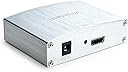
๐ Elevate Your Entertainment Experience!
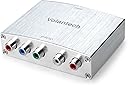
The Volantech 4K HDMI to YPbPr Component Converter is a versatile device that transforms HDMI input into analog YPbPr video and R/L audio signals. Compatible with a wide range of devices including gaming consoles and streaming devices, it supports resolutions up to 4K at 30Hz and offers easy installation with no setup required. With a commitment to quality, it also provides rapid support for any issues, making it a reliable choice for enhancing your digital entertainment setup.
| ASIN | B075CF97SZ |
| Brand | Volantech |
| Compatible Devices | Laptop, Television |
| Connector Type | Component, HDMI |
| Customer Reviews | 3.4 out of 5 stars 106 Reviews |
| Finish | Hdmi,Projector |
| Finish Type | Hdmi,Projector |
| Item Weight | 0.2 kg |
| Manufacturer | Volantech |
| Mfr Part Number | volan004 |
| Model Number | volan004 |
| Package Quantity | 1 |
| Specific Uses For Product | Projector,Tv |
| UPC | 643858663630 |
| Unit Count | 1 Count |
A**A
So far, so good.
I just received this item (Volantech 4K HDMI to YPbPr Component 5RCA V1.4...) a few days ago. I ordered it to replace another (https://smile.amazon.com/gp/product/B00N9UEVNK/ref=oh_aui_detailpage_o00_s00?ie=UTF8&psc=1) one that died a little after two years. I'd paid nearly $50. for the plastic BestFire one so was very hesitant to even look for another. When I saw this metal Volantech model for $30., it seemed worth a try. I use it with our Slingbox 350 which does not have an hdmi connection. Our X1 cable boxes only have HDMI connections. This works perfectly. All the connections are fairly tight. Our previous model didn't have connections quite so tight. I use it on an older Samsung 32" TV flat screen model. The item appears black in the photo, but it is a silver metallic box as in the Amazon photo. If I have issues with it, I will report them here.
J**.
Doen't actually support low resolutions like 480i
I finally managed to get around to setting up my old widescreen flat tube TV in my project room months after I bought this. Seeing this listed as supporting 480i and reading a few reviews, I figured this would be all I'd need to hook up a Fire stick so I could stream from my laptop wirelessly, and the quality would be better than alternatives. Nope. Absolute garbage. Didn't work beyond powering up and sending audio, indicating either it's not sending a solid video signal (as indicated by later tests) or we had a case of false advertising and it doesn't actually support 480i. Hooked up an old PS2 to check the TV component ports, which checked out. I even went so far as to attempt the old trick of hooking the component cables up as if just a regular AV cord just to see what would happen, which did actually seem to send some sort of video signal, but it was just flashes of horizontal lines. I will admit I haven't tested out the new Fire stick to see if it's causing the issue, but after reading other, more recent reviews, I have a hard time believing this product isn't the problem. It may work if you're trying to down grade to something like 720p, but avoid this trash like the plague if your needs are similar to mine.
J**J
So far so good.
Just got it today and did a little testing. It works fine with my PS3, full 1080p component output. The picture is sharp, the colors are good. It doesn't seem to be able to convert 1080p from my directv genie receiver though, only up to 1080i. This is not a deal breaker for me, both of those devices have native component support. Once I get my FireTV, that will be the real test. I will update this review.
B**L
Works Better Than Expected
My main board in my tv went bad to the point where all of my HDMI ports no longer functioned. As I had recently spent a large sum of money on a new console. I did not have the funds to buy a good replacement. This little gadget saved the day and worked better than I had expected it to. Easy setup and worked flawlessly out of the box. One day I will be buying a new tv but I can now wait for a good sale saving me money in the long run. Thanks for the great product!
S**G
Works, but not the most stable -- maybe stable enough for the price, though....
I've had this for about 6 months now and lately it's been very flaky. I think it's developed a bad solder joint between the power connector block and board because lately it feels like if I breath on it funny the power goes out and I have to fiddle around to get it turned on again; this is getting old fast. I'm unsure if this is because there's not enough strain relief on the power connector or if my having to occasionally re-plug the HDMI cable eventually loosened something. Overall, though, I'd say when it works, it's acceptable. But, as I alluded to above, sometimes it has an issue handshaking or takes a while to do so. During these times I will see my TV flash "signal out-of-range" or see static. Usually the image stabilizes after a few seconds, but sometimes not and I'll have to re-plug the HDMI cable. Of course, lately this also knocks out the power and I have to muck with that, too. Rarely I'll have to completely power-cycle the unit to get it to resync. Basically, I'd say buy this if you plan to keep it in an accessible spot or at least have access to power-cycle it -- you'll probably find the need to on occasion. If you need something rock solid, you may want to look elsewhere, though you'll probably pay a lot more for it. For the price, I guess I shouldn't complain too much, but with the occasional instability and recent power issues, I can't give it better than three stars. I'd give it less than three, but it typically works "well enough" and this power thing is a recent issue and possibly easily fixed once I get the time to rip it open. P.S. I've used the unit in two capacities now -- first to interface between my XB1 and older component receiver and second between a newer HDMI receiver's monitor output and an older component TV; it has different issues in each. In the first case, I'd have to replug the HDMI cable because quite often I'd get no image when powering up the XB1. Plus, I'd hear my receiver's relays go nuts (rapidly clicking on-off/on-off) while the XB1 was starting up. My best guess was because the component video signal sent by the box was out of spec, because my TV would also flash "signal out-of-range" errors until everything stabilized. In the second case, though, it's very infrequent that the unit doesn't eventually handshake and give me a signal. So, I haven't had to do the HDMI cable replug as frequently. However, it does make it obvious a handshake is occurring because I'll still see the "signal out-of-range" error put up by my TV during source switches or resolution changes (i.e. things that require a new HDMI handshake). Moreover, with the receiver doing the HDMI switching, I can always just quickly swap to a different HDMI source and back to restart the handshake process and usually things fall in line; this is easier than replugging the HDMI cable, and has done the trick more often than not (but not always). That said, having this box in between is certainly less seamless than when this same receiver was connected directly to two different HDMI-capable TVs, but it's not dreadful. If the power would stay on, it'd be less so, because if re-plugging the HDMI cable occasionally was all that was required I could accept it. But, coupled with the power instability, it's annoying. Especially because sometimes the power-cycle messes with the receiver and I have to try the swap-source or replug HDMI fix again, which sometimes ends up in a loop.
S**B
Great converter
I use this to convert the HDMI out from my SNES Classic to go to the Monoprice RGBA component switch I have hooked up to my TV. Works wonderfully, and no loss in video or audio quality. Had it for quite some time now and still working fine. Solid purchase.
A**R
Roku Premier to Samsung HDTV
Box look nice contemporary look. Says it supports lots of various input formats on HDMI side as well as lots of formats on component video side. I have Roku premier (3rd generation) which output 720p and 1080p and Samsung HDTV which support 480p, 720p, and 1080i inputs on component video. The box should recognize any of the inputs formats and convert to any of the output formats. The box gives no document of how it to manually set what the input and output formats should be so I guess it should do it automatically. But the converter failed to convert properly between the ROKU and Samsung TV. No picture and no audio at all. I verified both Roku and TV with other source there is no issues with either. I returned with no issue.
P**E
Wasted money !
Worked perfect for the first few weeks , then the vertical line appeared in the middle of the screen. It still works but the line drives me nuts
Trustpilot
1 month ago
3 weeks ago