Desertcart purchases this item on your behalf and handles shipping, customs, and support to Greece.
🚀 Elevate your WiFi game with the Archer AXE75 — where speed meets security and coverage.
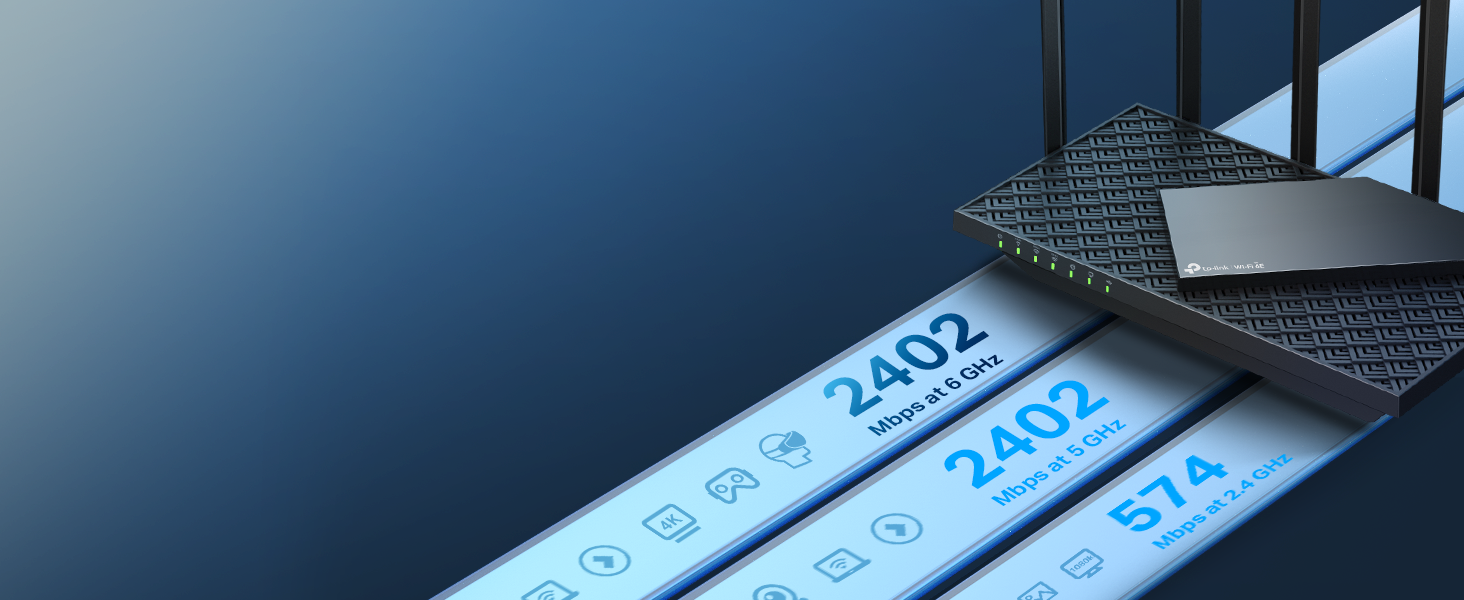
The TP-Link AXE5400 Tri-Band WiFi 6E Router (Archer AXE75) delivers cutting-edge wireless performance with up to 5400 Mbps speeds across three bands including the new 6 GHz spectrum. Equipped with a 2.5 Gbps WAN port, a powerful dual-core CPU, and 512 MB RAM, it supports multiple devices simultaneously with low latency ideal for gaming and streaming. OneMesh compatibility ensures seamless whole-home coverage, while advanced WPA3 security and VPN support protect your network. Recognized as a 2025 PCMag Editors' Choice, this router is designed for professionals and tech-savvy users demanding reliable, fast, and secure connectivity.


| ASIN | B0B3SQK74L |
| Antenna Location | Gaming |
| Antenna Type | Fixed |
| Best Sellers Rank | #80 in Computers & Accessories ( See Top 100 in Computers & Accessories ) #7 in Computer Routers |
| Brand | TP-Link |
| Built-In Media | Power Adapter, Quick Installation Guide, RJ45 Ethernet Cable, Wi-Fi Router Archer AXE75 |
| Color | Black, White, Gray |
| Compatible Devices | Personal Computer |
| Connectivity Protocol | Wi-Fi, USB, WAN, LAN |
| Connectivity Technology | Wi-Fi |
| Control Method | App |
| Controller Type | App Control |
| Coverage | Whole-Home WiFi |
| Customer Reviews | 4.3 out of 5 stars 5,386 Reviews |
| Data Transfer Rate | 5400 megabits_per_second |
| Frequency | 6 GHz |
| Frequency Band Class | Tri-Band |
| Global Trade Identification Number | 00840030707483 |
| Item Dimensions L x W x H | 12.91"L x 10.43"W x 4.72"H |
| Item Weight | 0.69 kg |
| LAN Port Bandwidth | 1000 Mbps |
| Manufacturer | TP-Link |
| Maximum Upstream Data Transfer Rate | 5400 megabits_per_second |
| Mfr Part Number | Archer AXE75 |
| Model Name | TP-Link AXE5400 Tri-Band WiFi 6E Router (Archer AXE75) |
| Model Number | Archer AXE75 |
| Number of Antennas | 8 |
| Number of Ports | 5 |
| Operating System | Proprietary router operating system |
| Other Special Features of the Product | WPS, Internet Security, LED Indicator, Alexa Compatible, Parental Control, QoS, Beamforming |
| RAM Memory Installed | 512 MB |
| Router Firewall Security Level | High |
| Router Network Type | Tri-Band |
| Security Protocol | WPA2, WPA2-Enterprise, WPA3 |
| Special Feature | WPS, Internet Security, LED Indicator, Alexa Compatible, Parental Control, QoS, Beamforming |
| UPC | 840030707483 |
| Voltage | 12 volts |
| Warranty Description | 2 year manufacturer |
| Wi-Fi Generation | WiFi 6E |
| Wireless Communication Standard | 802.11ax |
| Wireless Compability | 802.11ax |
M**E
Bought this for long range at home iPad gaming use and a heavily congested environment
The Wi-Fi 6E is great Has about the same range as 5G because it's not a big jump The thing is if you ever do a survey what you'll notice is the cable companies aren't giving anybody anything higher than five and even the tethering is outputting five in fact my iPad M4 probably outputs 5 even though it accepts the Wi-Fi 6 and 6e 60 can't share bands It jumps down to six when I get a little further away through walls it even goes to five sometimes but because it's all working the way it's working it is never an issue If you have it set up right where you keep all bands on 2.4 GHz set to 20 for the bandwidth pipeline 5 GHz set to auto for the pipeline 6 gigahertz set to auto for the pipeline. Use the same broadcast SSID for all three That's how you allow it to engage 6e and even though it maneuvers stuff around I can tell the difference that even when it's not on 6E there's a difference in how it handles things because of the way it works but that's how you activate it Nobody knows and it's okay if it's not on it I would be getting crazy interference and and drops and spikes and all kinds of stuff or be unusable on 5 GHz on a dual band router In fact I had a dual band TP-Link you definitely want the AX that's the other thing You want to keep all all the things set to like all the protocols You don't want AX only but you want them all on for 5 GHz and for 6 Gigahertz Again same broadcast SSID for all of them same passwordPut it up nice and high It's usually best to just leave all the antennas completely vertical I've tested all the different types of angled settings It's best to truly leave it that way if it's on the same floor and just put it as high as possible close to the ceiling cuz Wi-Fi branches out and then comes down. I performed Wi-Fi surveys prior to purchasing this one They're so much default you know routers from the companies and I live in an area where nobody's even really wise enough to like use their own modem like I do and the routers I only use the router When I want a game like down the hall and and you know through some walls and everything so it's important you know that you don't need a killer speed or anything but it's important that you know you still getvirtually collision free performance and that's what it does It might drop it down to six or well as you get further away through a door and stuff and a little for if you a little bit further than that through heavy paying glass or anything it might be on the five but it'll still perform properly which that would be with any router really I bought this on Prime day and got it for an amazing price it was only $140 now Wi-Fi 6 came out in 2019 6e was I believe 2022 possibly 2023 I don't see the internet providers bothering giving us Wi-Fi six devices of those stupid modem router combos and the area I live in there's just nobody here really maybe one person but there's really no one around me that's even smart enough to even like do something like that They don't care so I always hardwire my modem and just switch the wires I keep each one connected to my device I keep rubber band on each end color coded and I just swap my modem and then I only do the router I plug it in for when I want a game wherever cuz 5G also wide band is fine from the cell phone company for gaming as well but if I'm in my own place it only makes sense to use my gigabit and honestly when I'm in my room I still do the same thing because when I'm right near it it truly does give you gigabit speeds It'll always be between like $800 and a little over a thousand you know 1,024 would be a gigabit but you'll see it'll peak up to like for briefly up so like in the 15 1600s you know but it'll average just over a gigabit It'll give me my full upstream My upstream is only 35 I don't have fiber thousand up thousand down like I used to cuz I live in a different area but I get virtually my full upstream even in the worst conditions it's just the worst conditions you know you'd be tinkering all the time with a 5 GHz where I live a dual band Again it's different when it's in 5 GHz mode when it's set up for that Many devices don't even support Wi-Fi 6 or 6E for example my Xbox Series X does not on the old router it was unplayable On the new one if I bring it down that way it plays like a dream and it's only on you know the 5 GHz band and a lot of times when I go through the door into this one room based routes from Wi-Fi 6 to that and even though it's flooded with it it has to do it the architecture of how the greenfield band works the Wi-Fi 60 and how it all works together It's like even though it's dropping it down there's other parts I'm trying to explain this in layman's other parts of the code and the ways developed where it's still using the perks of what Wi-Fi 6 and 6E give you even if it has to drop you down to five Yeah you'll get slower speeds but you won't have to deal with other people's 5 GHz connections interfering with your connection if it drops you down to five It's still treated the same as long as your device supports it and it's set to accept it either if it's got an on-off switch or auto for 6E you always want to leave that on or set to auto like the iPad a lot of the newer iPad support it I guess the iPhone's my Samsung Galaxy S 23 Ultra supports it When I go to the other room I like to do mobile gaming on my iPad M4 so it'll start off at 6E If I leave through a door down the hall it'll drop the six and I could walk past the area I want to go to it'll stay on six If I go through this door with this double payne glass window it'll traditionally drop down to five or I should say generally sometimes it does stay at 6 If you check it but if you're not obsessed with checking it and you you know you might get first and if you forget about that you know you can tell the difference just just look at the speed test I mean there won't be as fast but they won't be like up and down and up and down like a traditional dual band if it's on the five that's the point I mean yeah if you're downloading something you might you know if you just don't want to use ultra wide band even though I have an excellent ulcer white band connection in this area I mean you may want to swap suit if you're far away when you're downloading something but gaming doesn't go off of that it goes off of latency You can nerf your speeds down to very low and also you know how chatty it is before it releases stuff like 60/120 instead of the thousands of the set to I'm sure some people know what I'm talking about but no this router is great If you're having trouble if you leave in a heavily congested environment that's just full of stuff where you can't get far away I mean you know but you're you can still get your connection but once you get there you know then you're constantly fiddling with channels and stuff no this is a set of forget it deal and it's going to get down to six then the like 5 but it's still technically operating a 6e like the benefits of it cuz like I said my series X only accepts five PS five Accepts six. But I mean just think about the fact that the series X on the dual band 5 GHz in the same area will have lots of issues but it has no issues whatsoever and it can't even do you know it's on five even without checking and it's fine and generally in the worst conditions from that far away I'll still get 30 to 100 download and 25 to my max 35 up but sustained like nice and smooth not all up and down or what pauses and breaks which means even collisions might be coming to play but it's using because of the way it's designed it's using the enhancements of what having those bands unified to create a 6E Greenfield Band network can provide and that's the whole point for buying one in the first place really And even if there's a couple people that have Wi-Fi 6 You don't have to worry about it especially if you have a 6e but that's the way you do it A lot of people don't know it but yeah do what I said about the three bands and that automatically engages 6E if you can pull it and it also has an operating in a different style Everything else is set to auto channels output frequencies like you know 2040 80 120 except you want to Nerf the 2.4 down to 20 not 2040 Hope this helps
W**N
Fast speeds with great coverage!
Our old router stopped receiving software and security updates, so I began looking for a replacement. After reading many reviews, I chose the TP-Link AXE5400 router. It was easy to set up and provides great coverage for our 2 story, 2300 square foor house. It provides great speeds and automatic sofrware/security updates. This router has worked flawlessly and devices are easy to connect. If you need a new router, this one is certainly worth your consideration.
A**1
Network Improvement
I recently upgraded to the TP-Link AXE5400 Tri-Band WiFi 6E Router and it has completely improved my home network experience. Setup was quick and straightforward, even for someone who isn’t especially tech-savvy. The connection has been consistently fast and reliable across all of my devices, including streaming, gaming, and working from home at the same time. One of the best features is the WiFi 6E support, which noticeably reduced lag and congestion in my house. Coverage is excellent — I now get strong signal strength in rooms that used to have dead spots. The tri-band performance handles multiple devices effortlessly without slowing down. I also appreciate the clean interface and easy-to-use app, which makes managing the network simple. Overall, this router delivers excellent speed, stability, and value for the price. I’d definitely recommend it to anyone looking to upgrade their home WiFi setup.
C**T
Easy install; mostly good performance but disappointing 6 GHz speed and range
This replaces an older TP-Link router, and for the most part, I'm pleased with the purchase. Installation is straightforward, and I very much like that I was able to do the install via a PC connected to the router rather than be forced to use a phone app like many other brands. A subscription service is offered that provides some additional functionality (such as enhanced parental controls) but is not necessary to purchase to get good usage from the router. The 6 GHz band has been disappointing both in terms of range and speed. I only have 2 devices that can work on that band, and both have difficulty connecting once I'm more than several feet away from the router. The speed on the 6 GHz band is also less than what I get on the 5 GHz band (which has a good signal throughout the house, as does the 2.4 GHz band). One star down for the disappointing performance of the 6 GHz band, but otherwise a fine performer with good range/speed, an easy install that can be done via a PC, and not having to pay a monthly subscription fee for added services I don't need.
S**O
Upgrade Result: Quick, easy and after 2 months not a single issue.
I was dreading a router upgrade. I researched multiple sources, read user reviews, and still put off the upgrade. My older router was no longer maintained by D-Link and it worked well for 10+ years. The older router would require a reboot to wireless print or scan, and about every 2 months it needed a reboot. We have a large house (4000 sqft) with a separate apartment. I have the router, a 8 port switch, and two downstream routers (one in the apartment and one int he backyard). We also have 50+ connected devices. Upgrade Result: Quick, easy and after 2 months not a single issue. The two downstream routers still work, everything connected easily, and I can wireless print and scan when every I want. I also love the free Tether app; I can see all of the connects and receive SMS messages when a new device is added. Speed is 30% better. The price was outstanding.
C**2
Fantastic speeds for a competitive price!
I upgraded my Internet speed in spring 2020, in the early part of the pandemic to 1GB to keep up with 4 laptops, 1 desktop, a Ring camera with chime, a Ring security system, two Roku sticks on smart TVs, 1 Ubiquity WAP, and two NES Switches (among other Wi-Fi devices), TV streaming, and online PC gaming. As our Internet-home grew, the devices with Wi-Fi connected devices exceeded 20. With the upgrade, I had to replace my coaxial router/modem to a permanently installed Frontier modem and an Arris NVG468MQ router that could take a WAN Ethernet port. The Frontier-provided Arris router was not new, low range, and buggy. I went through 3 of these Arris routers in 2.5 years with full Wi-Fi bars but with exactly the same errors ("Connected, no internet", "No Internet, secured", etc.). Nearly pulled my hair. The family was not happy either. Although the Arris router is compatible with 1GB Ethernet upgraded speeds, it appears to cap at about 600 MB. Believe me, I NEVER, ever, got close to 600 MB with Arris. At an OK speed check I would get 30-60 MB Wi-Fi speeds and sometimes crack 100 MB on my Wi-Fi connected laptops, and maybe a bit higher on my Ethernet-connected desktop. On my Samsung S20 phone I would get 80-120MB speeds. When the Frontier tech visited to check my Internet problems on the second Arris router, I gave him the list of errors (4 in total, two that I named here) and right away he said it was the router and just gave me another one (the 3rd one at that point). Since I had him at home, I asked him if I could buy a router from Best Buy or Amazon and just "plug it in?". He said, "Yes, your Internet setup is plug-n-play, just make sure the router has a blue or red Ethernet port." With that information I started some light research figuring I had maybe a year before the "new" Arris router would get buggy again. Well, it took about a month and I started getting the same exact errors as the previous Arris routers I had replaced. Although the Arris router "corrected" itself a few days later, I was done with Arris routers from Frontier. I sped up my research urgency for a new router from better known brands. At this point I felt I had control over the brand and price point I could buy knowing that I only needed a router and not a modem since Frontier installed a permanent modem when they upgraded my Internet to 1GB speed. Having read about 6E enabled routers--catching up on the newest router/Wi-Fi standards--I figured that a 6E router would be the best option for me as a "future-proof" investment. I narrowed the search to TP-Link, Netgear Nighthawk, and Asus models. This TP-Link AXE5400 beat all the other brands in price for roughly similar, or at least comparable, reviews, features, and range. I purchased this TP-Link AXE5400 Tri-Band WiFi 6E Router (Archer AXE75). TP-Link AXE5400 had excellent reviews on Amazon but also across the Internet from reputable technology websites and sources. I did not rely only on Amazon reviews given the issues with bogus reviews. The "plug-n-play" setup at my home with a Frontier 1GB speed was just that easy. Within about 2 minutes of connecting the TP-Link AXE5400 router, all the lights came "on". I rushed to my Ethernet-plugged desktop and opened my browser. Right away I saw the TP-Link landing page asking for an admin login and password setup, and an Admin account. Several steps later, I reused the previously used SSID and password credentials to minimize connectivity disruptions on all my Wi-Fi-enabled devices and in a flash I was connected to the Internet. I might have spent maybe 20 minutes total, from unboxing to setup to Internet, with some thought-provoking time needed to come up with a new login and password for my TP-Link account. My desktop Ethernet-connected speed test blew me away: I broke the 700/800MB download/upload speeds! I ran a speed test on my Samsung S20 but got the 100+ MB speed that I had gotten with the Arris router. I wondered if it would make a difference if I "forgot" the SSID on the phone and then log back in to the same SSID and password? Sure did! After I "forgot" the SSID on my phone and logged back in and ran a speed test, I broke the 800 MB download speed on the phone. Fantastic! My laptop speeds exceeded the 200 MB download/upload speed marks. Another laptop hit the 190/200 MB download/upload speed marks. Although I am kinda rushing with this review, I feel I made the right purchase and that this TP-Link AXE5400 will outlast the last 3 Arris routers that this router replaced. I will return to review in a few months with good or bad impressions at that time. But, right now, I am a happy dad with a happy family. (Update: September 21, 2024): Ok, so I didn't return after a few months. Rather, a few years. 😳The TP-Link is still going strong. No issues. No problems. No headaches. No regrets.
K**Y
Day 1 - excellent router so far. Will update.
Upgraded from the Archer C3150 V1 (which was an upgrade from another TP Link router before that). Excellent upgrade. Set it up yesterday in about 3 min. I am an IT Professional for a living, so yes, my opinion on what's "simple" might not be the same as others. But that said, I imagine the interface was so simple anyone could set it up in less than 10 min. It walks you through everything. My 3 min included custom settings and port forwards, virtual servers, VPN, the works lol. Simple setup is great for beginners but if you're looking for more advanced features like these just click advanced and go to town. My old C3150 did a solid job for 4 years, but recently started having issues. The 5Ghz would almost never work, and the router needed rebooted once a day ish. I don't hold this against TP Link tho, because I have had Netgear, Asus, Lynksys, TP Link, you name it, I've worked with it either at home or at work, trust me, they ALL go bad eventually. From my experience, TP Link has the smoothest firmware, the longest life (4-8 years for me so far), and most reliable connection. The main reason I started with TP Link at home 12 years ago was because it was the only brand that gave me the FULL speed that my ISP was sending me. I pay for 1 Gig, and on a TP Link, I get 1 Gig. Anyways, signal around the house is significantly stronger with this than with my old Archer C3150. Ranch style house, router is on far end (worst spot ever, but best I could do). Old router would only get the 2.4 G to other side of house, with about 10Mbps on my phone. This one blasts all three bands strongly all the way out the other end of the house lol. 400Mbps on my phone standing right by the router (Samsung Note 20, non-ultra), and 150Mbps when I'm aaaaall the way on the other end of the house in the bedroom with the door shut. 100Mbps out the garage and on the sidewalk. House is ranch just under 2000 square feet. So distance/wall wise it's about the same as a 3500 sq ft 3 level house. This thing will do just fine in any average house. My basement is not counted in that sq ft and still gets perfect signal. Good thing about this router is is works with TP Link mesh ad ons, so if I ever decide I need an extender I can get one later. Pretty sure I won't tho. All in all, great start to a hopefully long 5 or 6 years with this router. Again, I only got it yesterday. If anything changes I promise to update this review right away.
E**.
Flawless After a Rocky Start
My old router decided to stop routing, so I needed a replacement in a hurry. This TP-Link has been rock solid for two months now and covers my entire condo without a single dead spot. I have smart devices spread across the whole living space and can even connect from my car parked outside. The setup, though, is where it lost me. It was more involved than any router I've set up before. There was a display glitch on the login screen, a caching issue that blocked access to the dashboard, and some wireless security protocols that aren't enabled by default but were required for several of my devices to connect. There was also a setting that throttled the connection speed until I tracked it down and toggled it. I also inadvertently capitalized the first letter of my network name during setup, which knocked every device off the network. Renaming it back to lowercase didn't fix the auto-reconnect, so I had to manually rejoin each one. None of these were dealbreakers, but they added up to a setup experience that took more effort than it should have. Once everything was dialed in, the router has been flawless.
S**R
هذا الراوتر يستحق سعره
بالنسبه لسعره يعتبر اسطوري بالذات لو تستخدم عده اجهزه تلفزيون كمبيوتر جوال الخ
S**.
TP perfection
Superb router for houses with dead spots, builds a seamless mesh network with TP extenders. We've had perfect WiFi across the house since buying this.
M**F
Works well
TP-Link AXE5400 Tri-Band worked reall well , speed is fine , easy setup , recommend
D**O
Muy buena opción
La configuración con la app es sencilla
A**R
Comes with an American power cable fitting
The router has an American power cable causing problem with usage
Trustpilot
1 week ago
2 months ago