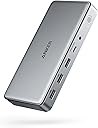
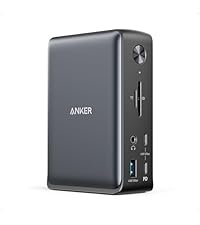
Desertcart purchases this item on your behalf and handles shipping, customs, and support to Greece.
🚀 Elevate your workspace: One dock, endless possibilities.
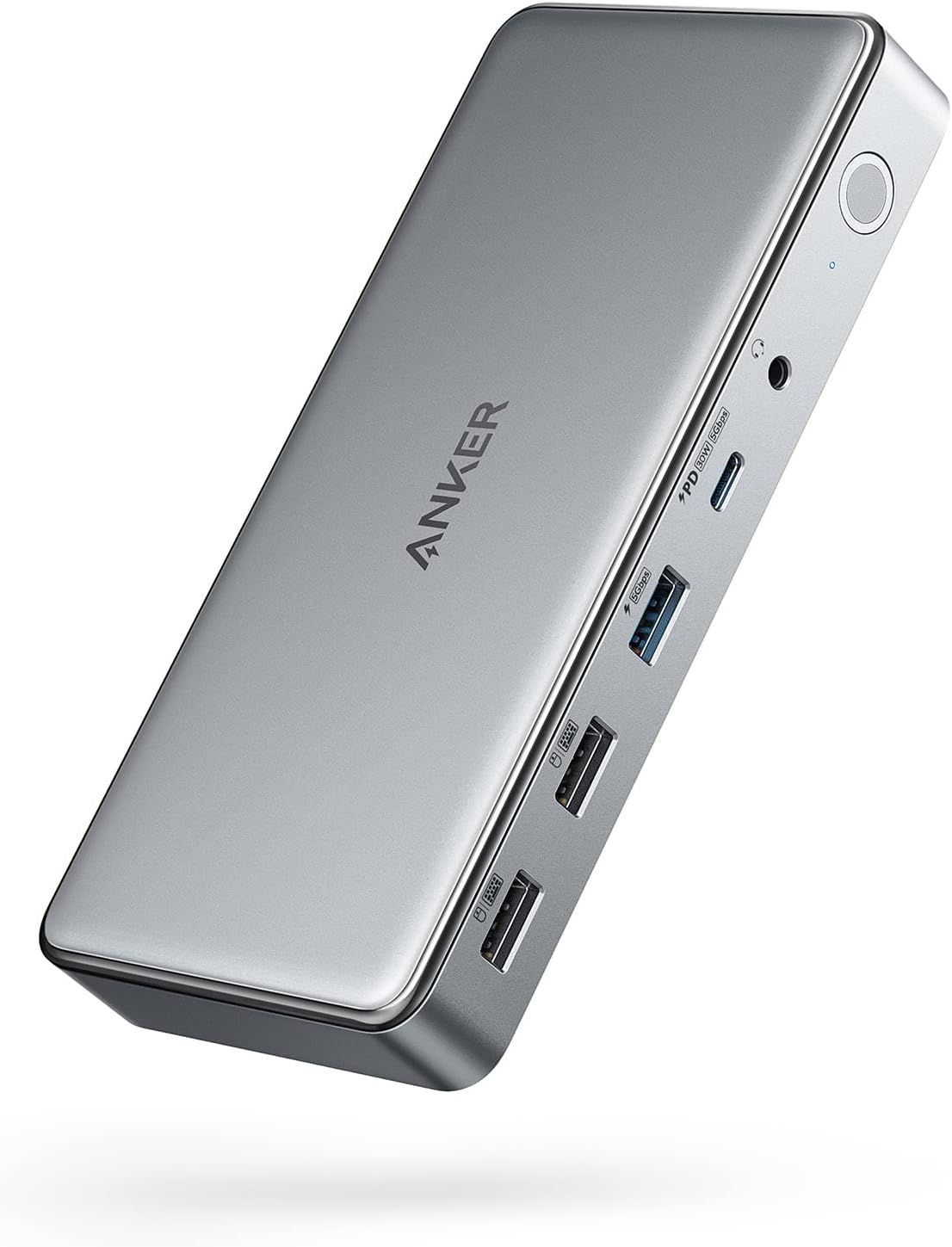
The Anker DL6350 Docking Station is a sleek 10-in-1 USB-C hub designed for professionals craving a clutter-free, triple-monitor setup. It supports up to 100W laptop charging, dual HDMI plus DisplayPort outputs at 4K@30Hz, and fast data transfers up to 5 Gbps. Compatible with MacBook Air/Pro and major Windows laptops, it requires DisplayLink software for multi-display functionality, delivering a powerful, all-in-one desk command center with smart cooling and an 18-month warranty.


| ASIN | B09XH3PD25 |
| Best Sellers Rank | #363 in Computers & Accessories ( See Top 100 in Computers & Accessories ) #38 in Laptop Docking Stations |
| Brand | Anker |
| Color | Gray |
| Compatible Devices | Lenovo ThinkPad,Dell XPS,Microsoft Surface,HP Spectre,MacBook Pro 13,MacBook Air 2020 |
| Customer Reviews | 4.0 out of 5 stars 803 Reviews |
| Hardware Interface | USB Type C |
| Item Dimensions L x W x H | 6.7"L x 3.15"W x 0.96"H |
| Item Highlight | Triple 4K@30Hz (2 HDMI+1 DP), for Windows Laptops, MacBook Air/Pro and More (The Latest DisplayLink Driver Must Installed) |
| Item Weight | 1.6 ounces |
| Manufacturer | Anker |
| Mfr Part Number | A83951A1 |
| Model Number | A83951A1 |
| Number of Items | 1 |
| Number of Packs | 1 |
| Number of Ports | 10 |
| Product Dimensions | 6.7"L x 3.15"W x 0.96"H |
| Total Number of HDMI Ports | 2 |
| Total USB Ports | 10 |
| Total Usb Ports | 10 |
| UPC | 194644099756 194644099909 |
| Warranty Description | 18 month |
| Wattage | 100 |
B**.
works for me!
I am using a M5 MBA on the latest software. This is the first time I had a docking station that worked with my two external monitors. I have always had a 34" Ultrawide and a 24" regular monitor(that I turn in 180 degrees so I can access more up/down). I had been looking for a solution for 2 external monitors and couldn't find one until now. This dock is super fancy and expensive but it's worth it because it works. When I first got the dock, I was using both HDMI ports and one monitor was working but the other monitor wasn't working. I initially thought immediately about returning the dock because it was so expensive and then I tried using the DP port and into my HDMI and it worked. I guess I bought the wrong cable so I bought the right one however, I did confirm that it worked perfectly. Please make sure you have the proper cables for your monitors before you return this and deem it incompatible because I'm telling you it works on both the M1 MBA and the M5 MBA but I don't know if it'll work previous versions however I don't see why not if you downloaded the Displaylink software. I have not tested this long term but it works for my needs so I'll give it a 5 star. My needs are super basic. 6/12/2026: so this dock kick butt. It works on the M1 MBA and the M5 MBA. Apple specs say you can’t use dual display monitors for the M1 but it works just fine with Display Link software. On the M5 it says you can’t use dual monitors only use 2 monitors in clam shell mode. I have tested the M1 MBA and it work just fine. The M5 can be used with 2 monitors and with the MBA opened at the same time so it’s like 3 screens. I don’t know if it’s because of the DL software or not. I would guess it has something to do with it. If I had know it’d work on my M1 I probably wouldn’t have bought the M5 MBA. See photo attached. It’s the M5 MBA. So for me it’s 5 stars. It does everything I want and I like the style because it’s futuristic. lol. It would be cool if it had a built in retractable cable that connects to your MacBook. That would be dope and super packable. So far, no issues with the dock however, it does not work unless DL app is downloaded because it uses your screen sharing feature and emulates the monitors. That being said, apps like Netflix, CrunchyRoll, Peacock, etc,.(mostly streaming services) won't work with DL because it's using a form of screen sharing/screen recording. If you're looking to watch Netflix using this dock then you'll need to download Google Chrome and go on Netflix with that after you go into the Chrome settings and turn off the "hardware acceleration" option. Once you turn that option off you'll be able to run Netflix with no issues but you'll need to use Chrome. Figured this out the hard way. FYI. Will not work on any laptops that doesn't have DL downloaded. I'm using a MBA M5 so this works well for what I need it for.
J**R
A genuine desk command-center — this one actually delivers on "one cable, everything connected"
I've used a handful of docking stations over the years chasing the dream of a true single-cable desk setup, and this is the first one that's actually delivered on it without weird driver headaches or dropped connections. One USB-C cable from the laptop, and suddenly I've got triple monitors, all my peripherals, and fast charging running through a single dock. What stands out with regular use: 140W charging through the upstream port is no joke. My laptop charges at full speed while docked, so there's no separate charger cluttering the desk — the dock handles power and data in one connection. The smart display is more useful than I expected. Being able to glance down and see charging wattage, fan mode, and display status without digging through OS settings is a small thing that ends up mattering a lot day to day. Triple display support just works. Once the DisplayLink driver is installed (don't skip this step, it's required), running three monitors off one dock instead of juggling multiple cables into the laptop directly is a huge upgrade to the desk setup. The cooling fan keeps it from getting hot under real load. Running multiple displays plus charging plus peripherals is a lot of throughput, and this doesn't get uncomfortably warm the way some passive docks do after a couple hours. Port selection covers basically everything. Between the USB-C, USB-A, HDMI, DisplayPort, and Ethernet options, I stopped needing a separate adapter drawer next to my desk. Worth knowing going in: the DisplayLink driver install is mandatory for the multi-display features to work properly, so budget five minutes for that setup step rather than expecting instant plug-and-play. Also, the front USB-C ports are for charging peripherals, not for driving a display — keep that in mind when planning your monitor cables. For anyone running a multi-monitor setup and tired of a tangle of separate chargers, hubs, and adapters, this consolidates all of it into one solid unit. It's a genuine upgrade to how the desk functions, not just a novelty gadget.
G**O
Premium Price, but the Main USB-C Port Failed After 3.5 Years
I purchased this Anker 563 USB-C Docking Station in March 2023 for $249.99. It worked well with my Lenovo ThinkPad E14 for several years, but unfortunately the rear USB-C upstream port — the main port used to connect the dock to the laptop and provide charging — suddenly stopped working. I thoroughly tested the setup before concluding that the dock itself was the problem. My Lenovo charges perfectly when connected directly to its original USB-C charger, and the USB-C cable used with the dock also works correctly with other devices. I even left the docking station completely disconnected from power and all devices for about a week before testing it again, but the problem remained. This is particularly disappointing because this was a premium-priced docking station. I do not think a $250 dock should suffer a failure of its most important connection after only around three and a half years of normal use. The dock itself is not obsolete and would still fully meet my needs if the main USB-C connection were working. Having to potentially replace the entire unit because the primary laptop connection failed is frustrating and makes me question the long-term durability of this product. I purchased Anker because of its reputation for quality and reliability, so I expected better longevity from a product in this price range. I am currently contacting Anker support to see whether they are willing to provide a replacement or another reasonable solution. I will update this review depending on how Anker handles the issue.
G**K
Simple, Easy to use Dock!
This dock is a must-have for those looking for a simple, easy-to-use interface to connect their laptops to an external monitor. I must admit, I was on the fence about this one when it came to gauging the value I would get out of this, but I was proven wrong. It is designed well with good weight and build quality. Setup was relatively easy, and it was nice that they threw in a DisplayPort and HDMI cable in the box. It does not take up a lot of space on my desk and the clock feature is a nice touch. Note that the clock is only customizable after you install a firmware update via the Anker Dock Manager PC application, which you can download from the Anker website. The dial is another welcomed addtion as this is present on their Anker Prime Charger 250w. Maneuvering through the settings was a breeze. The device runs cool and does not heat up to such high temps. Anker has done a great job at managing temperatures across it's devices. There are plenty of ports for connectivity, including 3 front USB-C data/charging ports, a SD + TF card reader. The back ports include 1 DisplayPort, 2 HDMI ports, 2 USB-A 3.2 ports, 1 USB-A 2.0 port, an ethernet port, and your standard upstream data/charging port. Upstream charging to the device is max 140w (unfortunately my gaming laptop supports only 100w), and the connection was relatively simple. This device also supports PPS PD charging for Android devices such as the Samsung Galaxy via the front 3 ports. You can also establish a data connection from your phone to your PC. For display, keep in mind that you need to download the Synaptics DisplayLink driver for your pc/laptop to output via DisplayPort to an external monitor. It is a relatively quick and simple download. Once the driver was installed, and I restarted my pc and reset the dock,the video display was seamless. I am currently outputting a resolution of 3440 x 1440 @240Hz with no stutter and no artifacts. This has improved my gaming setup tremendously, and I have not noticed any issues during hardcore gaming. The Anker Dock Manager application is a nice touch and allows you to see the multiple connections that you have on your setup. You can change from Mirroring to Extended display, even change the display direction if you have your monitor set up vertically. Refresh rate and resolution can also be customized. Overall, this is a solid addition to anyone's future laptop/desktop to monitor setup. Though there are other docks out there with more ports and features, the Anker Prime does a great job of incorporating functionality and simplicity for the everyday user.
S**N
Decent For Apple M1, Not Perfect
I bought this for my MacBook Pro M1 to have triple monitor capability, and it can do this successfully with some limitations. First the drawbacks: My main monitor which is 1080p and 144hz can only reach a maximum of 60hz when connected to the dock, but will hit the full 144hz when connected directly to the lightning bolt port on my MacBook. The display drivers required indicate that they perform screen recording, presumably to virtualize a triple display setup. It’s claimed that no screen information is ACTUALLY captured, but it’s still somewhat jarring to think it could be. There are visual artifacts that can be distracting at times. For example, typing quickly while watching your input - the text you’re typing sometimes appears to delete the last character or two, and then the character will reappear after a moment. Also, occasionally a snapshot of the mouse cursor will appear to freeze on one monitor even after it continues moving to another monitor. This will disappear once the cursor returns to the original monitor. The Good: Easy to set up. Plug and play once you install the DisplayLink software. Compact. Smaller than any other dock I’ve used. Fast and powerful charging. THREE MACBOOK MONITORS.
I**I
Bought it for the art, kept it because it actually works
Setup took about two minutes. Plugged it in, ran the cable to my Mac, install the display link driver. It looks better in person than in the listing photos. The stone texture is actually embossed so you can feel it, and the gold line work only really pops when light hits it at an angle. The little rock-shaped cable holder in the box seemed like a gimmick until I started using it — now my cables sit at the edge of the desk instead of falling behind it every time I unplug. Two things worth knowing: it gets warm when you're pushing it, which is normal for a dock but not nothing. If you like the game, get it. If you don't, you're paying extra for a design you don't care about, and a plain Anker dock will do the same job.
N**H
Powerful Dock for Triple Screens, Just Be Ready for Setup
I’m a big Anker fan and this docking station mostly lives up to what I expect from them. The biggest reason I bought it was to run triple screens off my Mac, and it actually delivers on that, which isn’t always easy to find. Once everything is up and running, it works great. Displays are stable, connection is solid, and it really cleans up my desk with a single cable setup. Build quality feels premium too, like most Anker stuff. The one downside is the driver situation. You do have to download and run software to get full functionality, which isn’t ideal. It’s not hard exactly, but it does add an extra step and I could see less techy people getting a little confused. I had to poke around a bit to get it all working right. After setup though, no real complaints. It does exactly what I need it to do and does it reliably. If you want triple monitors on a Mac and don’t mind a little setup, this is a really solid option.
A**L
Nice Hardware, Video Output Has Serious Limitations & Driver Crashes! (Review By An Engineer).
- The Good The build quality is excellent. Solid construction, nice weight, and a premium feel overall. The built-in screen on the dock is a nice touch for monitoring connection status and power delivery. Charging works great at 140W, the ports are plentiful, and when everything works, it works well. - The Problem: This Is NOT a True Thunderbolt Display Dock! Despite being heavily reviewed on YouTube as a "Thunderbolt Docking Station," this dock does not pass video directly from your laptop's GPU to your monitors. Instead, all video output must go through DisplayLink technology. SOOO many YouTube videos sponsored by Anker referred to this as a THUNDERBOLT DOCK - it is NOT! Here is how it actually works: 1) Your GPU renders the image 2) Your CPU compresses the frames into a video stream 3) The stream is sent over USB to the dock 4) A chip inside the dock (DL7400) decompresses and outputs to your monitors Compare this to a native Thunderbolt dock, where your GPU renders the image and sends it directly to the monitor. No compression, no extra steps. - No VRR or Adaptive Sync Support! If your monitor supports FreeSync, G-Sync, or any variable refresh rate technology, it will not work through this dock. DisplayLink cannot pass VRR signals because the video stream is being compressed and decompressed. The direct timing link between GPU and monitor that VRR requires simply does not exist with this architecture. - No HDR Support! HDR is completely unavailable through this dock. My Samsung G9 monitor fully supports HDR, but Windows shows "No HDR available" with the option grayed out when connected through the Anker dock. This is another consequence of the DisplayLink compression pipeline. HDR requires precise color data and wide color gamut information to be passed directly from the GPU to the monitor. When frames are compressed and decompressed through DisplayLink, that HDR metadata is lost. - Limited to DisplayPort 1.4 from 2016! There is no DisplayPort 2.1 support, which limits compatibility with newer high-resolution, high-refresh-rate monitors. - System Crashes (Blue Screens)! On my BRAND NEW Windows 11 system, the DisplayLink driver caused repeated blue screen crashes whenever the PC attempted to enter sleep mode. I experienced three crashes in a single day. The crashes continued even after applying commonly recommended fixes such as disabling USB Selective Suspend and disabling Hybrid Sleep. The only way to stop the crashes was to disable sleep entirely, which is NOT a reasonable solution for a laptop dock. - Added System Overhead! Because DisplayLink compresses video frames, both your CPU and GPU do extra work that would not exist with a native Thunderbolt dock. My testing showed approximately 2-5% additional CPU usage just from moving windows around. That may sound small, but it is work your computer should not be doing at all when you have capable GPUs sitting idle. - Added Latency! Frames must be compressed, transmitted over USB, then decompressed by the dock's chip before reaching your monitor. This adds latency compared to a direct GPU-to-monitor connection. - Who This Dock Is For? This dock makes sense for MacBook users who need multiple external displays and are limited by Apple silicon restrictions. It also makes sense for users with laptops that lack dedicated GPUs or Thunderbolt video output capabilities. - Who Should Avoid This Dock? If you have a mid-range to high-end laptop with capable GPUs, this dock bypasses them entirely and renders video through a less capable chip (DL7400). If you have monitors that support HDR, VRR or Adaptive Sync, you will not be able to use those features. If you expect "docking station" to mean native video passthrough, this is not that product! - The Bottom Line: The hardware quality is nice, but the marketing is certainly misleading (especially the sponsored YouTube videos out there). Many YouTubers calling this a "Thunderbolt Dock" implies native video passthrough, which this dock does not provide. The product name does include "DisplayLink," but most consumers do not know what that means or understand its limitations. I certainly didn't know until I did my own deep dive research after I experienced the BSoD crashes! If you want a dock that actually uses your laptop's GPU and supports modern display features like HDR and VRR, look for a native Thunderbolt dock without DisplayLink. Examples include the CalDigit TS4, CalDigit TS5 Plus, or Lenovo ThinkPad Thunderbolt 4 Dock. Personally, I am returning this dock and replacing it with a CalDigit TS5 Plus. - Technical Details and Evidence: For those who want to understand how I diagnosed the crashes, or for Anker's engineering team, here is what I found. - The Crash Error Code: All crashes showed the same Windows bugcheck: Bugcheck: 0x0000009f (0x0000000000000003, ...) Bugcheck 0x9F is DRIVER_POWER_STATE_FAILURE. This means a driver failed to respond to a power state change request within the allowed time. The first parameter being 0x3 indicates that a device object was blocking a power IRP (I/O Request Packet) for too long. In plain terms, when Windows told the device "we are going to sleep now," the driver hung and crashed the system. - Windows Event Log Evidence: The BugCheck events from the System log showed the pattern clearly: TimeCreated : 12/18/2025 6:55:37 PM Message : The computer has rebooted from a bugcheck. The bugcheck was: 0x0000009f (0x0000000000000003, 0xffff8084bbbec060, 0xffff918ac552f5c0, 0xffff8084bc335010). A dump was saved in: C:\Windows\Minidump\121825-18375-01.dmp. TimeCreated : 12/18/2025 1:42:35 PM Message : The computer has rebooted from a bugcheck. The bugcheck was: 0x0000009f (0x0000000000000003, 0xffffb80fcf0f7060, 0xffffd081f830f5c0, 0xffffb80fc8e72010). A dump was saved in: C:\Windows\Minidump\121825-14968-01.dmp. TimeCreated : 12/18/2025 7:08:56 AM Message : The computer has rebooted from a bugcheck. The bugcheck was: 0x0000009f (0x0000000000000003, 0xffff9e8bb6636060, 0xfffff80537cb85c0, 0xffff9e8bce8e10d0). A dump was saved in: C:\Windows\Minidump\121825-14531-01.dmp. Three crashes in one day, all with identical error codes, all during sleep transitions. - Identifying the Failing Device: After each crash, the Windows Kernel-PnP log showed driver load failures: TimeCreated : 12/18/2025 1:42:31 PM Message : The driver \Driver\WUDFRd failed to load. Device: USB\VID_17E9&PID_7000&MI_01\7&4cfbadf&0&0001 Status: 0xC0000365 The key identifier is VID_17E9. This is DisplayLink's USB Vendor ID. Every hardware manufacturer has a unique vendor ID assigned to them, and 17E9 belongs to DisplayLink. The device was failing to recover properly after each crash. - DisplayLink Driver Version Tested: DeviceName: DisplayLink USB Device DriverVersion: 12.1.2684.0 DriverDate: 20251102 This was the latest driver available at the time of testing. - Test System Configuration: Laptop: Lenovo ThinkPad P14s Gen 6 (Intel) - BRAND NEW! OS: Windows 11 Pro GPUs: Intel Arc Pro 140T (48GB), NVIDIA RTX PRO 1000 Monitor: Samsung G9 Ultrawide (VRR capable) Dock: Anker Prime 14-in-1 (A83B3) with DL7400 DisplayLink chip - How to Check Your Own System: If you are experiencing similar crashes with a DisplayLink dock, you can check your Windows event logs with this PowerShell command run as Administrator: powershell$startTime = (Get-Date).AddDays(-7) Get-WinEvent -FilterHashtable @{LogName='System'; ProviderName='Microsoft-Windows-WER-SystemErrorReporting'; StartTime=$startTime} | Select-Object TimeCreated, Message | Format-List If you see bugcheck 0x0000009f, you have the same problem as me! All in all, more than anything, I'm really disappointed with YouTube reviewers, 100% of them NEVER talked about DisplayLink or how it works, they just showed off the Dock working and called it "Thunderbolt" - clearly all were sponsored, not a single one did any technical deep dive or showed any longevity testing. So I had to do their homework!
F**T
Delivers three display screens on an Apple M1 MacBook Pro
Unit is surprisingly heavy but very neat. Software download was simple and easy (restart required). Simple and quick to set up, no fettling or faffing necessary. Overall a great purchase and excellent product.
D**S
Lots of connectors. Fully featured.
Great dock with lots of connectors. I'm very happy with it.
N**R
Excellent Docking Station
Solid build quality and very reliable performance. Handles multiple displays smoothly, charges fast, and keeps my desk setup clean with all ports in one place. Works exactly as expected and feels premium.
B**R
Neat and Very Useful Tool
Straight forward to connect to the laptop. Like the fact that it doubles up as a power adapter for the laptop. All my connections in one tidy area - well recommended.
P**S
Best Mac dock !
The Anker PowerExpand Elite DL7400 powers my ultimate 5-screen Mac setup flawlessly: a 34” ultrawide at 3440x1440 for main workspace, two 27” monitors for references and tools, the MacBook screen for quick checks, and iPad Pro via Sidecar for notes—all running smooth at high refresh rates with zero lag, flicker, or dropped frames across both MacBook Pro and Air. No compression artifacts or stuttering during heavy multitasking like code editing, virtual machines, and browser tabs. The 3 USB-C ports completely replaced my old charging station—they deliver fast 100W PD to keep laptops topped off during 10+ hour sessions while powering hubs, external drives, and accessories without a single dropout. Its compact aluminum design makes my desk clean and modern. Perfect macOS dock—game-changer for productivity.
Trustpilot
3 weeks ago
3 weeks ago