🔀 Switch Smarter, Work Faster — Own Your Dual-Device Domain!
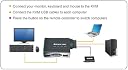
The IOGEAR 2-Port USB VGA Cabled KVM Switch lets professionals effortlessly share a VGA monitor, USB mouse, and keyboard between two computers. Featuring a convenient 6-foot wired remote button for instant switching, it supports high-resolution displays up to 2048x1536 and is fully plug-and-play with broad OS compatibility. Powered via USB with no external adapters needed, this compact, durable switch is perfect for multitasking managers seeking streamlined control over dual systems.


| ASIN | B001D1UTC4 |
| Actuator Type | Push Button |
| Best Sellers Rank | #34 in KVM Switches |
| Brand | IOGEAR |
| Circuit Type | 2-way |
| Compatible Devices | Monitor |
| Connectivity Protocol | Usb |
| Connector Type | Plug In |
| Contact Material | Plastic |
| Contact Type | Normally Open |
| Control Method | Remote |
| Control Type | remote |
| Controller Type | Wired Remote Switch |
| Current Rating | 1 Amps |
| Customer Reviews | 4.1 4.1 out of 5 stars (6,444) |
| Date First Available | November 26, 2006 |
| Global Trade Identification Number | 00777786114268, 00881317011022 |
| International Protection Rating | IP64 |
| Is Discontinued By Manufacturer | No |
| Item Dimensions LxWxH | 7.5 x 7.2 x 2.2 inches |
| Item Weight | 1 pounds |
| Item dimensions L x W x H | 7.5 x 7.2 x 2.2 inches |
| Item model number | GCS22U |
| Language | English |
| Lower Temperature Rating | 1 Degrees Fahrenheit |
| Manufacturer | IOGEAR |
| Number of Items | 1 |
| Operating System | Unix |
| Operating Voltage | 1 Volts |
| Operation Mode | ON-OFF |
| Product Dimensions | 7.5 x 7.2 x 2.2 inches |
| Series | IOGEAR |
| Specification Met | No |
| Terminal | Button |
| UPC | 617407326758 807030488019 186409665085 999992446616 731215277122 070090135081 611101318903 675904028513 012300474405 696582459260 168141485848 132018258187 872182662167 012304321606 112840346146 191120077796 999993930763 014445825173 851905132682 521375294783 653801186901 078667257327 012302441436 078667470023 079532094719 971476197016 999993366807 755034044949 021111274517 001910313907 7777863103… |
| Unit Count | 1.0 Count |
| Upper Temperature Rating | 1 Degrees Fahrenheit |
| Wattage | 5 watts |
A**R
Great USB / DVI KVM switch
I just bought this KVM. Here are a few thoughts after using it for a few days: REASON I BOUGHT THIS ONE: It had two USB 2.0 ports, and no PS2 ports. IOGear has had some great customer reviews for this, and other KVM products. I liked the fact that I plugged my own DVI cable into the switch to my monitor making cable length irrelevant. And finally, the one negative review I did see here was answered directly by an IOGEAR representative attempting to address the problem. PACKAGING: Nice cardboard box, foam wrap around all internal components, manuals were in color and in plastic bags, the manual content is complete but concise in English. QUALITY: Everything seems to be made of sturdy high quality components. The cables are thick, well insulated, and are generous length. You would only need to be concerned with cable length if your two machines are over 10 feet away from each other. There are plastic caps that cover the stereo cables if not in use and the cables themselves are color-coded. The cables plug into the switch ports firm and secure. HOOK-UP: Couldn't be easier. There was no need to look at the manual, everything is intuitive enough. There is a mini stereo jack cable for your left/right speakers and then one for your microphone. I have a 4.1 surround setup and I don't have a need for a microphone. Well, good news for those like me... just use the microphone stereo port for your rear left/right and you will have full 4.1 surround through the KVM. This was a great surprise, and it works. INITIAL IMPRESSIONS: One problem I ran into was that my Logitech MX510 mouse has 5 additional buttons. When run through the KVM it only detects a standard three button scroll wheel mouse. I never really used these buttons anyway, but it required me to reconfigure the mouse driver to speed up the cursor movement again. I hid the KVM switch behind my desk and only see the slim remote button. The bottom of the button has a no-slip rubber pad, so you can lay it on your desk flat and it won't really slide anywhere. The button itself is easy to find and press without having to look at it. Everything else worked great right out of the box. Since this is a digital KVM switch, you don't have to worry about quality of the signal. Either the signal arrives or it doesn't. You get perfect clarity or nothing at all. In my case, it's perfect. There is absolutely no difference in display quality when compared to directly connected the computer to the display. MY SPECS: Computer #1 is an older XP machine with a ATI 9800 graphics card. The other machine is an HP running 64-bit Windows 7 with a GeForce 260. The mouse is a Logitech MX510. The keyboard is an older Microsoft split ergonomic PS /2 keyboard. I used a USB adapter without any issues at all. I hooked up a PC Works FourPointSurround (with subwoofer) through the two mini-stereo ports. Like I mentioned earlier, you can use any equipment that uses two mini-stereo ports, it doesn't have to be a microphone. FINAL THOUGHTS: I am completely satisfied and this product has met my expectations. My opinion of IOGear has increased a few notches. When looking for future hardware, I'll certainly give IOGear a favorable consideration.
B**T
Great KVM switch. Recommended.
I use this KVM switch for a home lab setup which often changes both hardware and OS configurations. Presently, it is connected to two CentOS 7 servers (linux). In summary, I am very pleased with the product overall. Details follow. Packaging was good. I appreciate the informative, properly sized box IOGear uses for this switch. No hard-to-open plastic molded shells here. One minor problem was the actual wrapping of the many cables that make up this product. Count on about 5-10 minutes to unravel and untangle all the cords. The printed Quick Start Guide is easy to read and installation is clear and simple. I had the KVM switch hooked up to both my computers in about 5 minutes. My computers are close in proximity, so length of cables was fine (3ft each). If you have computers that are not near one another, I recommend you consider cable lengths before purchase. All cable moldings and insulation seem top rate. The one exception may be the button switch cable which is very thin and several feet long. Be careful not to pull this one or crimp it under a heavy computer case--it probably could be damaged easily. The KVM center hub, which is where all the cables plug into and originate from, is made of sturdy plastic. Again, all connection ports seem high quality and spaced properly for easy of use. There is a green LED which illuminates on the hub to designate which connection is active. Unfortunately, these two LEDs are not labeled, other than a "braille-like" pip under each. One pip for one connection, two pips for the second connection. It would have been nice for the manufacture to label that better, but this is not critical to the operation of the product. For my particular setup, I had to use a DVI-VGA converter on one of the cables. This is because my video card on that server had only DVI video ports. Also, I did not use the audio cables for this particular setup, so I cannot review that feature at this time. Be aware that if your computer requires a keyboard during the power on sequence, be sure to toggle the switch to be active on that server when you turn it on. This is because the switch does not maintain any sort of heartbeat on the inactive connection (some higher end KVM switches will do this). In addition, even if the OS boots properly without an active video connection, you will likely have a low resolution (640x480) when you do switch to it. Therefore, I recommend booting one computer, then switching to the other computer and boot that one. Switching is instantaneous and I experienced no failures after several hours of using the switch. I also was pleased to see that desktop session timeouts (where the desktop blanks the screen after several minutes of inactivity) did not confuse the KVM switch either. Overall, I am very happy with this product.
R**0
All I needed was a nice simple KVM switch, just to take a USB keyboad and mouse and two computers with VGA graphic outputs (as opposed to digital) and these outputs to one monitor, and that's exactly what this small unit does. Quality is perfectly acceptable, and the fact it has a remote control switch means you can have the switch itself hidden away on the floor somewhere and still be able to easily switch between systems (I have the switch attached on my keyboad with some self adhesive velcro). There is no intelligence in this switch (which in my eyes is a very good thing, keeps things simple) so when you switch it, it in fact physically disconnects the keyboard/mouse from one comuter (you can hear windows make the usb device removed sound) and physically switches the input to the other machine (again you can hear windows usb device connected sound). No problems at all, out of sight and very convenient. And for a fantastic price.
M**R
I had a very old monitor connected to my CCTV. I added another PC next to it only for remote connection and didn't want to add a new monitor for that. I bought this product and connected my new PC with my CCTV system monitor. Its does support wireless mouse and keyboard which was a plus. Recommended.
D**K
The IOGEAR 2-Port HD Cable KVM Switch with Audio GCS62HU great product, very easy to install plug in and use. quick to switch between my 2 PC's, very reliable
C**D
I bought this as a replacement for one of the fancier multi input 2 computer KVM switches which turned out to freeze up my mouse or keyboard or both at random intervals. I'm running a relatively new model Dell XPS 9850 and an older Dell XPS 8700 with stock Dell mouse/KB and it just works perfectly. I like the long cables which allowed me to mount them some distance apart. I like the remote switch which allowed me to situate the box back with the rest of the cables. I like the fact that there is a separate mouse and keyboard input to each computer. I think that my newest Dell doesn't like having the mouse/keyboard go through a hub which may be why it didn't work with the fancy KVM I returned. The video is rock solid when I switch between the two Dells. So yeah, I'm going to buy more of the boxes. Keep up the good work IOGEAR :-)
T**Y
tres bon produit , de bonne qualité , ravis de mon achat . . . . . . . .
Trustpilot
2 days ago
1 month ago