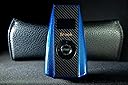
🏁 Upgrade your racing setup—one converter, endless tracks!
The Brook Ras1ution 2 is a compact, high-performance racing wheel converter that enables seamless use of your preferred racing wheels across PS3, PS4, PS5, and Nintendo Switch consoles. Featuring true force feedback support, an OLED HUD for real-time status, and a durable braided USB-C cable, it offers plug-and-play convenience with advanced customization through a dedicated mobile app. Perfect for gamers who demand versatility and precision without buying multiple wheels.


| ASIN | B09W9W79CW |
| Best Sellers Rank | #16,109 in Video Games ( See Top 100 in Video Games ) #1,297 in PlayStation 5 Accessories |
| Brand | Brook |
| Color | Black |
| Compatible Devices | PS5, PS4, PS3, Switch |
| Connector Type | PS3, PS4, PS5, Switch, USB Type C |
| Customer Reviews | 4.0 out of 5 stars 754 Reviews |
| Finish | Matte |
| Item Dimensions | 3.74 x 2.17 x 0.79 inches |
| Item Weight | 0.06 kg |
| Item dimensions L x W x H | 3.74 x 2.17 x 0.79 inches |
| Manufacturer | Brook |
| Mfr Part Number | AMJP064_BGRS_V2 |
| Model Number | ZPP0053 |
| Number of Items | 1 |
| Number of Ports | 3 |
| Package Quantity | 1 |
| Power Plug Type | No Plug |
| Specific Uses For Product | PS5/PS4/PS3/NS/NS 2 |
| Unit Count | 1 Count |
| Warranty Type | Limited |
I**S
Works with Logitech Force feedback Pro (circa 2005)
Took some trial and error to get it to work on PS5 but it works with a wheel that was designed for PS2/PS3. Even the force feedback works flawlessly without any input or feedback lag. The plug n play didn't work intially so tried it on Nintendo switch with Mario Kart to check if my old wheel still worked and it did. Ras1ution 2 doesn't automatically detect what system it is connected to, you just need to select it at power up. Because my wheel lacks a Home/PS button, <Select+Start> is substituted for it. So went back to connecting the wheel to PS5, pressed <Select+Start> to log in wheel and the D-Pad became responsive in Gran Turismo Sport. A spinning tire on the small oled screen confirms the wheel is connected successfully. The device simply emulates the most popular wheel for each platform via it's translation interface/software. Example: on PS5 it's the Logitech G29, etc. Recommend going to Brook Accessory website to check for your wheel's compatibility and button map list so you wouldn't be perplexed as I got at first. P.S. If you're going to upgrade the firmware, connect it to PC instead as the mobile app is too slow and would glitch (thankfully no harm done). Conclusion, though the device is initially expensive for what it does it beats buying racing wheels for all your consoles. The bonus is that force feedback not just vibration works for my PS2 wheel. There's about a $40 gap between the R1 and R2 with the only notable difference being the R2 adds PS5 support.
A**S
Perfect!
This is smaller than I expected - slightly larger than an external webcam. That does not mean it's a bad thing; it just caught me off guard. I have an Xbox S and a G920 Wheel setup. My son has PS5 and Switch. Originally, I bought the wheel setup and intended to use it for Forza Motorsport, and for that, the wheel is fantastic - but would not work with GT7 on PS5. I've heard nothing but great things from the Logitech G29 + GT7 combo for sim racing (same wheel, but PS version). Rather than getting different wheels for Xbox and PS5, I thought I would try this. Setup was a BREEZE. Almost plug-and-play compatibility. There is no lag during game play, so if you're concerned about responsiveness, don't be! A few tips I learned... 1. Power on the console before you plug in the adapter and wheel. 2. To connect with PS5, select the correct console profile and use the Xbox button on the G920 after the wheel power sequence is complete and follow the screen prompts. 3. To connect with Switch, select the correct console profile. You have to set it up as a pro controller on the Switch. 4. Make sure you download the app for your phone for either Android or AppStore. This is the easiest way to toggle between gaming system button profiles. 5. The button config was preset correctly for PS5 but use on the Switch and Mario Kart requires that you need to use the app to re-map some of the buttons (and yes, you can save profile presets in the app - whatever works best for you). Obviously, Forza Motorsport and the G920 are fantastic. GT7 and the G920 is a complete game changer. I'm able to control driving so much more. Mario Kart and the G920 is just an absolute blast! This was an unexpected big added bonus. I don't know if I'll ever Mario Kart the same when I'm at home. Holy smokes, it is just plain fun. For my use, this is worth every penny.
G**.
Consistently inconsistent
Nice idea but poorly executed. Very difficult to consistently connect a high $ force feedback set up to a PS5 with this device. Support is poor lot non existent so with trial and error it will work…..sometimes, occasionally, maybe but it took a lot of time every time you turn on your console. Eventually gave up and replaced my set up and junked this device.
G**S
Great device works as described for my Xbox version to PlayStation version
I bought the g923 true force Xbox version steering wheel at first it wouldn’t work for my PlayStation 5 I thought oh no I have an Xbox series X wasn’t a complete waste then I looked online and found ras1ution 2 that allows you to use the wheel on any console but they had 2 versions 1 for Xbox the other for ps5 I bought the right version the ps version to use on my ps5 I made the right choice at first I thought it didn’t work on my ps5 but learned I tried to plug it in the Ethernet post instead of the usb post in the back I corrected it and it worked turned on my ps5 watched the light come on pressed the Xbox button even though it was on already tried gran turismo 7 it all worked right out of the box thanks hope this helps anyone else
D**S
Best option for me
I already had a G27 wheel for years tied to a wheel stand. This was the best option I could find. I’m able to now use my PS5 with PSVR2. It works well on GT7, settings have to be tweaked to turn of driving assist (in GT7 menu) to get a better feedback response on the wheel. It is pricey to the point I considered upgrading to the G923 instead but I decided to save the difference in money and going with this. The tricky part is that to sync the wheel you need to press the second and third (middle two) red shifter buttons on the G27 for it to sync up with the machine. So far has steady performance and spent a few hours in single uses and no connectivity issues yet.
M**L
Works great, be sure to install the firmware
I am using a G920 Xbox Logitech wheel with pedals and the Logitech gear shifter. I got the Raslution 2 to connect these to my PS5. It worked at first with Gran Turismo 7 on the PS5 but there was a lot of bad oscillating happening when turning the wheel. I plugged the Raslution 2 into my PC with its supplied USB-C cable and went to the Brooks website to download the firmware update tool. Ran the updater, which showed my unit was several updates behind (1.0 and current is 1.5) and it quickly installed the latest one. Reconnected to the PS5 with the wheel/pedals/shifter and all is working near flawless now. I am so glad to be able to use my Xbox Logitech wheel on both my Series X and PS5.
B**1
LOGITECH G920 (XBOX to PS5) Works Great!
I wanted to gift a friend my LOGITECH G920 steering wheel but didn't know that they aren't compatible. This device made that work so easily, its really a no-brainer if this is what you're trying to achieve. After buying the whole wheel setup it was like $400/$500 so I feel it makes it worth it to buy this. Unfortunately I don't think this adapter should be this expensive but I'm very impressed with how well it works so I guess touché LOL. And the app is definitely outdated for this but it seems to be working fine still with calibrating the wheel preferences.
T**S
It works as advertised but……
It works as advertised. You can connect a PC or Xbox wheel to it and then use it on your PS4/PS5. That is where the benefit stops however. The box “simulates” a Logitech G920 wheel. That is how it gets around the PlayStation chip architecture usually found in a wheels base. The problem that I had after a couple weeks of use was that no matter how much you tweaked the settings in your game and wheel, the feedback still felt soft. My wheel also had an oscillation issue when driving straight that I could not get rid of. So…. Yes, it does work as advertised. Yes you can use a pc or Xbox wheel on your PlayStation. After spending hour after hour messing with settings, reading various web posts and trying again, I gave up! Honestly, you are better off investing in a good wheel.
A**H
لا احد يشتريها إذا بيستخدمها على على Xbox لان مايكروسوفت غيرت نظام سياستها ومعاد تشتغل عليها 😔
👎👎👎👎👎
M**A
good product
it is working 100% I can play car race in Xboxone smoothly with no issues
M**E
Fonctionne parfaitement
Fonctionne très bien depuis 1 an. Pas de problème rencontré
A**ー
ちゃんと使える
スラストマスターのT500をプレイステーション5>7で使う用に買ってみた。 半信半疑だったがちゃんと使えたのでGOOD
N**N
Ras1ultion 2 is an interesting product but does not work well
With the new Ras1ution 2, I tried to update the firmware via the Android app but was experiencing Bluetooth drop out many times. In the end, I went to the Brook website and upgrade the firmware via PC without problem. However, the communication via the bluetooth is very unstable. It still dropped very often after the firmware upgrade. The Apps did not allow setting to be saved. Changing the mode to Xbox One via the App states that the "firmware is too low" and cannot be done via the Apps. The only way to do so is physically change it on the device itself. I can feel the feedback on my G25 wheel when I am playing the Forza Horizon 5 but the car does not go straight and keeps tilting a little to the side. And it is very sensitive to making a small turn on the wheel. I guess if the device bluetooth keeps dropping and the firmware does not improve the driving experience, I will have to return the device.
Trustpilot
5 days ago
1 month ago