🚀 Elevate your home network to pro-level speed and coverage — because buffering is so last decade.
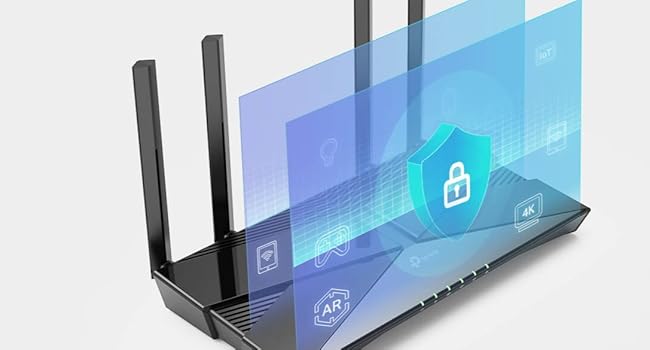
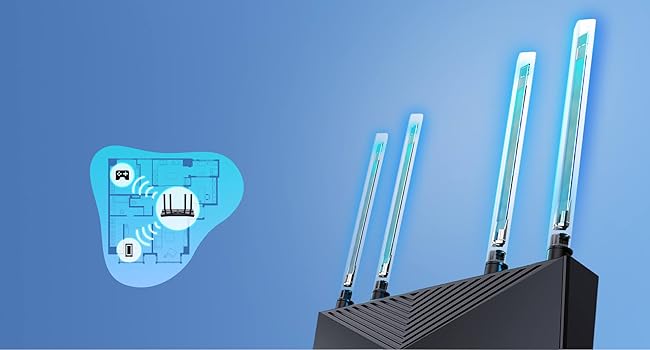
The TP-Link Archer AX23 is a Wi-Fi 6 dual-band router delivering up to 1.8 Gbps speeds with advanced OFDMA technology for reduced latency and jitter. Equipped with four high-gain antennas and beamforming, it ensures broad, reliable coverage. OneMesh™ compatibility enables seamless mesh networking, while WPA3 security safeguards your home network. Easy setup via the TP-Link Tether app makes it ideal for gamers, streamers, and multitasking households seeking future-proof, high-performance connectivity.


| ASIN | B09VPRWGR7 |
| Antenna Location | Business, Home |
| Antenna Type | Internal |
| Best Sellers Rank | 699 in Computers & Accessories ( See Top 100 in Computers & Accessories ) 2 in Routers |
| Box Contents | Archer AX23 |
| Brand | TP-Link |
| Brand Name | TP-Link |
| Colour | Stealth Black |
| Compatible Devices | Gaming Console, Laptop, Personal Computer, Smartphone, Tablet |
| Compatible devices | Gaming Console, Laptop, Personal Computer, Smartphone, Tablet |
| Connectivity Protocol | Wi-Fi |
| Connectivity Technology | Ethernet, Wi-Fi |
| Control Method | App |
| Coverage | Better Coverage |
| Customer Reviews | 4.5 out of 5 stars 15,985 Reviews |
| Data Transfer Rate | 1.8 Gigabits Per Second |
| Frequency | 5 GHz |
| Frequency Band Class | Dual-Band |
| Frequency band class | Dual-Band |
| Has Internet Connectivity | Yes |
| Has Security Updates | Yes |
| Is Modem Compatible | No |
| Item Dimensions L x W x H | 26L x 13.5W x 4.2H centimetres |
| Item Weight | 0.76 Kilograms |
| LAN Port Bandwidth | 1000 Mbps |
| Manufacturer | TP-Link |
| Manufacturer Part Number | Archer AX23 |
| Maximum Upstream Data Transfer Rate | 900 Megabits Per Second |
| Model Name | Archer AX23 |
| Model Number | Archer AX23 |
| Model name | Archer AX23 |
| Number of Antennas | 1 |
| Number of Ports | 5 |
| Operating System | OpenWRT |
| Other Special Features of the Product | Beamforming,Access Point Mode,Parental Control,External Antanna |
| Product Warranty | 3 Years |
| Router Firewall Security Level | High |
| Router Network Type | ROUTER |
| Security Protocol | WPA3 |
| Special feature | Beamforming , Access Point Mode, Parental Control, External Antanna |
| Wi-Fi Generation | Wi-Fi 6 |
| Wireless Compability | 802.11ax |
| Wireless communication standard | 802.11ax |
C**N
Great boost to wifi.
I was having problems with my Virgin broadband router and the WiFi signal so I did some research and this router was highly rated. Firstly, the router looks great, it looks like it means business and is made to serve a purpose. I placed the virgin broadband into router mode and connect this device. After connecting via the app the whole setup was so simple and easy that even a not so tech savvy person like myself found it a breeze. I positioned the antennas in different positions and connected to the router using the original ID and password from the virgin router. This can be set during set up and is completly customisable. There are many different settings to choose from including 2.4 and 5 ghz and also guest networks. The speed of my WiFi increased drastically once having this plugged in and went from around 190Mbps to 270Mbps and the coverage also greatly improved across the house. I have had no complaints in regards to the router itself, my firesticks found it difficult to connect at first but once I connected using the WPS button they have worked as normal. I would highly recommend this item if your wanting to replace your ISP router. It is so easy to set up and use it is actually a doddle. I have since purchased additional booster for the garage which easily connects through the mesh network and again is so simple to install its virtually fool proof. If you want a new router, this is the one. Ive found it great for daily streaming in a house of 5.
S**R
far stronger and more stable signal vs the Virgin Hub 3.0 - Suitable for LAN game streaming.
I'd go as far as to say that my fiancee and I are tech power users, with a music studio, a gaming room, phones, laptops and games consoles all connecting throughout the home, sometimes under heavy-load applications like PS5 remote play, or Steam Game Streaming over LAN. The Hub 3.0 we had from virgin was doing okay, but would frequently lack stability under heavy load with constant inconsistent frame rates in game streaming and occasional hiccups to internet speed. I figure that with the demand we're putting on the Hub 3.0 we're verging on edge cases for the bog-standard hub and were due an upgrade. I've never considered a "proper" stand alone router before because I always assumed that the set-up would be complicated. I can't remember why I thought this, maybe a layover from days passed when that perhaps was the case. I can report here though that set up was a cakewalk. You literally just plug the Ethernet cable into your existing hub/modem, and it works. In my case I was able to run both wireless networks simultaneously, and switch over my devices and test everything was 100% before then going into the Virgin Hub settings and enabling modem mode, to shut off it's wifi and allow this router to work. The back top room of the house where the gaming room is situated is separated from the router by a thick internal brick wall with a chimney. This unfortunately decimates the wifi signal in that room. While the wifi signal is still not great in that room with the new router, it's around 50% faster than before, making low-latency game streaming feasible there, where it was not before. Awesome. Meanwhile downstairs in the living room, streaming games from the gaming PC to the steam deck over WIFI has had a huge uplift. With latency down from 36ms to just 18ms, and a far smoother and consistent frame rate free of hitching and packet loss. It's worth noting that due to the wifi dead-zone in the gaming room, the gaming PC is connected to the router via a wifi-bridge - a wifi extender placed in the bedroom directly above the router, and connected to the PC via Ethernet. Effectively the connection comes out of the PC wired, to the wifi extender, hops over wifi to the router, and then onwards to the streaming devices over wifi. Game streaming with 18ms latency, at 60 FPS and 1440p resolution, over an entirely wireless connection is impressive as far as I'm concerned. In addition, that same gaming PC now has a faster internet connection maxing out our fibre connection, indicating that the wifi bridge connection has improved as well. Overall really not a bad bit of kit for £60 and I'm kicking myself I didn't think to upgrade earlier!
M**I
Perfect Wi-Fi 7 Upgrade – Highly Recommended
I’m really impressed with the TP-Link Deco BE65 (BE9300). It was incredibly easy to install and set up, with the Deco app guiding me through everything step by step. The app is very user-friendly and offers plenty of advanced settings, making it easy to personalise your network exactly how you want it. Performance has been excellent. As an iPhone 16 Pro Max user, I can connect to the dedicated MLO (Multi-Link Operation) network, which provides faster speeds, lower latency, and a more reliable connection on supported Wi-Fi 7 devices. If you have other devices that support MLO, they can also connect and enjoy the same benefits. The hardware itself is excellent, with Wi-Fi 7, four 2.5 Gbps Ethernet ports, USB support, strong coverage, and seamless roaming. Everything has been fast, stable, and reliable. Overall, I’m very happy with my purchase. If you’re looking for a future-proof mesh Wi-Fi system that’s easy to set up but still offers plenty of features for advanced users, I would highly recommend the Deco BE65.
A**7
Improved signal range across the house
Improved the signal across the house, as I have network cables to all rooms. Vast improvement. I tried wirelessly and barely any change with/without it, so only four stars. Set up to my existing Deco mesh system was so quick
B**W
Finally a router that just behaves itself
I’m not going to overcomplicate it — this thing is fast. Proper fast. Everything loads instantly now, even with loads of devices connected at once. Gaming feels smoother, streaming doesn’t buffer, and downloads actually use my full internet speed. Setup was pretty simple. The app basically holds your hand through it, which I appreciated because I don’t like fiddling around in settings menus trying to guess what does what. What I really like is that I don’t have to think about it anymore. No random drops, no restarting it, no “why is the Wi-Fi slow again?” moments. It just sits there and does its job quietly. I’ve got a bit of a “everything needs to feel organised and stable” thing, and this fits that perfectly. The wired ports are also a big win for my PC setup — everything feels more consistent when it’s plugged in. Only downside is the price, and it’s definitely more router than some people will need. But if you want something solid, future-proof, and stress-free, it’s worth it.
C**Y
Must have upgrade if you have an Older Deco System
I added the BE65 as part of an upgrade to my old Deco X20 system as it is compatible with all the other new Deco BE9300 3 pack. The Deco App automatically recognised all of my new units and asked me if I wanted to automatically transfer all of my information like SSID and Password securely to the new units which it did. Setup took a maximum of 10 minutes and I was back online. The signal strength was immediately better as I needed 6 units to cover the very thick brick walls in my home before whereas 4 are no more than sufficient. The new units are compatible with All of my connected items including IOTs. On testing the download speed I was more than impressed, it was nearly 3 times faster than my X20s, they also have better built in security features with better notifications of attempted intrusion. They are expensive but in my opinion well worth the price as they will last for many years to come with OTA updates.
J**P
easy to set up router
my internet has been playing up all day and I ordered this a few hours later and it was delivered , 30mins later up running again and a lot faster now , easy set up on the app just put all old router password ect ..every think connected .happy family again
K**C
Fast speeds, but broken VPN features and heavily paywalled basic
I bought the TP-Link Deco BE65 expecting a premium Wi-Fi 7 experience, but while the raw hardware speed is impressive, the software ecosystem and broken features are deeply disappointing. The Good: The internet speed close to the main node is excellent. It fully utilizes my 910Mbps broadband connection without any issues. The Bad: Paywalled Basic Features: To access advanced functions, you are forced into expensive subscriptions. Without paying these recurring fees, many essential features are completely locked away, making this premium router no different from other brands. Broken VPN Server: The built-in VPN Server functionality is completely unusable. Every time I try to access it, the app permanently hangs on a loading screen. Failed VPN Client Link: I use NordVPN and attempted to set up the VPN client via both WireGuard and OpenVPN config files. It fails to connect every single time. After looking online, I realized this specific issue has been widely reported by users for over a year now, yet TP-Link has still not fixed it. Signal Drop-Off: While it boasts Wi-Fi 7 tri-band technology (connecting via 5GHz and 6GHz simultaneously), the performance drops significantly over short distances. The secondary node placed in my hallway—separated by just a single door—suffers a 1/3 speed drop, falling to around 600Mbps. If you just want pure speed near the main unit and don't care about VPNs or paying extra for parental controls, it's okay. Otherwise, look elsewhere.
H**I
Flawless entry-level router that hits above its weight-class.
This router (Archer C80) probably represents the last generation of Wifi-5 only devices, and as such is likely to be among the best we'll see of this kind. This device's pricing (~4.5K at the time of writing) puts it in the entry level, but make no mistake, this wireless router should work perfectly fine for most people. It's got a 3x3 MU-MIMO radio, with beam-forming, and every other wireless feature that is associated with Wave2 Wifi 5 routers. While it has excellent hardware features, note that it's quite light on advanced software features - so if you're looking for some specific feature, read the documentation before purchasing. As a basic wireless router, this device is almost perfect. I used this device to replace an aging TP-Link Archer C50 (v1), which only had a 100Mbit WAN port, and which couldn't handle more than 80Mbps over Wifi under the best of circumstances. I had two important considerations when purchasing this device: 1. To remove any kind of bottleneck on the 5Ghz frequency band. 2. To improve the usability of Wifi in a distant room (~10m, separated by 3 walls and furniture). ## Close-to-mid range performance After replacing the C50 with this device, my PC which is about 3m from the router, and seperated by 1 wall gets a flawless 150Mbps that my ISP offers (April 2021 Update: My ISP now offers 300 Mbps, and that works fine as well). External reviews indicate that this device should handle at least 600Mbps on 5Ghz. I have zero complaints about 5Ghz performance. 2.4Ghz is usually a "backup" band for these days, since all recent devices support 5Ghz 802.11ac at minimum. On my Poco F1, at ~3m line of sight, I get about 120 Mbps on 2.4Ghz, which I think is perfectly fine, considering the limitations of this frequency band. I'm always using 5Ghz nowadays anyway, which is now limited only by ISP's plan speed. ## Long-range performance In the more distant room (~10m, blocked by 3 walls and furniture), I have an old Dell laptop only has a 2.4Ghz radio. This couldn't even get a reliable Wifi signal with the older C50 router. While picking this device, I'd paid close attention to the wireless sensitivity specifications that TP-Link helpfully provides on its website, and noted that this device, while entry-level, sports some of the best numbers in its entire range, sometimes beating their highest end devices. I had high expectations from this router, and it did not let me down. After switching to the Archer C80, the old Dell laptop was able to get a solid connection with around 15 to 20 Mbps on the 2.4 Ghz band. However, since that speed wasn't good enough, I purchased a TP-Link T9UH adapter (AC1900) to see if that would improve things, and indeed it did. With the upgraded Wifi receiver, even the distant room got a reliable ~140 Mbps on the 5Ghz band. In this room, even my Poco F1 is unable to stay connected to the 5Ghz signal, so it probably also has to do with the excellent performance of the T9UH adapter, which is also a modern 3x3 MU-MIMO device that supports beamforming; the router and the adapter have matching specs. ## Conclusion At this price point, I don't think there is any alternative to this device. The closest modern TP-Link alternative is the Archer AX10, a first-generation Wifi-6 (802.11ax) device that I didn't have a use for. I don't own a single Wifi-6 device and it'll be a few years yet before Wifi-6 devices become commonplace. Also, Wifi-5 (5Ghz, 802.11ac) is clearly good enough for a couple of years; I doubt that Gigabit internet connections will become standard in the short-term and a ~500 Mbps connection from the ISP should be fine for ~99.99% of people for the next couple of years - a speed which the C80 should be able to handle perfectly fine.
C**E
Capable wireless AC router
Box comes with router, power adapter, network cable and an illustrated setup guide. Setup was straightforward and quick. Wifi signal is strong and stable; my MBP RSSI reading is -30 dBm, which is much higher than the previous wireless AC router (-38 dBm) that it replaces. Great buy and value.
S**N
Love It
Loved having a separated WiFi for the home devices, guests and home. USB port which can be used for local network storage. Among other software features.
M**A
Importante
Gostei, me atendeu
S**A
Router Wi-Fi potente e affidabile
Ideale per casa o ufficio. Il TP-Link Archer C80 offre connessioni Dual Band AC1900 veloci e stabili, perfette per streaming, gaming e smart working. Le 5 porte Gigabit e la compatibilità con FTTH/FTTB/Ethernet garantiscono massima connettività cablata, mentre la tecnologia MU-MIMO Wave2 e OneMesh assicura copertura estesa e prestazioni ottimali su più dispositivi contemporaneamente. Prodotto ben costruito, facile da configurare e performante, perfetto per chi cerca un router veloce, versatile e affidabile per tutte le esigenze di rete domestica.
Trustpilot
1 month ago
3 weeks ago