Desertcart purchases this item on your behalf and handles shipping, customs, and support to Greece.
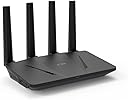
🚀 Unlock the future of home networking with GL.iNet GL-AX1800 — speed, security, and scale in one sleek package!
The GL.iNet GL-AX1800 (Flint) is a WiFi 6 dual-band gigabit router designed for high-performance home and office use. It supports speeds up to 1.8 Gbps, connects up to 120 devices simultaneously using OFDMA technology, and features 5 gigabit Ethernet ports. With built-in WireGuard VPN support delivering up to 500 Mbps, integrated AdGuard Home for network-wide ad blocking, and WPA3 security, it offers robust privacy and control. Easy to set up and manage via web or app, it’s ideal for professionals seeking reliable, secure, and scalable wireless networking.


| ASIN | B09HBW45ZJ |
| Antenna Location | Business |
| Antenna Type | Fixed |
| Best Sellers Rank | #961 in Computers & Accessories ( See Top 100 in Computers & Accessories ) #51 in Computer Routers |
| Brand | GL.iNet |
| Built-In Media | Power adapter (US plug), Ethernet cable, GL-AX1800 router (Flint) with 2-year warranty, User manual |
| Color | AX1800 |
| Compatible Devices | Personal Computer |
| Connectivity Protocol | Ethernet, Wi-Fi |
| Connectivity Technology | Ethernet |
| Control Method | App |
| Controller Type | App Control |
| Coverage | Up to 120 devices |
| Customer Reviews | 4.4 out of 5 stars 1,377 Reviews |
| Data Transfer Rate | 1.8 gigabits_per_second |
| Frequency | 5 GHz |
| Frequency Band Class | Dual-Band |
| Item Weight | 0.45 kg |
| LAN Port Bandwidth | 1000 Mbps |
| Manufacturer | GL.iNet |
| Maximum Upstream Data Transfer Rate | 900 megabits_per_second |
| Mfr Part Number | part_B09HBW45ZJ |
| Model Name | GL-AX1800 |
| Model Number | GL-BE6500 |
| Number of Antennas | 4 |
| Number of Ports | 5 |
| Operating System | Linux |
| Other Special Features of the Product | Guest Mode |
| RAM Memory Installed | 512 MB |
| Router Firewall Security Level | High |
| Router Network Type | wireless |
| Security Protocol | WPA3, WPA2 |
| Special Feature | Guest Mode |
| Unit Count | 1 Count |
| Voltage | 12 volts |
| Warranty Description | 1 year warranty |
| Wi-Fi Generation | Wi-Fi 6 |
| Wireless Communication Standard | 802.11ax |
| Wireless Compability | 802.11ax |
P**Y
Worth the money (excellent tech support)
My apartment complex provides fiber internet as a hotshot throughout with a captive portal. I was able to log in, join the service and the router remained logged in the whole time. From time to time it will get kicked off but it will choose the alternate connection I've set it up for. The connections are fast. I've connected to my VPN using wireguard and am using the ad guard as well. Surfing is smooth on either my 5 or 2.4 WAN. My speed, which is relegated to the VPN, works very well. The stability of the router is very good thus far. I experienced some lock ups which required me to unplug the router. (More about this later). I have several smart devices such as a Google Nest, a Bose smart speaker, Samsung TV and a Fire stick. Neither of these likes to go through the VPN. On my Fire stick I noticed that Amazon Prime will not work. Disney works, Netflix works. To get everything on the Fire stick to work, I set up VPN rules now. I made the router route all selected MAC addresses through the VPN so all my other devices bypass the VPN. Oh, once you set up the VPN rules it helped to reboot the router. It took me some time to figure this out so I wanted to pass this on to those that might have a similar situation at their home. I've set up the router for remote access and I use the app. Both work very well. Note, you can't control the VPN settings remotely. If you're connected to the router, the app does it all. On the web based remote access, it has a living map but I haven't figured that out so it doesn't display my location on the map. Summary: the repeater works very well. The drops and pick ups I was experiencing were, from what I could tell, from the VPN server. I'll make an update later now that I'm using my current configuration of having all my smart devices bypass the VPN. Update: 4/2024 I had a big speed drop. I'm no longer using the VPN, just the built in Adguard, which works really well! I've kept up with the firmware updates and apparently the previous update really messed up my speeds. I was originally getting about 95/95 and my speeds were down to like 5/15. I contacted tech support who made every attempt to resolve my issue. My unit, being out of warranty was no longer exchangeable. The company offered me a discount on the Flint 2, which appears to be a great upgrade. I ordered it! Upon login in to my router to copy some settings, it immediately notified me of an available firmware upgrade, which I did. I decided to check the speeds again. And wouldn't you know it, my router, in the repeater mode I use it in, was back to normal. My hotspot speeds are 100/100 connected directly. Through the Flint, they are about 97/98! I'm so glad to have it working again. I thought the hardware had failed but it just didn't like the previous firmware. The new firmware fixed everything! This is a great router and a great company that is overlooked. I highly recommend them and their products. As you can see, I had purchased the Flint 2 thinking my router had an internal failure. I trust their products enough to go with them again! I wish to add, the UI they provide, is awesome and so easy to use with helpful tips. I do wish to convey my experience with their product and help anyone whose looking for a great product with Repeater, Router, and other modes, or needing to connect to a hotspot like myself.
L**D
does its job well
I currently have three WiFi routers at my house. 1) combo DSL modem/router provided by AT&T, my internet service provider. I have turned off wifi capabilities on this device and use this purely as a DSL modem. 2) TP-Link Archer AX11000 WiFi 6 router for all internet access except for streaming services (through VPN). An excellent router but lacks VPN client support. 3) GL.iNet GL-AX1800 (Flint) WiFi6 for streaming services through VPN (mostly to access content that is blocked in my geographical location). Also, rumor has it there is at least one device in my house running few not-so-trustworthy add-ons in Kodi! Both GL.iNet and TP-Link routers are connected to DSL modem through network cables. What do I like about this router? * easy setup through web browser * VPN configuration as simple as uploading (through web admin interface of this router) the configuration files from VPN provider * supports Wireguard VPN protocol * free AdGuard service blocking ads and trackers * kill switch (stops internet access when VPN connection drops) * great coverage throughout my house (even though I use the “Low” Transmission Power setting. The choices are Max, High, Medium, Low) * Wireguard speeds are good for my use case. Per speedtest: 40ms ping, 45Mbps download, 20Mbps upload. This is excellent considering that the max speed my DSL service gives me is only 75Mbps. Cons according to me? * no way to turn off the lone LED on this device. (TP-Link routers allow turning off all lights. It can even be scheduled for when they stay on and when they are off.) * no way to schedule automatic reboot of the router, I have to remember to manually reboot the router (through web interface) once a month or so to keep it running smoothly. This reboot is not a rule or recommendation but I just do it. (my ASUS router provides scheduling to automatically reboot once any day of the month/week. I have it scheduled for the first day of every month. Haven’t had to log into ASUS router for years since initial setup.) Although this router is small, sleek, and whisper quiet, I don’t make purchasing decision based on how the router looks. As long as all it does is sit in the house where it is placed and does its job well, I don’t even have to look at it. And this GL.iNet router does its job well. Hasn’t been any problem for over four months that I’ve had this. More details, with images, on my blog. Edit (Nov 24, 2023): The current firmware version, 4.4.6, allows for "Scheduled Tasks" where I can schedule (via GUI) 1) LED Display 2) Reboot 3) 5G wi-fi and 4) 2.4G wi-fi. The reboot schedule allows for any day of the week but not a days of a month. What this means is the reboot can be done once (or multiple times) a week. I would like to reboot once a month. This can't be done through the graphical interface. However, since this router is running OpenWRT, I have scheduled (through Advanced Settings -> System -> Scheduled Tasks) a cron job to reboot once a month. #reboot at 4.44 am every first Saturday of the month 44 4 1-7 * 6 /sbin/reboot
G**D
Get their U-Boot firmware update before doing any configuration.
I was trying to install wireless in my house because signal is so bad where I live, my phone won't even work in my bedroom. I wanted something that would work with OpenWRT, and this unit was specially listed. Long story, shorted, I was doing the firmware upgrade and not saving data. Don't turn it off they say. I didn't. A lightning strike killed my power and it was all over. I tried to bring the unit up. Nope. Dead as a door-nail. I opened a case with them late on Saturday and received the token We got your message. I thought, yeah right, typical. Well, what wasn't typical is they replied back at my 4 am. They sent me the exact link to the instructions on what to do in order to de-brick it, and it worked. All I wanted was an access point that would just pass a connection and would allow for local Ethernet connections. This unit did exactly what it needed to do. My network isn’t like most, and this router still did what it should do. Most of everything you get these days wants to call home or it won't work. While being pricey, I did not have to give this unit permission to get on the internet before it would work. If nothing else is important, it was that. So, now, thanks to them having such a nice product, I have to buy two to three more units. One for my shop, one for my carport, and one for the other side of my house. Is that a healthy expense? Yup, but seeing as I have already bought several others of different brands, and they either didn't work, or, well, they just didn’t work out for me. These? My firewall's DHCP is what is giving out the IP, so I can see everything that tries to get on my network, and it just stops there. It will take a bit of time and money, but every single wireless connection source on my property is going to be replaced with these. Just for a bit of context. I do use starlink, but I also have an enterprise grade firewall between it and all other connections, and that firewall does all the traffic control for these units. Nothing leaves my network without my allowing it, and nothing comes in unless I NAT it on my second ISP. Starlink is CGNAT after all. My nearest neighbor is a quarter mile away, and my home is a literal house made from logs, so I don't have any other interference. These are perfect for me. And the U-Boot is their latest one.
S**.
Excellent, stable router with good coverage.
I'm very impressed with this router. I replaced an older Linksys E2500 which was admittedly many years out of date. This router improved coverage in the house significantly. I tested it in all corners of a two story house and got excellent throughput and a stable connection. Perhaps more importantly, the router user interface is excellent, easy to use and responsive. I was able to upgrade the firmware with a couple of clicks after booting it up, and especially happy to find AdGuard simple to activate with a single click because I got this router for my parents. As a DD-WRT user on other routers I have managed, I was happy to see that this router is running on OpenWRT and provides access to a sophisticated level of configuration options and plugins if you need them. All of my interactions with this router were smooth and easy, it never froze up or behaved erratically during configuration. This is a great option for people looking for a stable, performant router with excellent coverage.
B**E
Is it good for my use case?
I really like this because of the great WebUI which overalys OpwenWRT, and Layer 1 to 3 routing and Layer 3&4 firewall. However, there are known bugs specifically with Gl.inet's implementation. Specifically support for legacy 802.11 g/b/n devices. My printer wifi (802.11b/g/n ) doesn't work with it. A couple of IoT devices will connect and drop. This is a long known issues predating and continuing the latest 11/2024 firmware. DHCP issues exist and full custom routing available on the full Openwrt can't be done with Gl.Inet's implementation. For example, presenting a Wifi-LAN that uses LAN --> Wan and Wif-VPN that uses LAN --> VPN. This can be done on openwrt, but not this version of openwrt. Likewise, port forwarding is tricky doesn't seem to work as well as simpler routers. I like this router. It's ease of use, backup restore, out of the box experience for switch/route/firewall features you can't get on most routers in this price range. It performs well too. But it's not full openwrt. Is it good for my use case? Standby...
L**G
FIRMWARE UPDATES ARE DESTRUCTIVE
i bought this router in November 2023 and until yesterday (April 2025) have been very happy with it. Now I am PISSED OFF because an update from GL.iNet completely hosed up the system and cost me much time and money. I have been an operating system engineer for most of my 40 year career. This router's firmware is based on OpenWRT, which is an extremely well vetted and widely used open-source operating system for routers. I bought the router precisely because of the OpenWRT firmware and customized the configuration for use in my consulting practice. Until yesterday, software updates were painless and were consistent with OpenWRT updates. HOWEVER, the latest update to the firmware that GL-iNet pushed out was destructive to all my customizations, deleted needed files I needed, and even removed necessary software I had installed from OpenWRT. On top of that, the update deleted the software repositories needed for software installation. I've lost countless hours of work, and I no longer trust this company. I can only speculate if the update is part of some wider trade war between the USA and Chinese companies, but I don't care. What I know is that the GL.iNet F****D me and I'm not going to buy anything from them again.
T**H
Recommended by IT Pro
As a high IT professional and avid open source software enthusiast, I cannot express how in love with this product I am. It gives you the best of all worlds. For home users: It's very affordable, It's easy to install, reliable, fast. For fellow techies: Comes with the latest AX speeds, and OpenWRT and LUCI pre-installed "underneath" their own proprietary web gui. Their webgui really helps fill some of the user-friendliness gaps in the underlying management system, such as vpn and ddns configuration. But for whatever their gui doesn't cover, there's nothing you can't do with this router by accessing the "under the hood" LUCI gui through the "advanced settings" link. The body seems to be made simpler, cheaper. Basic construction, antennas only pivot on a single axis, no swivel. I like to think no expense was wasted on aesthetics with this unit. It's backed by a POWERFUL hardware platform for its price class, equivalent to some of the mainstream brands you'd have to spend 250+ to get. 4 core ARM processor with almost half a gig of RAM, CPU SKU is suspiciously similar to RPi 3B+ (in fact I wouldn't be surprised if that's actually what this was under the plastic), so it seems to be open source hardware as well. It makes all the advanced stuff a tech enthusiast would want to do, SO easy. Hosting servers, simple. It gives you a free DDNS URL you can CNAME your domains to. You can enable adguard, VPN, TOR with the click of a button. No need to mess around building a PIHole or other similar device. Absolutely brilliant. Anyways, if you're looking for the best union of horsepower, affordability, FOSS and configurability - this is your best product on the market currently.
L**H
Great Product
Excellent router. Great coverage and very easy to install; just connect it to the modem and type the password. Really glad I bought this one.
م**.
Contain a lot of options and based on openwrt luci
It contains a lot of features, and also supports the fastest encryption vpn protocol (wireguard) , ease of setting up the VPN configuration, supports Luci extensions, and it can also be used in different places because it supports the mac clone and can work in repeater mode with vpn (serever or client),
K**N
Router impecable
Este router es único en su especie. Actualmente, es el único router del mercado que está basado en software libre, lo que le aporta un grado de seguridad, privacidad y confianza muy altos. Sus principales características son: ✅ Dispone de características para todo tipo de usuarios. Si el usuario no tiene muchos conocimientos, se puede enchufar el router en un puerto LAN del router de tu compañía y podrás beneficiarse de un WiFi muy potente, estable y rápido. El WiFi 6 me ha permitido navegar con mi móvil a 500 MB/s, mientras que con el WiFi del router de mi compañía de internet me iba a 150 MB/s. Si eres un usuario avanzado, permite usar PPPoE para reemplazar por completo el router de tu compañía. Además, puedes encriptar todas tus consultas DNS (con DoH y DoT) y bloquear los anuncios en todos tus dispositivos gracias a Adguard Home, uso de VPN para cifrar todo el tráfico de la red, y por si sabe a poco, puedes usar LuCi en vez de la interfaz web por defecto del router y configurar el sistema operativo a tu gusto. ✅ En cuanto a temperaturas, se calienta un poco, pero dudo mucho que vaya a alcanzar temperaturas tan altas como para dañarse. ✅ Finalmente, el software que dispone ya es completamente estable, y no va a ofrecer ningún problema durante su uso y configuración. Remarco este punto porque hay usuarios que se quejaban de la inestabilidad del dispositivo, pero esto ya ha sido resuelto. ❌ Como aspecto negativo, el router presenta un manual de usuario imprimido pobre. Estaría bien que se mencionara que en la web del fabricante está disponible una wiki donde se explican todas las características, funciones y configuraciones existentes. Como pueden ver, es un router capaz, perfecto para cualquier perfil de usuario y capaz de mejorar considerablemente la privacidad y seguridad del internet de casa. Compra 100% RECOMENDADA.
M**O
Ottimo prodotto
Ci ho configurato nordVPN con wireguard in modo che tutti i dispositivi connessi al wifi siano automaticamente in VPN. Funziona in modo eccellente, veloce, stabile e facile da configurare. Credo che il suo punto di forza sia la flessibilità che gli permette di essere usato per qualsiasi scopo. Ho solo qualche dubbio sulla potenza delle antenne, mi sembrano più potenti quelle integrate della Vodafone station FWA
F**.
Beklediğim kalite ve özellikte
Roteri yaklaşık 3 gündür kullanıyorum. 100 mbit fiber internet bağlantımda kablosuz 5g frekansta 120 mbit hız alıyorum. Aynı anda yaklaşık 5 cihaz bağlıyorum sorunsuz çalışıyor. Openwrt yüklü geliyor ve içinde birçok uygulama var. Adguard home çok kullanışlı ve gerçekten iyi koruyor ve reklam engelliyor. Vpn özelliğini henüz kullanmadığım için yorum yapamıyorum. Daha önce Keenetic extra dsl kullanıyordum ve en fazla 93 mbit hız alabiliyordum.Aynı anda birden çok cihazda video izlerken keeneticte takılma oluyordu şimdilik bu routerda böyle sorun yaşamadım. Kısacası fiber interneti olanlar için tavsiye ederim. Openwrt sayesinde routeri istediğiniz gibi özelleştirip program yükleyebiliyorsunuz.
A**D
Wireless faster than powerline adapters
I wish I had bought this router before. To achieve decent connection speeds I used powerline adapters, supposedly providing gigabit per second speeds but de facto, probably also due to the wiring in my house, not providing more than 100 megabits per second. With this router I reach all corners of the house and most of the times I reach faster connection speeds than with the powerline adapters.
Trustpilot
1 week ago
3 days ago