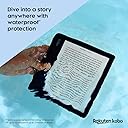
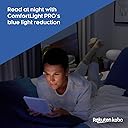
📚 Elevate your reading game—anytime, anywhere, rain or shine!
The Kobo Libra 2 is a premium 7-inch eReader featuring a glare-free HD E Ink Carta 1200 touchscreen with fast refresh and deep contrast. Designed for comfort and versatility, it offers tactile page-turn buttons, landscape reading, and a textured grip. Its ComfortLight PRO technology reduces blue light and supports Dark Mode for eye-friendly night reading. Fully waterproof and equipped with Bluetooth for audiobook playback, it stores up to 32GB of content—enough for 24,000 eBooks or 150 audiobooks—making it the ultimate companion for busy, style-conscious readers.


| ASIN | B09HSRGZRL |
| Best Sellers Rank | 46,961 in Electronics & Photo ( See Top 100 in Electronics & Photo ) 62 in eBook Readers |
| Guaranteed software updates until | unknown |
| Item model number | N418-KU-BK-K-EP |
| Manufacturer | Rakuten Kobo |
| Product Dimensions | 17.8 x 19.4 x 3 cm; 212.62 g |
Z**I
A Fantastic eReader – Especially If You Use Libby/Overdrive a Lot!
SUMMARY One of the best eReaders available thanks to its comfortable design, great customisation options, excellent battery life, and fantastic library integration. You just need to find a library in the UK that supports Libby or Overdrive. FULL REVIEW The Kobo is designed for convenience in almost every aspect. The curved design makes it comfortable to hold and the buttons are exactly where my thumbs end up. I use the buttons to turn pages all the time and never need to tap the screen anymore. They offer good travel but are not loud and clicky, so they don't get annoying when you read (especially at night). I also like that the Libra 2 is waterproof so you can read in the bath, if you want. That's where the buttons really come in handy, since tapping the screen doesn't always work when it's wet. The size is also ideal because the 7-inch screen feels massive and comfortable to read on, but the Libra 2 is small enough to fit in (most of) my pockets. The screen refreshes quickly and there's no lag moving between pages or the overall system UI. The backlight gets plenty bright, and I love that you can change the temperature. So you can make it warm/yellow when reading in the evening, and make it cool/white when reading during the day. I also love that you get the option for Dark Mode, which makes the text white and the pages black (great for reading at night). There are also a bunch of text customisation options to make the reading experience the best for your needs. You can read in 4 orientations, with an option to invert the buttons if you're reading it “upside down” (i.e., holding it in your other hand). I read in landscape a lot, which I didn't think I would when I first got the device. But it's really comfortable when holding the Libra 2 with 2 hands. The textured finish at the back definitely helps with the comfort and grip. Arguably the best thing about the Libra 2 is that it works with Libby/Overdrive! So you can get books from your library directly onto the Libra 2. You can also get magazines, comics, and graphic novels. Unfortunately, there aren't that many libraries in the UK that support Libby. But there are libraries in the US that offer international membership for a small fee. You can also listen to audiobooks using Bluetooth headphones with the Libra 2, but it only supports audiobooks you buy from the Kobo store. It would have been cool if it worked with audiobooks you can get from the library. The Libra 2 charges using USB C and the battery lasts a long time. I can go almost a month on a single charge, reading for an hour or so every night before bed. Getting back up to 100% takes close to an hour.
R**.
Perfect
I love reading. I started reading regularly when I was a young teenager, and it's something that has remained a regular hobby well into my adult life. Unfortunately, in my early twenties, I was diagnosed with a fairly aggressive type of inflammatory arthritis. Since then, holding a book as become progressively more difficult, and I found myself regularly reading ePUBs on my mobile phone. While my mobile phone still allowed me to continue to read, it wasn't an ideal solution for several reasons. Over time, I began considering getting eReader and I eventually ended up getting this Kobo Libra 2. In terms of build-quality, the device feels fantastic. It feels sturdy yet lightweight. I'm able to read for extended periods of time without discomfort, which is something I've not been able to do with paperbacks for quite some time. My favourite physical feature of the device is the inclusion of two fairly large buttons that make turning the page very straightforward and accessible. Setting up the Libra 2 was very straightforward. I moved my collection of ePUB files onto the device fairly easily and quickly through the use of my computer, but there were also options to connect various cloud storage environments to the device as well. Eventually, I did follow some of the articles I saw relating to Kobos online and used software such as Calibre to help manage my growing library better. I'd recommend reading some of the many guides on the internet surrounding this, as there are various benefits relating to book formatting for doing so if you are using ePUBs. Overall, while the successor to the Libra 2 is now on the market (Libra Colour), the Libra 2 is still an absolutely wonderful device that has allowed me to continue reading comfortably. I'm slightly annoyed that the Libra Colour was announced very shortly after I purchased this, but it does not take away any enjoyment I get from my Libra 2.
E**2
The Libby app could be better stocked but the Kobo Libra is great
I bought the Libra for the Libby app and was very disappointed to find that literally nothing that I actually want to read is on there. Thankfully I have a lot of my own ebooks to read. The only real criticism I have about this ebook reader is that to turn the page you should be able to use the top button by default, because my wrist hurts after reading for a few hours. It doesn't like twisting my thumb that way. Otherwise, the ease of adding books to the library, the ease of changing font sizes, the abundance of formats, the subtle and even lighting, the nice form factor (I really like the curved handhold), and the exceptional battery life makes this ebook reader a great buy. I have read fifteen books since I received it.
H**R
Kobo Libra 2. For when you want an E Reader that’s not a Kindle
It was time to replace my old OG kindle with something better. Lots of staring at reviews and I was finally left looking at 3 options. Kindle paperwhite, Kindle oasis and kobo libra 2. I didnt want a reader that was totally touch screen, but the kindle paperwhite was a serious contender. The thing most putting me off the kindle range? The 20 pounds extra to get rid of the ads on the non signature paperwhites. So rather than pay that extra levy on a standard paperwhite, or go for the paperwhite signature at a higher price that doesnt have forced ads but equally doesnt really bring enough to the table to justify its price over the regular paperwhite. But the jump to the kindle oasis is even more financially painful, and for an older design that still uses usb micro. Which left the libra 2 standing tall as the one for me. Coming in at almost exactly the same price as the paperwhite signature. After having a smaller kindle, the size change of the libra is very obvious. The screen of the libra2 is slightly larger than the kindle, and noticeably sharper than the og kindle. The buttons for page forward and back are an option I would hate to lose already. The buttons can be switched around easily for those preferring an inverted button arrangement. The power button on the back of the device looks like a camera in the pictures, mainly as thats where your head says a camera would be. The position for that power button was another huge decision maker for me in choosing the libra as it will never get pressed accidentally, unlike the stupid positioning of the power switch on a kindle paperwhite. The Libra comes with 32gb of storage space, but as with the kindles, 32 is overkill unless you are doing lots of large pdfs or audio books. Apparently the kobo only plays audio books from the kobo store, something to remember. One of the biggest reasons (beyond the buttons and avoiding ads) for choosing the Libra was the wider range of ebook formats that in theory would require less messing about with conversions. Epubs and mobis are just fine, pdfs too, plus numerous others, but one file format that should work natively instantly fell over, that was the cbr format. Comic book reader files resolutely refuse to play for me without conversion. Calibre came to the rescue with a simple conversion to mobi, but I cant help feeling a bit miffed that the conversion was needed at all. Stepping aside from that aspect to the hardware itself. It’s a nice feeling unit. Not premium in terms of materials, being plastic it feels like what it is, but it is light, hardly any extra weight than a paperwhite. Without a case the back of the libra is quite tactile with its dimpled area and contrasting smooth. But lets be honest here, how many people use these out of some kind of case? Given that both the kindles and libra screens are a less than substantial plastic layer and not glass, it is an area that can be scratched all too easily. The kindle has a flush flat screen front area with an extra layer of plastic over the e ink screen. The libra has a recessed screen without that extra protective layer. As a result the libra screen looks sharper in use than the kindle offering, albeit with a little less protection. When it comes to illumination, the screen looks brilliant in daylight and dark conditions alike, but thats just to be expected on any e reader today. I wasn’t too sure about the yellow tint option for night time, seen in daylight it looks garish, but at night it instantly makes sense and is way easier on the eyes. Another plus point for the libra is the accelerometer inclusion. It makes for a way nicer experience when swapping hands as the screen rotates like a phone or tablet, making left hand right hand options simple and easy. It will even rotate sideways to have the buttons at the base instead of the side. Something I haven’t used much at all, but still nice to have the function available. File transfer of owned books via usb from a pc is simple drag and drop (same as a kindle), though one annoying quirk is that if you have the usb connected before starting the pc up, it doesnt detect the libra. Turn the pc on first and then connect the libra and it connects first time with an interaction needed on the libra to confirm the connection is approved. You can drop books pretty much anywhere on the libra and it will pick them up and populate the menu after you disconnect from pc. One last thing of note, the face plastic around the two buttons is a fingerprint magnet. The whole area picks up the oils from your fingers almost instantly. Initially irritating, but the screen itself seems less inclined to attract the same messy look. I chose a thin type of case for the libra to minimise any extra bulk. My old kindle lived in a leather look type that worked just fine, while the case i chose for the libra was solely to protect the screen and any extra cover was a bonus, as it turned out the super cheap case is a great option. Either way, I wouldnt carry this around without a cover. I really like the way this reader puts a picture of what you are reading on the screen when its in standby mode, unlike the kindles forced assortments for those without ads, or just ads for whatever they want to push if you havent got an ad free kindle. The libras book cover approach was a refreshing change from what I was used to previously. So far, no regrets at ditching kindle for an alternative. UK users can use the Overdrive option and access e-books from their local library if they have a library card. It’s also worth mentioning that the kobo is fully waterproof, so no fear of it dying if you drop it in the bath while reading, The only potential downer I found with the kobo? I first opened the box and set it up at my parents. Set up a kobo account, and show mother how it works, and how the kobo book store aspect worked. She picked catherine cookson as a test to see what books were available by her on the kobo store. It pretty much bombed right there with pretty much nothing available from the search. It was not a good demonstration. It might be worth trying to find out if the books you most like are actually available through the kobo store, unless you already have access to a copy in the right format that you can just load directly onto the device via usb. So to sum up. Good device, same price as kindles 32gb paperwhite signature, but considerably cheaper than the older but similar designed kindle oasis. If you are not married to the kindle marketplace, the libra 2 is well worth considering as an alternative.
M**)
Great Little Reader
I bought this to replace the Aura One. I love it. Added a few more fonts to suit me (I now use Arial). Waterproof, orientation feature, can use one-handed. The size and weight is about right for me, nice and handy. The back is slightly grippy, which is nice. Battery life seems very good indeed. Read the manual for features. Recommended.
J**R
Great e-reader!
I recently got a Kobo Libra 2, and I have to say, I'm in love with it. It has everything I was looking for in an eReader, from a waterproof touch screen to adjustable brightness and color temperature, to a generous amount of storage for all my favorite books. The crisp Carta E-Ink technology makes reading a breeze, providing a comfortable reading experience for hours without straining my eyes or causing a glare. This reader is super lightweight and easy to carry around too. I highly recommend it to anyone looking for a great eReader experience.
R**H
I like this e-reader.
I have used a Kindle for around 13 years. I changed the battery a few years ago, rather than buy a replacement. That Kindle is not supported by Amazon any more, so I decided to buy a replacement E-reader. It had to be readable in sunlight and fairly sturdy. I was put off buying a replacement Kindle because I found it so difficult to discover which were tied up with adverts and subscriptions. I took a risk and bought this Kobo and a sort of expensive case which folds back into a reading stand and magnetically clamps shut, putting the Kobo into sleep mode. I am VERY happy with both of these items. The e-reader is light and solid. It has a of page forward and page reverse switch on the side which, to my surprise, I am not using very much. If this lasts half as long as the Kindle 3 did, I'll be a happy man. Expensive but apparently good quality.
A**T
Brilliant!
My original ereader was a Nook, then I had a Kobo Glo HD. Recently I had bough both the Kobo Forma and the Kindle Oasis and they were both too flawed to keep. The Libra 2 is perfect for me - perfect form factor and perfect screen size. The screen itself has great clarity (recessed screens are much better than flush screens IMHO) and the backlight is absolutely evenly spread with no shadows or dark corners. The best thing I can say is that the ereader disappears from my mind as I read and I am totally absorbed in the book itself. That was not the case with the Oasis and Forma.
Trustpilot
2 days ago
2 weeks ago