Desertcart purchases this item on your behalf and handles shipping, customs, and support to Greece.
🚀 Elevate your home WiFi game with Archer A54 — speed, coverage, and control in one sleek package!
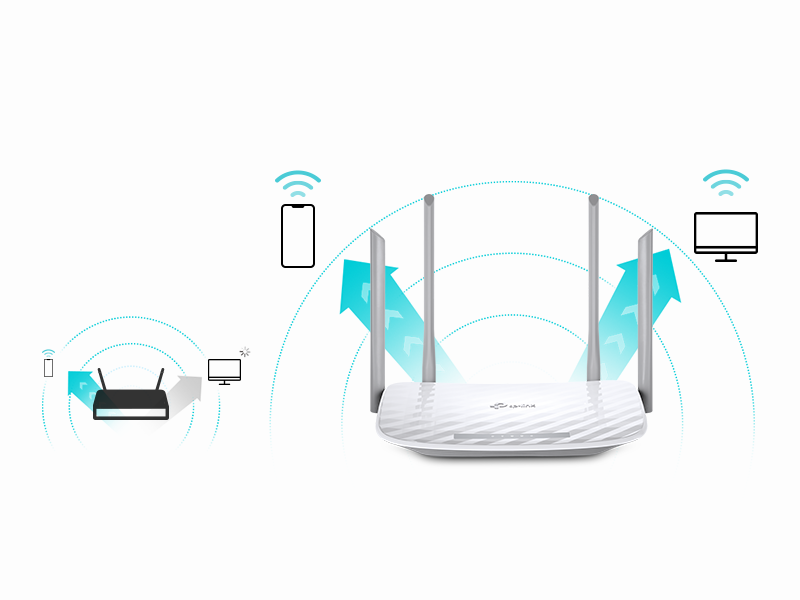
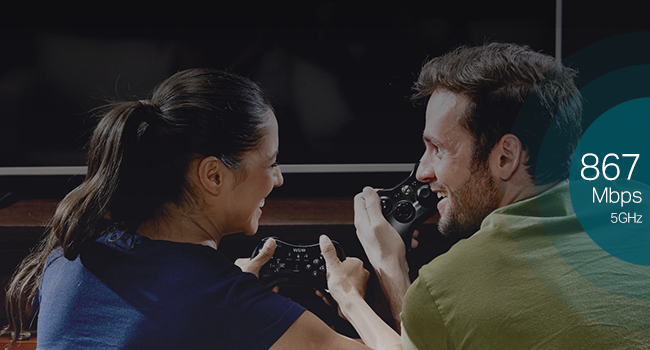
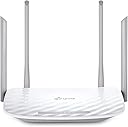
The TP-Link Archer A54 AC1200 WiFi Router delivers dual-band wireless speeds up to 1200 Mbps, powered by four external antennas for reliable coverage up to 1,000 sq.ft. Featuring advanced WPA3 security and easy network management via the TP-Link Tether app, it supports Access Point mode and EasyMesh compatibility for flexible, future-proof home networking. Ideal for professionals seeking fast, secure, and expansive WiFi coverage.


| ASIN | B09G5Y1HWZ |
| Antenna Location | security |
| Antenna Type | Fixed |
| Best Sellers Rank | #68 in Computers & Accessories ( See Top 100 in Computers & Accessories ) #7 in Computer Routers |
| Brand | TP-Link |
| Built-In Media | Power Adapter, Quick Installation Guide, RJ45 Ethernet Cable, Wi-Fi Router Archer A54 |
| Color | white |
| Compatible Devices | Personal Computer |
| Connectivity Protocol | Ethernet, Wi-Fi |
| Connectivity Range | 1000 square_feet |
| Connectivity Technology | Ethernet, Wi-Fi |
| Control Method | App |
| Controller Type | App Control |
| Coverage | Extensive |
| Customer Reviews | 4.3 out of 5 stars 5,091 Reviews |
| Data Transfer Rate | 1167 megabits_per_second |
| Frequency | 2.4 GHz |
| Frequency Band Class | Dual-Band |
| Item Dimensions L x W x H | 11"L x 10"W x 3"H |
| Item Highlight | 4 x 10/100 Mbps Fast Ethernet Ports, EasyMesh Compatible, Support Guest WiFi, Access Point Mode, IPv6 & Parental Controls |
| Item Type Name | WiFi Router |
| Item Weight | 1.5 pounds |
| LAN Port Bandwidth | 10/100 Mbps |
| Manufacturer | TP-Link |
| Maximum Upstream Data Transfer Rate | 1167 megabits_per_second |
| Mfr Part Number | Archer A54 |
| Model Name | Archer A54 |
| Model Number | Archer A54 |
| Number of Antennas | 4 |
| Number of Items | 1 |
| Number of Ports | 5 |
| Operating System | TP-Link Proprietary OS |
| Other Special Features of the Product | Access Point ModeAccess Point Mode, Beamforming, Guest Mode, Internet Security, LED Indicator, Parental Control, WPS, Wi-Fi, Wireless |
| Router Firewall Security Level | medium |
| Router Network Type | WiFi-only |
| Security Protocol | WPA-PSK, WPA2-Enterprise, WPA2-PSK |
| Special Feature | Access Point ModeAccess Point Mode, Beamforming, Guest Mode, Internet Security, LED Indicator, Parental Control, WPS, Wi-Fi, Wireless Special Feature Access Point ModeAccess Point Mode, Beamforming, Guest Mode, Internet Security, LED Indicator, Parental Control, WPS, Wi-Fi, Wireless See more |
| UPC | 840030702372 |
| Unit Count | 1 Count |
| Voltage | 240 volts |
| Warranty Description | 2 year manufacturer |
| Wi-Fi Generation | Wi-Fi 5 |
| Wireless Communication Standard | 802.11a, 802.11ac, 802.11b, 802.11g, 802.11n |
| Wireless Compability | 802.11a, 802.11ac, 802.11b, 802.11g, 802.11n |
F**N
Ease of Installation for those that are clueless to network connectivity.
25 years ago, I installed server systems, terminals, printers, and network routers. All that networking equipment had to be set up with laptops directly connected to the routers' ports. Nothing was autosensing. I enjoyed it, but I knew what I was doing. Fast forward to today. I had to replace my own 25-year-old router because new laptops would not connect to it due to upgraded security software. I thought, Oh boy. I bet this is going to be a trip. I had forgotten most of what I knew; besides, I knew nothing about this new stuff. I picked this TP-Link AC1200. It was inexpensive, but we didn't need anything robust since we are not gamers. First of all, I ordered it on Amazon at about 3 pm. 8:30 pm, a car backs into my driveway. They delivered the router in less than 6 hours. Incredible! Today I went to install it. I was expecting a bit of a hassle with configuring this thing. After physically connecting the two cables —the power cord and the network cable —I powered it on. I went to my PC. The TP-Link showed up in my available networks. I click on it. Put in the password supplied. Got connected, but I had no internet connectivity. Ahh! I had to disconnect a cable from my MAIN in-house router, then reconnect it so that the router ID would be discovered. I went back out to the shop, clicked on Safari (I have an Apple MacBook). Wala, I'm IN. I could NOT believe how easy the installation went. No glitches, smooth operation, and my network is all updated. I know how networking operates, but I am clueless about all the newer equipment since I've been out of the field for almost 15 years. So, even a stupid person like me can set up this equipment that used to take a lot of training 25 years ago. This inexpensive wireless router is absolutely outstanding. I usually do not write such long reviews, but I could not let this pass without adding my thoughts about the TP-Link AC1200 WiFi Router. I'm so glad these routers were not around when I was in the field. If they had been, my great-paying job would not have existed. Now that I am retired, I'm happy for them, so I can still dabble on the Internet.
J**K
Good value, works well
Easy to set up, signal strength is good, it reaches all over replace. Good value.
B**A
Recommend!
I love this router it works so well and easy to set. Also it’s cheap. Recommend!
J**.
Fixed our speed and connectivity issues
Works great. Just what we needed. Our family was having issues with internet speed and the wife’s work computer affecting her ability to process what she needed to. This didn’t job and everything is operating as it should. Would recommend. UPDATE: still had connection issues. 2100sf home. Upgraded to the AX1800 and issues are resolved. Only recommend this until for 1400sf or less.
K**I
I bought 2
Works as expected. I appreciate the GUI interface that supports remote monitoring. The setup was easy& provides good reception. I use 1 of the 2 devices in a remote workstation and am able to sustain connectivity at least 50ft away. I can work online whether Im indoors or outside. I only wish I knew how to give each device its own unique name. Both devices online and having the same “name” can be difficult to keep track of occasionally. Otherwise it works well.
A**R
Beware if you live on the West Coast - Glitchy Clock set up in Wi-Fi Schedules!
Beware if you live on the West Coast - Glitchy Clock Ruins Wi-Fi Schedules! I just bought this TP-Link Archer A54 router and it has been a total headache. First of all, the setup was not as easy as it was advertised. Then, I ran into a major software glitch with the clock. I live in California (Pacific Time Zone, -8). When the router sets its clock automatically from the internet, it forces the time one hour ahead. I even updated the firmware to the newest version but it did not fix the problem. To make things worse, the router is completely missing the -9 time zone option, so you cannot even trick it to show the right time. Unchecking the "Daylight Saving Time" box does absolutely nothing. This bug is a huge issue because I am trying to use the wireless options page to schedule my Wi-Fi to turn on and off. Because the clock is wrong, the Wi-Fi schedule is completely messed up. The only workaround is to turn off automatic time and set the clock manually. TP-Link needs to fix this lazy software bug. Save your money and buy a different brand!
J**.
How to have wifi without drama
After years of putting up with a temperamental router I looked for an affordable replacement before I threw everything out and went back to the stone age. To start with I am technology stupid and spent hours trying to rearrange wires only to make everything worse for the effort. I found this unit and after jumping through a few hoops (and watching a few YouTube University tutorials) I not only eliminated all but two wires (had to put a Roku on one tv) I was streaming all over my house without having a nervous breakdown or depleting my bank account. Unit was shipped overnight, check; easy hookup, check; affordable, double check! Thanks !
C**R
Excellent Budget Router - Easy Install & Set-up.
I used this as an alternate wifi network for media streaming. Easy install, easy set-up and works like a champ. Excellent low-cost budget router! Great Value!
E**O
Buen router pero
Excelente router, tiene 1 red de invitados y 1 para IoT ademas de la principal por supuesto. Yo lo compré esperando que tuviera varias redes de invitados como lo tenía un router muy similar a este. Funciona perfectamente bien pero siento que es información útil si lo estás comprando para hacer subredes.
J**.
Cumple su función
Super facil de instalar... Tiré un cable de utp cat 6 de 120 metros hasta llegar al router TP-LINK y funcionó perfectamente, la señal es de calidad y de buen rango.
E**.
Bueno
Lo uso como repetidor WiFi, la señal es estable. La instalación es compleja, recomiendo usar una PC.
L**.
Bueno y facil de usar
Anteriormente tuve uno de 1 banda de la misma marca grande negro y la verdad me decepciono, me anime a comprar este y esta muy bien no hay q desarmarlo para guardarlo lo uso para operar una consola digital y ha salido muy bueno, mas o menos facil de configurar pero todo bien
M**Z
Excelente producto!!
Es un buen producto, llegó a tiempo y tiene una excelente emisión lo recomiendo totalmente
Trustpilot
1 week ago
1 month ago