Desertcart purchases this item on your behalf and handles shipping, customs, and support to Greece.
🤖 Elevate your clean game — let Shark AI do the dirty work while you live your best life!
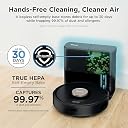
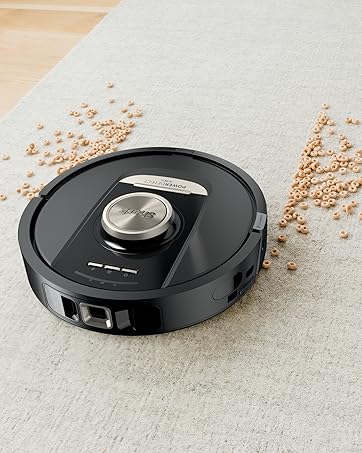
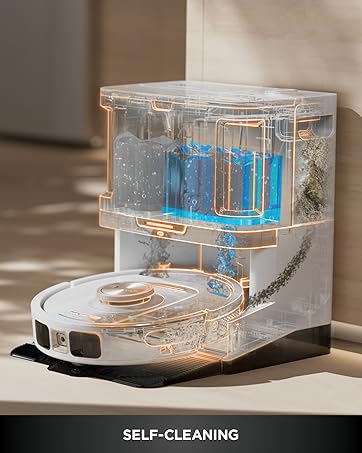
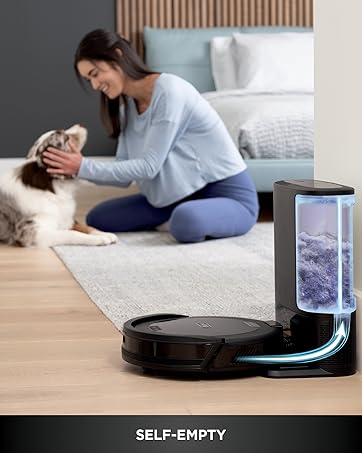
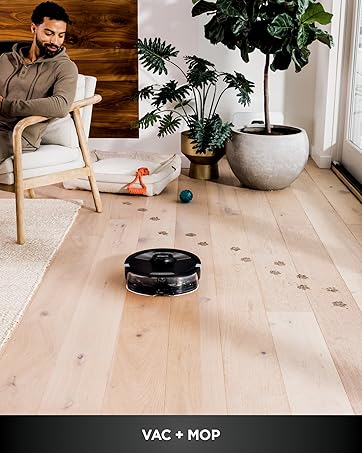
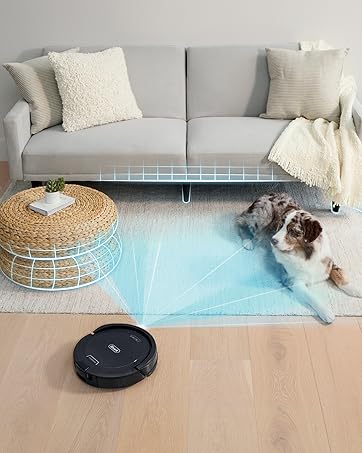
The Shark AV2501AE AI Robot Vacuum combines powerful 120-minute runtime suction with advanced 360° LiDAR navigation and a 60-day capacity self-emptying HEPA base. Designed for pet owners and busy professionals, it delivers precise, allergen-trapping cleaning on carpets and hard floors, all controllable via voice or app for effortless, scheduled maintenance.


| ASIN | B08QZVSC8D |
| Battery Life | 120 minutes |
| Battery Type | Lithium Ion |
| Best Sellers Rank | #61,434 in Home & Kitchen ( See Top 100 in Home & Kitchen ) #56 in Robotic Vacuums |
| Brand | Shark |
| Brand Name | Shark |
| Capacity | 2 months |
| Cleaning Path Width | 5.67 inches |
| Color | Black |
| Compatible Devices | Amazon Echo, Google Home |
| Control Method | Voice |
| Controller Type | App Control, Voice Control |
| Customer Reviews | 4.0 out of 5 stars 17,923 Reviews |
| Filter Type | HEPA |
| Finish Types | Bronze |
| Form Factor | Robotic |
| Global Trade Identification Number | 10622356574485 |
| Included Components | Filter, Self-Empty Base, Shark AI Robot, Side Brush |
| Indoor Outdoor Usage | Indoor |
| Item Dimensions L x W x H | 13.08"L x 8.43"W x 13.9"H |
| Item Type Name | AI Ultra Robot Vacuum, with Home Mapping, 60-Day Capacity HEPA Bagless Self Empty Base, Perfect for Pet Hair, Wifi, Works with Alexa, Black/Gold |
| Item Weight | 15.3 pounds |
| Manufacturer | SharkNinja |
| Manufacturer Part Number | AV2501AE |
| Manufacturer Warranty Description | 1 year limited warranty. |
| Model Name | Shark AV2501AE |
| Model Number | AV2501AE |
| Number of Items | 1 |
| Number of Packs | 1 |
| Number of Power Levels | 1 |
| Other Special Features of the Product | Bagless, LiDAR Navigation |
| Power Source | Battery Powered |
| Product Dimensions | 13.08"L x 8.43"W x 13.9"H |
| Recommended Uses For Product | Cleaning homes with pets, Carpet, Hard Floor |
| Special Feature | Bagless, LiDAR Navigation |
| Style Name | AI Dry Auto Empty (60 days) |
| Surface Recommendation | Carpet |
| UPC | 622356574488 |
| Unit Count | 1 Count |
C**0
LOVE this vacuum - Exceeded my expectations!
While relatives have had them for years, this is MY first robot vacuum. In my opinion, this is the BEST budget vacuum at the price point. I purchased one on sale for $139. It was super easy to get started and watch it go with AMAZING results in the dustbin! Okay, so it was purchased to use at my parents' house, but I HAD to test it, right? :) Now, it worked so well, I immediately ordered 2 more (taking advantage of the $ale) and have 2 at my parents' house and one at my own. I use the schedule feature in the app to run mine every day at 9am. It starts up perfectly. With a Basset hound, it does an amazing job of keeping the house livable in between my own vacuum/mop jobs. I'm a firm believer in doing a deep clean with a larger vacuum, but with this running in between, my house is HUGELY improved. To top it off, running it at my parents' house couldn't be easier with the app. I can start and stop them on MY app, and all they have to do is empty the dust bins. I've been running them for a little over a month now, and am very happy with the results. PROS: -Runs much longer than predicted, even on standard power. -Easy to empty dustbin. -It has an Air filter (and despite others saying you have to remove screws to get to it, you don't. The outer mesh is fixed in place with a screw, but the filter cartridge slips out the side). -You can "Set it and forget it" for the most part if you use scheduling. -Compared to a standard vacuum, this baby is VERY quiet. That isn't to say it doesn't make any noise (seriously, it has suction and airflow... it's GONNA make noise). -If you put it in ECO mode, it is even quieter, but regardless of the mode, my basset doesn't run from it. :) CONS: All 3 of the models have a 'different' sound when running. Seriously, they each sound completely different and have different noise levels, which makes me wonder. Next, she -her name is Suzie- completely ignores the boundary strips I purchased to use. (And no, I did NOT place it under anything. I even tested by laying it face up straight across the edge of the carpet... on top. NOPE, she rolls right over it -_- ... and the 2nd one I cut to fit the base of a pole lamp that she kept getting stuck half on/off of. Since it was metal, the strip just magnetically attached to the round base side... NOPE, she still bangs into it. Although she hasn't hopped up onto it anymore so... you be the judge) TIPS: 1st-If you get it on sale, go ahead and add the warranty coverage. I did. In my opinion, a CYA is always a good thing. It gives me piece of mind that if one of them turns out to be a lemon (all things have them, even vehicles) I'm covered. The most I'd have to pay is shipping and that is NOTHING compared to purchasing a new one. Besides, as I said above, they each have a unique motor sound, and I feel better knowing that if there is anything that would take away from the motor life involved, I'll get a repair or a replacement. 2nd-take the time to look at the undercarriage and inspect the roller. You never know what could potentially get wound onto that brush roll, and it's super easy to pop it out and clean it off (if you've ever had a large vacuum, you should already know to do this as regular maintenance). Keep in mind that the harder that brush roll has to work, the more pull it puts on the Motor. Stressing that little thing will potentially take away from its life of service. Final Thoughts? I love it and would recommend it to anybody and everybody. And if it's on sale it is HUGE bang for your buck$! ** I gave all 5 stars except the 4 on Deep Cleaning ONLY because of my own beliefs that you need to get out the big vacuum at least once a month (depending on your environment maybe a little more often).
A**R
Game Changer!
So I actually bought this in July of 2022 but did not open the box however until January 2026...yeah I know stupid on my part! We were remodeling and replacing carpet to hardwood floors so I thought this was a good idea, we were not quite finished so I left it in the box and quite frankly forgot about it, again I know stupid on my part! I am seriously kicking myself in the butt for not using it sooner! I have been using Minny everyday since the end of January and what a game changer she is! We have 2 short haired, hound mix dogs and 2 short haired cats and she seems to get their hair, our hair and ALL the dust bunnies! I do have to say with the XL cup, I still have to empty it every other day but I have not really swept in 3 months, that used to be an everyday job! Unless something big gets tracked in of course! I have had no issues with the app or wifi connection and the house mapping is spot on! My only issue is in the last few days is an error needing to clean out debris. I simply can't find anything wrong and I do empty out her internal cup once a week due to hair build up! Today I pulled her apart because clearly there is something wrong and I found so much hair wrapped around the roller internally that you would not see just by turning her over and looking! I took some pliers and pulled it out and used the air compressor to give her and her filters both on her and in her docking station a good cleaning and shes now good as new! I added pictures so you can see where I'm talking and yes that's before cleaning her which took about 45 minutes total! I do have new rollers and filters for replacements but I'm not quite ready to change them out! Also, there is something much fine dust she is picking up and I am impressed as heck about that!!! Overall I love this little robot and she does a great job, takes her about 80 minutes to clean the1200 square foot upstairs of the house and i love her!! I am very pleased with Shark products and this one is no different! No issues that can't be fixed with a little maintenance on my part and well worth it!!
T**O
Product has a limited lifetime span, great while it lasts
I had been wanting to buy a robot vac for years, but the price was more than I was willing to spend. When I saw that Shark had their own version I was very excited. I am already a huge fan or Shark products ( I have a steamer, iron and vacuum) and the quality for the price has always been exceptional. After reading the reviews, and saw the price I decided to order. I am in love! Both my husband and I work full time, we have 3 cats, hardwood floors throughout the house and carpeting in the bedrooms., so needless to say the house always needs to be vacuumed. The Shark app is easy to use, setting up a cleaning schedule is a breeze. My robot is programmed to run 7 days a week, so it has been getting a lot of use. I have been using the robot for almost 3 months now, so I have had a good bit of time to evaluate it's performance. It is a low profile, so it fits under almost all of our furniture. The suction in the normal mode is very good, and does an excellent job on the wood floors. I switch to "max" suction for the deep carpets in the bedroom and it also does a fabulous job. The robot itself is pretty quiet, around the volume of an electric razor. The bin is easy to empty, parts easy to clean. The program run time is normally around an hour, however the charge is still good if I manually start it again it will run for around another 1 1/2 to 2 hours. A few tips for you when you start using your Shark - when you replace the dust bin when it is sitting on it's charger, put your fingers between the robot and the back of the charger. Otherwise you may push it too far onto it's dock and it will have trouble launching itself on it's next cycle. Also, make sure the dust cup is fully in place. Follow the manufacturers reccommended cleaning for the brush rollers & side brushes, otherwise little fluffies get stuck in there and your Shark will stop working. Maintenence is really easy but is very necessary. I can't stop telling everyone I know (and now you!) how much I love this product and what an excellent job it does. I'm a little obsessed with it! **update to review** While I loved my shark a lot, and it worked great, it seems to have a limited life. The first one stopped working after 4 months, the suction motor stopped working. After speaking with customer service, they agreed to replace it. This one lasted a year and a half, which is fine. The suction motor again stopped working. This time, obviously, customer service wouldn't replace it, but offered to sell me one at 30% discount, which somehow was still more expensive than buying it from amazon. So, it is great while it lasts, but knowing that there is a good chance I'll only get a year, year and a half out of it, I'm going to try roomba this time. Sorry Shark, you'very lost me as a faithful customer.
T**2
Absolutely works!
I purposely did not write a review for this immediately after receiving it. I think those reviews really do not tell you the full picture because everyone is excited and then they rant and rave about it, not knowing that it should run through its paces beforehand. As of today, it’s been approximately nine months since I’ve had this machine. In fact-it is running right now as we speak. So, if you were expecting this machine to clean everything in your house, well, it won’t. However, if you put it at the setting of an average clean, it will pick up the dust and everything else in between in the common traveled areas. If you place it on matrix clean, you will run the battery down and it will take a couple of sessions in order for it to clean your entire place based on the square footage of your home. One recommendation is to make sure every week you dump out the container or the collecting bin. Also, when you do, make sure you inspect what it has picked up when dumping!!! I had found that it my wife’s missing earring, a few dimes and a missing screw that I was looking for for my key fob to the car. So make sure you are looking to see What the vacuum shot into its collecting bin. Also, in regards to hair, it will pick that up however, make sure you have a fine or small screwdriver available. The hair tends to bind up the bristle wheel that is next to its traction. If there’s any long hair, or dog hair or what not it will end up collecting there and bind up the Pick up Wheel or spindle. You will have to unscrew two small screws and gently take it apart and get that tangled weave of hair out of there. There is a ball of it binding the wheel to make it free flowing. What will happen is over time, it will not spin as well, it will drain the battery because it had to work harder when working, and then you will get errors stating that the wheel is caught up somehow. It is because of that reason you need to make sure that you do a monthly maintenance check on this vacuum. It’s just like any other robot vacuum / it can only do so much as it’s designed for. Constant preventative maintenance insures that your robot vacuum will operate properly like brand new. As in with bumping into things and so forth, it does have some hiccups where it cannot find the collection bin. You may want to make sure that the Wi-Fi is working properly in your house and also make sure that the base unit is plugged in properly. I’ve already had that happen to me a couple times because the vacuum Will sometimes pull out the cord when vacuuming around it- the cord is on the floor and then it has problems finding the charging base even when it’s right next to it….just a suggestion… The app is very friendly to use, and you can set your zones, so customization is really user-friendly- once again. Also, this machine tends to find its way quite easily through all the areas corners, nooks and crannies. It operates in the dark because of its motion sensor, and Vacuums our entire floor in one charge based on its settings. 1750 Sq feet. It notices stairs, and also one feature I do like is that it does adjust to objects that are either stationary or if you’re standing in the way. Meaning, if you’re standing in the vacuum comes up to you it will work around you. It will then turn around to do the next pass. If it sees that that object is not there, it will come back And vacuum the spot where you were standing. That’s a very cool feature in my opinion. I also noticed that it does not miss or uncover typical open areas. They are very uniform when this robot is vacuuming those spaces, almost like a golf course lawn pattern. Once again: nice job in uniformity. If you are low on charge, the vacuum will stop, find the charging unit, recharge, and come back to the same exact spot and continue vacuuming until the whole (day task) is completed… Keep in mind, this won’t do everything, but it does keep the dust down. In tight corners, this will not be able to reach due to its circular design. The main key is to perform monthly maintenance on this vacuum if you are running this one to four times a week. If you maintain that which is very simple, approx 5-10 min of time, you’ll be very pleased with this shark vacuum. I just bought another one for our downstairs because I am that impressed. Additionally, I purchased two extra batteries to make sure that this model is discontinued. I have enough prolonged extended time for this machine to keep going. This is a great investment. Good luck!
C**S
UPDATED -- app only gets worse and ruins an otherwise good product
UPDATE 9/27/2024 AFTER ~2 MONTHS OF USE As a vacuum I continue to love this device. It's app enrages me more every single day and I'm about to simply put it in the attic because without the app it becomes increasingly useless; I wish I could take away more stars this app is so bad. I'm hoping SharkNinja cares enough to read these reviews and actually takes action, otherwise they may go the way of Sonos with their horrible app decisions. This isn't 2005 when iRobot could do stupid things and get away with it because there was no competition. While I'm not one to throw money away, I will replace this with something else that actually works and doesn't need an app to do simple scheduled cleaning runs. I could give two hoots about whether it has a "map" at this point, just clean the doggone floor -- do the basic thing you claim to be able to do and do it well. Is that so hard? I'm guessing they don't care given they can't seem to do simple things like when I log into their website with exactly the same credentials I use in the app, it doesn't show my registered products, or when I scan the QR code in the app to store the Model and S/N it can't store it for more than about 5 minutes before it literally just disappears. If you can't do simple things, complex ones are probably out of reach. The system has some kind of serious software bug in it related to map storage. I work for a software company, and all the signs are present that there is a significant problem with the storage system for maps and/or the communication between the app and the robot relating to the map. I say this because our robot just lost its map one day about a month ago. No errors, no problems running, it just literally disappeared. The schedule continued to run, so I didn't notice it until I looked at the cleaning notification one day and noticed that it was reporting a run time of almost 2 hours (which sounded about right) but a 0 ft squared cleaned. It sure made a lot of noise and picked up a lot of dirt for not cleaning any square footage of my first floor! When I dug into the app, the map was gone. Just not there. When going into settings to look at the map, I just get the infuriating purple spinner. No messages, no indicators of a problem, just a total lack of communication about what is going on and no map. So I set about the task of trying to correct the problem. First, I delete the map and go to try and re-explore. It seems to delete, and it will run an exploration run, but then it just sits with that obnoxious purple spinner and the question about whether the map represents the home properly or should it re-explore, with the Accept button greyed out and NO OTHER OPTIONS AVAILABLE. I've re-explored 20 times and left it sitting on that screen overnight for 8 hours with it never finishing. Ever. And this is why it's about to become trash!!! Without running the explore successfully, you can't set the schedule! You can't run a manual cleaning run with the app! If I wanted a vacuum I had to physically go push the button on, I could have bought something a heck of a lot less expensive (which is what I'm likely to do at this point). SO then I thought, like most technology of this sort, it might just need a complete fresh start. Stuff happens, memory gets corrupted and needs wiped, no problem. So I deleted the robot from the app and had to go through the mind-numbing and excruciating process of re-joining to my post 1995 WiFi network which is too fancy and elaborate with its new-fangled 5GHz technology for these developers to figure out (or Shark is too cheap and obsessed with profits to use a more modern WiFi SoC). Go through that process and run the explore another 10 times with no change. Then I reset to supposedly factory settings. Same result. Same absolute rage-inducing nonsense getting it to connect to the WiFi (though I think I finally figured out the trick on that). I am not convinced it actually DOES reset to factory settings or wipes the memory clean, because I'm continuing to have the same problem. Exploration simply will not finish successfully and so I can't schedule or make it clean without having to go under the table and push the button. Total ridiculousness. A factory reset should restore a copy of the firmware as it was when it came out of the factory -- and mapping worked out of the box. Now it doesn't. I am left with the conclusion the reset does NOT actually reset the memory. This is just infuriating. Oh, and before you say "contact support". I have. Crickets and bullfrogs, ladies and gentlemen. So far, crickets and bullfrogs. If that changes, I'll post a new update, though. Message to SharkNinja -- when you released an app, you became a software company. That has certain requirements and sets certain expectations. You are FAILING to meet any of them. +++ HOW TO DEAL WITH MODERN WIFI AND THIS RIDICULOUS TWELVE CENT WIFI CHIP +++ The key to making this work is whether your phone is trying to access the Internet or any from anything other than the same 2.4GHz connection this unit is using. So what I have to do: 1. Log into Eero and turn of 5GHz (on my version this is under troubleshooting; nearly every mesh single-SSID system has a mechanism to temporarily disable 5GHz b/c this cheapness is so prevalent in so many devices) 2. Turn WiFi off on phone and leave off for a couple of minutes (this is a precaution to make sure 5GHz is truly not picking up the connection) 3. Turn mobile data off on my phone (airplane mode didn't cut it 2 out of 3 times; turning off mobile data always worked) 4. Turn WiFi back on and make sure Bluetooth is on; if you tried airplane mode and left bluetooth off and don't turn it back on again until the app prompts you, you're hosed and will have to start over from the beginning - I experienced this multiple times 5. Put robot into discovery mode 6. Connect to the robot and go through the unnecessarily plentiful prompts full of stupid and useless information in the "wizard" 7. When you get to the network selection screen, your WiFi network SSID should show up --- if it doesn't, one more thing to do is go into your phone WiFi settings and join your 2.4GHz network (keeping the Shark app in the background), which will disconnect you from the WiFi Direct connection with the robot; let it connect fully; then go disconnect from your access point and reconnect to the robot WiFi Direct AP in your phone settings. 1 out of 3 times I had to initiate that re-connection, which I'm guessing is due to some sort of timeout happening, but I'm not sure. ***** PREVIOUS REVIEW ***** I got a previous version of this vacuum robot for my wife's business space and was super impressed with it. It didn't really NEED me to use WiFi and the app to make it work, and wow, she knew the floors were dirty, but not THAT dirty. It's done really well for her in the couple of months she's had it. Come Prime Day 2024, I figured I'd pick something up for the house. Our Jack Russell terrier is getting older and shedding like a monster, and I abhor dog hair, so having something that could help us keep up with that was desirable. Having been an early adopter of the Roomba back in the day, the one thing I abhorred and has kept me from a robot vacuum since going through 2 or 3 early versions was emptying the anemic dust bins on these things. The self emptying on my wife's has been awesome and I was looking at this to be even better because AI, right? Well, yeah, not so much. As a physical vacuum, the unit cleans pretty well. I don't have any real complaints there, and the self-emptying is nice and has worked well so far. LOTS of dog hair in that bin. More than I realized was present, actually. Gross. But it is hands-free to empty which is pretty awesome. So it does clean (perhaps) even better than I expected. This unit leaves me utterly disappointed in the app and it's supposed AI, however. The intelligence is pretty artificial from what I can tell, and not in a good way. Getting the system to map the house took three tries before it decided it actually did need to go into the big 20 square foot, devoid of any furniture, people or other obstructions area in my mud room. It did finally map the full space, and shows the area to be roughly 900 feet. By my calculations that's roughly right, and the map is pretty close in its shape, though there is a big blob in one of the rooms I still don't quite think aligns to reality. But it's close enough, and the vacuum will still go into the area represented by the blob, so I'm not really sure what that's about. I guess I could be misinterpreting the display, after all I don't have Artificial Intelligence, I just have my brain. Where the app falls utterly short, though is there is no true practical use of the intelligence the system has built about the area. It has a map, but can't really use it in a meaningful way! The value of a robot vacuum isn't to make a bunch of racket while running around a specific room while I'm entertaining or trying to watch a movie. The value proposition of a vacuum robot is to automate tasks I don't want to do on my own. Like scheduling a cleaning job in a specific room at one time, and scheduling another cleaning job in another room during another time window. Being able to send the robot to a specific room ad hoc isn't in the top 5 basic requirements I would post for a system like this. Top 10, maybe? But not before actual honest-to-goodness helpful AUTOMATION. But Shark has not deemed the utilization of the map with the schedule to be an important feature for their app. It's an FAQ as to whether you CAN do that, so it isn't like they don't KNOW people want this capability. And multi-point scheduling is something that vacuum robots have been able to do for years (iRobot's app can do this for most models now, for instance, as can other brands). Multi-point scheduling is such a simple app task at this point there are libraries available for plugging that kind of function into a mobile app. Come on, Shark, you aren't in the least bit intelligent if you can't actually use the intelligence to do something useful!!! THIS IS SHAMEFUL and speaks to a complete lack of either 1) understanding your customer use cases or 2) caring enough about your customer to do something besides put your shortcomings into an FAQ. SO you can't schedule the vacuum to work on specific rooms it has mapped out at specific times, scheduled cleaning is an all or nothing thing. BUT, if you enable a no-go zone to try and, say, keep the dogs from being too overly disturbed during the all or nothing scheduled cleaning, that area is now apparently a black hole singularity for the vacuum and can never be gone into again as long as the circuits of the poor little creature draw power. Unless you of course go to the pain of deleting the no-go zone to get it spot cleaned, and then have to work with the app to maybe successfully recreate it. The creation of rooms and no-go zones has been a spotty and painful action within the app. Sometimes it works, sometimes it hasn't. I've had to go so far as to reboot my phone to get the "resizer" of a no-go zone to resize or move around on the map and the app acknowledge and save it properly. I'm done recreating the zones and will just sweep those from now on, I'm so fed up with it. The fact that you can't override these zones for a spot clean, is again a sign of either complete development laziness or incompetence. It's a simple matter of a question -- "you've asked to spot clean this area, would you like to override the no-go zone for this session" and then let the little guy run wild in his heretofore restricted space. It's AI, after all, not just common human intelligence we're working with here!! The reason that the all or nothing approach to scheduled jobs sucks so bad is that this thing is LOUD. My wife's unit is not loud like this one (I'm guessing the 'superior' AI brain of this model must be making the loud clacking sound on our home model, but I'm not sure). From the first run taking it out of the box, it has made a terribly loud clacking sound as it runs around picking up dirt. I've looked at all the troubleshooting steps and the brush isn't clogged, there's nothing stuck in it, and it is firmly in place like it should be, but it definitely seems as if the bristles or the little blue sweeper stripes are hitting the cross bar of the guard hard enough to make an obnoxious sound. I know it's brush bar related, because when the super brain was running around the house for three hours mapping things, it was actually relatively quiet -- enough so that if that's how it was when doing its job, I'd have no other problems; alas that's not the case. SO, when you're trying to get that scheduled all or nothing cleaning done overnight, and the kids are downstairs in the basement trying to sleep, all they hear is a thwack-thwack-thwack-thwack-thwack sound as it runs around the first floor. And since it seems ~900 square feet of space is too much for the system to do on a full charge, it starts doing that thwack-thwack-thwack thing at 3am after it has returned to the dock and recharged. I do really like the "return to recharge" and "return to empty" features, don't get me wrong they're awesome, but with all the racket and the all or nothing approach, I can't get the whole first floor vacuumed and the kids a full night's sleep. It's rather sad (first world problem, I know, I know, I should put brooms in the kids hands -- we do that too!) but for what you pay for this device (even on Prime Day) that claims to have an AI engine at play in its favor, I expect more. And just to be clear, this isn't a house that's filthy with layers of dirt all over the floor by the time the little dude gets going. We swiffer and sweep throughout the day to clean up spot messes and we're not living on a farm or something where we're tracking in mud three inches deep a day. There's kid chaff and some dog chaff around, but this isn't a "heavy" mess we're dealing with on a daily basis. While I don't love the unit, it does appear to me that proper app development and updates would resolve the problems I have (outside of the noise). I could work around the noise with more powerful intelligence brought to the scheduling, though, so I'm hopeful they'll put the work in and resolve the shortcomings. If that happens, stars could easily be added to the review.
R**.
Very Happy!
First impressions: I love this machine. Durability, reliability and battery life are as of yet unknown. But for what I’ve seen thus far, this machine is what we were looking for. You give the machine a name when you set it up. I named it Dirty Harry. Pros: The mapping function of the rooms to be cleaned is very precise. I love how I can send the vacuum, to a specific room or all of them. The cleaning is thorough. If the battery runs low it will return to the dock for a charge, then go finish the job. We have two cats and I’m amazed how much more hair it seems to find than I did with the floor vacuum. We have floor registers and it breezes right over them. Bathroom rugs that are kind of shaggy are no problem. It doesn’t roll them up or get stuck on them. The self cleaning function works great. I’ve run the upright vacuum after Harry finishes just to check. The light on the floor vac will show everything if it’s dirty. The floors are clean! Cons: You can only schedule one daily cleaning. I have ours scheduled to run at 7:00 a.m. I wanted to have a second scheduled vacuum for 7:00 p.m. It’s easy enough to send the vacuum, Dirty Harry, on his way with the app manually. Like so many WiFi enabled devices these days, getting Harry to connect took 3-4 attempts. Since then all is well.
T**.
Side brush error renders entire vacuum completely useless!
After a lot of research, I purchased this vacuum a year and a half ago. I was primarily looking for a self emptying robotic vacuum that would pick up lots of long dog hair. I loved this vacuum until this weekend when one of the side brush motor’s apparently burned out rendering the entire vacuum useless. The vacuum will not move an inch without shutting down and saying that the side brush is stuck and to clear the obstacle. Checked both side brushes numerous times and Nope! no obstacle, not even a Speck or strand of hair. When we were actually able to get the vacuum to move a short distance it was apparent the left brush was not moving. We took everything apart and there is absolutely no obstruction, so the only thing we can assume is the motor has given up. It’s a shame that the design of this “AI” vacuum renders the entire vacuum useless simply because one side brush isn’t working. The vacuum will not work at all until you clear the error message. Ergo my problem! I will say it did a terrific job of picking up dog hair (I have a golden retriever) and the wall unit is very powerful and empties the vacuum out very well. We do ensure that we clean out the dust bin (in the wall unit weekly) and clean the filters (both wall unit and the vacuum) weekly as well. We cleaned the roller brush etc on the vacuum every few days because we use the vacuum daily. We have only wood floors with some small throw rugs and the vacuum gets most of the house done before needing to go back and recharge. ~2,000 sqFt house. Other than this issue, it’s a terrific vacuum. I’m very disappointed in this vacuum not lasting longer and becoming completely unusable due to one side brush issue. If it looked like I could replace the side brush motor assembly I would gladly do so, but the design doesn’t look like this would be an easy consumer fix. Now my dilemma is what to buy to replace it?? I’m thinking of buying another if the same but quite leery of the same thing happening all over again. I understand a vacuum doesn’t last forever, but for $450 it should last more than a year and a half!
J**A
Efficient
To start, I’ve owned 2 Narwals and 2 Roombas. Don’t judge I have a multi-level home, 4 kids and 2 dogs. Those worked fine. But this Shark is AMAZING! Yes it’s loud, I don’t care since I run it while we’re not home. It picks up all the dog hair, grass, crumbs, etc. The mopping function is so much better compared to the competitors. It’s also faster with the vacuum/mop. 10/10 I recommend this to everyone!
H**B
Worst Product Ever!
1- Does not work in the UAE as an app (need to download an apk) 2- after working for 2 days - it broke - does not self empty 3- Suction power and maintenance is bad. Do not waste ur money. other options are better i got the Roborock Q7 max and is wayyyyyy better and is supported.
A**F
Keeps breaking down and refund problems
This device kept breaking down and the company keeps stalling on my refund. Its been 2months since its been picked up But STILL they have not refunded me.
C**Z
DEBORADORA
Gran product de limpieza
C**N
Great vacuum, auto empty good for pets
This is great for pet hair, although if you have multiple pets I expect the "60-day-capacity base" is more like a "7-day capacity base". Still, it's better than emptying the bin after every use, and the base doesn't require bags. I'm amazed (and slightly disgusted) at how much pet hair it continually brings back. The rollers don't seem to get fur tangled, which is great, but it doesn't have good luck with twist ties or small bits of hay. Object avoidance is pretty decent -- it doesn't really crash into anything, and just lightly taps things. Hard enough to knock my cordless drill over, but not hard enough to push a mostly empty bottle across the floor. It mapped out my area on the first try, although dividing the area into rooms was difficult. I wish I could just draw a line where rooms separate, instead of having to draw boxes around the rooms and try to connect the box edges. I wish it had real-time location on the map like many of it's competitors do.
E**R
Muy bien
Tenemos problema con los pelos de perros y este nos ha ayudado bastante pero se suelen atorar seguido el cepillo, es más para puro polvo y pelos de mascotas por ejemplo si hay un pedazo de plástico de alguna bolsa se puede atorar y no sirve para casa de 2 pisos nomas crea el mapa de un piso en total no puedes tener varios mapas, es nuestra primera limpiadora robot y si nos ha ayudado bastante nomas por esa parte que mencionó le doy 4 estrellas
Trustpilot
3 weeks ago
2 weeks ago