

❄️ Cool in style, quiet by design — own the chill with Corsair iCUE H100i RGB Pro XT!
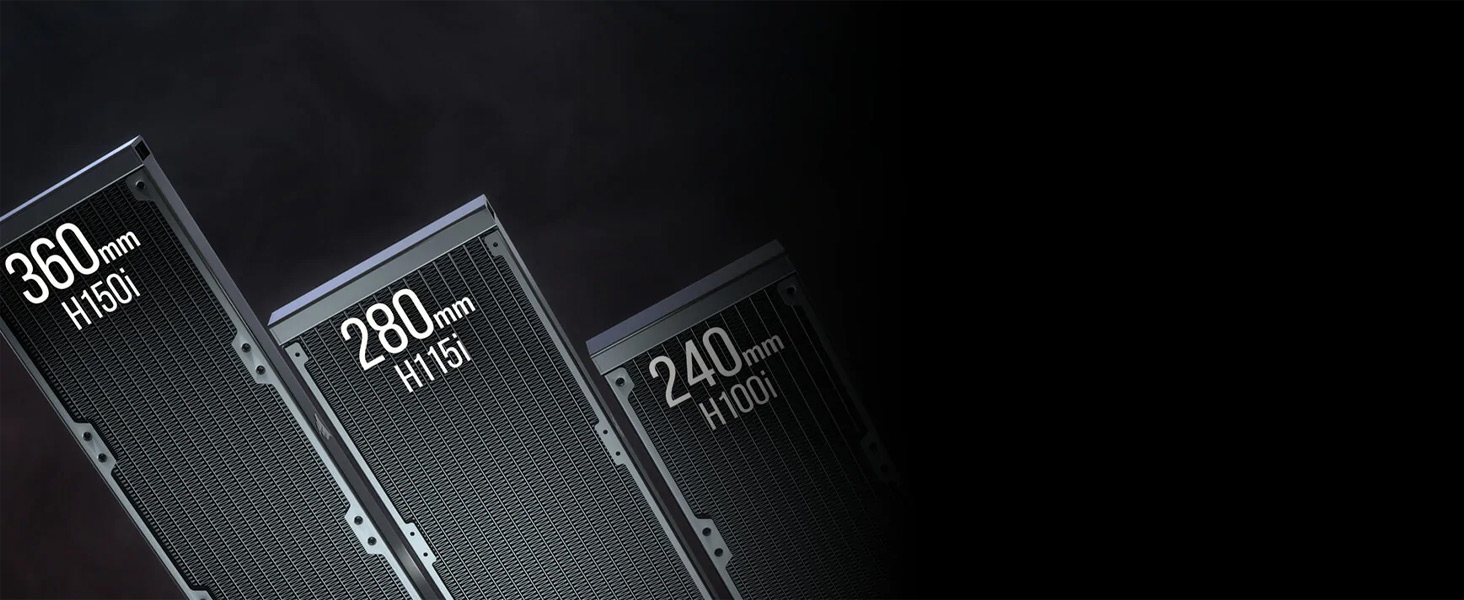
The Corsair iCUE H100i RGB Pro XT is a premium 240mm liquid CPU cooler featuring a high-performance pump with 33 ultra-bright CAPELLIX RGB LEDs, paired with two 120mm PWM magnetic levitation fans for powerful, low-noise cooling. Compatible with a wide range of Intel and AMD sockets, it includes the iCUE Commander CORE controller for precise fan speed and RGB lighting management, delivering both exceptional thermal performance and stunning customizable aesthetics for professional-grade PC builds.


| ASIN | B095W3666C |
| Air Flow Capacity | 97 cfm |
| Best Sellers Rank | #227 in Water Cooling Systems |
| Brand | Corsair |
| Brand Name | Corsair |
| Compatible Devices | Desktop |
| Cooling Method | Fan, Water |
| Customer Reviews | 4.7 out of 5 stars 14,796 Reviews |
| EU Spare Part Availability Duration | 2 years |
| Global Trade Identification Number | 00840006643432 |
| Included Components | Radiator |
| Item Dimensions L x W x H | 17.72"L x 5.51"W x 1.06"H |
| Item Weight | 1.32 kg |
| Manufacturer | Corsair |
| Material Type | Aluminium Copper |
| Maximum Rotational Speed | 850 rpm |
| Model | CW-9060055-WW |
| Noise Level | 10 db |
| Number of Items | 1 |
| Number of Packs | 1 |
| Part Number | CW-9060055-WW |
| Power Connector Type | 4-Pin |
| Product Dimensions | 17.72"L x 5.51"W x 1.06"H |
| UPC | 840006643432 |
| Unit Count | 1 Count |
| Voltage | 220 volts |
| Warranty Description | 5 years manufacturer |
| Wattage | 3600 kwh |
K**N
Awesome, but you should know more before buying.
First off, being new to computer assembling I've learned that there will be short comings with items from popular manufacturers and omitted accessories that ideally should have been included with the product to begin with. It's also worth noting that reviews and Q&As between variants are often mixed together. So don't rely on a single person's judgment as you may be misled to order an inappropriate items. Since my build is not done due to lack of availability of the part's I'm after I hope to be back with an update with operation performance and build photos. So far this review is about case compatibility. I had purchased this cooler for my first PC build. It's housed in a Corsair 4000X case. Installation: It was super easy. I had read reviews about troubling screws. Rather than assuming these folks are malnourished I'm going to guess that previous revisions of this item did indeed have poor QC and *hopefully* had since been improved. Or maybe since I have a driver bit set I'm able to use an appropriate fitting philips-head driver and not one too large or small. Folks who had received damaged or used items should take that up with the distributor/sender, not the manufacturer. It's sad to see these details reflecting product reviews. The Commander Core and fans: I had removed the lighting node core included with the case and installed the Commander Core module horizontally in place of the SSD brackets. I'd rather keep the mounts for future decisions and mount the Commander Core onto the MB accessory tray that you can't purchase anywhere - so clearly not an option. The Commander Core can drive 6 fans (both 3 pin 4 pin models) and their RGB. So it should be able to drive the 3 PWM fans included with the 4000X case. The case doesn't include an exhaust fan so if you want to use that for the remaining open sockets your best option is the CORSAIR iCUE SP120 RGB Elite which is now available to purchase in single packs (was not the case when I had made my initial purchases). Luckily they hit the market before I could buy the last component for my build. If I had a do-over; I'd get the 3x120mm cooler, mount it to the front of the case and move the included case fans to the top and back which looks to be better price and performance - though the cooler and cooler fans would likely be mounted in a less optimum position according to the included installation guide, I feel it would be worth a shot and there would be no worries about RAM clearance on the top of the case. Since I don't want to change the appearance of the fan positions I will keep it on top and had decided to go with the LPX, non RGB ram from Corsair as they are the only solution to this problem. I hope folks see this review and it clears up some elusive details. I'm sure there's more surprises to come for my build. So far; 4 stars. There are potential build implications that really should be in the product description and not buried in the Q&As. Though the issues are merely about product and placement compatibility, I am using the most modern products of the same manufacturer. Any potential implications should be up-front information before you buy the product, not after you've put it together. Update; Computer is built and running! The AIO is working fantastically and the ICUE software is very easy to use and far more customizable than I had assumed (you can program an individual LED!) Plus it's super quiet! Review changed to 5 stars. I have absolutely nothing bad to say about this product. My only gripe is simply the manufacture's retail info that isn't so forthright about location to hardware compatibility and you can ONLY use the LPX ram when you install the unit to the top of the case - which is suggested to be the most optimum position according to Corsair. This location compatibility problem is due to the thickness of the radiator and fans. I'd guess this would be a common issue between all top mounted AIO coolers. I'd rather have better cooling over RGB ram sticks so it's certainly no compromise in my eyes. Right now I have the pump's LEDs set to reflect the CPU temp and the fans set to show the GPU temp - both based off of user and manufacturer records on the internet. Plus a little more flash with additional layers in ICUE.
P**.
The Ultimate Cooling Solution - Corsair iCUE H100i Elite Capellix Liquid CPU Cooler
I recently upgraded my PC cooling system with the Corsair iCUE H100i Elite Capellix Liquid CPU Cooler, and I am absolutely thrilled with its performance and features. This cooler has exceeded all my expectations, providing outstanding cooling capabilities for my CPU while offering a range of advanced functionalities. First and foremost, the cooling performance of the Corsair iCUE H100i Elite Capellix is exceptional. My CPU temperatures have significantly dropped since installing this liquid cooler, even under heavy loads. It efficiently dissipates heat, ensuring optimal performance and preventing any thermal throttling. I can now push my CPU to its limits without worrying about overheating. The Capellix RGB lighting system is truly a sight to behold. The vibrant and customizable lighting effects add a stunning visual element to my PC build. I can synchronize the lighting with other Corsair components using the iCUE software, creating a mesmerizing and cohesive lighting display. The lighting is not only aesthetically pleasing but also serves as a functional indicator for monitoring temperatures and performance. Installation of the Corsair iCUE H100i Elite Capellix was a breeze. The included mounting hardware and clear instructions made the process straightforward, even for someone like me who is not an expert in PC building. The build quality of the cooler is exceptional, and the hoses and fittings feel robust and durable. The iCUE software provides an intuitive and user-friendly interface for controlling and monitoring the cooler. It allows me to customize the fan speeds, pump settings, and RGB lighting effects with ease. I can also monitor CPU temperatures, coolant levels, and adjust performance profiles effortlessly. The software integrates seamlessly with other Corsair products, providing a unified control center for my entire system. One standout feature of the Corsair iCUE H100i Elite Capellix is its low noise operation. Even under heavy loads, the fans and pump operate quietly, ensuring a peaceful and distraction-free environment. This is particularly important for those who value a silent PC experience. Corsair's customer support is exemplary. I had a minor query during the installation process, and their support team was responsive and provided me with prompt and helpful assistance. It's reassuring to know that Corsair stands behind their products and is dedicated to customer satisfaction. In conclusion, the Corsair iCUE H100i Elite Capellix Liquid CPU Cooler is an outstanding cooling solution that delivers on both performance and aesthetics. With its exceptional cooling capabilities, stunning Capellix RGB lighting, easy installation process, user-friendly iCUE software, quiet operation, and reliable customer support, this cooler is a must-have for any PC enthusiast or gamer. Thank you, Corsair, for creating such an incredible product that takes PC cooling to the next level. I wholeheartedly recommend the Corsair iCUE H100i Elite Capellix Liquid CPU Cooler to anyone looking to enhance their cooling performance and add a touch of style to their PC build.
A**E
Not sure what the problem is...
I see the reviews of people having a hard time, and I don't get it. Sure, if you have a small case, you're GOING to have a hard time. You probably shouldn't even bother with water cooling. I've had cheap fans and I've had better quality ones, and these definitely qualify. Cheap fans, you have to essentially thread them yourselves, and you can wear out your hands doing so. And perhaps that was a design choice that Corsair has since fixed. But I can say with assurance, these screws and fans worked like hand in glove. The radiator attaching was perfectly threaded with the screws that came with them. So were the fans, when I attached them. Plus, they H100i came with a fantastic controller that means you don't have to worry about a special port on your motherboard - it just uses as spare USB port (on the motherboard). Seriously, I'm using a six year old motherboard (Gigabyte Gaming 7 Z170x) and because of Corsair's controller and design choices, it works like a top of the line ARGB on board controller. Love it! I also top mounted my radiator (putting the fans on before I did) and I didn't need any assistance. (I did have a magnetic screwdriver though. Those are a godsend.) The one part I had a bit of an issue was attaching the actual CPU cooler to the motherboard. The screws that were labeled for the 1151 chipset (that I have) didn't work, and I had to use the other screws to attach it. (Long and skinny on both sides. It'll make sense when you see them.) Overall, this is a great, great cooler. CPU is cooler, you get a choice of colors, it synchronizes amazingly with the other fans I have, and the install was super easy. I can't speak for older models, but if you're having to put a lot of stress/pressure to screw anything in on the Corsair iCUE H100i Elite Capellix - you're doing it wrong.
J**Y
Mostly perfect AIO
The positives are easy. The fans run well and are great at pushing air through the radiator. Under normal temps, you don't hear the fans, but they do get a little louder than expected at full speed. Have I heard better, sure, but it's not the end of the world. This thing is strapped to a Ryzen 5900X which is designed to push itself to it's limits. The H115i does well at keeping up and keeping it cool. For the most part, Corsair has a great design for this AIO. With it designed to work with their fan hub, I would like it if there were only one wire coming off the pump to connect to the hub. Then a separate line from the hub to pump and fan header. Just to clean up the cabling from the pump, as there's the main cable and then a single control wire to connect to the pump header. It's not horrible and it's fairly easy to hide the single wire, it could just be better. The only true design issue is with the mounting hardware for the AM4 socket. Loose fitting square hooks to grab onto the stock socket mount. It would be nice if the hardware on the AIO side had some support to keep the metal from bending. The hardware should only be tightened by hand, but even then, it's not impossible to start bending it. It's just sort of flimsy and not as strong as you would think. So as you tighten, you never truly get the resistance you might be used to when installing other coolers. That's after you manage to get both spinning hooks latched to the board. Considering there's 2 different Intel backplates and mounts, would it have been that much more expensive to have a multi-use backplate that could prove a better mounting system? TL;DR. The mounting for AMD systems is a little frustrating, but it works. The fans can be slightly noisy at full speed. However the AIO works great and it does a superb job at cooling. 8.5/10.
F**L
It WILL cool your CPU!
This is the first and only liquid cooling I've purchased and it took me months to consider because I'm old fashioned and never believed in adding liquid with technology. But as time passed, I kept adding components that worked my PC really hard and hot. So I needed a solution to keep it nice and cool. After countless number of reviews from other people around the Net, good reviews from them, I considered getting this and I don't regret it one bit. Even my family loved the colors on this. Corsair was always good at RGB so I guess I shouldn't be surprised. The cooling on my CPU is awesome and as we all know, the more cooled your CPU gets, the more you'll gain performance. I stream with a very heavy set up, CPU encode on Medium preset on OBS and do so 5 days a week, 8 hours a day. Nothing but more performance than before made me amaze the first few weeks I owned this. I still can't stop looking at it because of how gorgeous it looks. I'm a first time liquid cooler and even I thought this was easy to install. So if you're experienced in installing hardware to your PC, you'll find this VERY easy. I had an air cooler and it was a very GOOD air cooler, don't get me wrong, it was the AMD 3900x stock cooler and it kept it nice and cool until I made my streaming more intense. It was constantly reaching 69 to 70C. Now, with this installed, it doesn't even go above 63C lol. It's truly incredible. But then again, water is better at transferring heat. So if you're like me and your PC is constantly taking a beating with the heat with your work or even gaming, this is something you might want to look/invest in. I know it's a bit pricey but now that I own it, I know why. The price is right for this device. You're not being cheated.
C**.
Cools effectively, looks great, lightens your wallet
The cooler is easy to install, and definitely does the job! Paired with Thermal Grizzly Kryonaut thermal paste, it lowered the temps on my i7 by 10 degrees celsius. I run this in a Phantex Enthoo ITX case, and it is relatively quiet, even up close. The radiator has a solid build, with nice fin array. Hoses seem securely fastened. The LEDs are bright and crisp. And those sweet ML fans! A bit pricey for what you get considering the competitors out there. Almost all good stuff, except... After six months one of the blue LEDs on the cooler has failed. I've followed Corsair support's troubleshooting steps with different versions of iCue to no avail, including the most recent (iCue itself is a bit of a mess). The oddest step was to reseat the cooler; not sure how that is supposed to resolve the LED problem. Initial engagement was good, but now I've been waiting for an answer on my RMA request for almost 2 weeks now; it's like Corsair has ghosted me. Update (7/15/2021): A day or so after my original review, things finally got going again with Corsair. They provided a paid shipping label for RMA, and I sent them the aio pump, radiator and ML fans still attached; all the accessories and such stayed with me. About a week after they received the unit, I received back another retail unit, new in box. This was quite surprising as I expected a refurb. Took me almost a week to get to re-installing the AIO. Now I'm back in good order. Overall, I'm bumping the rating back up, and apart from the long pause there in the middle of this, I'm pleased with the response after things got moving again. Now just hoping the new unit doesn't have a similar issue in 6 months.
M**J
AIO 140mm maglev fans creates quiet cooling for any CPU!
I'm using this cooler with an AMD 7950X CPU (AM5 socket) with Arctic MX-6 thermal paste. It keeps the temperatures low and the larger 140mm fans move more air at lower speeds while keeping noise to a minimum. This is its most important task, and it does it well. For those who like lighting effects, it has that capability as well, although I normally have the lights off. I also leave the CPU water pump changeable light cover off, so all the light is exposed when I do have the lights on. The only thing I don't like is the fan connector plug used to feed a tach signal back to the motherboard. This only uses 1 wire to feed it, and that 1 pin doesn't hold on well to the fan connector. I would have populated the other 2 pins in the connector to allow for a sturdier connection. The Lighting and Fan controller that comes with it requires a SATA power connector, and can handle up to 5 fans and the AIO water pump. The controller uses some 2-sided tape to mount the controller some place in the case. Instead, I used stick-on Velcro to be able to remove the controller as needed, which makes it easier to change the fans and lights that plug into it. The iCue software that comes with the controller has plugins to use other lighting controls of some devices, but doesn't include support for my G.Skill Trident Z NEO memory modules' RGB lighting.
M**A
A great CPU Cooler
Update: I received the replacement CPU Cooler from Amazon. Their Customer service was incredibly helpful and professional. I still do not trust the iCue software, it is a buggy mess. The Firmware update may have had something to do with the failure of the last. I am not 100% sure. Beware of installing it. There should be a way to manually download and install the firmware from the Hex file, but I will have to research. As far as the "Used Like New" I would recommend caution, The reviews on those were sparse. The replacement was a brand-new unit still factory sealed. Original review below. Just to preface, I am an experienced IT professional. I took every precaution when installing the unit. It went in pretty smoothly and everything looks fantastic. It was great until I turned it on and it immediately started blinking red. The error shows that the "pump failed". My suspicion is a firmware issue, but it is a true pain to get the firmware to update through the iCue software. I already knew I didn't like their software from my Wife's build with the H100. The firmware shows as being updated, but there is no such hex file. Buy this with caution. Will try again, and will update this if all goes well. I purchased this as one of their "Used - Like New" units which I have had great luck with in the past. This has made me very hesitant to buy again but I truly love Corsair equipment, they build quality.
H**A
Precio es alto pero lo vale cada centavo
Mantiene las temperaturas muy bajas de la caja y del CPU funciona bien, la aplicación para controlar la velocidad de la bomba de agua y ventiladores funciona excelente no se traba te permite manejar colores, perfiles de colores y velocidad individual o grupal de los ventiladores, recomiendo utilizar con ventiladores extra corsair con RGB, para tener más personalización y control sobre la velocidad de los ventiladores y sus temperaturas. Muy bien producto
J**A
Una de las mejores AIO 360 del mercado
Recientemente he instalado esta maravilla, la AIO H150i elite capellix en mi Corsair Airflow 540 (aunque en teoría no está aconsejado, en el frontal, y caber cabe, sin hacer peripecias). A nivel de montaje, lleva su rato, aunque lo peor de todo es la forma de encajar con el procesador AMD. No me gusta en absoluto. Los ventiladores son muy, muy, muy buenos, eficaces, no demasiado ruidosos (hasta determinadas RPM), bonitos de estética LED y regulables a través de software de Corsair. La bomba, depende de la suerte que te haga mucho o poco ruido. En mi caso, de dos reacondicionadas, una directamente se bloqueó. La otra hacía cosas raras. La lotería del "reaco". En todo caso, os aconsejo el modo velocidad variable de la bomba. A nivel de temperaturas, me ha sorprendido muy gratamente con Zero RPM, manteniendo un AMD 9 5900x a raya, aunque en lo alto, se me iba a 90º con todas las configuraciones con cinebench multicore, con single core, no llegaba a 60º. Aunque soy muy fan de Corsair, de sus AIO (vengo de una H100i v2), no me acaba de convencer, pagar más de 150 euros, con una durabilidad de 4 a 6 años en el mejor de los casos. Prefiero mi NH-D15 de Noctua, y duermo más tranquilo. Ahora bien, si eliges esta AIO, configuras bien las curvas, tiene mucho recorrido para hacer OC. Lo único, serían los ventiladores, ya que considero que si bien son buenos para AIO, no son los mejores y el ruido a partir de 1500 - 1700 rpm, llega a ser molesto. No he llegado a probar esta AIO con unos buenos Noctua para disipadores, pero creo que sería el maridaje perfecto.
K**P
Great pice of kit
Easy to install and the commander node is great as it has 6 x RGB fan ports AND 6 x fan power ports (4-pin). This makes cable management very easy for airflow control. iCue software is easy to install and understand. Be very careful when ordering which size of cooler - especially if mounting on the TOP of your case. The 280mm cooler may hit the top of your RAM sticks. After a lot of reading, I went the 240mm route and this seems the best and safest option ... but make sure you do your research first. Keeps the CPU cool (5600X high 30C at idle) and maybe 50C under gaming. Also nice and quiet. Would reccomend this cooler.
F**R
冷却性能が向上しています。耐久性は不安が・・・・・。保証は要注意。
H115i proからの更新です。急にイオンが鳴り出し、動作不良でCPUが100度になったので緊急停止。4年目で壊れたので、やむなく購入しました。最初に来た個体が、ポンプ本体をicueが認識せず・・・。ポンプ本体も発色せず・・・と2日かけていろいろやってみましたが、不良?と思い、アマゾンに連絡、交換をお願いしました。次の日には交換用が到着して、無事動作OK。アイドル時の冷却温度がproより約15度前後下がっていることと、静かなことに進歩を感じました。ただ、日本語のマニュアルは無く、もともとわかりにくいマニュアルだったのだが、今回のマニュアルはすごくシンプル。初めて導入の方には厳しいかもしれませんね。不良が送られて2日も無駄に過ごしたことには腹立ちがありますが、交換の対応がよかったので良しでしょうか。あとはどれだけ持つか・・・。今回でコルセアの液冷は5台目ですが、新しいモデルほど寿命が短くなっている・・・気がします。ちなみにGPUに使用しているH80i V2はいまだに元気に稼働しております。 追記です。半年使用したら、ポンプ動作不良の警告とCPAU温度が90~100度。いろいろ検索をかけてこの商品は冷却配管の取り回しがタイトだと動作不良になると。ラジエーターの位置替えをいろいろと行った結果、今のところ動いています。ただ、不安定なのは改善できていません。保証をリンクス様へ問い合わせしたところ、アマゾンはメーカー直の取り扱いであるが、対応は可能とのこと。予想どおりでしたが、先行で送ってもらいメーカーチェックを行ってからの対応とのこと。送料は方持ち。今回の製品はリンクルシールが無かったので、不安に思っていたら・・。半年でこの状態なので、修理中のポンプを購入?するか思案中。購入時はこの内容を理解してからのほうがいいかもしれません。初期対応はアマゾンがすごく良いのですが。
K**G
Super!
Arrivé rapidement 👌 Tout était bien emballé et protégé Les explications pour le monter sont claires et la pâte thermique est déjà mise dessus 🤩 Je recommande!
Trustpilot
3 weeks ago
3 weeks ago