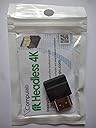
CompuLab 4K Display Emulator (fit-Headless 4K)
Product ID: 3408436
🔌Plug & play HDMI, no extra power needed
⚙️Compatible with any OS, zero software install
🖥️Supports up to 4088x2304 resolution
Desertcart purchases this item on your behalf and handles shipping, customs, and support to Greece.
🚀 Elevate your remote setup with 4K clarity—because your headless PC deserves the best!
The CompuLab fit-Headless 4K is a compact HDMI emulator that enables headless PCs to output ultra-high resolutions up to 4088x2304 without any software installation or additional power. Compatible across all major operating systems and devices, it’s ideal for remote desktop access, server farms, and SOHO environments seeking seamless 4K display emulation.
| ASIN | B00JKFTYA8 |
| Best Sellers Rank | #286 in DVI-HDMI Adapters #13,285 in Computer Cables & Interconnects |
| Brand | CompuLab |
| Color | Black |
| Customer Reviews | 4.3 4.3 out of 5 stars (214) |
| Date First Available | April 9, 2014 |
| Is Discontinued By Manufacturer | No |
| Item Dimensions LxWxH | 2 x 0.8 x 0.5 inches |
| Item Weight | 0.01 ounces |
| Item model number | fit-Headless 4K |
| Manufacturer | CompuLab |
| Product Dimensions | 2 x 0.8 x 0.5 inches |
M**X
Great option for a headless Mac Mini
If you want to run a headless Mac Mini and screen share from a large monitor or 4k TV, this is the way to go. Plug this into the HDMI port on the Mac Mini and download a free app called Display Menu from the Apple Store and run it on the Mac Mini. Then when you screen share, you'll have an enormous number of resolution choices in a simple pulldown menu. I've been able to screen share from devices ranging from my 13" MBP to a 4k TV to a 27" IPS monitor, and there is always a resolution available. Note: Keep in mind that this thing costs less than $10. As mentioned in several reviews, 4k is at a slow refresh. It works fine for most things, but you probably don't want to try gaming or watching videos at 4k. 1920x1080 can be run at 60hz.
G**N
Gets The Job Done
This is a pretty simple device with a pretty straightforward job, and it does that job pretty well. I have been using this adapter on my Mac Pro tower, which is set up as a server, and I have had no problems in the weeks I have been using it. In terms of resolution, it does support what it says, and you can check out the images I attached to see proof of that. My Mac had no issues recognizing the adapter and even pulling the proper name. The actual device you receive might be different than what is pictured in the actual product promotional images. You can check out my images to see what the one I received actually looks like. If you are looking for a headless adapter with 4K support I can recommend this one!
J**I
Works great with Win7
I have a headless Intel NUC5i5RYH compact computer running Windows 7, and I use VNC to access the graphical user interface. When I unplugged it from the display monitor and rebooted, it came up in low res mode and refused to run at a higher resolution because it does not detect a display. Annoying. Then I discovered this ingenious gadget which neatly solved the problem. The NUC (stupidly) uses a mini-HDMI, so I had to get an adapter. Then I plugged it in, rebooted, and it came up in 1924x1600 mode without the need for a real display to be plugged in. I opted for the 4K model even though it's a bit overkill, just for future needs. This is a cheap and convenient solution to a weird problem. By the way, it's not just Windows that has this problem when you run the computer without a display. I encountered the same issue with two flavors of Linux (Ubuntu 15 and OpenSuse 13.1).
M**O
Great-ish product
Works pretty well, but needs the OS to load before it works. Consequently, some OS's will not hold the set resolutions from boot to boot. Otherwise, great product!
G**Y
Headless-Mac users rejoice!
I am using Mac Mini in an audiophile setup. Since it is headless (no monitor attached), I use Screen Sharing from my Macbook Pro to access it. Unfortunately, OS X severely limits the the screen resolutions if a monitor is not connected. Enter the CompuLab 4K Display Emulator! It tricks OS X into thinking that a high resolution monitor is connected. Voila, high resolutions are available! All's good but not perfect. Even though the CompuLab 4K Display Emulator supports a lot of resolutions, Yosemite unnecessarily restricts whats available through Screen Sharing. What is even more surprising is that it doesn't list 1440x900 which is the ideal resolution for the 15 inch MacBook Pro Retina! So, I use the excellent SwitchResX utility that allows all supported resolutions. With the Compulab 4K Display Emulator + SwitchResX combo I can now use preferred resolution whether I am working on the MacBook Pro or on a 27inch 2560x1440 monitor. This is a nifty little device
A**A
Beware lower refresh rates (10Hz to 15Hz)
I don't write many reviews but this time I decided to take the time to do so. There are two reasons I'm giving this one star. The first reason is for sheer visibility for people who are interested in this product. As an avid Amazon Shopper myself I know as many others do that generally the first thing that you do when you are interested in a product on Amazon is read the five and one star reviews. The second reason that I am giving this one star is that while it is able to emulate up to 4K resolution the refresh rate at which it does so its only 10 HZ. Any resolutions at or above 1080p are significantly lower refresh rates ranging from 10 HZ up to 30 HZ when run at 1080i. I bought this product specifically to use for my Windows 10 custom built PC in order to convert it into a headless server to use for NVIDIA gamestream. I am unable to find a single working configuration to run the Nvidia gamestream a 1920x1080 using this. In order for me to be able to utilize the 1080 resolution on my Nvidia products or through moonlight gamestream I have to unplug this and plug my 4K TV into my server which defeats the purpose. For other VNC type connections such a Splashtop the limitations are not there and in fact this product is not even necessary for Splashtop due to the fact that Splashtop has its own virtual display driver. Additionally this product is only really necessary for anybody who is running Windows 10 as their operating system since Windows 8 Windows 7 and earlier iterations of windows have the ability to add a display in the settings without actually having one connected. Unfortunately Windows 10 had removed this feature hence the necessity for something like this. If this product was able to work with Nvidia gamestream which apparently recorded video output to the HDMI and streams it I would be more satisfied however I cannot justify recommending this product at the cost of $25 when it simply does not work the way I would want it to.
B**Y
Works perfectly on a Late 2013 Mac Pro
Wow, this little jewel is fabulous! Works perfectly on a Late 2013 Mac Pro running "headless" (remotely controlled with no local monitor plugged into the computer). Makes a wide range of display options (from 640 x 480 up to 3840 x 2160) for the headless computer available to the controlling computer. I am able to switch these display resolutions remotely with no "black screen" issues -- for me, this has solved the "black screen" display issue I experienced when attempting to run my headless Mac Pro (will work on the Mac Mini, as well, according to other reviewers). This product has also substantially increased the responsiveness of the remote display since the display emulator allows the headless computer's video acceleration to be utilized. So glad I made this purchase. Perfect!
E**Y
Fixed VNC on my headless Mac mini
What can you say about a product like this? It's the perfect solution to a problem that shouldn't exist in the first place. I spent about 30 minutes googling around trying to find out why the VNC on my headless (in other words, not attached to a monitor) Mac mini was constantly throwing black rectangles and lines all over the screen. Eventually I came across a series of pre-built or DIY dongles to trick the computer into thinking it had a monitor attached, which in turn activates the GPU. I went with this one because of the good reviews and price point. And sure enough, after plugging this thing in and restarting, VNC now works flawlessly. So while I'm glad there's a solution to this, I feel a little silly paying for a dongle that fixes what's effectively a bug on Apple's part. But it works, so I can't complain too much.
Trustpilot
2 weeks ago
1 month ago