We remain fully operational. Our teams are working around the clock to ensure your deliveries continue safely.

DOWNLOAD THE APP


Customer Services
Copyright © 2025 Desertcart Holdings Limited
DOWNLOAD THE APP
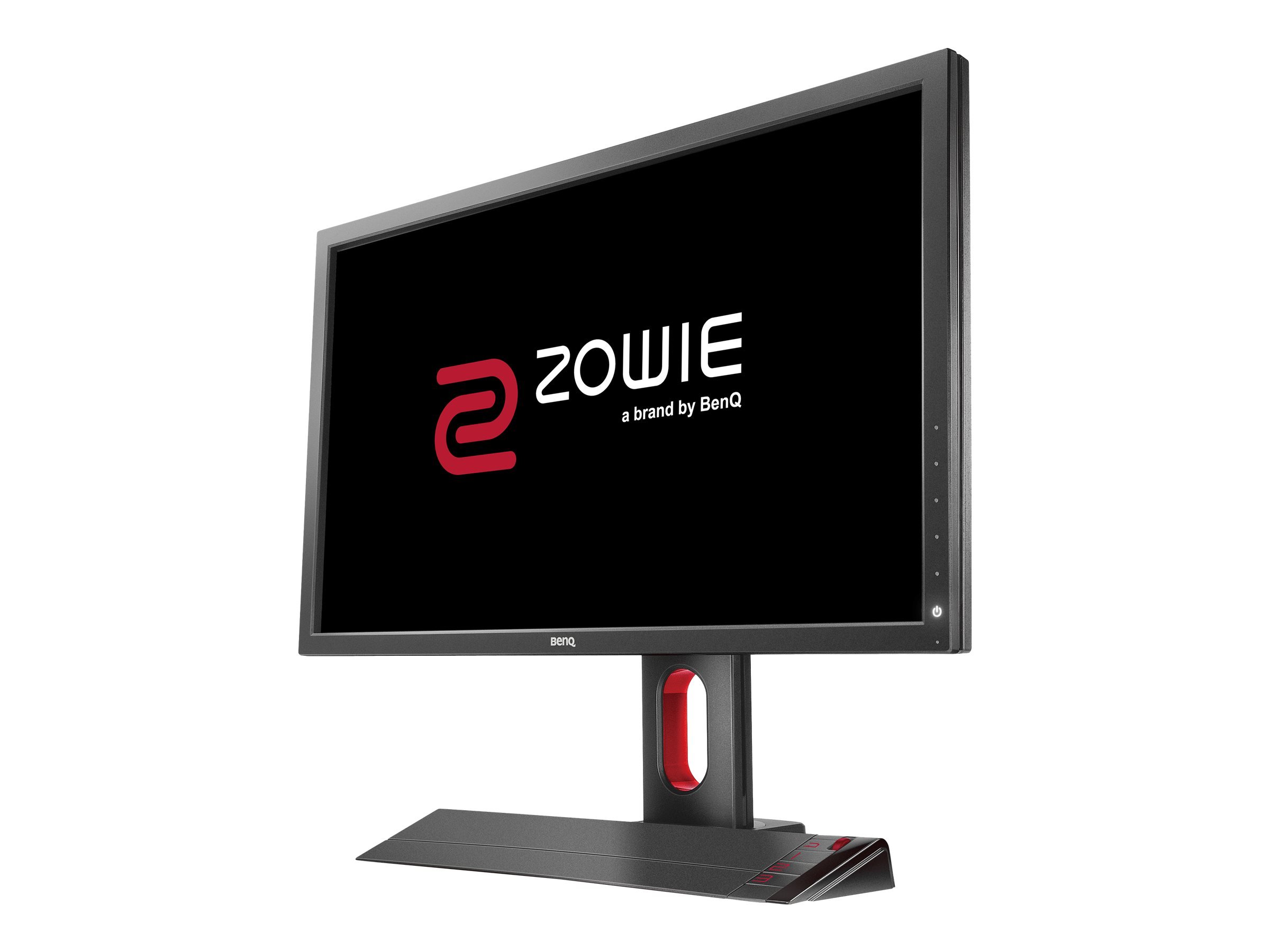
🎯 Dominate the game with pro-level speed and clarity — don’t just play, compete!
The BenQ Zowie XL2720 is a 27-inch Full HD esports monitor engineered for competitive gamers, featuring a lightning-fast 1ms response time and ultra-smooth 144Hz refresh rate. Its Black eQualizer technology enhances visibility in dark scenes, giving you a tactical edge. Ergonomic height adjustment and the innovative S Switch remote allow effortless customization and quick profile switching, making it the official choice for top-tier esports tournaments worldwide.
| ASIN | B01H5KKVLK |
| Brand | BenQ |
| Color | Black/Red |
| Customer Reviews | 4.1 4.1 out of 5 stars (109) |
| Date First Available | June 28, 2016 |
| Is Discontinued By Manufacturer | No |
| Item Dimensions LxWxH | 10.75 x 25.28 x 21.57 inches |
| Item Weight | 16.53 pounds |
| Item model number | XL2720 |
| Manufacturer | BenQ |
| Max Screen Resolution | 1920 x 1080 Pixels |
| Number of USB 2.0 Ports | 2 |
| Product Dimensions | 10.75 x 25.28 x 21.57 inches |
| Screen Resolution | 1920x1080 |
| Series | XL2720 |
| Standing screen display size | 27 Inches |
M**5
Overwhelmingly good
Normally, I wait quite a while to write a review on a product. I've had this monitor just a few days and I'm overwhelmed by the quality. I've never experienced such accurate contrast, sharpness, panel speed/refresh rate, and equal back-lighting. I'm not going to write all the pros about this monitor, instead I'll write the cons because there are a lot fewer cons. None of which could sway me to knock a star off of the rating. **Cons: -I prefer glossy screens -The menu is very nice, but it has some quirks, in my opinion. The S-Switch controller is very nice for navigation the menu, but the menu isn't as fluid and quick as I would like. I feel that the S-Switch makes you feel like you can navigate the menu very quickly, but the menu lags behind so slowly that it's not taking advantage of the S-Switch like feel that it could. -When changing between picture modes, you can't simply scroll through the menu and select the picture mode you want. What I mean is, as you scroll, it applies that picture mode. So if I'm at the bottom of the list (FPS 1, for example), and I want to go to the second to the top picture mode (movie mode or something), I have to go through each and every picture mode and wait for it to be applied before I can continue scrolling. In other words, it previews every picture mode, it doesn't simply let you hover over the modes and select the one you want to be applied. It seems like AGES to go through 10 modes, probably 3 seconds each. Holy crap, it drives me bananas. **IF ANYONE KNOWS A WORK AROUND, -PLEASE- LET ME KNOW.** (this still isn't enough of a con to knock a star off) -Doesn't have USB 3.0 ports. Would be really cool to have, but not that big of a deal. -Colors could be more vibrant, blacks could be blacker. Again, why I like glossy screens. But I knew what I was buying, a purpose-built gaming monitor, and it does its job with grace and precision. If I wanted more beauty than speed, I'd have chosen something different. **Unexpected pros: -The viewing angles for a TN type panel really aren't bad, in fact, they're good. I watch TV/Movies on this monitor from bed with no issues. The stand is so adjustable, and easy to adjust, that viewing angle issues are easily corrected. -The stand is wonderful, top-notch.
R**.
Great monitor. The stand is very sturdy and adjustable
Great monitor. The stand is very sturdy and adjustable. The detachable keypad is great for making quick changes to the display. I use my monitor for gaming on the pc and my xbox. Personally I set mine up at 120hz, set gama to 5, color at 100 across the board. Personally I prefer the blur reduction is off otherwise the screen gets pretty dark. Its true it may help w/blur reduction but for me the brighter more vibrant colors make it easier in an FPS environment to see people in the distance and such. For starcraft II or pc gaming I may enable blur reduction as the brighter detailed color is not crucial and it may be softer on the eyes for longer play durations. I am still tinkering with settings and customizations but its easy to do so with the savable profiles and detachable controller. My only gripe is powering the unit on is very finicky. The buttons are super sensitive and i have to use the palm of my hand for it to power on instead of just using my finger. Other than that it seems like a quality monitor.
K**P
Fantastic Monitor
This is a great monitor. I bought this monitor thinking I would go from a two monitor setup to a one monitor set up. I previously had 2 acer 23" monitors and they were great monitors but they do not compare to this BenQ. It arrived and the set up was a breeze. The colors from this monitor are great to tweak to your liking and they are perfect for any game on the PC. The S Switch allows for easy change of all the settings. Playstation 4 and XB1 games look great as well although you may want to look up the optimal settings for playing a console on this monitor to get the most out of it. One thing I love about it, is that you can turn down low blue light and game for hours without hurting your eyes. Pros: Everything about this monitor Cons: My wife hates my new monitor because of how much it keeps me gaming.
S**9
Awesome Monitor, Flaws with Powering On and Computer Sleep Mode.
The quality of the monitor is fantastic. If you have never seen 144hz then you are in for a treat. It makes everything smooth, not only gaming. The screen needs to be color calibrated because the colors are much different than what I saw with other monitors. The one drawback which is why it earned 3 stars for me is the way the monitor is powered on. I have to make sure I turn on the monitor right before I turn on the computer or it will tell me no signal. If my computer goes to sleep, the monitor when turned back on with the button will tell me no signal. I have to either turn off the computer with a hard reset or unplug the display port cable and ensure that I turn on the monitor at the perfect time. I have an Nvidia GTX1060 using a DisplayPort so nothing out of the ordinary.
D**A
Note on troubleshooting refresh rate issues
The monitor itself is great - no issues for ~3 years. I bought it because I am super sensitive to refresh rates (though I really can't see the difference). I started getting migraines again, and noticed that the refresh rate had reverted back to 60Hz. I tried uninstalling the monitor driver and the NVIDIA driver (with and without the DDU uninstaller), setting custom resolutions, setting to 143 and 145hz based on troubleshooting articles, ran Windows Updates, etc. Nothing worked. I finally replaced my Amazon Basics DisplayPort 1.2 cable with a DVI-D dual link cable, and everything works now. I assume that either the cable went bad, or a Windows or other update dropped support for DisplayPort 1.2. I just wanted to mention this here in case it can help anyone else.
Z**.
Its a great product, its 144hz so it looks amazing and it 100% makes a difference compared to 60hz, although i noticed that i didnt recieve all the cabels that where supposed to be included based off of the manual inside the box, i am still happy enough to give this product a 4 star rating. The delivery also came earlier than i expected.
S**L
This is best gaming monitor I've ever had the experience of using. It's packed with some very useful features.. (+)tives.. 1. 144 Hz display : Switching from 60 Hz display to 144 Hz is made a noticeable and positive difference. Higher refresh rate improves reflex and responsiveness. Game play is really smooth while play FPS such as CS-GO and PUBG. (DVI Port required | HDMI limited to 60Hz). 2. NVIDIA 3D Vision capable. 3. Monitor stand has some space for cable management. I have passed my keyboard, mouse and DVI cable through the large hole made in the monitor stand. 4. 2 x USB Hub. 5. Monitor stand also has a clip which can be used to hang your headphones. 6. Display size of the monitor can be changed via OSD menu. Useful if you wish to adjust your eyes to a smaller screen. 7. A nice dust cover is packaged along with the monitor. 8. Monitor can be height adjusted, tilted and rotated. 9. A separate switch is available to control the OSD menu. Switch can be magnetically attached to the monitor. 10. You can create up to 3 custom profiles which can be saved and used whenever required. Profiles allows you to change the display settings such as brightness, contrast, black level etc. as per your preference. 11. It's made of plastic but the build quality is really good. Feels heavy for a 27 inch monitor. 12. No dead Pixels or white pixel. This is a test I always perform on a newly purchased monitor or TV. I was really worried about it as I read some reviews from other customers before purchase. They complained about dead pixel. Well, my monitor didn't have any. (-) Honestly I don't really see any negatives except for the bezel which looks too thick. So if you're planning for a multi-monitor setup (Eyefinity or Nvidia surround), you may not like it.
P**T
Best Panel for playing competitive games. Has one of the fastest response times. Better than 24 inch monitors since you don't have to bend forward and play very close to screen. Motion blur reduction makes everything clear, even better than 240Hz monitors. S-switch is also very convenient for switching between profiles and changing settings.
Z**V
Monitor is decent, 144hz at FHD is awesome for PC games and decent on console. My unit came with a few dead pixels on the corner but it isn't too noticeable and I've already wall mounted it. Otherwise very solid monitor for the price, lots of connections and a very nice controller on the side for options and inputs.
C**N
No dead pixels, good viewing for a TN panel. Maybe to big for 1080p and the colours where a little to vibrant out of the box but easily customised within a few minutes. Honestly i only use it for console gaming atm and i understand that it is over kill for that but i will eventually use it for PC gaming as well. I think once i use it for PC gaming I will enjoy its more extensive features more.
Trustpilot
4 days ago
1 month ago