Desertcart purchases this item on your behalf and handles shipping, customs, and support to Greece.
๐บ Elevate your viewing game โ mount it right, watch it bright!
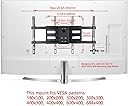
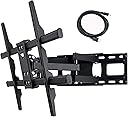
The VideoSecu MW380B5 is a heavy-duty, full-motion TV wall mount bracket designed for 37" to 70" LED, LCD, and Plasma TVs up to 125 lbs. Featuring versatile VESA compatibility (up to 684x400mm), it offers a dual-arm articulating design with 160ยฐ swivel and ยฑ12ยฐ tilt for optimal viewing angles. Its space-saving foldable arm extends up to 14" from the wall, while included hardware and post-installation leveling ensure a secure, professional setup. Perfect for millennials seeking a sleek, functional upgrade to their home entertainment setup.


| ASIN | B001LL5JDA |
| Best Sellers Rank | #586 in TV Wall & Ceiling Mounts |
| Brand | VideoSecu |
| Brand Name | VideoSecu |
| Color | black |
| Compatible Devices | Televisions |
| Customer Package Type | Frustration-Free Packaging |
| Customer Reviews | 4.7 out of 5 stars 5,339 Reviews |
| Finish Type | black |
| Global Trade Identification Number | 00753182730561 |
| Item Dimensions L x W | 3.15"L x 1.97"W |
| Manufacturer | VideoSecu |
| Material | Alloy Steel |
| Model Name | FBA_MW380B |
| Model Number | FBA_MW380B |
| Number of Items | 1 |
| Part Number | FBA_MW380B |
| Product Dimensions | 3.15"L x 1.97"W |
| Special Feature | Number of screens supported: 1 |
| Special Features | Number of screens supported: 1 |
| UPC | 753182730561 799472273721 |
| Unit Count | 1 Count |
K**N
Good mount with very minor issues
First off, before I bought this I read many reviews and did a lot of research. What I have found in research on so many items is that you have to believe a review in which someone has the same views, skills and knowledge as yourself or that you can believe through reading the content of their review. I have read many things that just did not bother me or that were really not a big issue at all that some people complained about. Keep that in mind. Pros - This mount was first of all GREAT VALUE. If you are looking for something that is becoming a national landmark, this is not a design for the ages. It is simple, doesn't look terrible by all means and very functional. - Some people have complained abut how hard it was to get to the handle to lock it down, to keep the display from tilting forward on its own. I don't get the issue here, it was quite easy. I mounted my TV around 7 ft in the air, above some book cases that I have against the wall in my computer room. I simply set the tv on the mount, latched the two safety devices (one on each side) to make sure the screen didn't pop off and tightened the tilt by pulling the screen out to full extension. You have full access to get to it, nothing stopping you. I don't get that gripe. My tilt holds without issue. - The fit on the crossbars it tight, maybe too tight but that is good for keeping things snug. For me to get the safety latches in place, I literally had to get the big mallet out and beat the crap out of them. The seal on the pieces that mount to the TV were so tight to the cross bars that I could not get them into the final resting position without a good whack, and I have some gorilla grip going on. You have to squeeze real tight with the little latch pushed up to try to get in place and whack it with a mallet. It is super snug which means super safe imo. Seriously, I have a guitar players grip; people with less hand strength might have issues here. Be smart and out think the hardware. It could have been manufacturing not being so precise but if you see it, you know what to do. - Sturdy. I am a big dude and I put some weight against it, no budging. I used a piece of poplar 2 x 8 at 3 ft long to help with centering and support. I believe the mount was something like 6"in height on the base, it was real easy then to get it where I wanted it. 6 large lag screws from the local box store, forget the screws that came with it. I do not like "pretty" black screws when i read that many have had issues with them. I went with "trusted" screws I have used before. Drilled pilots in the wood, then sunk one in the far left through a stud. Stud finders are terrible, so I went into the basement to see which side of the stud the outlet was on that was close by. Did some math for the metal box, drywall ring and then the stud. then measured off this to mark my wall at 16" centers. After sinking the left top, I rolled the wood up without scratching the wall and popped a 24" level on top. When level, I sank the bottom right and brought it tight. Then sank the other 4 and tightened the top left snug. I used a mini impact from my dual DeWalt set; it is better to use a mini impact than a true drill as it will snug everything better. I then used the same formula; marked my top left, pilot. Sink the lag into the frame snug, not too tight.Bottom right using a smaller torpedo level. Snug, then tight watching my level. Then I sank 6 more screws. No reason to be shy here and the cost of time and material is nothing. - Mounting the TV itself was easy. I have a Samsung KU7000 and it has a slightly curved back, yet the TV came with spacers to bring everything flat that worked just fine with the mount. Once the guides were on, I simply had to get the beast on there. I did have my wife help me on this one because of the height of the TV and the sheer size. It was not really hard to get on but I did notice that if you could not get a good view to see where to set it, you push the arms back and end up fighting yourself. Lean back over the edge and look when you are in position. My side went in but she struggled; no worries. Let the one side hang in and just lift the other side enough to drop in place. Hammer the safety latches down and you are gold. I used 2 heavy gauge cable ties through the holes to make sure they do not come out but I can tell you by the pressure, they are going no where. - Cable management. It is quite stiff to get the sides spread out, but it works to keep your cables away from the moving parts of the arms. Warning: if you have a lot of I/O, you might feel some pain here. I only hooked up a cable box, dvd player and ps3 to the TV. This brings 3x hdmi, 1 power cable and I ran cat 6 in as well. This amount of cable is overload already for these little wire ways but they did work for my needs. You may have more cables. - Some people reported their TV sliding as there is no mechanism to keep it centered. Maybe they changed something in the design but i saw nothing like that. No lean, no drooping. It just works. Maybe if you have an uber old plasma, the weight may take more of a toll on the mount. I was good and needed no cable ties, tape or any gadget to keep the TV in the same place. Cons - Cheap screws. Other than the threaded bolts, I would not use them. I was going to get newer ones anyway because of the length added by the 2x8 but they were cheap. - Ok, this is getting low but it is something that hacks me off to no end; if you are going to sell a product here, have someone proof read your instructions book in English before you print it. If I see grammatical errors or even typos, that tells me that some guy is printing this out in his garage and his friend is assembling these in the back yard. Professionalism starts with what people see and although I did chuckle a bit that they had no one to catch these errors, it looks bad. I was able to get past all the failures in the manual but guess what? I build stuff, huge manufacturing plants. Some people may not and will get confused and lost, then angry. Fix it.
S**W
Heavy-duty, easy to install, versatile - great value!
Having never bought a TV mount before, I really had no idea what to look for or what was important - all I knew was that I wanted something sturdy that wouldn't break the bank. After reading reviews for this and other mounts in the same category (articulated), I settled on this one based on price and reviews. Right out of the box, it was obvious this was a great mount - it was easy to swing around to various positions (even without the TV providing additional leverage), and it was solid, heavy, and looked great. Once I managed to find the studs in my wall, not an easy thing to do through wood paneling, I took a look at the installation hardware and found the one negative thing about this item - the lag screws provided MIGHT be able to hold the mount to the wall, but not a TV. I had read this in other reviews, so I went out in advance and bought some 3 1/2" lag bolts. A friend held the mount up to the wall while I leveled and marked it (please note, an assistant is recommended as the mount is fully assembled and is HEAVY), and a few turns of the wrench later it was up. The design of the mounting brackets for the back of the TV allowed me to install them high enough to attach my soundbar to the top of the TV - very cool, and saved me from having to buy a separate set of soundbar brackets! I hung the TV on the mount, tightened up the locking bars, and it was done. The TV is easy to move, from flat on the wall (sticks out about 4") to almost 90 degrees out - this is with a 37" TV, so of course a bigger TV wouldn't turn quite as far. A couple notes: - We ran cables for the soundbar, TV power, Wii, HDMI, optical audio & USB device, and they in NO way fit in the included cable management brackets. If you are running just HDMI, power, and maybe a set of RCAs you might be ok, but much more and you will be in trouble. However, I found some wire ties that have screw holes built-in, so I zipped up all the cables with these and attached them to the arms where the cable management pieces were supposed to go - problem solved! - Again - do NOT use the included lag bolts if you value your television (or wall, for that matter). Most hardware stores will sell construction-quality lag bolts for less than $1, so do yourself a favor and buy 4 of those. They even sell a type that doesn't require pre-drilling holes (just be prepared to exercize your wrench arm if you get those!). - The wall-mounting piece has holes that are about 16.5" apart and the WIDEST, so if your studs are 24" on center you are out of luck. However, if your studs are simply not centered on the wall, you can swing the TV to the left or right for some adjustment if needed. Bottom line - for the price, I couldn't imagine getting anything better.
D**E
Great Mount - Samsung LN52A750
After reading through many of the reviews, I decided on this mount. I have an older Samsung LN52A750 (52" LCD) with the VESA of 600mm x 400mm (WxH) @ 66.4lbs w/o stand, and this mount works excellent. You will need to use the included longer M8 screws with spacers to attach the brackets to the back of the TV. This mount is designed for studs that are 16" on center, however there are no center holes which is probably by design so you are sure to mount it to two studs, and not just one for larger TV's. The area in which I wanted to hang my TV, it so happened that the center line was also where the center stud was, so I would have had to mount it off to one side, and then pull the TV over on the mount for it to be centered between the two windows. This would look very awkward. To "fix" this, I cut a 2x4 so that it spanned the center stud to the other two on each side of it. Painted the 2x4's with some Black Stain Finish spray paint to give it a more finished appearance and mounted those to the wall with some 3" wood/deck screws, and then mounted the mount to the 2x4's. The TV obviously sticks out from the wall a little further, but that's OK. We have a fake ficus which covers one side, and the other people can really see. You may be able to use some 1" Plywood and do something similar. But, I know its secure and isn't going anywhere with the 2x4's. After that, mounting was pretty straight forward. The tilt function has two "lockdown" points on either side, there is a tiny bit of play, and if you are not careful about tightening them down, it can cause the TV to "rotate" very slightly, but enough that if you have a table beneath the TV you can tell something isn't right. Have a person on each side and slowly tighten down the clamps and check with torpedo level worked for me. After all done, the mount is a little tight. I think you can adjust the tension on the arms, probably by loosening the bolts at the pivot points slightly, but since we don't plan on moving it a lot, it will be fine. I don't think you can go wrong with this mount, the value is excellent, and the build is pretty sturdy.
B**N
Pros outweigh the Cons, but take note...
I purchased this mount for a new Sony Bravia we bought for our master bedroom. Problems (noted below) made it impractical for my master bedroom, however, I did install it in a spare bedroom with a 32" LCD flatscreen and it is absolutely awesome in there...here are the pros and cons as I found them: The Pros: 1) Very stable unit when mounted to studs 2) Unit is already assembled, only have to bolt to wall and attatch to television (which is great because there are a lot of moving parts). Not to worry, this unit arrives fully assembled. 3) All hardware for mounting is included (including lag bolts for wall studs, 8mm screws for attaching TV (fit my Bravia), and many other spacers, washers, various hardware which some installations may require. I suspect most are like me...all you need are the 4 lag bolts to attach it to your wall studs, and 4 screws to attach to the back of your flatscreen television. 4) This might sound insignificant, but it was most appreciated by me: all hardware is sealed in individual "compartments" of shrinkwrap, which you can "unroll", and each "compartment" is labeled as to the contents. In other words, you don't get a big bag of mixed screws, washers, spacers, and other hardware that you have to sort through to find the screw that looks 'most like the picture in the instruction book'. Anyone who has had the fun of assembling something that was packaged that way will instantly know what I'm talking about. 5) This unit operates exactly as described in it's advertising. It is tight, smooth, has no "rattly components", no "slop" in the movement of the folding arms; it moves where you push it, and it stays put when you let go...it does not "drift" or "sway" when you let go of it. You will have no lack of confidence that it will support the load (provided you installed it properly...more about that in the "cons" section to come, and provided you have a reasonable load weight with your television). Older or heavier TV's (i.e., those in the 60-80 lb. range) might put a strain on things, but I kind of doubt that even those would if properly installed. Bear in mind that the farther your tv is pulled from the wall, the more stress is placed on the bolts holding the mount to the wall (the effects of leverage). Even so, by any measure, this mount is quite rugged. 6) The price is mindblowing, especially when you receive the unit. I think I paid about $65 for this from Amazon, so my expectations were not very high due to the price. Wrong...this is a heavy duty, heavy metal unit. I looked at it closely...I could not find anything to complain about regarding the quality of fit 'n finish. 7) I've read other reviews here that warned of inferior quality lag bolts being included with the mount, but I did not have this problem. I suspect this happened with some because they tried to drive these heavy, long lagbolts into their studs with a screwgun. Now I admit that the hex-heads of these lag bolts do have a "phillips" orifice in the tops of them, but heavy duty lags such as this cannot be driven with a screwgun. The torque will cause the screwdriver to strip the phillips "holes" in the bolt every time. Pre-drill the hole (and be sure it's in a stud...look at the "shavings" that come out on the bit to make sure there is wood there and not just sheetrock powder). Then drive the lagbolts in with a ratcheted socket set or similar. Take care not to pre-drill the hole too big...the lag bolts have to be tight in the wood. But DO pre-drill because bolts this size may split the stud, and you won't have nuthin' if that happens. :-) Cons: 1) The first and worst negative is that the backing plate (the plate that bolts the mechanism to the wall) is not long enough. That plate is about 17" long. Seems like no big deal, but it can be and it was for me. You see, most folks have drywall or sheetrocked walls with the studs running 16" on center. Meaning that the wall is hollow sheetrock except for a stud every 16 inches. Now, this unit MUST be lag-bolted to 2 studs, with 2 lag bolts in each stud. Sounds ok, right...well, depends. If you are centering your TV mount in your wall, and a stud happens to fall dead center at that point, then it is not possible for you to bolt it to 2 studs. Unless of course you want to move it over sideways and position it off-center of your wall (and your TV will be off center too). That is the reason I could not use this unit in our master bedroom. Studs weren't in the right place. If the backplate were longer (which it is with many other brands), then it could easily reach 2 studs and allow adequate bolting. When messing with this kind of weight (the TV and this heavy mount), it would be foolish to trust sheetrock achors. When you pull out this unit from the wall with a TV attached, there must be tremendous stress on the backplate as gravit tries to pry it from the wall. This was the "worst" feature as far as I was concerned, but things worked out fine in my spare bedroom...studs happened to be in the right place, so it wasn't an issue in that room. 2) The weight of this mount is extremely heavy. Like freaky-heavy. This is both good and bad I guess because it is definitely heavy-duty stuff. It's a non issue except for the extra weight stress placed on the bolts attaching it to the wall. Please be sure you hit studs dead-center with each lag bolt, or you may hear a "crash" and find that the bolts have pulled from the wall...your beloved flatscreen TV on the floor broken and bleeding. 3) In "closed position", the unit sticks out from the wall quite a bit. May not be an issue (wasn't for me); but here is the issue...when you press the TV against the wall (the wallmount unit fully collapsed), there is still quite a "gap" between the wall and the back of your TV. My flatscreen TV is about 4 inches thick...add another 3 or 4 inches to that, and you will see that your television will be about 7 inches from the wall when in "closed" position. We leave ours partially extended and slanted all the time, so this is a non-issue for me. Might be for you though...it shows when you walk into a room and see the "side view" of the TV against the wall...and it's sticking way out from the wall. Well, that's about it for my review. I hope it helps someone. The short version is, if you can use a studfinder and locate your studs you will be able to "see" where you will have to mount this unit. If it happily works out to be where you want it, great deal! If not, then you could be in trouble. I understand that in the event you return this, it will cost about $20 shipping and you'll be charged a $20 "re-stocking fee". So a good idea to check the feasibility before you order it. If the placement works out, you'll have yourself a heckuva deal on a very cool articulating wall mount.
M**N
VERY solid with good mounting options - fits "rare" 600 x 400 MM VESA
This product is very well packaged and designed. It came on time overnight for the one day shipping option for a very nominal charge. The box is compact and solid. The product is heavy and best installed by two people, but I did it alone (I'm tall but not particularly strong). Out of the box the joints are tight but as you work with it to install they loosen up so by the time it is mounted everything works smoothly. Getting the TV on the rack is definitely a two (or more) person job. Mine is an old plasma weighing about 70 pounds but it doesn't even shake. It comes with all the mounting hardware for a variety of walls, spacers and different size bolts for various TV VESA mounts. It even has an extra HDMI cable although it is not necessary. Advice: You cannot be in a hurry if this is the first time you are installing one of these. You have to carefully measure and level the back plate, plan your wiring, and understand how the front racks lock to the frame. These are not things to be done on the fly because it is heavy and somewhat unwieldy. You will need a drill (concrete or wood depending on your wall), stud finder, Phillips screwdriver, wrench or ratchet, tape measure and a leveler would be nice (or use your tape measure to be sure both ends of the rack are the same distance from the floor and/or ceiling). I would also have some ties handy for all the wires (plastic zips are great). Leave the TV rails either vertical or even laid back a bit to make it easy to get the TV racks on them. Angled forward like a TV over a bar will make it difficult to hit the rails. My mount is about 8 feet high above our patio sliding glass door. I had trouble finding the studs so purchased more screws (actually had them on hand) and installed several, eventually finding at least two. My wall is knockdown stucco over plywood just under the roof in my patio, and it was impossible to find the studs even with a deep-scan stud finder. I installed the bracket with two of the included screws and then drilled several more holes through the wide holes provided in the plate. This was fast, effective and very solid because I was able to hit a stud by accident. Finish seating the screws with a wrench or ratchet. Once your TV is hefted on to the horizontal rails there are adjustments for leveling and changing the angle. Except for the planning and heavy lifting, this could not have been easier to install or worked better for my covered patio. I am very confident that the TV is secure regardless of how we adjust it.
J**T
Outstanding Full Motion Acticulating Wall Mount!!
If I ever need another wall mount like this I would get the same one without hesitation! I put my 37" TV on this wall mount with no trouble at all. I put mine up to the left of a corner so I could turn my TV about 60 degrees to get it catty cornered. (I believe the documentation states that you can safely turn the monitor a full 90 degrees.) Taking the mounting plate off to get your holes drilled and the plate totally level was something that I decided to do based on reading a few reviews where people said it was difficult to bolt this contraption to the wall and get it level due to the weight of it and how awkward it can be, even with two people. Another reason to do it this way is that even though this wall mount has a simple leveling system for the monitor it is better from an engineering perspective to get the mounting plate totally level by itself first and have a good foundation at the start than being close and having to adjust things to compensate later. For me knowing that the whole assembly is bearing the weight of my investment as evenly as possible was a major factor, as it was engineered to do. This was ESPECIALLY true given that I was doing an offset mounting and if I were dealing with an especially heavy monitor it would have been even more of a reason. The "tricks" that I found were as follows: 1) Take the mount apart and lube all the long bolts/articulation points with White Lithium grease, taking care to carefully clean everything off when you re-assemble it because it will get a little messy. This will let you adjust the monitor a lot easier later on since they had no lubrication that I could find. If you plan to regularly move things around after the fact this will be a bonus. 2) Get your own lag bolts and washers, (1x4" by 3" I believe) this kit comes with lag screws, but a solid head is always significantly stronger than a screw type head. (Considering how much TV's cost I decided that less than $5.00 worth of bolts and washers was cheap insurance!) 3) Unbolt the plate from the rest of the mount when you are installing it because that will make it a lot easier to get it on the wall AND totally plumb and level. Keep in mind that you have hex head bolts and four washers for each bolt on the plate, a small ring type and a recessed one on the bolt head as well as the nut side. Do not lose them of this mount will not work properly and may fail early. 4) Have a good set of hex wrenches ready! You will need them to adjust the monitor level because it wont come adjusted for horizontal level and if you unbolt the mounting plate the bolts have hex heads on one side. 5) Bolt in to studs if you do not have this going in to concrete, or a good 2 by cross brace; Your monitor is probably heavy if this bracket is what you are going to get and bracket itself is a very solid BEAST!!! 6) Mind the arrows pointing to the "up" side. In retrospect what I might have done differently was to get some 1" lag bolts of the same thickness I was using to quickly mount up the plate to verify the plumb and level. After that taking down the plate and reassembling it on the ground would have been simple, followed by putting it on the wall with one corner bolted up, followed by rotating it up and bolting up the other three sides, checking things as I went. ADDED 6/20/2017: After having lived with this bracket for about 6 years I can safely say that it is performing without a hitch and all the praise I had is still holding true. Outstanding product and a great price, ESPECIALLY if you compare it to what this bracket would cost in a major store.
M**O
Fantastic Mount
This is simply an excellent full motion wall mount. I started to buy another one but saw this one when I was placing my order. I saw all the excellent reviews and liked the full motion that this one offered. I just received it today and put it up in about 15 minutes. I am no expert but I have put up others. I had previously ordered three others from Amazon, two for computer monitors and a bigger mount for a larger TV. I did not take it apart to mount it; just had my wife help me to hold it up. I think this is the easiest way to do it if you have two people. While it is heavy, it is not really that heavy for two people. (loved the comment from one reviewer who laughed when someone said it was too heavy; and he and his young daughter put it up). And you will not struggle with two people either. However, one person could probably do it, if you wanted to take it apart. But then you would have to hold the TV in place to reconnect it which I believe would involve much more effort. I did take one apart in the past for a larger TV but that mount was massive and I was so glad I chose that option. I used a stud finder to find the wall studs. I then attached the bars that hook to the back of the television (they are separate from the mount and packed in a plastic wrap). The company provided all different sizes of bolts and the first ones I tried fit perfectly. After securing the bars to the back of the TV, I had my wife figured where she wanted the height to be. Then I measured from the bottom of the TV to the first (bottom) hook so that I could get the correct height (which in my case was 12 inches). My wife wanted the TV about 50 inches from the floor. I measured 50 inches from the floor and then measured up 12 more inches to get the bottom of the TV to set at roughly 50 inches. I then marked the studs again and put a small nail in the wall to make sure I hit a solid piece of wood. I then took another nail and did the same thing on the other side (16 inches over). I placed a level to rest on the nails and moved one of the nails until I was perfectly level. My wife and I lifted the mount up to make sure that the holes lined up with the nails, which they did. We put the mount back down on the floor, I removed the nails and I drilled pilot holes for the lag bolts. I then used a 1/2 inch drive ratchet and drove the lag bolts about half way in. I removed the lag bolts and my wife and I again held the mount up and placed the lag bolts back in to the holes and tightened up those bolts (bottom of mount). I checked level again and it was perfect. I told my wife that I did not need her anymore and did the same thing with the top bolts as the mount was already in place and tightened to the wall. If it leans out too much, you could have another person hold it in place while you put those top bolts. Doing it that way, the mount was very easy to do and it was perfectly level. (so I did not have to make any other adjustments). The next thing we did was attempt to put the TV on the mount. We have an older plasma TV and it weighs almost 80 pounds. My wife had a little problem with that and so we had our daughter help and put it right in place. The nice thing is there is a little locking tab on the bottom hook that snaps right in place securing the hook from moving or lifting off the bar. I did read some negative reviews on the provided lag bolts breaking and was very leery about using them. I think that the problem with any lag bolt that breaks could be that a proper pilot hole is not drilled before tightening it (but not always, as poor quality bolts can break because of their quality). My wife thought they were fine and while I did have some lag bolts on hand, most were not very long. I decided to use three of the ones provided and one large lag bolt I had. I put the larger (slightly thicker) lag bolt in the top just in case there was a problem with the other bolts. In the end, I did not have any problems with tightening the bolts and none of them broke. I know I have only had it up a short period of time, but I am really impressed with this mount and wanted to rate it because I thought it deserved the good ratings it has received from others. My TV is an older Panasonic 42 inch plasma but weighs a good bit; and I did not see much sag when we placed it on the mount. As to the performance, the mount extends way out and moves very easily (something someone else complained of). I did not have to put any type of lubricant on it and I believe that some may have received a bad unit with the few negative reviews concerning the movement. Other than the excellent and more expensive mount I used for a larger television, this mount is one of the best I have used. Very easy to set up, nice locking and moving features and priced right. So glad I chose this mount and thanks to all that reviewed it and helped me to make the right decision.
B**H
Beefy, easy install, works great
Mounted my 60" LG LED TV on this mount into a brick wall. Need this type of mount to allow the TV to clear some protrusions in the brick. While I didn't need as much range of motion that this mount provided, I wanted a very sturdy unit that would put the TV where we wanted it. This mount does the job, and then some. I chose it because of it's weight capacity, the ability to project out from the wall (I only needed 6", it can come out 25"), and the ability to adjust the angle and tilt. I didn't need the sideways swing capability, but now that we have it, we decided we would change the angle some when we had a bigger crowd, since when it's just my wife and I, we sit towards one end of the couch. I also noticed that this one is heavier than others, which increased my confidence it would support the weight well. It comes nearly completely assembled, and it's heavy (20+ lbs). It really is helpful to have another person to assist. There is a suggestion in the questions to assemble the mount on the TV while the TV is on the floor and then measure where to put the first bolt relative to the edge of the set. That way, it goes exactly where you want it. That was an excellent method which we used, and indeed the TV ended up exactly where we wanted it. I had tried to use a less expensive, less featured mount, which wasn't able to clear the obstructions I had in the brick wall. This allowed me to see the difference in construction between the cheaper mounts and this one. One thing I noticed is that the vertical brackets that screw to the TV have two hooks on each that connect to the mount, rather than one hook on each on the cheaper mount. It makes a more sturdy connection between the parts. This mount has two articulated arms, less expensive ones have one. Also, the arms that the hooks seat on are tubular steel, not angles. Stronger. Yes, you can mount it into brick. I did not use the plastic anchors included with the mount - I got some heavier duty metal anchors. I mounted them in the mortar (easier drilling), but the anchors work in solid brick well. This mount has a tilt adjustment. That means you don't have to get the mount completely level, although it needs to be close. It's on solid. No sag, even if fully extended. My TV weighs 60 lbs. The mount had the right screws for my LG, and it fit the TV perfectly. Don't pay any attention to the size of the TV. The size of the TV doesn't matter. What matters is the weight and the hole mounting pattern in the back of the TV. If the hole mounting pattern works, and the weight is okay, then the mount will work. The size does affect how much angle you can get (side to side) from the mount. The arms extend out 25" and some wide TVs may not be able to swing the full 180 the mount can swing without hitting the wall. I don't need to swing much at all so that's not a concern in my installation. In all, I am very satisfied with this mount, and highly recommend it.
Trustpilot
1 month ago
1 month ago