Desertcart purchases this item on your behalf and handles shipping, customs, and support to Greece.
โจ๏ธ Elevate your workspace, split the strain, and connect like a pro!
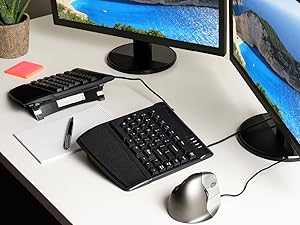
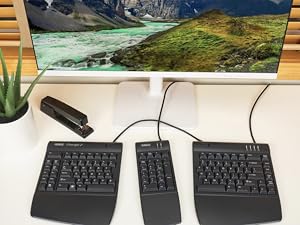
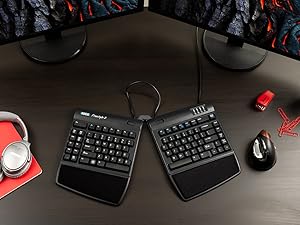
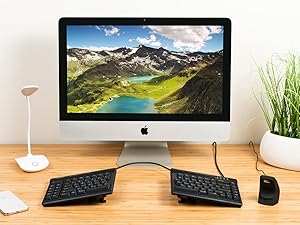
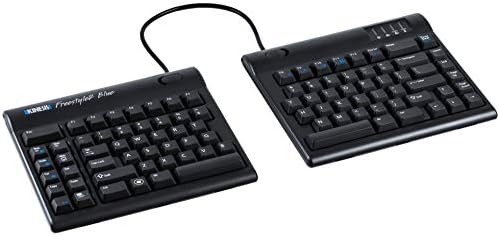
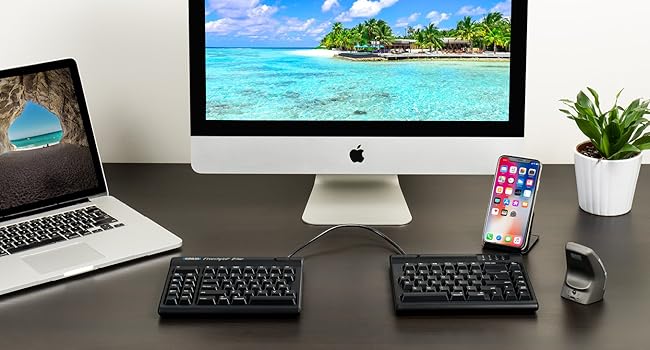
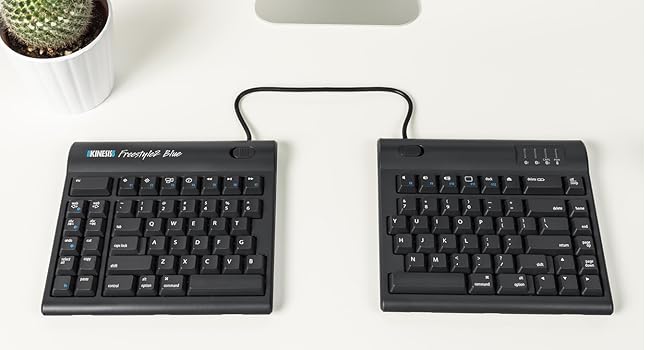
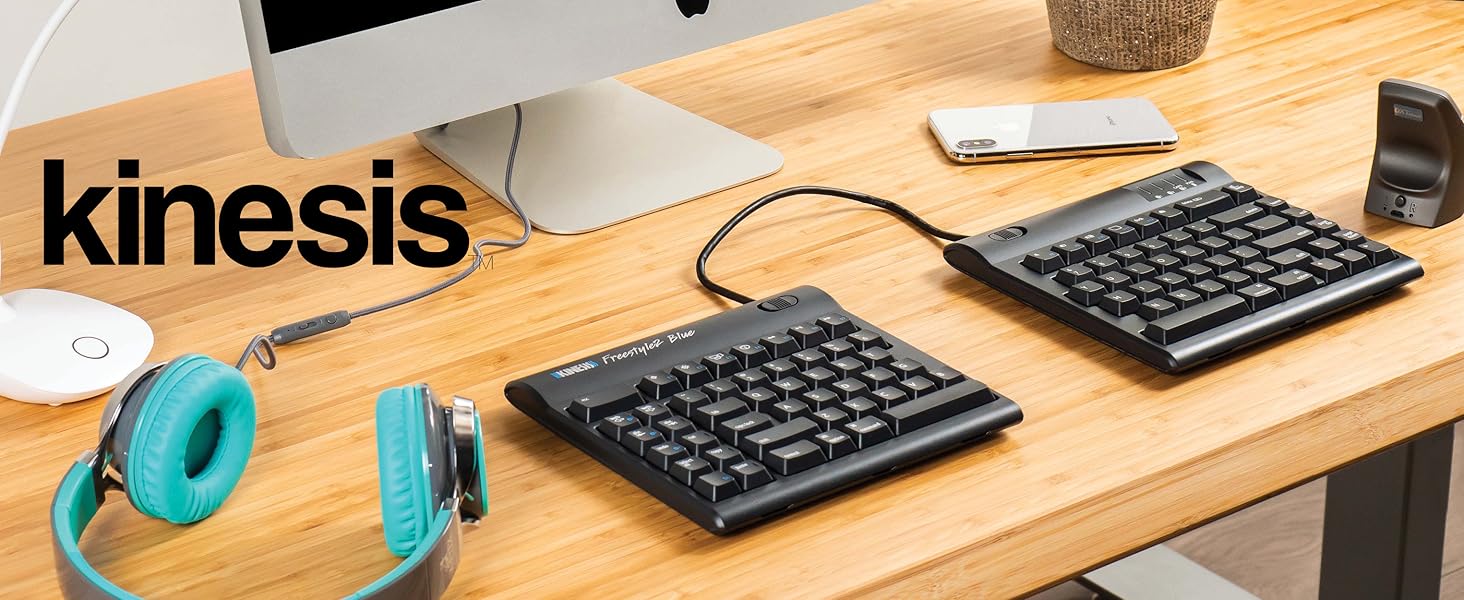
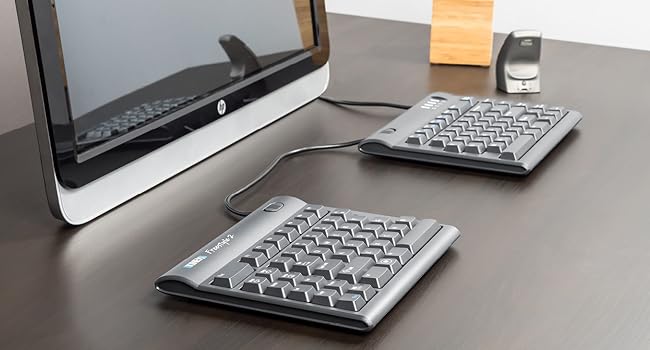
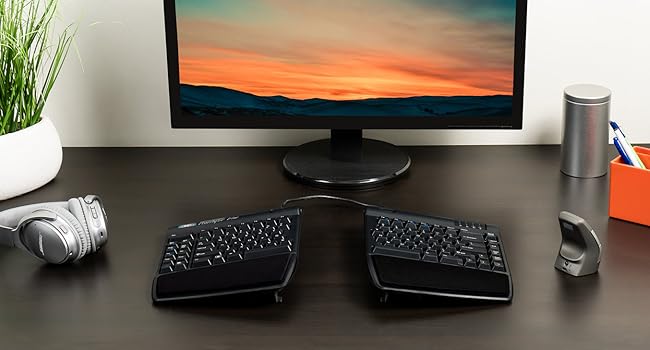
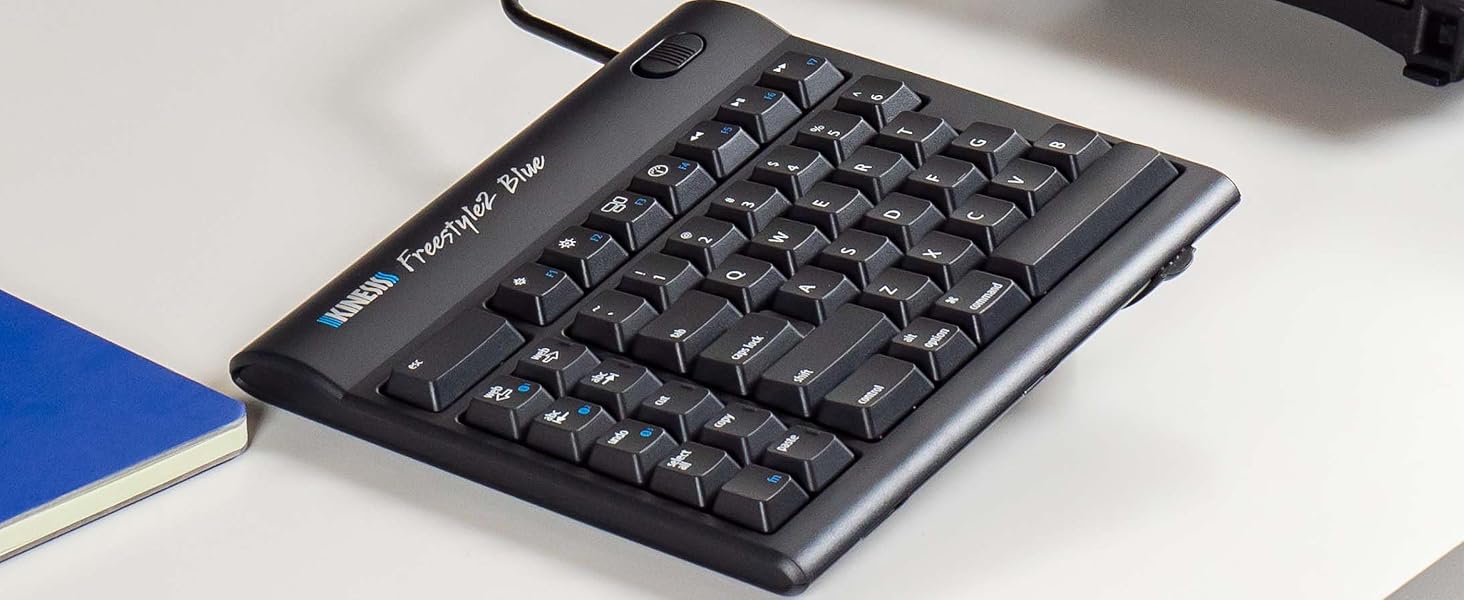
The Kinesis Freestyle2 Blue is a premium split ergonomic keyboard featuring a 9-inch adjustable separation, multichannel Bluetooth connectivity for up to 3 devices, and low-force tactile keyswitches. Designed for Windows, Linux, and Android users, it offers a rechargeable battery lasting 4-6 months per charge and supports optional accessories like palm supports and tenting lifters to enhance comfort and reduce strain during extended typing sessions.










| ASIN | B00NMVJZ1E |
| Antenna Location | Everyday Use, Mobile Computing, Office, Personal |
| Best Sellers Rank | #157,091 in Computers & Accessories ( See Top 100 in Computers & Accessories ) #1,314 in Keyboards |
| Box Contents | USB Cable |
| Brand | KINESIS |
| Brand Name | KINESIS |
| Compatible Devices | Laptop, Smartphone, Tablet |
| Compatible Operating System Family | Android, Linux, Windows |
| Connectivity Technology | Bluetooth |
| Customer Reviews | 3.9 out of 5 stars 292 Reviews |
| Enclosure Material | Plastic |
| Global Trade Identification Number | 00607998800294 |
| Hand Orientation | Ambidextrous |
| Item Type Name | keyboard |
| Item Weight Unit of Measure | 907 g |
| Keyboard Description | Multimedia |
| Keyboard Layout | QWERTY |
| Manufacturer | KINESIS |
| Manufacturer Part Number | KB800PBBT |
| Minimum Required Operating System Version | Windows 7 |
| Model Number | KB800PB-BT |
| Number of Items | 1 |
| Number of Keys | 94 |
| Number of Sections | 2 |
| Power Source | Battery Powered |
| Product Features | Bluetooth |
| Recommended Uses For Product | Everyday Use, Mobile Computing, Office, Personal |
| Special Feature | Bluetooth |
| Style Name | Modern |
| Switch Type | Tactile |
| UPC | 607998800294 |
| Unit Count | 1 Count |
S**T
It draws a lot of attention
Everyone I meet likes the design concept. I did not buy the accessories yet and just have the base model. I find it very convenient compared to regular keyboards and keeping my hands further apart does help reduce strain. It works with Windows 10. I liked the concept of multiple bluetooth channels. It did not pair with my Samsung Galaxy 5 and I have yet to try it out with other versions. I have trouble with the placement of delete and backspace which causes me to accidentally swap the operations. I gave it only 4 stars because of the price. I would like to purchase the accessories to test them out buy am unhappy having to pay so much for plastic accessories that may or may not help. I was very happy with the Seller
N**C
I wish I bought this years ago!!! LOVE IT!!
Bought: Mar 2, 2021. Review: June 14, 2021 Use: daily (9-5pm + 7pm-11pm = 12hrs per day, almost every weekday + occasionally on weekends). This is it everyone! I have tried over 10 "ergonomic" keyboards over past few years at various jobs + purchases of my own. I will never go back to a 1 piece keyboard again!! split keyboards are the way of the future and also the way to save your body from the stress of typing all day. the pain I experience in my hands, wrists, arms, shoulders neck and back have dramatically improved. Is it gone completely? no. but I didn't expect this since I have chronic conditions that are likely to be a part of my life ongoing. But this keyboard was a huge help to keep me working and help with pain mitigation/pain management in a non-invasive and also non-pharmaceutical way. I love this thing. the reason I decided to write this review today was because today was the first time I actually had to charge my keyboard after the initital charge required when it arrived the first day. So it has been going strong for just over 3 months. AMAZING! I also absolutely adore the shortcut keys on the left hand side. the Bluetooth connection has lost connectivity to my PC only a few times (2-3), and it is super simple to reconnect. A non-issue for me. DON'T WORRY ABOUT HOW HARD IT WILL BE TO GET USED TO THE SPLIT KEYBOARD!!!I ITS NOT HARD AT ALL!!! You will find you have adapted to it within the first few days, and for me it was a breeze, barely experienced any "culture shock" moving to the split keyboard. I have zero affiliation with this brand. I just want them to succeed! My only wish is for there to be zero cord connecting the two keyboards. Otherwise it is an incredible keyboard which has been a major investment in my health. Absolutely adore it. Will never go back to the others!!
P**T
Relieved My Shoulder Issues, Nice Key Actions, Flawless Bluetooth
My main reason for considering an ergonomic keyboard is that the top of my shoulders are literally knotted and painful from using computers for many hours a day. I have a number of keyboards, one of which is the Microsoft Natural Ergonomic Keyboard 4000 v1. While the MS 4000 helps a bit in opening up my shoulders compared to a regular keyboard, the key action is downright horrible (note that v1 is has stiffer key actions than later version of the MS 4000). I considered other one-piece ergonomic keyboards, but eventually decided that only a fully split keyboard will allow my shoulders to be laid back and not "rolled forward" as my chiropractor described it. After using it for a few days now, I can fully attest that the split position is truly better for me than a one-piece ergonomic keyboard. Other positives are the Kinesis Freestyle 2 Blue: (1) The key actions are really nice, with a fair bit of travel (not the laptop-like shallow travel), not noisy (though audible in a quiet room, it is quiet enough to use on a conference call on speaker phone without being distracting), and light enough so you don't feel like you have to "hammer" it like it does on the MS 4000. (2) The bluetooth connection is flawless: I have connected it successfully on first try to a linux system (Ubuntu 18.04), a Mac (even though this is a PC version; the key works fine too, with the "Windows" key automatically mapped to the Apple "Command" key), and of course a Windows machine. I had doubts about Bluetooth in general, but the implementation here is flawless, both in pairing and also in normal use. I never had a lag or missed letter issue, even after power savings mode had kicked in (it wakes up quickly). Another factor I considered is the size: it is small enough to toss into a computer bag to bring to a cafe or library, for the times when you want to spend a few hours pouring out your thoughts. A one-piece ergonomic keyboard would be awkward to bring outside the home or office, whereas this one can travel with me. Other users mentioned the row of keys on the left are not useful, or some keys are too far or not in expected places -- I don't have any issue with that. On the day that I received the keyboard, I paired it with my Linux machine and typed the first chapter of Carlo Rovelli's Seven Brief Lessons of Physics in one sitting, in order to get a feel for the keyboard. Result: no slow down except for a few times I tried to hit the "b" key with my right hand and hit the table instead. Otherwise, no real adjustment needed, and this is now my daily keyboard. Any downsides? No wrist support or padding included, but for me it is not an issue. I also have a pair of Smart Glove that for me tend to work better when I want something under my wrist. As I mentioned, my main issue is shoulder tightness and pain, so sufferers of wrist or carpel tunnel issues might consider the accessory kit essential. When I consider the cost of the keyboard to be equivalent to a couple of chiropractor visits, the cost is a very fair price. I can now prevent my shoulder issues rather than spend the money to get it "fixed". (Kinesis also makes a version with mechanical keys -- you can even choose the type of Cherry switches, and with programmable key mapping as well. So for those who are willing to spend the bucks, I would highly recommend taking a look at it.) A word of praise about the vendor: my keyboard was sold by askergoworks.com, and while the listing did not say it'll be shipped by Amazon Prime, the keyboard arrived in 2 days. Kudos to them for such a quick shipment.
A**R
excelente
execelente
M**R
Kinesis can do better and have done better
Not really up to expectation for Kinesis. The parts are not good quality at all, especially the Pivot Tether. The keys are not as good as the Advantage2 neither is the lay out. howeve, the ability to adjust the distance of the key pad is great. Can feel my body is more at ease when using this keyboard. Still worth the buy, but Kinesis can do better and have done better.
J**S
If you type a lot... GET ONE NOW!!!
Okay... I fought the trend to go for a split keyboard for well over 20 years... But not only were people yelling at me for using a traditional Ergonomic Keyboard, in the past 20 years, they made HUGE leaps into these new split keyboards. I LOVED My Microsoft Wireless Ergonomic Multimedia Keyboard 1.0. But then I did the research, and I found Kinesis keyboards. THEN I found THIS MODEL. The Freestyle2 Blue for PC. Let's not mince words... There's a tiny bit of a lie in the name. "For PC" doesn't cover what this model does. There are 3 hot keys, activated by a Function Key. It lets you switch between THREE SEPARATE Bluetooth Devices. Not just PC, but Linux, Android, Amazon FireTV Sticks... If it can be paired with Bluetooth, this puppy will pair with it. Period. GREAT Parts: Honestly, it's relatively new to me right now, but I've never seen such an easy keyboard to adapt to. It got very comfortable, very quickly. And when you're just not hitting the keys, it's often because you've forgotten to angle one side or the other into the comfortable position. And being able to operate my Phone, Xubuntu Linux PC, AND my Samsung Tablet, all at the same time? That's awesome. You can be VERY productive if you need it. Downside: If you ARE used to traditional split keys (not split keyBOARDs, just the Keys on a single board) Ergonomic wave-style Keyboards... This is a weird experience. Because, for one, unless you also buy the VIP3 lift kit from Kinesis, this is just two flat, non-ergonomic keyboards. You really need that lift kit, with the palm rests and the tenting adjustment, or this keyboard won't do any good for you. it's an extra cost, but also worthwhile, to protect your hands. Also... The layout is VERY weird for anyone who has been physically typing for more than a decade... for me it's nearly 3 decades... There's no number pad (if you do calculations, spreadsheets, or dialing, I suggest buying the Freestyle2 USB Keypad separate, otherwise, you'll survive.) so to save space, they've squished the cluster of 6 keys we normally reach for above the arrows, home, end, page up and down, pause/break, and delete, right up next to the edge of the regular cluster of keys. They've also slid the ARROWS right up close. True... No annoying "Menu Popup" Windows key on the right side anymore, the arrows are right up under the Enter and Shift keys... But you know what? You're going to have to slow down a bit when you want the Enter key. Or Backspace for that matter. They're in the same spot for distance from your home row, but you can't feel for the edge of the board anymore... Home, End, Page Up, and Page Down are lined up right there. You'll end up hitting one of them instead of Backspace or Enter. Just... ADAPT to this. Also... There's TWO Delete Keys now... And a cluster of Office/Program shortcut keys, along with the magical Function key, on the left hand side, in a cluster. Directly next to that Function (Fn) Key, is the dreaded Floating Menu key that used to be on the right, and annoyed us. Y'know what? It's barely noticeable on the left there. Instead, there's a VERY handy cluster of Internet and Program shortcuts in that new cluster. Cut, Copy, Paste, Delete, Undo, and a "Home"/Web Browser button, as well as Web Back and Forward page buttons, all in that cluster. Hold Fn, and hit Page Back, you tell the keyboard to connect to Bluetooth device 1. Below that, Fn+Undo is BT2, and Fn+Cut is BT3... It's so swift and efficient it makes my heart sing! But, it WILL take some memorization, because the layout changes the sizes of some keys. ESC is a HUGE bar at the top left of the left keyboard now, not some tiny little nothing you can accidentally hit. Pause/Break is now regular sized and squeezed up to the top right of the Right keyboard, still out of the way. And, right next to it? A nice BIG Delete key. These changes, like having things squished in, or moved to new places, is just something you will have to get used to. They make a LOT of sense. And there are STILL more functions to use as shortcuts, like a link to pull up your Calculator app, or to control your Volume, and these are highlighted by the Fn key markings. And unlike MOST Bluetooth Keyboards, this thing has a FULL set of 12 F-Keys. F1-F12 are right there, ready to be mapped for Macros, or do whatever they gotta do. It's actually rather cool. One thing to note though... There MIGHT be some mapping issues in mobile devices. I've already noticed that the @ and " symbols are switched in Android typing. Maybe there's a mapping setting, I don't know. I'm still having a ton of fun working with this keyboard, and my hands and wrists have never been so comfortable. Overall: GET ONE. I don't care about your excuses, looking at the price and rolling your eyes, none of it. This is THE KEYBOARD you need if you're really a power user for life. This is no toy, this is for people who make things happen for what they do.
Trustpilot
4 days ago
2 weeks ago