



🚀 Compact power, limitless potential — your desk’s new MVP!
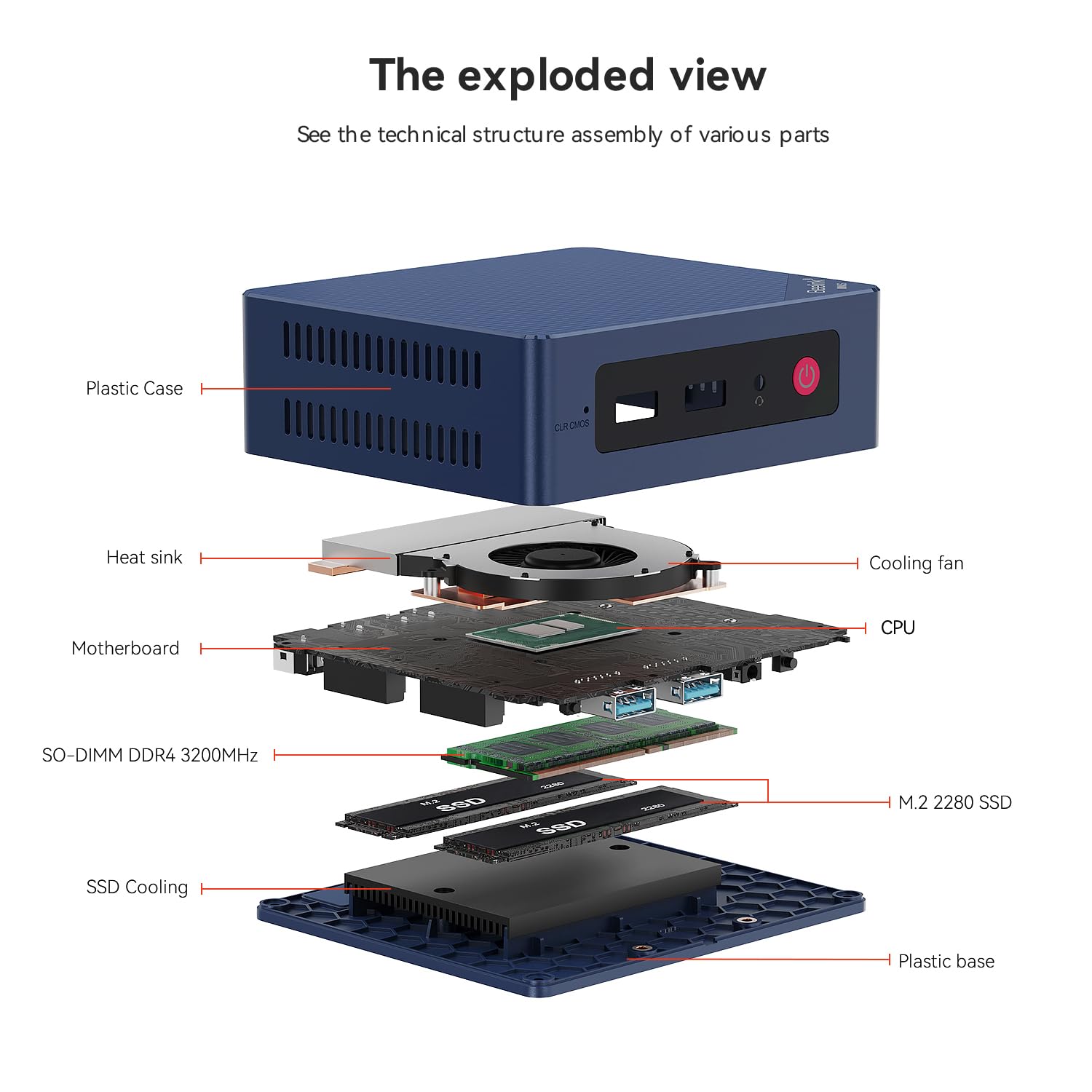
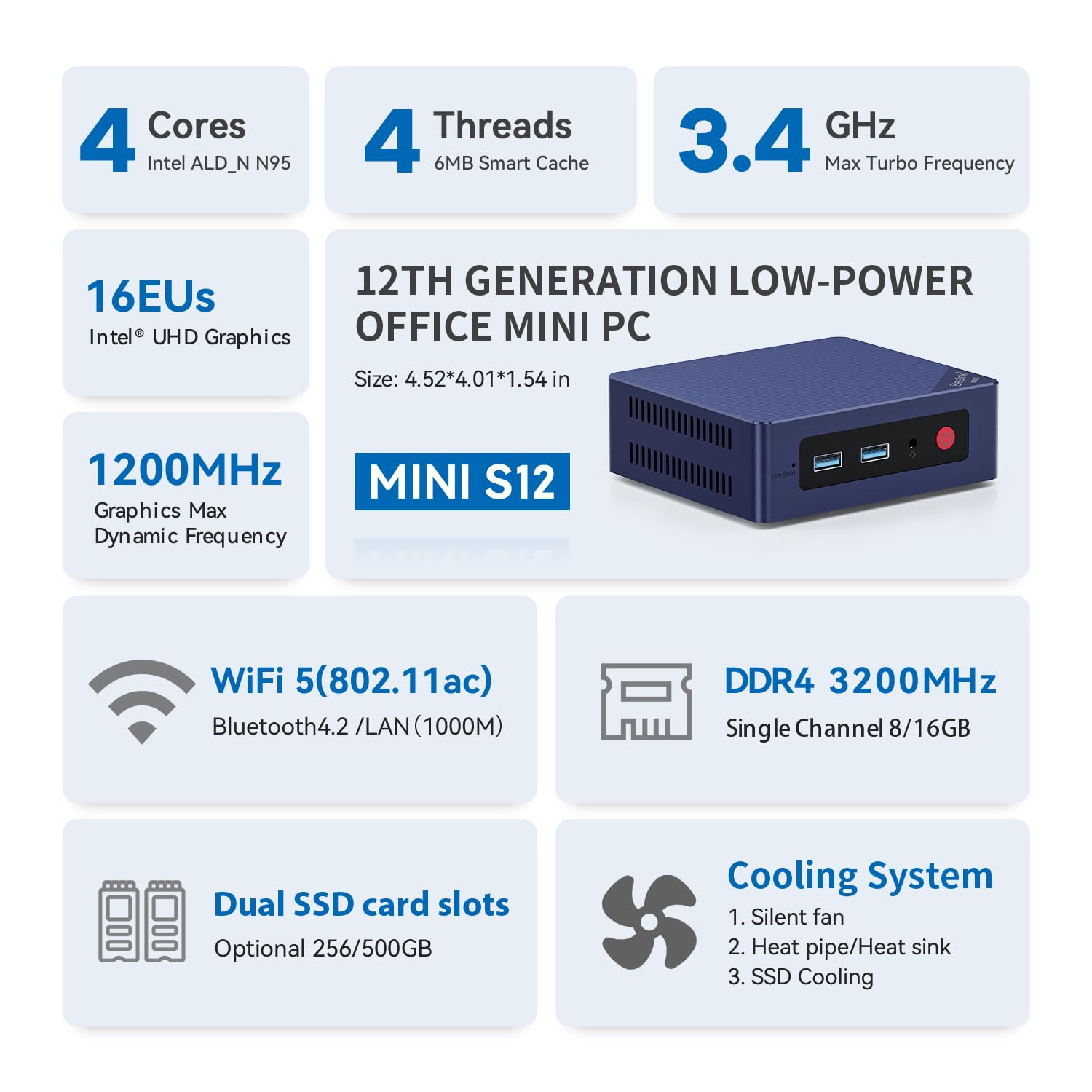
The Beelink Mini PC Mini S12 is a compact powerhouse featuring an Intel 12th Gen 4-Core N95 processor clocked up to 3.4GHz, 8GB DDR4 RAM, and a 256GB SSD for ultra-responsive performance. It supports dual 4K UHD displays via dual HDMI 2.0 ports, offers versatile connectivity including Gigabit Ethernet, dual-band WiFi5, and Bluetooth 4.2, and boasts a sleek, space-saving design with efficient cooling. Perfect for professionals seeking a stylish, high-performance mini desktop for multitasking, streaming, and remote work.



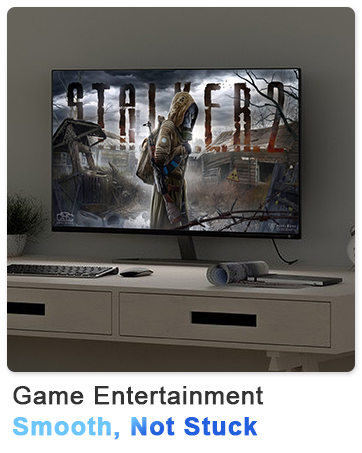
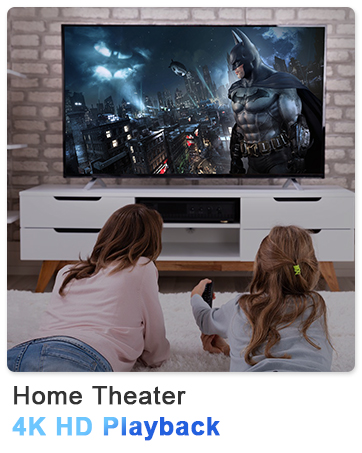
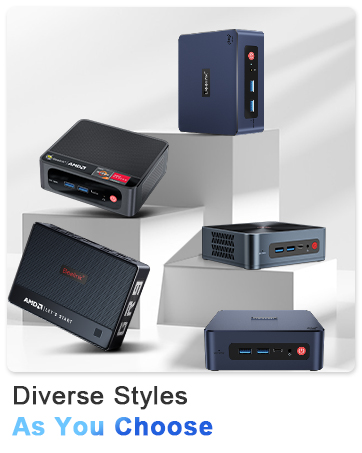

| ASIN | B08XBVXNFP |
| Best Sellers Rank | #1,880 in Computers & Accessories ( See Top 100 in Computers & Accessories ) #62 in Mini Computers |
| Brand | Beelink |
| Card Description | Integrated |
| Chipset Brand | Intel |
| Color | Blue |
| Computer Memory Type | DDR4 SDRAM |
| Customer Reviews | 4.3 4.3 out of 5 stars (822) |
| Date First Available | March 2, 2021 |
| Graphics Coprocessor | Intel UHD Graphics |
| Hard Drive | 256 GB SSD |
| Hard Drive Interface | Serial ATA |
| Hard Drive Rotational Speed | 1800.00 |
| Hardware Platform | PC |
| Item Weight | 1.54 pounds |
| Item model number | Beelink |
| Max Screen Resolution | 3840 x 2160@60Hz |
| Memory Speed | 2400 MHz |
| Number of Processors | 4 |
| Number of USB 3.0 Ports | 4 |
| Operating System | OS |
| Optical Drive Type | 500 Gb |
| Package Dimensions | 8.39 x 5 x 2.52 inches |
| Power Source | Input: 100-120V AC, 50/60Hz |
| Processor | 3.4 GHz celeron |
| Processor Brand | Intel |
| RAM | 8 GB DDR4 |
| Screen Resolution | 3840 x 2160 |
| Series | MINIS |
| Wireless Type | 2.4 GHz Radio Frequency |
L**T
Great Value replacement Mini Desktop PC with Windows 11 installed!
This is my second Beelink purchase. Made a great replacement for the old desktop that can't upgrade to Windows 11. Excellent performance and easy to install. Excellent processing speed and plenty of memory for average users. Plenty of ports for accessories and easily upgraded if desired.
B**L
Nice little NAS base
I use this for my UNRAID NAS platform. It's beautiful. Runs very quietly and very low power consumption. It can hold up to 24TB of solid state storage so it's great for an easy home server. Before settling on UNRAID, I also tested Open Media Vault, which it ran without issues. I ultimately went with UNRAID simply because it's easier.
R**B
Good budget option when on sale.
I got this item for 60% off during a holiday sale. That put it right in line with the raspberry pi 5. But for that price, it outperforms the pi by a wide margin. This is a much better choice than waiting to get a pi 5. Even when not on sale is a strong consideration. I would recommend this for a project computer or for someone needing a computer dedicated to browsing and light gaming. The most taxing game I played just to test it out was doom 2016. It ran terribly until I scaled everything down to lowest settings, and set the resolution to less than 480p. At that point it looked like original doom. The eq12 is capable of emulation up to ps2/dreamcast/gamecube at native resolutions. This is with standalone emulators running in windows 11. Batocera is an option for a Linux based emulator box, but it may run into some issues with the WiFi module being too new for older Linux kernels. Off the top of my head, I believe you need to run kernal 6.2 or newer to support the WiFi card. My original purpose to get this was to replace my pi 4 running OMV 6. The pi 4 does not have the IO bandwidth to handle the sabrent 5 bay usb C dock. The pi 4 chokes on any real data handling and crumbles under a modest docker compose stack. This EQ12 handles the IO much better, even though my OMV 6 install is on kernal 6.15 which looses WiFi support. The EQ12 has 2.5gb lan, and with newer fanless 2.5gb switches on the market it makes up for the WiFi loss in spades. On sale the EQ12 is such an outstanding value that I bought two. One for my pi 4 server replacement, and one to replace the pi 5 I’m still waiting to get 5 months after ordering. I will keep one on widows 11, because even getting windows license and all the included hardware at retail prices is a decent value. The only slight complaint I have about the EQ12 is that the power cord feels cheep and the pc cannot be powered by usb c. Higher end models can run off of usb c, but the price climbs up quickly with each step up.
B**G
Great Value and Performance
So far so good. Been using it for a few months with no issues. At this price, the value is excellent. Building a similar PC on my own would cost several times more, yet this tiny machine handles everything smoothly. It’s amazing how today’s technology makes such a compact computer so capable. Perfect for my father-in-law to watch YouTube, browse the web, and stream TV.
R**R
Performance and expandability at the right price, loves Linux.
This thing is perfect for my needs - I shopped around on here for a solid ~60 days comparing different mini-PC brands and models, and their individual price points vs. features/compatibility. My needs were as follows: - < $200 in cost - minimum of N150 CPU - shipped with or can be upgraded to 32 GB RAM - M.2 NVMe Gen 3 minimum, with 2x M.2 slots, shipping with a minimum of 500 GB on at least one slot - must run Linux (Debian based distros) without causing any complications w/ the hardware - WiFi 6, BT 5.2 - minimum of 4x USB 3.2 ports - ideally at least 1x USB-C port (this is the only attribute that this machine is lacking!) Immediately upon arrival, I installed a second M.2 NVMe @ 1 TB, and a few days later I upgraded the RAM, replacing the single stick of 16 GB DDR4 it shipped with, and installed a single 32 GB DDR4 - I believe this is more than the manufacturers max specs, but I did research this before doing so, just as I have with my other machines that have hardware upgrades beyond max specs. I left Windows 11 Pro that it shipped with on the 500 GB M.2, and then installed MX Linux 23.6 onto the secondary M.2 1 TB that I installed, and assigned the secondary M.2 running MX Linux to be the primary boot device.. Everything works perfectly, without any problems whatsoever. Before the upgrade of the RAM from 16 to 32 GB, Windows 11 Pro felt snappy and responsive for most basic tasks, but heavy multitasking began to make things feel sluggish. However, when booting into MX Linux, this thing shreds.. Everything is extremely smooth, and super responsive, even when heavy multitasking, and this was before the upgrade of the RAM to 32 GB.. Basically, if you prefer to use Linux as your primary OS on bare metal, this thing feels much better in Linux vs. Windows, but that is to be expected. Video quality is good, no screen tearing or anything like that in Linux, but I have not tried installing any distro with a KDE Plasma desktop environment yet, which is where I would expect to experience anything suboptimal relating to the video. As for noise level, even with the fans dialed all the way up, it is barely audible. Overall, this thing is well worth the price, and I would highly recommend it to others: 5/5, A+
E**D
Estoy feliz, inmediatamente le instale Debian Linux 12 y CasaOS (no puedo reseñar su windows de fabrica) Debian linux detecto todo, incluso el Plex detecta la "aceleradora de video" para transcodificar. Le agrege un ssd interno de 2.5 y un disco externo para mas capacidad. ocupa poco espacio y solo necesita un cable de red y la energia.
V**S
I turned this into my business server, and it’s been running 24/7 without a single issue. Makes no noise, doesn’t get hot, and just sits quietly in the corner doing its job, actually helping a ton. It’s a really good machine for everyday use or as a private server for hosting files, movies, or anything you need. Very, very good. Highly recommend. I’m actually thinking about getting another one.
S**D
Automatic Repair Loop and Incorrect Password when Trying to Access Anything in Advanced Options. I have been using this for very few time for over a year, and I have experienced an issue that many people also had too. I was updating some of my drivers from a third-party software that was reliable and restarted my system like usual when it began to send me into an automatic repair loop. I kept restarting it several times to see whether it will change anything and nothing. I tried to go through “Advanced Options” to see whether I could try to go to “Command Prompt” or some of the other options to get around the issue. Every time that I click on these options, it prompts to a message that I need to type in the password for my account to access the option. Essentially, I would always get an incorrect password error every time I typed my password in. I know that I typed the password correctly because I had my password saved in a password manager, looked at the password several times, and the keyboard layout was “US”. I even changed my password for my account and signed in into the Microsoft website with the new password and typed it all correctly. However, when I tried to type in the new password on my laptop, it gave me the incorrect password message again. I restarted once more and got the same results. There’s no way that I kept typing it incorrectly because I looked at it several times and even checked to make sure “caps lock” isn’t on and also “num lock”. Nothing changed from there. I looked on YouTube to find solutions and go through BIOS or whatever to diagnose the issue and either nothing came up, or it failed to detect the issue. I had essentially tried everything and there was an option for “Startup Setting” where I could try to disable something to see whether that was the problem. That option initially wouldn’t require me to use my password to sign in because I had to restart my device to disable a setting, but it would always send me to a black screen for essentially hours. Nothing happened and I had to physically hold down the power button to force shut down the thing again. I really need to find out what could possibly be the issue here.
E**N
Más pequeña de lo que esperaba, aquí la foto comparada con una pluma, perfecto para funciones de oficina, aunque igualmente lo probé con juegos pesados como Rocket league, y va bastante estable en los gráficos mínimos, definitivamente no es gamer pero por su precio está excelente
W**Y
Got the EQ12 w/ 16 GB RAM. And despite of the listing states in parts of the description, rest assure that you will receive the 16 GB model. So far, it is working great. Setup was easy, all connections are working fine and it was delivered fast. Nice package as well. Also, it is running smooth and quite. Didnt notice any overheating coming from the box.
Trustpilot
3 weeks ago
1 month ago



