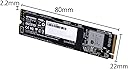
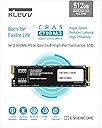
🚀 Elevate your workflow with the ESSENCORE KLEVV Cras C710 – speed, stability, and endurance in one sleek M.2 package!
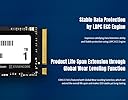
The ESSENCORE KLEVV Cras C710 512GB M.2 PCIe NVMe SSD combines cutting-edge SLC caching, LDPC ECC error correction, and global wear leveling to deliver exceptional speed, durability, and data integrity. Its built-in S.M.A.R.T monitoring and thermal throttling ensure consistent performance and protection, making it an ideal choice for professionals seeking reliable, high-performance storage in a compact form factor.
| ASIN | B08695D3VW |
| Additional Features | Compact |
| Best Sellers Rank | #168,176 in Computers ( See Top 100 in Computers ) #1,074 in Internal Solid State Drives |
| Brand | KLEVV |
| Built-In Media | Main unit |
| Cache Memory Installed Size | 512 GB |
| Color | C710 |
| Compatible Devices | Desktop |
| Connectivity Technology | NVMe PCIe Gen3x4 |
| Connectivity technology | NVMe PCIe Gen3x4 |
| Customer Package Type | FFP |
| Customer Reviews | 4.5 out of 5 stars 290 Reviews |
| Data Transfer Rate | 5000 Megabytes Per Second |
| Digital Storage Capacity | 512 GB |
| Digital storage capacity | 512 GB |
| Form Factor | M 2 |
| Hard Disk Description | Solid State Drive |
| Hard Disk Form Factor | 2.5 Inches |
| Hard Disk Interface | NVMe |
| Hard disk form factor | 2.5 Inches |
| Hard disk interface | NVMe |
| Hard-Drive Size | 512 GB |
| Hardware Connectivity | Solid State Drive |
| Installation Type | Internal Hard Drive |
| Manufacturer | KLEVV |
| Media Speed | 170 MB per second |
| Mfr Part Number | K512GM2SP0-C71 |
| Model Name | K512GM2SP0-C71 |
| Model Number | K512GM2SP0-C71 |
| Number of Items | 1 |
| Read Speed | 2050 Megabytes Per Second |
| Special features | Compact |
| Specific Uses For Product | Gaming, Multimedia, Business |
| Unit Count | 1.0 Count |
M**N
Ultra Fast
I upgraded from HDD OS into this. I feel like, all this time, I was living under a rock. It works better than the most other brands at budget price.
J**H
Budget NvME SSD for Mac mini 2014
Mac mini is only using x2 of pcie and the maximum speed you can get is around 800Mb/s. This is far better than normal SATA 6.0 SSD which is around 500Mb/s while a normal HDD 135Mb/s. Since you do not need a high-end NvME to spend, this KLEVV with 5years warranty would be your best choice. There is a free Acronis Utility for your migration of HDD or SSD. I am using this as a casual user of Mac mini browse/netflix/disney+/youtube. Received the item in a plain simple box with no extras.
る**ん
仕様通りの性能出ています
これだけあれば十分かと思います。 またこの速度レベルなら熱くなることもないので、安心して使用できますね。 本当はSSDケースに入れて外付けで運用しようとしたのですが、一緒に買ったケースのほうが不良品で 認識しなかったです。 とりあえずは内蔵スロットに置いておき、評価の良さそうなSSDケースを探そうと思います。KLEVVはメモリーメーカーとして、Hynixのメモリ使用で安定してますよ。
H**A
سيئ
الssd لا يعمل .. اذا ركبته يشتغل , بمجرد اعادة تشغيل الجهاز او وضعه في السكون او اغلاقه ما يشتغل .. اضطر افصل الكمبيوتر من البور سبلاي عشان يشتغل مره ثانية ههههههههه .. تعبت والله .
N**S
Very mid SSD for a Budget PC
This SSD is pretty mid for an nvme ssd. It pretty fast in booting up the OS pretty quickly which is pretty convenient for quick access to the computer in any case. It’s also quick at retrieving files inside of it, the reading a writing speeds are pretty fast for the real world use. There is one problem that was kind off inconvenient, the amount of storage advertised on the amazon was 512 Gb when I got the SSD it Read as 475 Gb in the Disk manager in Windows, now a person that won’t know about technology would say “wow I got ripped off!!” but in truth the disk manager is showing the COMPRESSED Size of the drive, so if you guys see these figures you’re not getting ripped off. In conclusion I would recommend this SSD because of the functionality and performance of it!
猫**じ
安定感抜群!!
プライムデーにて購入した「MSI MAG Z490 TOMAHAWK」その後に「i9-10900」と 「 TS15A CPUクーラー」が揃いましたので久しぶりに自作します。 CPU購入直後にお安くなったのが、ちょっとショックです。 ケースは、なんちゃらXRっていう某BTOパソコンで「PenD 930」で最終的には「Core 2 Quad Q9650」にグレードアップしたものです。 初めて自分で購入したPCで同じケースのPCをもう一台使用(もちろん中身は自作でQ9650)しておりデザインは今でも秀逸だと思います。 全く性能に不満はなくお気に入りでしたが、この「KLEVV SSD 512GB CRAS C710」を使用するためにグラフィックボードを外す羽目になりました。 しかしオンボードのグラフィック不調のため思い切ってハードウェアを交換、魔改造いたしました。 ケースは裏配線用に大胆にカットしファンの大型化、増設と中身はかなり凄いこととなっています。 電源は今のところグラボも使用しておりませんので、「鎌力5 550W」をそのまま使用しています。 補助電源は不足していますが、その後に3台のHDDを追加していますが大丈夫そうです。 ちなみに電源は1000Wのハイエンド電源を購入済みで取り外してある「RTX2060」と共に導入予定です。 無印「i9-10900」とはいえ「 TS15A CPUクーラー」の組み合わせでは爆熱になるかと思われましたが、気温の低下もあり全く問題はなく稼働しております。 これなら付属しているリテールクーラーでも大丈夫だったかも!! MSI Biosも自動的に立ち上がりハードウェアが正常に認識されていることと、CPUやマザーボードの温度が確認できました。 続いてこのM.2 SSDに最新バージョンWin-10をUSBメモリよりインストールします。 あっさりSSDも認識され簡単にインストールが完了しました。 セットアップ開始から‶お住いの地域”まで7分ほどでデスクトップ画面が表示されるまでに+7分の14分ほどでインストールが完了しました。 最新バージョンのOSのため「Windows Update」経由のドライバーのインストールもあっという間に終わることができました。 また今回CPU、マザーボード、SSD、 DDR4メモリなど全交換に等しい変更でしたが「マイクロソフトアカウント」のお陰で無事にライセンス認証もでき感激しました。 さすがにNVMEのM.2の速度とコンパクトさには驚かされました。 また安定感も抜群で動作温度も低いため安心して使用できます。 今までS-ATA接続のSSDしか使用したことがなかったため、SSDも進化しているのだなと感心しています。 また同時にエッセンコアクレブ製のDDR4メモリも使用し始めましたが、全く問題はありません。 ノートPCでも同社のSSD&メモリを使用していますが、今までトラブルはありません。 また4コア4スレッドCPUから10コア20スレッドと単純に5倍ということで、タスクマネージャーを開いてはニヤニヤしています。
Trustpilot
4 days ago
2 months ago