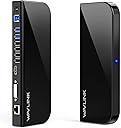
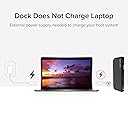
Desertcart purchases this item on your behalf and handles shipping, customs, and support to Greece.
🚀 Elevate your desk game — connect, charge, and conquer!
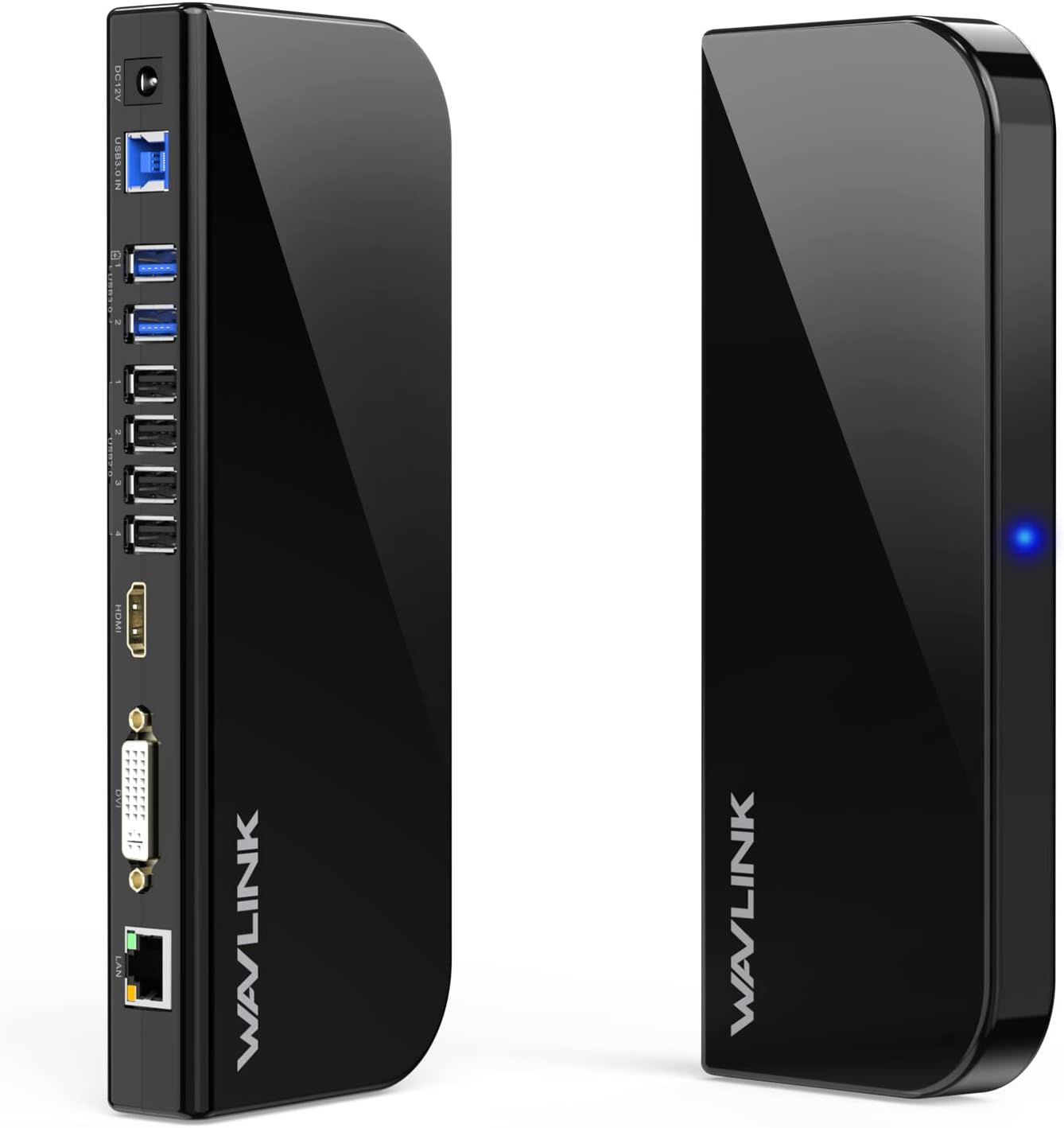
The WAVLINK USB Laptop Docking Station transforms your laptop into a powerhouse workstation with dual monitor support up to 2560x1440 resolution, 6 USB ports for all your peripherals, and a Gigabit Ethernet port for stable wired internet. Compatible across Windows, macOS, ChromeOS, Ubuntu, and Android, it’s designed for seamless plug-and-play use with professional-grade audio support and MacBook charging capabilities. Perfect for multitasking millennials craving productivity and connectivity without compromise.


| ASIN | B019XOJ874 |
| Best Sellers Rank | #417 in Computers & Accessories ( See Top 100 in Computers & Accessories ) #51 in Laptop Docking Stations |
| Brand | WAVLINK |
| Color | Black |
| Compatible Devices | Apple M1/M2 and Intel Macs (with macOS 10.14 or later) /Microsoft Surface line/HP Spectre x360 series, /Dell XPS 13 & XPS 15 / Latitude, Lenovo Thinkpad T series. Latitute 7280/ Latitude 5310 2-in-1; Precision 7730/7750; Laptop 5590, HP Spectre Laptop 13-af001TU/ Spectre x360 13t/ Spectre folio/ Specter x369; Elitebook 840 G5 series/ Elitebook X2/ Elitebook x360 1030 G3/ Elitebook 745 G6/ Elitebook 830 G6/ 2018 HP Elite 800 G4; Envy Geforce mx250/ Envy x360 Laptop (15z-ds100); Z book 15u G3/ Zbook 17 G4, Lenovo Yoga 720-13IKB/ Yoga 730/ Yoga 900-13ISK/ Yoga 910/ Yoga 920/ Yoga 930/ Yoga 940-14IIL; 3rd generation Thinkpad Yoga; Yoga15 Thinkpad Ultrabook Pro; Thinkpad E590/ Thinkpad P72/ Thinkpad T470/ Thinkpad X1 Carbon; Legion Y530; Lenovo C930/ T480s/ X390/ 81N8, Microsoft Surface Book 2/ Surface Go/ Surface Laptop 3; Surface Pro 7,Huawei Macbook Mate10 or later; Google Slate (2019); Chromebook C340-15; SanDisk Cruise Glide; Razer Blade 2017 (gtx 1060); Pixel book go 2019/2020 Compatible Devices Apple M1/M2 and Intel Macs (with macOS 10.14 or later) /Microsoft Surface line/HP Spectre x360 series, /Dell XPS 13 & XPS 15 / Latitude, Lenovo Thinkpad T series. Latitute 7280/ Latitude 5310 2-in-1; Precision 7730/7750; Laptop 5590, HP Spectre Laptop 13-af001TU/ Spectre x360 13t/ Spectre folio/ Specter x369; Elitebook 840 G5 series/ Elitebook X2/ Elitebook x360 1030 G3/ Elitebook 745 G6/ Elitebook 830 G6/ 2018 HP Elite 800 G4; Envy Geforce mx250/ Envy x360 Laptop (15z-ds100); Z book 15u G3/ Zbook 17 G4, Lenovo Yoga 720-13IKB/ Yoga 730/ Yoga 900-13ISK/ Yoga 910/ Yoga 920/ Yoga 930/ Yoga 940-14IIL; 3rd generation Thinkpad Yoga; Yoga15 Thinkpad Ultrabook Pro; Thinkpad E590/ Thinkpad P72/ Thinkpad T470/ Thinkpad X1 Carbon; Legion Y530; Lenovo C930/ T480s/ X390/ 81N8, Microsoft Surface Book 2/ Surface Go/ Surface Laptop 3; Surface Pro 7,Huawei Macbook Mate10 or later; Google Slate (2019); Chromebook C340-15; SanDisk Cruise Glide; Razer Blade 2017 (gtx 1060); Pixel book go 2019/2020 See more |
| Customer Reviews | 4.2 out of 5 stars 3,151 Reviews |
| Hardware Interface | USB 3.0 |
| Input Voltage | 12 Volts |
| Item Dimensions L x W x H | 8.5"L x 1"W x 3.5"H |
| Item Weight | 340 Grams |
| Manufacturer | WAVLINK |
| Mfr Part Number | WL-UG39DK1 |
| Model Number | WL-UG39DK1 |
| Number of Ports | 13 |
| Product Dimensions | 8.5"L x 1"W x 3.5"H |
| Total Number of HDMI Ports | 1 |
| Total USB Ports | 6 |
| Total Usb Ports | 6 |
| UPC | 695536200187 |
| Warranty Description | All of our products offer 18-month limited warranty |
A**R
Works as promised BUT install the drivers
If you are cool with updating your own drivers, you have found the PERFECT dock for PC and Mac. Everything this dock says it can do, it does. 4K at 60hz. Up to 4 mirrored or extended screens, if you include the laptop monitor itself. 10gb per USB port. Audio, speakers and mic. And it runs smoothly. I have two computers. A Lenovo Thinkpad (PC) laptop and a MacBook. The PC didn’t require a driver. It was genuinely plug-and-play. But the MacBook did require the driver. I plugged it in and it didn’t work. (Actually, let me specify that. The other aspects of the dock worked, like the audio and USB ports. Just the screens didn’t work.) The problem isn’t the dock. The problem is macOS. Mac is notorious for having compatibility issues. In order to have a dock that works well with both PC and Mac, you have to rely on a third-party driver (DisplayLink) to make it run. That being said, here is why I’m giving the dock 5 stars: Wavlink tells you upfront you will probably need to install a driver. The manual for the dock specifically tells you to install the driver AND tells you where to find it. The website it takes you to is very self-explanatory and the install is easy. It took me less than five minutes to find and install the driver. As a further note, when I upgraded to macOS Sonoma, I did have to download and install a new driver also provided on their website. AGAIN, THIS IS NOT WAVLINK’S FAULT. THIS IS APPLE’S FAULT. THIS DOCK IS BUILT ON DISPLAYLINK, A DRIVER WHICH IS NOT PROPRIETARY TO MACBOOKS. MAC WILL NOT AUTOMATICALLY UPGRADE THIS DRIVER FOR YOU. THIS IS WHAT YOU ARE SIGNING UP FOR. In conclusion, I love this dock. It does everything it says it can do and I’m not bothered by updating my own drivers. ***UPDATE - 18 months later*** Still works exactly the same as the day I bought it. Have not had to update the driver in over a year. Still 5 stars. Going to buy a second one for my office at work.
V**G
This is a very nice docking station.
I have only had this docking station for a couple of days but love it so far. I have a M2 macbook air that only has the ability to use 1 external monitor. This docking station allows for a total of 3 external monitors. The first monitor needs to use HDMI. The 2nd and 3rd monitors can use either display port or HDMI. The power cable, the cable from macbook to dock, and the ports for all the monitors are all in the back. The front has a headphone jack, 2 usb ports, and 2 usbc ports. The ports are useful for charging anything that you need. In my case, the keyboard, the mouse, the ti-84 calculator, ipad, and anything else that uses those chargers. One thing that I did not know until now is that you no longer have to charge macbook when using this dock because when the macbook is hooked up to the dock, it actually charges the macbook (bonus). I was originally going to give it 4 stars because every time i shut down the macbook and restarted it, I had to go to applications, display link, and open it up before the 2nd monitor would show up. I was messing around with the settings and there is a setting that allows you to automatically have it open up upon startup. Anyways, it does everything you would expect and that they advertise. I have only had it for 2 days now so I can't comment on long term use, but it's great so far. 3 month update. The docking station is just ok after having it for 3 months. When I turn the macbook on, sometimes it does not recognize that docking station, most of the time it does. When it comes to charging the macbook when it's plugged in, it's weird. It first started and stayed at 100%, but now it shows it's charging but at 93%. It will actually go down to 80%, but then start actually charging again. It's weird. The last thing that I'm not happy about is when you have multiple monitors hooked up, the first additional monitor you have will work perfectly fine and smooth, but the 2nd monitor lags when you move your mouse on it. For example, if you are browsing a web page and scrolling, you can clearly see how it lags. If I knew all of this before I bought my macbook air, I would have just bought the macbook pro and not had the issue with needing a docking station with displaylink technology. This will do the job as I only have about 8 more months left of school and I will finish, but there are probably better products out there.
A**.
Cannot stand it up vertically
This is a great docking station for laptops that only have data transfer usb-c ports. I paired it with a laptop stand and it works really well with my home office setup when I want to use a larger monitor. It is pretty compact and I see it being something that easily fits on or under most desk setups. The only thing I don’t like about it is I can’t stand it up vertically but that’s my fault for not looking more closely at the pictures. Would still say good function for the price.
S**N
Great asset to my system
My prior docking station failed, and I was led to this docking station as the price was between the highest and lowest, and the reliability assessment was high. It was delivered quickly, and I was able to install it pretty easily. I did look up the instructions on YouTube, which made the installation quick and easy. I am delighted with the results of the replacement and use my system daily. I highly recommend this item. My tech basic knowledge is low, and I was able to install this in 45 minutes.
A**R
Easy setup with PC
The delivery was quick and the set up was super easy. I love that I can now have all three of my monitors working and not just the two. After spending tons of money on a different docking station that did not work and was not compatible, I found this one. It works great with my pc and I did/ do NOT need a laptop! I would highly recommend this docking station if you are connecting at least 3 or 4 monitors.
A**.
**Buyer Beware**
I could not recommend this unit. Although it will allow you to have 3 monitors, it randomly blanks out. It started to blank out altogether at the same time. Now, it slowly blanks out on one monitor.......then the next.......and then onto the next.........when it eventually comes back up, whatever you were previously working on ends up on only 1 monitor. Contacted support numerous times and they take their time getting back to you. Their emails include a support tool, which collects data and supposedly installs the latest version for display link or something like that. I've done this several times. Once they've figured out there is no resolve, they pass you onto someone else and you have to start over from the beginning, as if you've never contacted them. It's a pain having this unit and even more of a pain dealing with tech support. I'd steer clear of this unit. Also, when looking up files, everything is really delayed. Overall, this dock has great options however, it's not worth the hassle.
E**R
works great.
Way better than pluggable. no problem w 2 monitors + a Sony TV connected to a Denon AVR X 4000. audio works well. no lost of audio that i was getting w Pluggable.
R**P
Perfect docking station for Macbook Pro
I did a lot of research since there are plenty of good choices out there for a docking station for a Macbook Pro M1 Pro including Wavlink, iVanky, Sateshi, OWC, Plugable. And I chose this Wavlink by considering many factors that were important to me including having the "extend mode" option for multiple monitors, laptop charging via the dock, multiple display port availability, combination of USB type A and type C ports, 1GbE Ethernet port. Having a Thunderbolt 4 40Gb down port was not important for me. And of course wanted something at the $200 price point. This Wavlink was perfect. Few things that you should know. This requires the DisplayLink driver and that is perfectly fine because my work environment requires that as well and so this was not a new requirement for me. BTW, if you run into issues with streaming video (Netflix, Prime Video, etc.) when you use DisplayLink, just switch off "Hardware Acceleration" in the Chrome browser and that will fix it. I used to have 4 cables connected to my Macbook (for two monitors, network cable, speaker). Now have a very elegant setup with just one cable from the Wavlink. Nice!
K**N
Completely Happy with It.
I’m glad to have picked this item over other competing brands. It works without any problems with just plug and play. Already used it for slightly over a month with totally no issues. Another plus feature was that it was sold by Wavlink SG so the power plug supplied was the one needed without the need for adapter. On top of this, delivery was fast.
F**E
Ottimo
Provato per 3 ore tenendo collegato uno schermo linea lan e videocamera esterna. Non ho avuto nessun problema videoconferenza senza interruzioni. A differenza di un altro prodotto che si scaldava e interrompeva la linea internet. Con interruzione della videoconferenza. Ottimo. In seguito se ci sono novità, aggiornerò la recensione.
M**L
Cumple su función
Aunque es un poco grande tiene un diseño elegante y queda discreto.
は**ほ
しっかり使えている。
使用数ヶ月経つが不具合なし。ノートPC含めて4画面で使用。気になる遅延もない。デカいけど薄いのでじゃまにはなっていない。ノートPCのUSBに変換アダプタ、変換ケーブルでモニター直付けより遥かに良い。
A**X
Something is damaged and something is missing
Product itself works fine, but anti-slip panel arrived broken. At the picture advertised the Type-C to type converter, but it's not there.
Trustpilot
1 month ago
2 months ago