Desertcart purchases this item on your behalf and handles shipping, customs, and support to Greece.
🚀 Boost Your Signal, Boost Your Life!
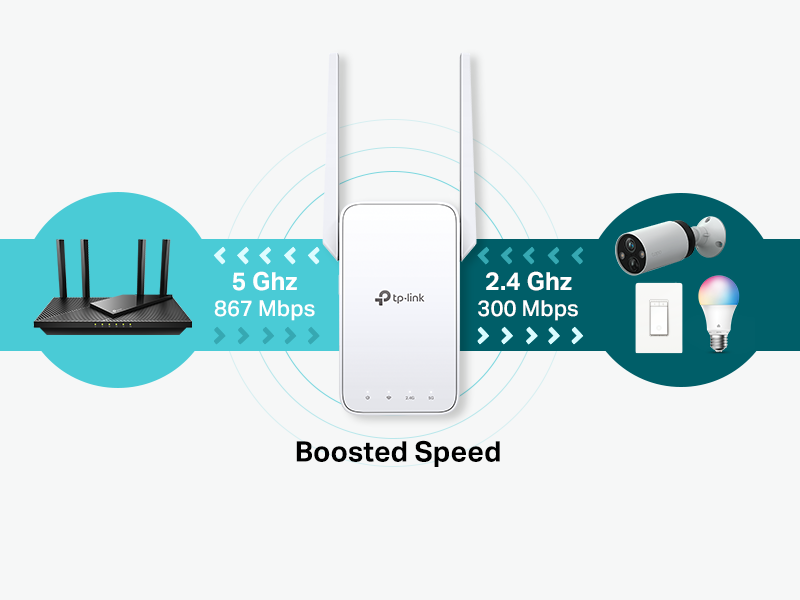
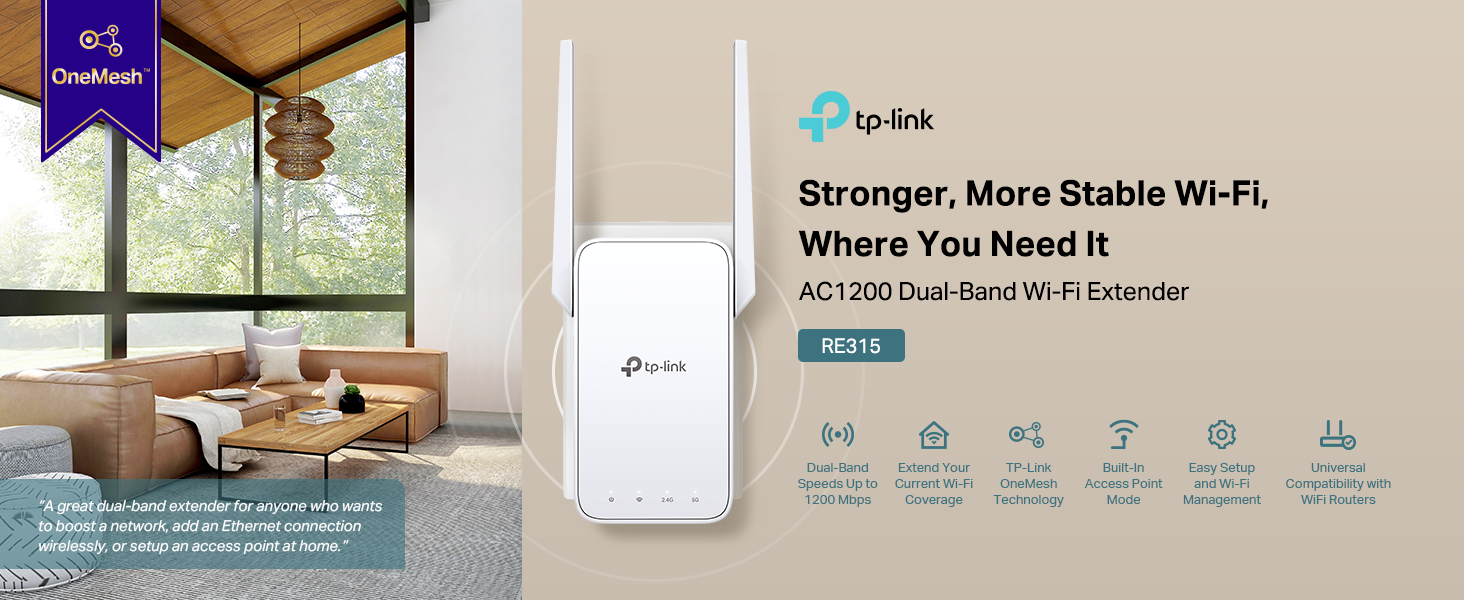
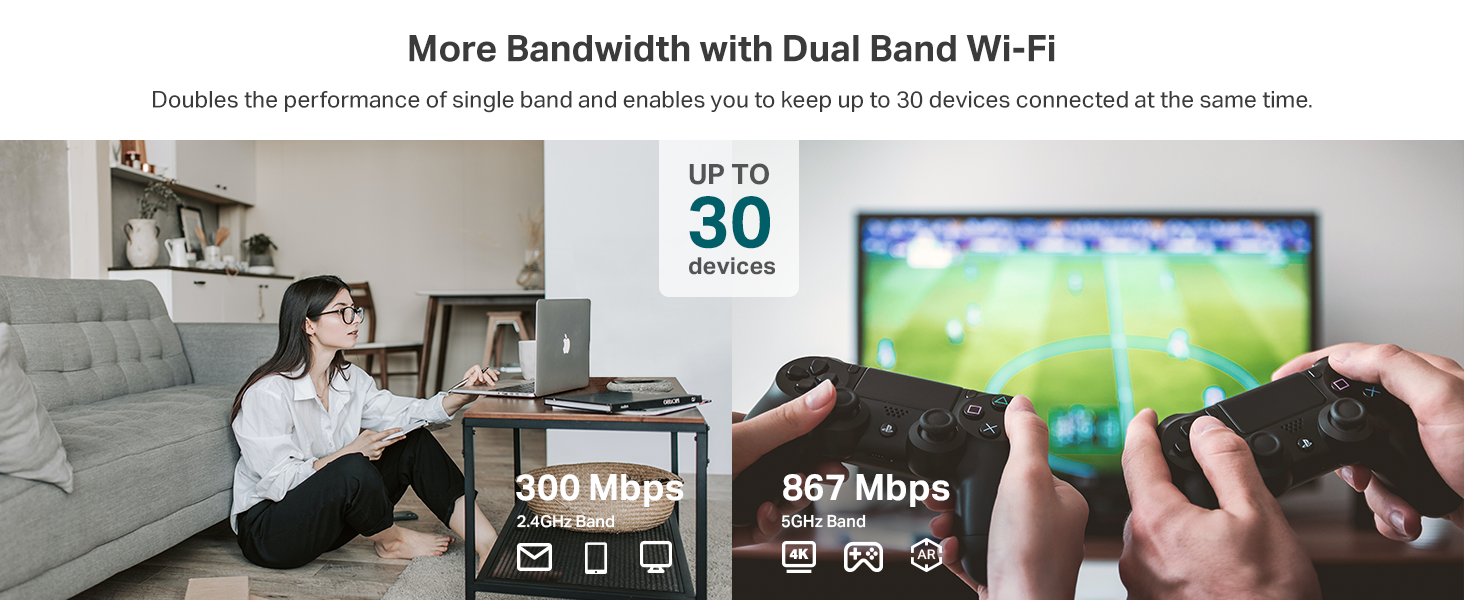
The TP-Link AC1200 WiFi Extender RE315 enhances your home network by extending dual-band Wi-Fi coverage up to 1600 sq.ft, supporting 32 devices simultaneously with speeds up to 1.2 Gbps. Featuring EasyMesh compatibility, a fast Ethernet port, and advanced security, it’s designed for seamless, reliable connectivity in every corner of your home or office.


| ASIN | B08RHD97QY |
| Best Sellers Rank | #1 in Repeaters |
| Brand | TP-Link |
| Built-In Media | repeater and user manual |
| Color | White |
| Compatible Devices | Gaming Console, Personal Computer, Smartphone, Tablet |
| Connector Type | RJ45 |
| Customer Reviews | 4.2 4.2 out of 5 stars (44,282) |
| Data Transfer Rate | 1200 megabits_per_second |
| Frequency | 5 GHz |
| Frequency Band Class | Dual-Band |
| Frequency Bands Supported | 2.4 GHz, 5 GHz |
| Item Dimensions D x W x H | 3.5"D x 1.4"W x 4.9"H |
| Item Type Name | wifi extender |
| Item Weight | 6.1 ounces |
| Manufacturer | TP-Link |
| Mfr Part Number | RE315 |
| Model Number | RE315 |
| Number of Items | 1 |
| Range | 1500 square_feet |
| Special Features | Access Point Mode |
| UPC | 840030701498 |
| Unit Count | 1 Count |
| Warranty Description | 2 year manufacturer |
| Wireless Compability | 802.11a, 802.11ac, 802.11b, 802.11g, 802.11n |
C**R
Works great for getting a better signal in our attached garage!
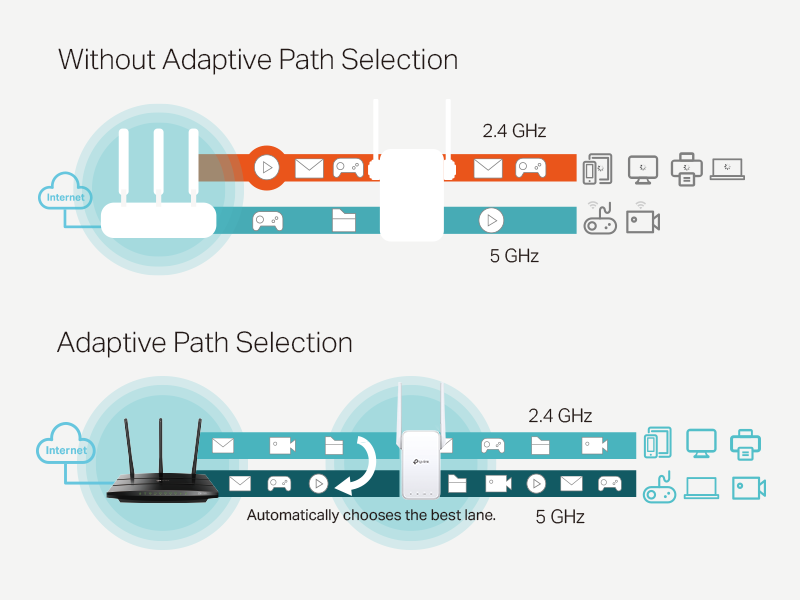
We haven't been getting a good WIFI signal in our attached garage and I finally decided to do something about it. I haven't studied this stuff at all, so I'm not very knowledgeable. I just wanted an inexpensive fix for now because we are on the verge of getting fiber optic, and I will probably do some sort of mesh system at that time. I am really happy with this TP-Link extender because it was inexpensive, easy to set up (I used the app, but you don't have to), and it really did the trick for getting a strong signal in the garage! The extender has it's own network, and I wasn't sure if I would have to go and select that network each time I used it or not, but I don't. My phone or device will just automatically connect to either the router or the extender (probably based on signal strength). It works sort of like a mesh in that way, but I'm sure it is slower to switch over than the mesh, but still not too bad. We live in a rural area without good cell phone connection and really rely on WIFI calling, so now when I am working in the garage I don't have to worry. The signal goes well beyond the garage, so the range is very good for our needs.
A**S
Great Wi-Fi extender, solved all my dead zones!
This TP-Link Wi-Fi extender works amazingly well. Setup was super easy and only took a few minutes. It instantly boosted the signal in the back of my house where the connection used to be spotty. I love that it has a passthrough AC outlet so you don't lose a power plug, plus the built-in Ethernet port comes in handy. Speeds are fast on both 2.4G and 5G bands, and the connection stays solid. Highly recommend!
C**Z
The Perfect Solution to Extend Your Wi-Fi Signal
I bought this Wi-Fi extender because I was setting up a small home office in one of our rooms, and the Wi-Fi signal wasn't strong enough for work. After installing it, the difference was noticeable right away. The connection is now much more stable, and I have the reliable internet I need to work without interruptions. It was easy to set up, and it maintains a strong signal even farther from the main router. If you have a room with weak Wi-Fi and need a more reliable connection for work, studying, or video calls, I definitely recommend it.
K**K
Works great.
Easy to set up and get started with. Seems to work really well for extending wifi to other rooms and help a tv stay connected, also helps with cameras but there have been small lapses. I would still recommend.
T**A
Easy to install and worth the price.
This TP-Link AC1200 WiFi Extender is what I needed to boost the weak wifi signal arriving at my desktop computer at the opposite diagonal of my single story home. I attempted this upgrade months ago, but with a different brand expander that didn't work at all, and one of the antennas broke off in my hands during my efforts to try to make it work. This TPLink unit worked great out of the box. Connecting with the TPLink Tether app was smoother than anticipated. Construction of this wifi extender is very solid. Side by side comparisons of the distant and local extender signals verified the increased signal strength and return to a higher internet speed as provided by Spectrum.
R**N
Successfully extended Wifi into my garage
I needed to strengthen my Wifi signal into my garage for the sprinkler controller. The controller is in the worst place in the garage for Wifi. When I first hooked it up (before the extender), it warned me that the Wifi was so weak that it couldn't be guaranteed to work but that I could try. I tried and it worked—mostly. It did fall off the network now and then. I installed the extender in the room in my house on the other side of my garage. I could tell from my phone that the 2.4 GHz extension took the garage signal from one bar to two bars. Not three, but the controller did not give a warning this time. That's a win. (If it falls off the network again, I'll report back, but all signs are good.)
B**S
Fussy to locate for good coverage & add devices
This item was reasonably priced and had good reviews. The setup instructions were average (not bad; not great). I hated having to setup an account with TapoLink for yet another tech device to use in my home. The actual setup was fairly easy but it took trying 8 different locations in the house to get the "oh so wonderful coverage" promised in the write up of this WiFi extender. [Please read that statement as highly sarcastic. It's not wonderful]. Basically I'm getting only an additional 15ft extension to a security camera outside. Not the exaggerated sq ft coverage mentioned in the product write up. There is no brick or steel blocking the signal. But I will concede that my IP is also unreliable. Can you say ComCast? Anyway, right now after a few hours the camera is receiving a 100% WiFi signal after struggling to get 35% from a router only 30 ft away. More and more I find technology to be not what it's cracked up to be. But this did correct a problem. Unfortunately I won't know if the second camera will get coverage once I install that because after trying 8 locations for the extender it isn't in a location I find efficient. But we will see. Let you know later. Doubt I will give this product more than 4 stars. It isn't a 5 star product imo.
N**H
Quick and Easy to set up with WPS.
If you have a relatively new wireless router, you will have the quickest and easiest setup is by using the WPS button on the back of it to pair it with your new Extender. WPS is a way for WiFi devices to pair with each other in a way that's very similar to how Bluetooth devices pair. You don't need to download any third-party Apps or fiddle with any wireless settings if you do it this way: 1) Plug in the extender, preferably close to your wireless router. Once you've paired the extender, you can relocate it later on, farther away in the house. 2) There are 4 lights on the extender: Power, Wifi, 2.3Ghz and 5Ghz. The power light should already be ON and the WiFi light should be either OFF or blinking. 3) Press the WPS button on your wireless router. (you may have to hold it for a second or two). If there's an LED light on the router, near the WPS button it should start blinking. 4) Now press the WPS button on your (plugged-in) extender. (again, you may have to hold it for 1-2 seconds and let go). 5) When the extender is done pairing, (less than a minute) the (WiFi) light on the extender should now be steady and the 3rd light (2.4Ghz Wifi) should be lit, as well. 5a) If your wireless router supports the 5Ghz band, you may need to enable that as well, if the 4th light on your Extender isn't lit. Go back to Step 3 and 4 and do it again. (press the WPS button on your router, THEN the WPS button on your extender. When it's done configuring again, you should see the 5Ghz light turn on on your extender, as well. 6) Check your WiFi connections. You should see 1 or 2 new WiFi channels (depending if you have a single or dual-band router). For example my Router has 'Goulda' and 'Goulda5' as WiFi access points. Once the Extender is paired, there are two new WiFi points: 'Goulda_EXT' and 'Goulda5_EXT' Those are the access points on the EXTENDER, which you can now connect to, using the same passwords as the ones on your router. 7) This extender also has an Ethernet plug on the side of it (Cat8 / RJ45) which lets you connect your computer with the extender through an Ethernet cable. (You'll need an Ethernet cable with male plugs on either end to connect the extender to your computer). Once connected, your computer will treat the connection as a wired one. 8) You can now plug in the Extender in a different part of the house and it should remember the pairing. You will also have doubled the WiFi coverage in your house. Pretty neat! P.S. You can have more than one Extender in your house, within range of the original wireless router. You might even be able to chain 2 or more Extenders together (Extender --> Extender --> wireless router) to REALLY extend the range, but I haven't tried this to see if it's possible. (I don't see why not). Have fun.
M**E
Reliable usage and easy setup!
This works really well and was very easy to setup. I needed to use mine as an access point vs a repeated/extender which wasn't covered in the Quick Start manual but the online full user guide explained it well enough. All of the changes for anything can be done via the Tether app. Plugged it in to a power socket, let it boot up, installed the Tether app which detected it and joined me to it's initial wifi network so I could continue the setup of the device. You get walked through every step nicely! In my case after configuring it I went into the "More" menu bottom right of the app, and changed the "Operational Mode" to an access point, and then setup the wifi networks I wanted from there. I did not need to extend or mesh my current SSID so I'm happy enough to use a unique network name here, it all works nicely routing wise. I then plugged this in at my remote spot of the house, and using a long ethernet cable (unique for the access point mode) I plugged that in, and now I have a super solid strong wifi signal for my security cameras and other doodads that previously struggled with signal. It's been reliable, no drops or issues, it's in a cold garage atm we'll see how it handles the heat of summer though! Speeds are not mind blowing, getting about 100MB/s throughput over it's wifi networks, but all I need for sure. One downside was the side of the thing prevents using on a wide splitter, like the antenna on the side block the next socket over if you're got a 3x2 socket plug/extender or anything going on. Works great on a long power bar though! Very happy with this for the price point, and the clarity of the instructions/app.
T**L
Good product.
Got better connections
A**.
Gratamente sorprendida del alcance
Pues la verdad es que cumple bastante bien el cometido. Cuando la compañía de internet me ponía puras excusas y todavía me querían cobrar más por ponerme un extensor, cuando debería ser parte de su servicio. Vino este pequeño salvador a hacernos el día, porque para mi sorpresa si agarra mucho más metros de lo que esperaba. Mi casa es de 25 metros de largo y dos pisos, y justo mi módem está al final de la casa en el segundo piso. Este aparatito lo puse en el primer piso y casi en la entrada de la puerta, y la verdad excelente!
C**S
Working!
Working ad described!
M**Y
Very happy with my purchase
Very happy with my purchase. What i like about this wifi extender is that you can change the passwords within the Tether app, something you cant do with the cheaper models. Would buy again if required
Trustpilot
2 months ago
2 weeks ago