Desertcart purchases this item on your behalf and handles shipping, customs, and support to Greece.
🚀 Boost Your Wi-Fi, Boost Your Life!
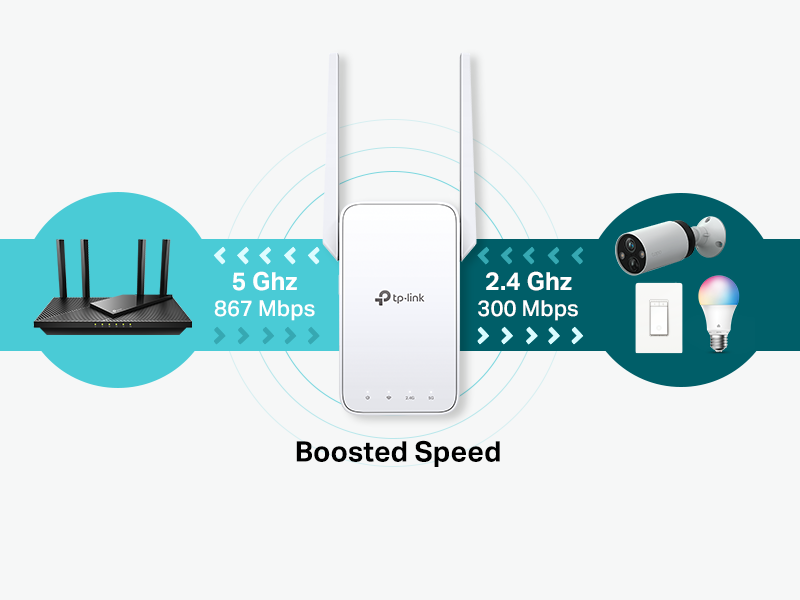
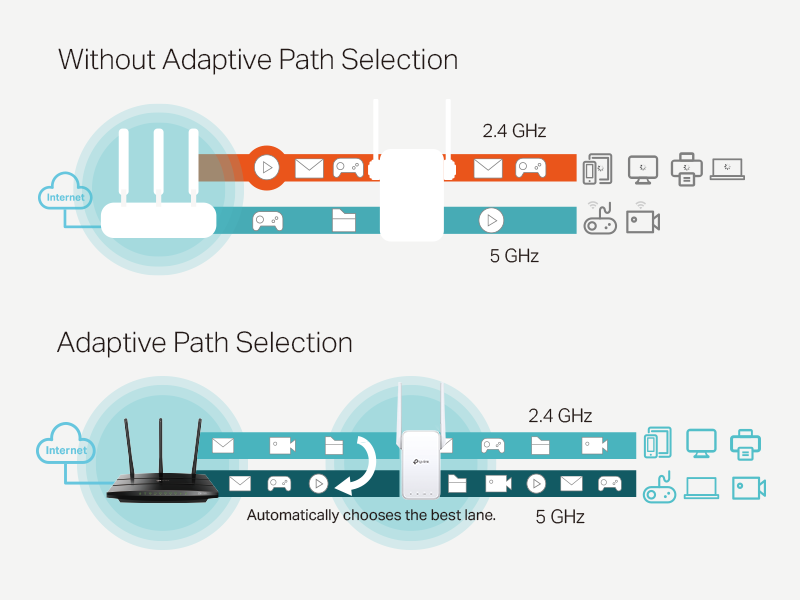
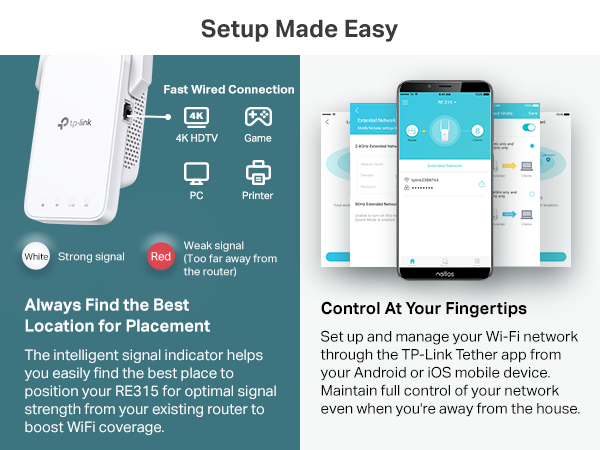
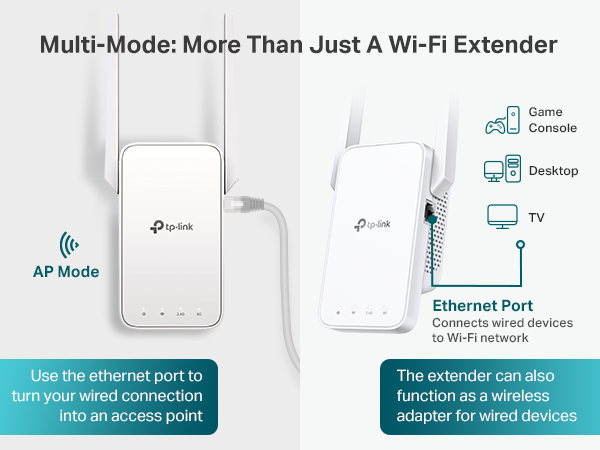
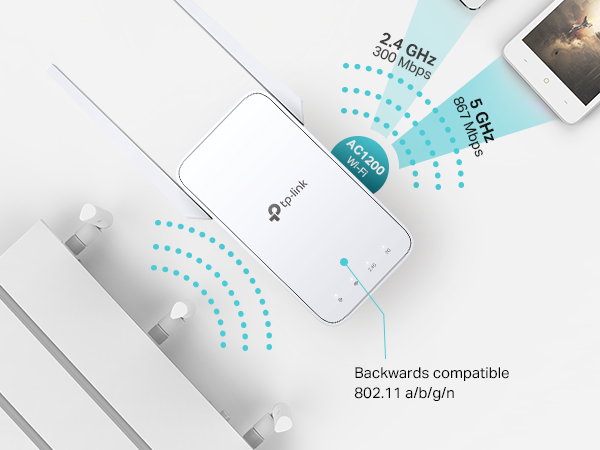
The TP-Link AC1200 WiFi Extender RE315 enhances your home network by extending dual-band Wi-Fi coverage up to 1600 sq.ft, supporting up to 32 devices with combined speeds of 1.2 Gbps. Featuring EasyMesh compatibility, a fast Ethernet port, and advanced security, it ensures seamless, secure connectivity with simple setup via the TP-Link Tether app.


| ASIN | B08RHD97QY |
| Best Sellers Rank | #1 in Repeaters |
| Brand | TP-Link |
| Built-In Media | repeater and user manual |
| Color | White |
| Compatible Devices | Gaming Console, Personal Computer, Smartphone, Tablet |
| Connector Type | RJ45 |
| Customer Reviews | 4.2 out of 5 stars 44,542 Reviews |
| Data Transfer Rate | 1200 megabits_per_second |
| Frequency | 5 GHz |
| Frequency Band Class | Dual-Band |
| Frequency Bands Supported | 2.4 GHz, 5 GHz |
| Item Dimensions D x W x H | 3.5"D x 1.4"W x 4.9"H |
| Item Type Name | wifi extender |
| Item Weight | 6.1 ounces |
| Manufacturer | TP-Link |
| Mfr Part Number | RE315 |
| Model Number | RE315 |
| Number of Items | 1 |
| Number of Packs | 1 |
| Range | 1500 square_feet |
| Special Feature | Access Point Mode |
| Special Features | Access Point Mode |
| UPC | 840030701498 |
| Unit Count | 1 Count |
| Warranty Description | 2 year manufacturer |
| Wireless Communication Standard | 802.11a, 802.11ac, 802.11b, 802.11g, 802.11n |
| Wireless Compability | 802.11a, 802.11ac, 802.11b, 802.11g, 802.11n |
M**E
Highly recommend to any over the air internet users
My internet service is via AT&T Air Internet. Living in a rural area, the signal I receive in my home is usually about only about two bars. I bought this WiFi extender to boost the signal for the computer in my bedroom. I noticed an immediate difference and I no longer experience any buffering. When watching streaming programming, I get a consistently stronger signal, which has made watching streaming programming much more enjoyable. I would encourage anyone needing a reliable signal booster to give this signal booster a try. Best $23 I've ever spent! The booster won't increase your internet speed, but will eliminate dead spots of areas of signal loss. Only one thing to note: Make sure your signal is compatible with this booster or you won't get an improvement. I suggest Googling your internet provider signal and asking what booster works best. Highly recommend for over the air internet customers.
S**N
Great solution for extending Wi-Fi to a detached garage
I purchased these to extend my home's Wi-Fi to a detached garage located about 40 feet from the house. My setup uses one unit mounted on the outside wall of the house and the other positioned inside the garage behind a window. There is almost a clear line of sight between them, with only a few tree branches in the way. In my installation, I saw about a 20% reduction in internet speed compared to the main router. Even with that loss, the connection is still more than fast enough for streaming music and video, browsing the internet, downloading manuals, and other everyday tasks in the garage. Setup was straightforward, and once configured the connection has been stable and reliable. Pros: Easy to set up Reliable connection Good range for detached buildings More than enough bandwidth for streaming and general internet use Cons: Some reduction in speed is expected when extending the network Bottom line: If you need to extend Wi-Fi to a detached garage, workshop, or similar outbuilding, this extender performed well in my installation. While there is some loss in speed, the tradeoff is well worth it for the added coverage and dependable connection.
M**R
No more outdoor buffering.
I just received this wifi extender this morning, but am already happy with my purchase. Getting the associated app up and running took a bit, but the product itself was easy to set up afterward. I put the extender on the back wall in my kitchen, and was immediately able to stream consistently all over my back yard. No more buffering interruptions! I had considered the option of getting a new easy-mesh router system, but this fit my realistic budget better (and I am not one to replace a gadget that is still working fine).
J**T
Not compatible with most routers, unless they are Archer brand
I'm changing my review from one star to four, after two evenings of fighting with this thing, and finally getting it to work. First off, the app is rather useless, unless you have a TP-Link or Archer brand router (according to the chat support and list of compatibility devices). The help chat sessions are not very good either. WPS connection kept failing, over and over, despite my attempts to log into my router and edit settings. I couldn't find anything that would be preventing proper connection, but I kept getting a red light on my router's WPS connection (by the button), indicating a time-out or failed connection, that was pending, so here's what I had to do. First, I connected TP-Link AC1200 range extender to my router, via Ethernet cable. Somehow, during this process, mashing the WPS buttons, and attempts at linking the two yielded a new network appeared, called xxxxxxxx_EXT, where xxxxxxxx was the name of my original WiFi network. The WiFi light indicator on the TP-Link AC1200 was lit, and solid, but it had done this, prior, even while I was trying to connect via WPS, yet the router said it was pending, with a red light (meaning it failed or timed-out). Maybe it let me connect via WPS when the Ethernet cable was connected; I don't really think so, but maybe(?) I think this was just a biproduct of connecting them, though. I didn't get any prompt or alert or chime or anything, I just noticed the new network was available. Whatever, but it bothered me, not knowing what actually happened. However it worked, I then connected my PC to the new WiFi network, and went to the TP-Link website, from the instructions (tplinkwifi.net?), which I also found from a Grok AI query, when I was trying to get help. ***You definitely have to go to this page after connecting to the extender's network, then create a password and confirm it*** I do remember it asking me if I wanted to allow other devices on the original network to connect to the new network, which I agreed to, as some of my devices need automatic network recognition, like smart home devices and Google Home mini. I just made the passwords match, for ease of use. Once I had confirmed that was working, I changed my PC back to the original WiFi network, and unplugged the Ethernet cable, unplugged the TP-Link AC1200 extender, and moved it to a mid-way point, then plugged it back in and waited for the WiFi light to appear solid. I then connected the other devices to this new network, and lo and behold, they had much better signal strength! It only took two nightly sessions of fighting with it. So basically, the app is useless, for most people, and WPS might not work for you, but you can link the device to your router and magic might happen (?). Fine, I'll take the win, even if I don't get it. BTW, I was an internal help desk IT senior agent for a big tech corporation, not a weekend warrior. I still don't know what actually solved this. 🤷 -But it's working, quite well, now. I guess it's a win, for the price.
R**D
Rock Solid! Great Speed! Excellent Extender!!
People ae often motivated to write a review when they hate a product, but sometimes, you can be motivated to write a review when you LOVE a product. Such is the case with this review. I must admit that setup was kind of a PIA. I've setup a few extenders in my time and this one took the longest. Even though I already had the Tether app installed, the install would get stuck and I had to start from scratch, again. Even though I was getting mad, soon enough my blood pressure will return to normal and I will forget all about the setup struggles. I just purchased a NO-NAME extender from Amazon which was a piece of trash. My mistake. I should have gone with my instincts and purchased TPLINK from the start and paid the extra $5 for a quality product. First of all, extenders are notorious for killing your internet speed. This TPLINK extender gives me about 90% of my non-extender speed. I consider that very good and something that I can easily live with. The extender that I just returned only gave me 40-60% of my non-extender speed, which is pathetic. The TPLINK extender allows connection at either 2.4ghz or 5ghz. Many extenders give you ONLY the 2.4ghz option. I am using this as an ethernet to Wifi converter, so I'm not extending anything. I have an old VOIP device whcih has not had security updates for years, but it's still working, but i don't want to attach it by cable to my main network for security concerns. Using the TPLINK extenter I can convert this to WIFI and connect to my Guest network with isolation so this will not impose a security risk. Now that it's configured, it works GREAT!! As I said, the speed is 90% and it's reliable. I have tested with phone calls and it seems to be rock solid. I would definitly rcommend this TPLIINK extender, ESPECIALLY if you already own other TPLIINK products. I do not think you can go wrong with this one.
D**.
Easy setup and fixed my WiFi dead spot
Works really well for what I needed. Setup was pretty easy and it helped get a much better signal to the area of my house that used to have weak WiFi. The 5GHz and 2.4GHz options are nice, and the connection has been stable so far. Small, simple, and good value for the price.
S**M
Not effective at all unless the area you're putting it in already has a decent wifi signal
Not what you need for some applications. This will only work to extend your wifi signal in an area you already have decent signal. So its kind of useless if you're trying to get wifi signal in a location that gets zero bars. I have a detached garage about 75 feet from my house, and while I do get wifi signal if I keep the doors open once everything is closed up it blocks wifi entirely. I thought maybe this would be able to pick up signal a little better and give me a boost in my garage. But nope. Its the same exact problem I have with my regular wifi signal. So if you're trying to get wifi in an area you aren't able to, then you may as well just get a point to point bridge and save yourself the hassle. Will be returning
S**T
Great extended coverage
Covers a lot of ground. Easy to setup, just plug and connect to the WiFi. Provides both 2.4ghz and 5ghz frequency. Extends the range as intended. Holds decent speed. Great value for money, it’s cheaper compared to other brands. Easily connects to your home WiFi. Set it up in a corner where you’d like to extend coverage.
T**L
Good product.
Got better connections
C**K
work great price is great,what's not to love !
A bit compliocated to setup but, 3 weeks in ,worked 24/24.Very happy with it. Ethernet is only 100mbit(about 12 mb/s) but now my internet is quality. Would recommend again.
A**.
Gratamente sorprendida del alcance
Pues la verdad es que cumple bastante bien el cometido. Cuando la compañía de internet me ponía puras excusas y todavía me querían cobrar más por ponerme un extensor, cuando debería ser parte de su servicio. Vino este pequeño salvador a hacernos el día, porque para mi sorpresa si agarra mucho más metros de lo que esperaba. Mi casa es de 25 metros de largo y dos pisos, y justo mi módem está al final de la casa en el segundo piso. Este aparatito lo puse en el primer piso y casi en la entrada de la puerta, y la verdad excelente!
C**S
Working!
Working ad described!
M**Y
Very happy with my purchase
Very happy with my purchase. What i like about this wifi extender is that you can change the passwords within the Tether app, something you cant do with the cheaper models. Would buy again if required
Trustpilot
3 days ago
4 days ago