Buy anything from 5,000+ international stores. One checkout price. No surprise fees. Join 2M+ shoppers on Desertcart.
Desertcart purchases this item on your behalf and handles shipping, customs, and support to Greece.
🤖 Unlock your inner innovator with OSOYOO — where coding meets creativity!
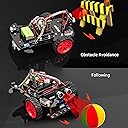
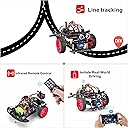
The OSOYOO Smart Robot Car Kit is a 2WD Arduino-based STEM educational kit designed for beginners aged 15 and up. Featuring an integrated motor shield with L293DD driver chip, multiple sensors including ultrasonic and tracking modules, and detailed tutorials, it offers hands-on experience in robotic assembly and programming. This kit empowers users to build a multifunctional robot car capable of autonomous navigation, remote control, and obstacle avoidance, making it an ideal tool for developing logical thinking and technical skills in robotics.


| ASIN | B08R76QDNP |
| Age Range Description | Over 15 years old |
| Battery Description | Lithium-Ion |
| Best Sellers Rank | #123,977 in Toys & Games ( See Top 100 in Toys & Games ) #1,497 in Educational Science Kits |
| Brand Name | OSOYOO |
| Customer Reviews | 4.2 out of 5 stars 262 Reviews |
| Educational Objective | STEM |
| Included Components | tracking sensor, ultrasonic sensor, motor shield |
| Is Assembly Required | Yes |
| Item Dimensions | 9 x 6 x 3 inches |
| Item Type Name | OSOYOO Model3 robot car kit |
| Item Weight | 29 Grams |
| Manufacturer | Shenzhen Vership Co. LTD |
| Manufacturer Maximum Age (MONTHS) | 840 |
| Manufacturer Minimum Age (MONTHS) | 168.00 |
| Manufacturer Part Number | Model3 |
| Material Type | Acrylic |
| Size | 68.5x53 millimeter |
| Theme | Christmas |
J**S
Great for robotics enthusiasts
Great for hobbyists!!
P**A
Excellent set
We like the set and that everything is included with some really neat sensors! Some of the code has needed slight tweaking which adds to the learning or the pin diagram differs slightly from the video lesson. (We have currently completed through lesson 4 in update we are now at lesson 6) In lesson 1: the pin set up for the IR sensor differed between the video and the diagram (we followed the diagram) and it worked great. Lesson 3: the line sensor attachment has 3 sensors to follow a line. Our middle sensor was overly sensitive and causing it to have trouble reading both a single line of electrical tape on the kitchen floor and double so we erased the coding lines given for it in the lesson so only the left and right sensor are giving input. And it works great. It will follow a circle and a zig zag. We erased: "sensor_center = digitalRead (Center_Pin);" and "pinMode(Center_Pin, INPUT);" Lesson 4: we had trouble locating where to connect the pins (again the diagram and video can be different). This set is absolutely worth the money and our time! "Trouble shooting" with my son, age 13, is helping him to learn coding in a very affective way. I have no prior experience with Arduino and no coding (except a basic highschool course 26 years ago). My son, as stated, is 13 and this is his first time experimenting in coding, in robotics, and in Arduino. I highly recommend this set. I trusted the company because their 4 wheel set has good reviews but I needed to cut our Christmas expenses. I'm so glad we took a chance! Update: In experimenting with the correct wiring of the robot (lesson 4-5) and taking the battery in and out so much, the male side of the battery attachment detached from its plastic case. We kept going with the lessons because the battery still attached and "seemed" to work but we were getting errors gallor. Through working with John in customer service at Osoyoo Canada office he trouble shooted the problem and fixed (and upgraded our battery attachment). Without his help we weren't sure if there was a short somewhere or how to fix the little robot. We emailed back and forth and they offered a refund through Amazon and an entirely new kit or to mail it up to them and have them trouble shoot. We opted to pay to have it shipped and get some help. My son is very proud of his little robot and it was worth not giving up. John was very easy to work with. Osoyoo supports their customers and products 100%.
A**Y
Best Customer Service Possible
My first plan was to buy all the components and build my own robot, but the price of this robot is half of what I would have to pay. I was excited about receiving the kit. I verified that all the parts were there and started on Lessons 1 & 2 - basic car assembly and IR Remote. Both of these went well. I have not used Arduino for 5 years so when I hit the Arduino site I downloaded Arduino 1.8.19 because I could find the commands mentioned in the Osoyoo instruction manual. I skipped Lesson 3 because I have used it on other robot cars. Lesson 4 and 5 you have to be detailed in reading the instruction manual and follow it closely. I did not make any changes to the code. Lesson 6, Imitation Driving with Bluetooth, was great. Even though I was using a MacBook with Arduino installed, I do use an Android phone. I had trouble getting the app paired between the APP and the car until I reread the instructions and used the code numbers shown. After that, the car took off and I was able to steer the car by moving the phone. It was a cool experience. There were a few instructions I needed help with so I contacted support using the email address on Osoyoo's website. John got back and had an answer the next day. I could not be more pleased with his help and diligence in answering. I love this kit and will use it with my grandkids to get them interested in STEM.
S**A
robot
A little disappointed with this. I ordered it for my son and some of the parts were bent and it couldn't be used how he wanted. Instructions were ok to follow but my husband helped him. It took them acouple of days
K**R
Eats 9v alkaline batteries for lunch, use their battery
The first two lessons went very well. However, on lesson 3 (line following) by the time we have it calibrated the 9v battery doesn't have enough power to drive the motors. We have double checked all of the wiring, it's all good. I'm using brand new Duracell batteries and I've gone through 4 of them already - I have build an Arduino robot similar to this and had no problems, my guess is the combination of the power drain of the 5 channel IR sensor, the motor driver, and the 2 motors is too much for a 9v transistor battery to drive. Update: After consultation, I used one of their rechargeable 9v batteries, wow, what a difference! I bumped up review from 2 to 4 stars, make sure you use their battery.
J**J
Great Customer Support from OSOYOO
Bought Model 3 Robot Car, somehow the car only has one side motor span, I was guessing that Model -X Motor Driver might be something wrong, so wrote to Osoyoo customer support email box described the problem. To be honest, I didn't expect they will take a look, or they might take a look, but could be couple weeks or a month. Instead, they replied within couple hours, the gentleman John wrote me back and asked me to have couple tries. With the trial result, he decided to mail me a new replacement board. The new board solved problem immediately. Was very impressed by Osoyoo customer support staff, they are fast and efficient , they are the best. Thanks John.
F**R
Trash
I helped my grandson build a 4 wheel robot, and it was such a fun project that I bought this one for myself. The Elegoo 4 wheeled version ($89) was well documented with a nice assembly booklet and it came with the code installed. Everything worked well. You could change the robot programs with a push of a button on the remote or the phone app. This osoyoo 2 wheeled robot had no assembly instructions. There were links to instructions but they were for an older version with different components. I searched YouTube and finally found some terrible videos that matched the components for this one. They were not well documented and you have to install different programs to the Arduino for each of the robot functions. So if you want follow me mode, you have to download one program, if you want obstacle avoidance, another program, etc. The robot itself veers to the left while running. When you push the buttons on the remote, it only jumps a short distance, then you have to press it again. Pitiful programming. I was very disappointed, especially after having such a good experience with the Elegoo robot. This osoyoo robot is a complete waste of time.
T**S
Great for a Gift
Purchased this as a gift. They enjoyed putting it together and it appears to be good quality. Fun for boys aged 10-12 years.
D**K
Toll. Günstig und gut
Ich habe den Bausatz für mich gekauft, bin schon Rentner. Ich habe Vorkenntnisse im Programmieren, war 20 Jahre lang Programmierer. Meine Windows Software hat automatisch bei der Installation des Robotfahrzeugs auf Deutsch übersetzt, ich konnte es also problemlos zusammen bauen. Was ich ein wenig doof fand, daß keinerlei Beschreibung zu den angeschlossenen Shields dabei war. Muss man sich wahrscheinlich selbst drum kümmern. Bei den Codes gibt es manchmal Fehler, sind aber nicht schlimm. Durch Fehler lernt man am schnellsten. Alles in allem absolut zu empfehlen. Der Plexiglas Geräteträger lässt sich mit etwas Geschick auch verändern, so dass noch mehr Sensoren oder ev. ein Greifarm installierbar wird. Es ist dann halt DIY. Aber dafür habe ich es ja gekauft.
T**.
Good starter kit for building tech skills ect
Easy to follow instructions on line. Not too complicated but enough to intrest the young.
A**A
غير مطابق
غير مطابق للمواصفات
V**O
Arduino
Mio figlio l'ho fa usato per un progetto scolastico abbastanza facile da montare problemi nella programmazione
T**R
Top
Acheté pendant le confinement pour jouer avec ma fille, ça nous a occupé plusieurs soirées.
Trustpilot
1 month ago
2 weeks ago