Desertcart purchases this item on your behalf and handles shipping, customs, and support to Greece.
🚀 Upgrade to Nighthawk: Where speed meets security and smart living.
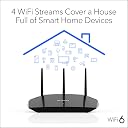
The NETGEAR Nighthawk RAX10 WiFi 6 Router delivers ultra-fast dual-band wireless speeds up to 1.8 Gbps, covering up to 1500 sq. ft. Designed for modern smart homes, it supports over 20 devices simultaneously with advanced beamforming technology. Featuring NETGEAR Armor for comprehensive cybersecurity and an intuitive app for easy setup and management, this router ensures seamless streaming, gaming, and connectivity with robust, reliable performance.


| ASIN | B08NQ57ZS3 |
| Antenna Location | General |
| Antenna Type | Internal |
| Best Sellers Rank | 29,152 in Computers & Accessories ( See Top 100 in Computers & Accessories ) 261 in Routers |
| Box Contents | • 4-Stream AX1800 WiFi 6 Router (RAX10) • Ethernet cable • Power adapter • Quick start guide |
| Brand | NETGEAR |
| Brand Name | NETGEAR |
| Colour | black |
| Compatible Devices | Gaming Console, Personal Computer, Smartphone, Streaming Device |
| Compatible devices | Gaming Console, Personal Computer, Smartphone, Streaming Device |
| Connectivity Protocol | Wi-Fi, Ethernet |
| Connectivity Range | 1500 Square Feet |
| Connectivity Technology | 802.11ax, Ethernet |
| Control Method | App |
| Controller Type | Google Assistant |
| Coverage | Up to 1,500 sq. ft., up to 20 devices |
| Customer Reviews | 4.2 out of 5 stars 507 Reviews |
| Data Transfer Rate | 1800 Megabits Per Second |
| Frequency | 1500 MHz |
| Frequency Band Class | Dual-Band |
| Frequency band class | Dual-Band |
| Global Trade Identification Number | 00606449151305 |
| Has Internet Connectivity | Yes |
| Has Security Updates | Yes |
| Is Modem Compatible | Yes |
| Item Dimensions L x W x H | 18.4L x 23.6W x 5.7H centimetres |
| Item Weight | 1.1 Kilograms |
| LAN Port Bandwidth | 1000 Mbps |
| Manufacturer | NETGEAR |
| Manufacturer Part Number | RAX10-100EUS |
| Maximum Upstream Data Transfer Rate | 1800 Megabits Per Second |
| Model Name | RAX10 |
| Model Number | RAX10-100EUS |
| Model name | RAX10 |
| Number of Items | 1 |
| Number of Packs | 1 |
| Number of Ports | 4 |
| Operating System | [Proprietary] Netgear Firmware |
| Other Special Features of the Product | Beamforming |
| Product Warranty | 2 Year Limited |
| RAM Memory Installed | 512 Bytes |
| Router Firewall Security Level | Advanced |
| Router Network Type | hybrid |
| Security Protocol | WPA2, WPA3 |
| Special feature | Beamforming |
| UPC | 606449151305 |
| Unit Count | 1.0 count |
| Voltage | 230 Volts |
| Wi-Fi Generation | Wi-Fi 6 |
| Wireless Compability | 802.11ax |
| Wireless communication standard | 802.11ax |
N**N
Immediate excellent service upgrade!
Researched this device to make sure it was fully compatible with our ISP (Virgin Media(Hub 3)) and then ordered. Arrived quickly. Set it up using the Nighthawk app which is easy to navigate. Opened my VM hub's UI and set it to modem only and then finished set-up on the Nighthawk app. Fairly pain-free installation apart from a few niggles with our AV and VPN which were solved easily enough (which is amazing considering its having to communicate with Virgin Media junk) The WiFi throughout the home (3 bed semi) before installing this router was awful, patchy and slow (have 500mb VM package) and Virgin Media's solution was 2 plug-in boosters which is ok until you placed them in another room wherein they lost connection! The WiFi after booting up the Netgear router was great, good connection throughout the home with average 400-720mb wifi test speeds. I use this router in conjunction with a Netgear WiFi extender which enables great connection and speed in our garden some 30m and 2 solid walls away from where the extender is situated. Feel aggrieved I had to go to this length and cost but at the same point wish I had done this years earlier. Highly recommended (especially if you are a Virgin Media non Hub 5 user)!
R**R
Good strong signal on both 2.4ghz and 5ghz. No issues so far.
I bought this to replace a 4 year old Netgear Router (d6220) that was starting to lock up on a daily basis. The AX1800 was a pain to set up but that’s because my modem was non standard (a modem router configured to modem only mode) and the AX1800 wouldn’t see the BT Internet connection. However, that was my fault. This router will work out of the box (only need the standard BT username and password configured on the router) with the standard BT VDSL modems such as the Huawei or Draytek Vigor 130 - I tested both. The Wi-fi signals are strong all around a four bedroom modern house - I.e. thin walls. I noticed compared to my old netgear router the 5ghz wireless is about as good but the 2.4ghz Wi-fi is much better on the AX1800 achieving full broadband speeds all around the house which the old router couldn’t achieve. The router user interface via a browser is fast to load and navigate. I’ve got over 40 devices connected (mostly Wi-fi plugs and lights) and it can cope with them without a hiccup. I’ve noticed that web pages load more quickly too even though latency and Wi-fi speed is no better than my old router. Perhaps because the new router has more memory and more and faster CPUs. Only minor quibble is it has no power switch (which my older router had) and no USB port which in all honesty I don’t use anyway. It also runs warm and not hot to the touch like my old router. Gaming wise it has a good stable low ping connection and no lag. And one thing I like about Netgear routers, and why I buy them, is I always achieve open Nat with just the uPnP enabled (for some other brands I’ve tried this has been a pain to achieve).
R**8
Good basic wifi router, with OK but not great GUI
A bit difficult to set up (they want you to use the app, but you can force it to use your laptop) but once it's running it's a pretty good basic Wifi 6 router. Better than CCP-owned companies with backdoors and at a lower price too Pros: WPA3 Wifi 6 speeds and device handling (no more dropped smarthome devices as with Wifi 5) Good signal quality/range Cons: Ugly Lots of flashing lights on the front, but these can be switched off in the setup options Needs a fairly good understanding of computer hardware to get running properly with all settings tuned the way you really want
M**E
A beast of a Wi-Fi
No issues whatsoever. It does the job, very good app control and functions. You don't have to be an expert to setup. 3 bedroom brick house and fully covered when it comes to the signal. Looks great and good quality. The best WI-FI I ever had.
M**E
Do Not Buy unless you like Gimmicks and pushiness
This review represents my own real observations and analysis. I have extensive technology experience, and write based on my experiences with many routers and networking equipment, commercial and consumer equipment both, over 20+ years. Why I returned this router: - I used to buy Netgear products as I liked them very much. However this router looks cheap and for me, has several drawbacks; read on, why.... - For some features, you will need to - SIGN-UP for a Monthly Subscription, yes you have to pay, month after month (even though you already paid for the router; and may have your own anti-virus software). - Unlike previous Netgear routers, many status LEDs are missing, so when trying to resolve issues, you cannot quickly or at a glance, tell what the issue(s) might be. - There is not even a power button! So, to restart you need to unplug, wait, then plug back in. Depending on the frequency and where your router is located, this may break the cable and/or the connector. - When you start the router, it almost forces you or sort of humiliates you (my opinion) to download their app i.e. you either download their app or click on a link that implies that you have a very old/outdated mobile phone; that was how I perceived. This is likely to force many people to download their app, even if they did not want to. This is just a router; in most cases it should be able to setup automatically (default DHCP, connection info, etc or worse case - ask you ISP username and password). - What is wrong with downloading an app? Issues with privacy; if you do not care about privacy, move to the next point. Mobile Apps have the means to collect a lot of private info (your contacts, wifi info, phone number, email, your location, track your movements based on sensors, etc); unless you know how to disable/block some of these attributes on your phone/tablet. Even then, apps can insist that such permissions are required. A router, in my opinion, does not need an app; hence I never use one. Not saying that Netgear app collects certain info; no idea what it collects, or not. - You have children? The router cannot block URLs based on keywords you specify, which may be present in the URL. For example, I found no way of configuring the router so that it blocks any URL which may have the characters ADULTXYZ anywhere in the URL. How could such a feature be missing? - QOS (quality of service) - This feature supposedly downloads a database from somewhere, which itself decides which of your internet traffic should get priority. I find this to be opaque, as I cannot tell what this feature does based on what database, and what data (my data) is being collected by whom. So, privacy and lack of control issues. These are some of the reasons why I returned this router. I purchased an ASUS router from Amazon, which uses open-source software, and I am very happy with it. I get much better performance and higher wifi connection speeds, at the same price. NOTE: People often think that some routers have more wifi power or range than others, this is mostly untrue. Router manufacturers mostly use standard off-the-shelf components, which generally produce the maximum power legally allowed. Positioning of the router is the primary reason for good/bad connections. Another reason is interference and if you are using roaming between routers.
A**A
Upgrade
We all have iPhone 11 or newer, so we have WiFi 6, we can finally experience the strength of 6 since we got our router. The virgin media hub 3 not only is poor at sending a decent signal but it also cuts out very often. I thought this was my ISP turns out it was actually the router itself because since having my Netgear I have much strong signal, much stronger range, and much more reliability in my internet. On the virgin media hub 3 the PS5 was speed testing at 103 down and 8 up. With Netgear router it is now maxing at 211 down and 31 up. Great upgrade throughout the home.
H**N
Not great Signal
The router does well to maintain high speeds but lacks the signal strength to work through walls. It managed to get a signal to a dead spot in the property, but was unable to provide anything over 30-50 Mbps, and often the signal will drop out in the dead zone. Exchanged for a mesh network system.
A**R
Setup not straightforward but overall great
This is the second Netgear I have puchased and they have both been great. However, setup was not easy for me, twice. For some reason I couldn't get the app to work correctly -despite clearly being connected wirelessly. I reverted to connecting manually with a cat5 cable and this only worked after trying another browser. Once I was in it was straightforward. Looking at other reviews many people reported the app working well so I'm just reporting my experience but, as you can see, I gave it 5 stars.
S**S
Blazing Fast WiFi 6 for a Smooth Home Network - 5 Stars!
The NETGEAR AX1800 WiFi 6 Router (RAX10) has completely transformed my home network. Here's why it gets 5 stars from me: Speedy WiFi 6: No more lag or buffering! This router delivers incredibly fast WiFi 6 speeds, perfect for streaming, gaming, and downloading large files simultaneously across all my devices. Increased Capacity: My home has several devices constantly connected, and the RAX10 handles it all with ease. It's ideal for small to medium-sized homes with multiple users. Easy Setup: I was up and running in no time. The setup process is straightforward, and the router can be managed remotely through the Nighthawk app for added convenience. Bonus Security Features: I feel secure knowing my network is protected with NETGEAR Armor's advanced cyber threat protection. This gives me peace of mind while my family surfs the web. Parental Controls: A thoughtful feature for families! The NETGEAR Smart Parental Controls allow me to manage my kids' screen time and ensure they're browsing safely. Overall, the NETGEAR AX1800 WiFi 6 Router (RAX10) is a fantastic choice for anyone looking to upgrade their home network. It's fast, reliable, secure, and packed with features that make it a breeze to manage. Highly recommend!
A**R
Parfait pour mon utilisation
Simplicité d installation, couverture du wifi meilleure que la box internet, application intuitive. Très bon débit
L**O
Rápido, efectivo y fácil de instalar
Buen producto. Llego rápido, funciona muy bien y se instala con facilidad. Yo lo estoy usando como repetidor en otra zona de casa conectado por cable al router principal de Movistar
V**�
Netgear Rax10 AX1800, semplice ma potente!!
Mi ha davvero sorpreso questo modello, è un best buy uscito nel 2020 di Netgear, questo modello non è quello che compare nella foto di Amazon, quindi può ingannare un po con le sigle , ma involontariamente. Lo sto usando da più do una settimana, e ripeto, ha superato di gran lunga delle aspettative, ha una portata Wifi davvero eccelsa, sia sulla 2,4 e 5 Ghz è davvero molto stabile, pensate che stavo usando anche un Asus RT-AX82U, che attualmente è uno dei top di gamma di Asus sui prodotti consumer e l ho dovuto mettere momentaneamente da parte, perché l Rax10 riesce a risultare più prestante sulla portata del segnale, incredibile davvero. L installazione è del tutto immediata, non ho visto problemi o particolari ritardi nella configurazione, la nuova interfaccia Nighthawk è semplice e intuitiva, forse un po scarna di funzionalità, ma ripeto questo modello è uscito come un best Buy!! Segnalo che sul router fisico manca anche l interruttore on/off e la porta Usb, potevano fare qualcosa in più, ma ripeto ancora... Non è uscito per essere un top di gamma, se volete tutte queste opzioni in più bisogna andare sui modelli di router più costosi, oltretutto questa è la filosofia della Netgear. In linea di massima, sono molto contento di averlo preso e attualmente è diventato con mia mera sorpresa il router preferito, arrivando a preferirlo addirittura all Asus citato. Enjoy!!
M**O
Not that good
Some time it stop working and I need to restart it I use it in the room only but the wifi speed is good
Trustpilot
4 days ago
3 weeks ago