Desertcart purchases this item on your behalf and handles shipping, customs, and support to Greece.
🚀 Elevate your WiFi game—never miss a beat or a binge!
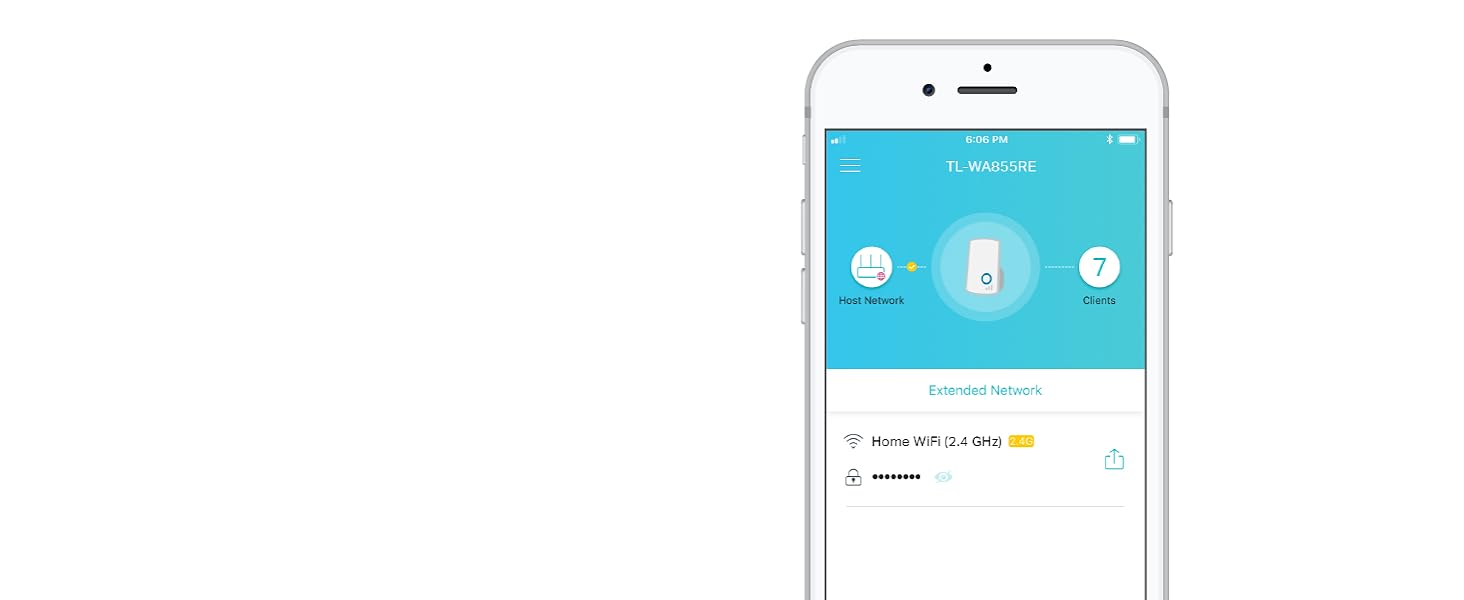
The TP-Link N300 WiFi Extender (TL-WA855RE) is a compact yet powerful device designed to eliminate WiFi dead zones by extending wireless coverage up to 800 sq.ft. Supporting speeds up to 300Mbps on the 2.4GHz band, it features dual external antennas with MIMO technology for enhanced range and stability. With a simple two-tap setup and an Ethernet port for wired connections, it seamlessly integrates with any router and smart home devices like Alexa and Chromecast, making it an essential upgrade for uninterrupted connectivity.


| ASIN | B0195Y0A42 |
| Antenna Location | Gaming, Home, Office, Travel |
| Best Sellers Rank | #448 in Repeaters |
| Brand | TP-Link |
| Built-In Media | 300Mbps Wi-Fi Range Extender TL-WA855RE, RJ-45 Ethernet Cable, Quick Installation Guide |
| Color | White |
| Compatible Devices | Laptop, Smart Television, Smartphone, Tablet |
| Connectivity Protocol | ethernet, wi-fi |
| Connectivity Range | 800 square_feet |
| Connectivity Technology | Ethernet, wireless |
| Control Method | App |
| Controller Type | Ring |
| Coverage | Up to 800 sq.ft |
| Customer Reviews | 3.9 out of 5 stars 120,231 Reviews |
| Data Transfer Rate | 300 megabits_per_second |
| Frequency | 2.4 GHz |
| Frequency Band Class | Single-Band |
| Global Trade Identification Number | 00845973093853, 00882492783049 |
| Item Dimensions L x W x H | 3.15"L x 3.06"W x 3.04"H |
| Item Type Name | Wifi Extender |
| Item Weight | 40 g |
| LAN Port Bandwidth | 10/100 megabits per second |
| Manufacturer | TP-Link |
| Maximum Upstream Data Transfer Rate | 300 megabits_per_second |
| Mfr Part Number | TL-WA855RE |
| Model Name | Wifi Extender |
| Model Number | TL-WA855RE V3.0 |
| Number of Items | 1 |
| Number of Ports | 1 |
| Operating System | Microsoft Windows 98SE, NT, 2000, XP, Vista or Windows 7, 8, 8.1, 10, Mac OS, NetWare, UNIX or Linux. |
| Other Special Features of the Product | Access Point Mode, Alexa Compatible, LED Indicator, Lightweight, Portable, WPS |
| Router Network Type | wireless |
| Security Protocol | WPS |
| Special Feature | Access Point Mode, Alexa Compatible, LED Indicator, Lightweight, Portable, WPS |
| UPC | 882492783049 845973093853 845973099305 |
| Unit Count | 1 Count |
| Warranty Description | 12 months |
| Wi-Fi Generation | Wi-Fi 4 |
| Wireless Communication Standard | 802.11n |
| Wireless Compability | 802.11n |
A**X
Wish I'd bought one sooner
First things first, I paid full price for this because I needed it. I didn't get it for free and I'm not getting any incentives for reviewing it. I can't stand fake reviews and lukewarm "This was free so it's great, five stars" time wasters any more than anyone else can. My bedroom is a finished enclosed porch that was an addition onto the side of the house after it was built, so WiFi signal in here is horrible. And horrible WiFi signal combined with taking seven online classes due to the pandemic of 2020 is not a great combination. I get somewhat decent signal right next to the door, but in the ten or so feet it takes to walk to my bed the signal drops to the point of being practically unusable. I got sick of having to choose between sitting on the floor up against the door, or sitting comfortably in bed while my Zoom connections constantly lagged out and disconnected. I had been considering buying a WiFi range extender for quite some time, but I never got around to it because there was such a wide selection of them and none of them had particularly great reviews. I wanted to get the fastest best one on here but then I couldn't bring myself to pay $100 for a range extender with 3.5 star reviews, so I never bought one. I finally decided to go with this one because it was one of the cheapest ones on here, I have had previous positive experiences with TP-Link products, and I figured if it didn't work I could just return it. It's really easy to set up. I was under the impression that range extenders had to be plugged into the router with an ethernet cable but no, this is completely wireless. It has two antennas, and it picks up your router signal with one and extends it with the other. It plugs directly into an outlet. You get on your phone or computer and go to the website that is listed in the instructions and connect the extender to your WiFi network. This one only works on the 2.4 ghz band. When you're setting it up they tell you to do it right next to your router, then unplug it and move it to where you want it to go after you've got it set up, but I didn't do that and it still works just fine. I have my extender plugged in right next to the door, which is the place in my room that gets the best signal, and it makes it so I can get a good connection throughout my whole room. You need to have reasonable expectations before buying one of these. It's not going to magically make your network super fast, it's just going to make the signal reach a bit farther than it already does. I do not stream Netflix or play games or anything over this, I mainly just browse websites, stream video lectures, and attend Zoom video meetings, and it works great for these purposes. Personally I am extremely pleased with this little device and I really wish I had bought one months ago, it would have made my online classes go much more smoothly.
A**L
Nice product! As others said
Nice product! As others said, it is indeed easy to setup and configure as there are detailed instructions. It boosted the signal pretty good both for a PC and mobile phone. I took one star off as there is no information about the manufacturer or the website where a firmware upgrade file can be downloaded. The manual says download "from our website", but none is provided, that's odd! When I searched by the device name, "WF8500", I found only a closely related (by item name) Samsung washing machine and Epson printer in top results... When I attempted to go to slopehill.com (the Amazon seller "slopehill"), this web address was not valid (actually listed for sale), so it must be not the manufacturer name. No clue from the item itself, its box, enclosed instructions or description on its Amazon web page. Fortunately, a firmware upgrade is optional step, and the WiFi signal was boosted already. There was a couple of other minor issues. 1) The Installation Guide says that before starting, check if there's anything missing in the package, and contact your dealer of purchase to claim for missing items: 1xWiteless-N Repeater, 1x RJ-45 Networking Cable, 1x Quick Installation Guide. RJ-45 cable was not included, but I don't see on the Amazon product description page. This option (using a a cable) is optional, and you can configure a new network wirelessly, or use your own RJ-45 cable, but the Guide seems outdated as is. Ok, the repeater is cheap already, fair enough :-) 2) There is a "USB charging interface" on the Repeater from both the Amazon product page and Installation Guide, but it's function is not described. I presume it is not required for charging the device, but possibly provides an option to connect to a USB port to power this Repeater if there is no AC outlet? 3) The Amazon product description listed 2 other features - "Guest Mode" and "Fast Charge", but these are not addressed in the Quick Installation Guide (and no website address as I mentioned above).Within our apartment we lose signal in one of the back bedrooms which just happens to be the master bedroom. This obviously creates issues if we want to watch YouTube while laying in bed which is why I wanted to get a Wifi extender to see if we could boost the signal. Upon plugging the booster in and running a speed test we saw great improvements in both upload and download speeds in that room. Purchased this wifi extender to help get a stronger connection for our skybell wireless doorbell. We were getting laggy videos and slow alerts when we had a recorded video. My husband purchased this wifi repeater to hopefully get the skybell functioning at at least 85-90% for better videos and faster alerts. My husband was able to set up the repeater as an extender very easily. The instructions are easy to follow and within 30 minutes we had it completely set up and plugged into the outlet nearest the skybell, we are now getting 92%. We tested the videos and alerts and all are working as the should. Before getting this extender we were thinking of returning the skybell. This extender was what we needed to complete the doorbell upgrade at a great price. I recommend this repeater to anyone needing an extender or access point to add to their existing wireless network. You won't be disappointed.
M**M
A Solid Budget Extender That Gets the Job Done
This WiFi Extender is a surprisingly capable little device for its price. It helped strengthen the signal in areas of my home that my main router struggled to reach, like the far corners of the upstairs hallway. Setup was quick and easy using TP-Link’s app. Within minutes it was up and running without needing extra configuration or tech skills. What I appreciate most is its consistency. Some cheaper extenders work great for a few hours and then drop the connection, but this one stayed steady over days of use. It doesn’t make my WiFi faster than the main router, but it extends the usable range well enough to stream video or take video calls where I couldn’t before. That said, it’s not magic as signal strength does drop a bit the farther away you are from the extender, which is expected with a unit at this price point. Still, for the cost, the performance is absolutely worth it. I’d recommend it for anyone wanting a reliable way to fill WiFi dead zones without breaking the bank.
M**E
Extends the signal but kills the speed
Set up is not too hard, but you do need the instructions, as it is not obvious from looking at the device. Key is to set it up while near your Internet router, and then once set up, you can plug it in anywhere in the house. I did find that it helped me with a dead spot about 50-60 feet (and through a ceiling with ductwork) in the far corner of my house. So it gets some stars for that. And also the price makes it a great value. However, I am very frustrated with its slow speed. In areas where I can get my signal, 95% of my house, The speed is less than half what my original is in the same location in the house. That is, I am sitting here now with 80 mb from my router and the TPlink extender right next to me is pulling only 25-35 mb. So It is KILLING the signal. I tried resetting the extender , my computer, etc to be sure and no matter where I put it, its 35. That is not enough to run my Zoom meetings and its very embarassing. (My FIOS is 1GB, or 1000mb, so I would like the extender to put out more than 35/1000!!!) I am ordering a different brand. Very frustrated.
O**R
The product did not deliver at all!
First of all, I should have returned this extender the moment I realized that no matter what I did the extender just did not deliver on its promises. It's likely either a bad one or just a cheap one. Who knows... But I don't get the good reviews then. Although I bought it a year ago, it was used barely for a month and only because I still thought I was doing something wrong. Buyers beware that I only was able to get just over 30Mbps out of this thing, no matter where I placed the device. And I tried 5 different spots in the house. My router's speed is over 150Mbps. 30Mbps is also not that bad if one uses it specifically for a dedicated device. Here comes an interesting part. In one of the rooms with the signal problem I have a Fire TV stick that I use for streaming. Get this: with the signal status "Fair" from my router vs "Very Good" from the extender, my router outperforms the extender anyway. It's as if the extender could not "sustain" the signal. It says 30Mbps, but the delivery is as if it was, oh I don't know, maybe like about 5Mbps. And it's the same story no matter where I placed this extender. I tried using WPS configuration, then I tried browser based configuration. It did not matter. The results are always the same: 30 Mbps per speed tests, but my Fire TV Stick, while streaming anything, was constantly interrupting and I would get a "waiting for a good signal" spinning wheel. I contacted the support recently, diligently took screenshots of everything that was happening, and the response was: "our range extender is just a product for network expansion. It will provide significant wifi signal strength and extend the wireless network to further areas, but it is unable to improve the wifi speed. So that is the reason why in the room with the signal problem you will get strong wifi signal from the extender but the speed is similar to the router's wifi speed in that room." This reply from then ignored everything I described to them which pretty much the same thing I wrote here. They did not get that for some reason the extender's speed keeps capping at 30Mbps and that it has a problem transmitting the signal that yo-yo-s between 0 to 30. So, in the end, $18 wasted, no biggie, but I am now not certain other extender don't have the same problem.
R**R
I had thought this range extender would require complex computer savvy knowledge to make it boost the WiFi signal to my smart TV
As a 72 year old, dragged into the computer age these past 20 years, I had thought this range extender would require complex computer savvy knowledge to make it boost the WiFi signal to my smart TV in a separate room (separated from the room holding the router and WiFi source by a thick wall and our home's heating devices). But, I decided to try it since the TV programs pulled off the WiFi with Netflix and Amazon streaming kept cutting out, pausing, and basically driving us all nuts! Signal strength at the TV was only 2 bars, network information on the TV showed 21-24% signal, considered "poor" by their measurement. I bought the device, delivered REMARKABLY fast by Amazon, I found it to be actually much nicer-looking than the photo, and much smaller than I had visualized. Plugged it in next to my Windows computer, waited for the green light, noted the Windows computer showed nothing on the screen (not being a WiFi device). Opened my portable computer (a Mac), with concern that there would be challenges per previous observers at this site, found that the device actually was identified on the WiFi screen. Double clicked it, per easy-to-follow instructions, found the "admin" and "password" windows, typed in the correct words and...nothing happened other that a warning on the computer that it was "unable." I noted the customer support number (24-7 availability), made the call, 5-minute wait, tech support woman noted my story and asked, "do you have a smart phone?" I answered "An Android, by Samsung," she said "that will work, do you have the TP-Link there?" It was there, I filled in the information on the phone (easy, just follow directions), the phone recognized the network (with an _EXT addition, same password), and all seemed well. I unplugged the extender and took it to the room with the TV, plugged it in, re-set my TV network to the TP-LINK _EXT new network, put in the same password as my router, the TV recognized it and indicated it now had a 85-90% signal, increased from less than 25%. The booster brought in the streaming Netflix and Amazon shows without the pauses, my phone now has 5 bars all the way into my back yard, my portable Mac computer now has 5 bars everywhere in the house and in the back yard, and now I will enjoy retirement more than ever! This extender (using the 2.4 Ghz band, that matches my Cox router 2.4 Ghz), works perfectly, the support that was needed was available and great, and I am very happy with this purchase. By the way, a previous much more expensive extender from another company, a dual-band device, that I had tried 6 months ago worked so badly that I sent it back for a prompt refund by Amazon. This is a great device, simple to set up (except for the Mac glitch that was resolved with excellent support), and for such a low price, is a great bargain for anybody needing good WiFi signal extension.
M**O
updated 3/2019 after nearly two years of use,..
3/2019 Update - before we replaced our router we had a really weak signal in our living room area. casting there was spotty at best. i tried this device and it made a weak signal from a weak router usable. there was no more freezing, buffering, just streaming without any issues. since then we have replaced the old router but still use this. until i complete our mesh system this is absolutely an essential part of our home network. i have not had to touch the unit once since the initial setup. zero problems, better performance and reliability than i'd hoped for considering my past experience with similar devices. i had an old repeater from ten years back connected to our living room television. with so many demands on our internet that tv just didn't work well with streaming. even with a relatively strong wifi signal still issues.the difference between this unit and our old repeater is substantial. first this has an 'AP' mode. that means for wifi instead of halving your bandwidth you get full speed. better yet this has a ethernet cable port. wired is always better than wireless. setup is amazingly simple. just plug in, let the light go from flashing to solid. press the button on the N300 then press the WPS button on your router/modem and done! it comes with a short ethernet cable maybe 3'. i had to get a longer one however Cat6 Ethernet Cable - 15 ft White - Gold Plated Contacts Male to Male Patch Cord (2 Pack) the one TV uses a chromecast (fire tv same connection scenario) so i purchased a UGREEN Ethernet Adapter for Chromecast and Micro USB TV Sticks, Micro USB to RJ45 Ethernet Adapter with USB Power Supply ( 3.3ft ) you plug that into the ethernet cable coming out of the TP-Link and the usb end to the chromecast or fire tv. having done the above steps i have a perfect picture streaming on that television being hardwired to wifi, very cool. fyi the wifi only signal for other devices, i measured it at 25% stronger. i have other means to help with our wifi signal here but nothing and i mean nothing gives a bigger bang for the buck than this little wonder.
D**J
Does a very bad job at being a Range Extender.
Before I review this item, let me explain the reason of this purchase. ---IF YOU DON'T WANT TO READ THIS, SKIP TO THE NEXT SET OF ALL CAP WORDS--- We recently purchased a house back in May (yay first home!) and as a celebration my wife bought me a Netgear Nighthawk x6 and I bought a Modem at Costco so that Comcast wouldn't charge me the fee for renting the garbage they call a modem/router. The house we bought is a 3 bed 2 bath with a converted garage room, meaning it was remodeled into a bed room with AC, carpet, closet and window. It's actually the biggest room in the house. The last owner hated Comcast so he decided to cut aaaaall the lines throughout the house and I had to get a tech over to drop a new line and he dropped it in the living room in the wall between the garage room and the living room. This means my modem had to sit right there. I have a couple of 50' ethernet cables so I decided I'd leave the modem there and have the router in my office which was somewhat in the middle of the house but then everything in the garage room (my friend is renting the room) would have a crappy signal. So I decided to put the router next to the modem and run a cable to my office to a switch and plug all my devices wired (which I did anyways when the router was there). This worked great for most of the house and outside, except for the master bedroom. I get horrible signal on any device that is not a flagship. My Galaxy S7 would work fine but my Chinese tablet, my 3DS, my Vita, my Chromecast on the TV, my Raspberry Pi 3 with Kodi running would all get crap signal in the bedroom, on either 2.4ghz or 5ghz. If you shut the door, it's even worse. There's a hallway to get to the master bedroom and bedroom #2 and in that hallway, there is a wall outlet so I decided that I should put a repeater there to see if it would improve the signal. ---END OF LONG STORY--- Once I got this repeater, I plugged it in and connected to it using the Android App. Setup was very simple. I selected the current network and chose a name for the new network. I could also choose to keep the name the same but I wanted to pick which devices would connect to which connection. Now I know that a repeater works by "grabbing" the existing wireless network signal and relay it and by doing so, you lose about half the bandwidth. I'm fine with that because I am getting about 90mbps down and 11mbps up so half of that wouldn't not be too bad, especially when I'm in bed and about to go to sleep. Well this thing sucks. The signal I get is horrible. I made sure to place the device at a halfway point and I get a horrible slow connection (the 0.1mbps kind of slow) from it even when I'm standing in the hallway where it's plugged in. Sometimes, the connection just stops working and I have to go reboot it to get it going. I can't stream anything on Kodi or on chromecast (Netflix or Hulu) without getting a lot of interruptions. It was pretty much better to just connect to the weaker wifi signal from the actual router in the living room. I ended up running another 50' cable from the switch in my office to this repeater in the hallway (I also worked on lining the wire on the baseboard to look better) and I now have this repeater working as its own router. This has improved things a lot and I get a constant good signal and speeds but it defeated the purpose of just having a wireless repeater in the hallway. If you are getting this device (The N300 one) as a Range Extender, don't bother. If you are intending to plug an Ethernet cable into it and run it as a router, it works ok but no 5Ghz signal either way.
M**E
Fast delivery
After using this product, there is an improvement of Wifi signal strength. But internet is still slow. I supposed that could be due to my network issues.
M**9
الجودة ونطاق الاتصال ممتاز
F**0
da restituire
non so se è il mio che ha dei problemi ma mi sto trovando malissimo. la configurazione senza vps con il modem telecom è da impazzire, col pc ha funzionato una singola volta per una mezz'oretta e poi ha smesso, con un galaxy s8 mai visto. il tasto reset sembra non funzionare sempre. inoltre la presa della corrente non è orientabile cosi che le antenne sono sempre rivolte in basso e in alto facendo si che la potenza del segnale vada per i vari piani invece che diffondersi nel piano. mi spiace ma pessimo acquisto anche concettualmente parlando
A**R
Awesome, Just does what it says.
First of all product is different from the pics. But working all fine.. didnt connected via wps but no issue when connected via pc. Took only 2 mins to setup. Now No problem in connection. Also my all devices connected to it without any password because it shows the same one as router. Just one problem tht product is different from picture... see for yourself in pic i uploaded. Besided tht great product and working flawless and good range.Thats why all 5 star, not gonna take 1 star down for how its looked, because product is newer version, but amazon should update photos of the product on website too. Thanks for quick delivery and for awesome product.
A**Y
Great
Very easy to install and doing the job as expected , i was sugfering from the Internet coverage till i got it.
Trustpilot
1 month ago
3 weeks ago