
DOWNLOAD THE APP


Customer Services
Copyright © 2025 Desertcart Holdings Limited
DOWNLOAD THE APP

🚀 Boost your WiFi, boost your life — never miss a beat at home or work!
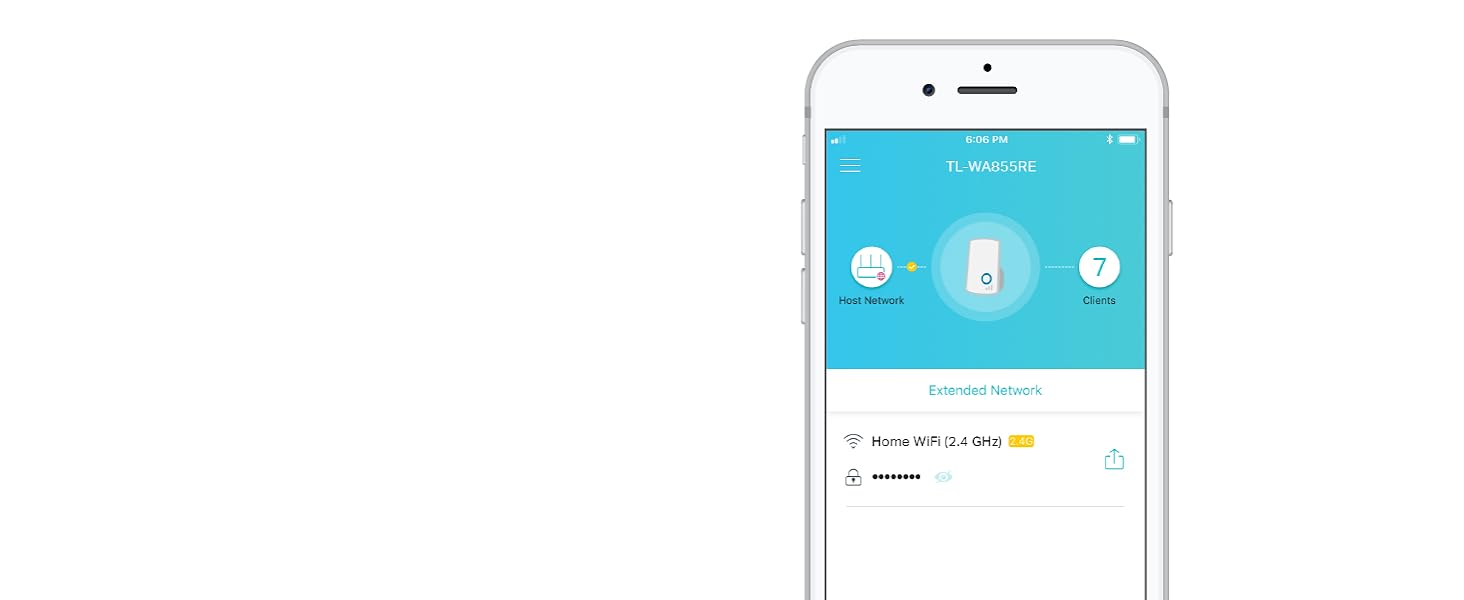
The TP-Link N300 WiFi Extender (TL-WA855RE) expands your wireless network coverage up to 800 sq.ft with speeds up to 300Mbps on the 2.4GHz band. Featuring dual external antennas with MIMO technology and an Ethernet port, it eliminates dead zones for seamless streaming and browsing. Easy to set up with smart LED indicators, it’s compatible with any router, making it the affordable, no-fuss solution for stronger home WiFi.








| ASIN | B0195Y0A42 |
| Best Sellers Rank | #183 in Repeaters |
| Brand | TP-Link |
| Color | White |
| Customer Reviews | 3.9 3.9 out of 5 stars (120,463) |
| Date First Available | January 6, 2016 |
| Is Discontinued By Manufacturer | No |
| Item Dimensions LxWxH | 3.15 x 3.06 x 3.04 inches |
| Item Weight | 4.2 ounces |
| Item model number | TL-WA855RE V3.0 |
| Manufacturer | TP-Link |
| Operating System | Microsoft Windows 98SE, NT, 2000, XP, Vista or Windows 7, 8, 8.1, 10, Mac OS, NetWare, UNIX or Linux. |
| Power Source | AC |
| Product Dimensions | 3.15 x 3.06 x 3.04 inches |
| Series | Wifi Extender |
| Wireless Type | 802.11n |
S**R
Easy Installation - Performs as Expected
It's important to understand how this device is intended to work so that your expectations are properly set. An inexpensive extender of this type receives the signal from your main wifi router, and rebroadcasts the wifi data on a different signal, with its own SSID (the name for the signal you see on your cell phone when you search for a wifi signal in Settings>Wifi). This device creates that new SSID by appending _EXT to the name of your main wifi SSID. You'll often see both SSIDs; you should pick the one that will do the best for you depending on where you are in your house. Your phone might change between the two signals on its own, but you'll soon learn which signal covers best in each location in your house. Key to the operation of devices like this is that it be placed in a location that 1) allows it to receive a decent signal from the main router, and 2) covers the area of your house that is not covered well by the main router. If instead you locate the extender directly in the area with poor coverage, it will receive a poor signal from the main router just like your phone does. It won't be able to efficiently transfer data from the main router in that location. Think instead of placing the extender half-way between the main router and the area you want the extender to cover. You should experiment with different locations, bearing in mind how many walls, floors, or other obstructions lie between the extender and the main wifi router, and also between the extender and the area you wish to improve. The second important point to understand is that extenders of this type operate in a "half duplex" mode, meaning that at best, the data rate from the extender will be half of that provided by your main router. If you are already using most of the data capacity of your main wifi router to a certain device, it's unlikely that you'll be happy with the extender signal. In my case, I saw around 50 MBps from my main router when I was near the extender, and around 25 Mbps from the extender itself. This is more than enough for my casual web surfing, and youtube watching. Your results may be different. Of course, for significantly more $, you can change out your existing wifi router for two or more "mesh" routers. These routers are able to move full speed data between each other, and you can add units until you have the coverage you require. You'll see only one SSID, and your phone should move easily from unit to unit. But at this extender's price point, I got the coverage on my deck and in the corner of the family room that I needed. This item does not incorporate the fastest wi-fi specification. If your needs are more data speed intensive, you might go for a model with higher specs, for a modest increase in price. Setup was very easy. I used the PC method because I'm loath to put another app on my old 16GB cell phone. For that reason, I can't comment on the app.
R**R
I had thought this range extender would require complex computer savvy knowledge to make it boost the WiFi signal to my smart TV
As a 72 year old, dragged into the computer age these past 20 years, I had thought this range extender would require complex computer savvy knowledge to make it boost the WiFi signal to my smart TV in a separate room (separated from the room holding the router and WiFi source by a thick wall and our home's heating devices). But, I decided to try it since the TV programs pulled off the WiFi with Netflix and Amazon streaming kept cutting out, pausing, and basically driving us all nuts! Signal strength at the TV was only 2 bars, network information on the TV showed 21-24% signal, considered "poor" by their measurement. I bought the device, delivered REMARKABLY fast by Amazon, I found it to be actually much nicer-looking than the photo, and much smaller than I had visualized. Plugged it in next to my Windows computer, waited for the green light, noted the Windows computer showed nothing on the screen (not being a WiFi device). Opened my portable computer (a Mac), with concern that there would be challenges per previous observers at this site, found that the device actually was identified on the WiFi screen. Double clicked it, per easy-to-follow instructions, found the "admin" and "password" windows, typed in the correct words and...nothing happened other that a warning on the computer that it was "unable." I noted the customer support number (24-7 availability), made the call, 5-minute wait, tech support woman noted my story and asked, "do you have a smart phone?" I answered "An Android, by Samsung," she said "that will work, do you have the TP-Link there?" It was there, I filled in the information on the phone (easy, just follow directions), the phone recognized the network (with an _EXT addition, same password), and all seemed well. I unplugged the extender and took it to the room with the TV, plugged it in, re-set my TV network to the TP-LINK _EXT new network, put in the same password as my router, the TV recognized it and indicated it now had a 85-90% signal, increased from less than 25%. The booster brought in the streaming Netflix and Amazon shows without the pauses, my phone now has 5 bars all the way into my back yard, my portable Mac computer now has 5 bars everywhere in the house and in the back yard, and now I will enjoy retirement more than ever! This extender (using the 2.4 Ghz band, that matches my Cox router 2.4 Ghz), works perfectly, the support that was needed was available and great, and I am very happy with this purchase. By the way, a previous much more expensive extender from another company, a dual-band device, that I had tried 6 months ago worked so badly that I sent it back for a prompt refund by Amazon. This is a great device, simple to set up (except for the Mac glitch that was resolved with excellent support), and for such a low price, is a great bargain for anybody needing good WiFi signal extension.
M**M
A Solid Budget Extender That Gets the Job Done
This WiFi Extender is a surprisingly capable little device for its price. It helped strengthen the signal in areas of my home that my main router struggled to reach, like the far corners of the upstairs hallway. Setup was quick and easy using TP-Link’s app. Within minutes it was up and running without needing extra configuration or tech skills. What I appreciate most is its consistency. Some cheaper extenders work great for a few hours and then drop the connection, but this one stayed steady over days of use. It doesn’t make my WiFi faster than the main router, but it extends the usable range well enough to stream video or take video calls where I couldn’t before. That said, it’s not magic as signal strength does drop a bit the farther away you are from the extender, which is expected with a unit at this price point. Still, for the cost, the performance is absolutely worth it. I’d recommend it for anyone wanting a reliable way to fill WiFi dead zones without breaking the bank.
M**E
After using this product, there is an improvement of Wifi signal strength. But internet is still slow. I supposed that could be due to my network issues.
F**0
non so se è il mio che ha dei problemi ma mi sto trovando malissimo. la configurazione senza vps con il modem telecom è da impazzire, col pc ha funzionato una singola volta per una mezz'oretta e poi ha smesso, con un galaxy s8 mai visto. il tasto reset sembra non funzionare sempre. inoltre la presa della corrente non è orientabile cosi che le antenne sono sempre rivolte in basso e in alto facendo si che la potenza del segnale vada per i vari piani invece che diffondersi nel piano. mi spiace ma pessimo acquisto anche concettualmente parlando
A**R
First of all product is different from the pics. But working all fine.. didnt connected via wps but no issue when connected via pc. Took only 2 mins to setup. Now No problem in connection. Also my all devices connected to it without any password because it shows the same one as router. Just one problem tht product is different from picture... see for yourself in pic i uploaded. Besided tht great product and working flawless and good range.Thats why all 5 star, not gonna take 1 star down for how its looked, because product is newer version, but amazon should update photos of the product on website too. Thanks for quick delivery and for awesome product.
A**Y
Very easy to install and doing the job as expected , i was sugfering from the Internet coverage till i got it.
A**O
Tengo Internet por cable en toda la casa, para poder conectar aparatos sin perder nada de velocidad donde sea. El problema era la señal WiFi para el teléfono, por eso adquirí este producto. Lo enchufé en el comedor y con el switch con el cable hace de repetidor de señal. Ahora la señal de WiFi me llega perfectamente al comedor. Funciona perfectamente y conseguí hacerlo funcionar sin ser un experto en telecomunicaciones.
Trustpilot
1 week ago
3 weeks ago