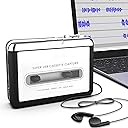
I'm using this on my iMac running OS 10.10 (Yosemite). No problems, and the sound quality is as good as one expects from cassette tapes. It is comparable to the sound quality from some tapes I transferred to MP3 several years ago when I still had a high quality cassette tape deck I could hook up to my computer. Here are a few little tweaks to the helpful Mac/Audacity instructions given in an earlier review by M, and instructions for using an alternative app, Audio Hijack Pro. Audacity: Hook up the player via USB, download Audacity 2.0.5 (free), In Mac System Preferences - Sound - Input - select "USB PnP Audio Device" as the device for sound input. Start a cassette playing. Adjust the Input Volume slider in the window to the next to last tick mark. Adjust the cassette player output with the control on the cassette player so the loudest passages do not go to the maximum on the Input Level display. [Note that the only reason to set the Sound preferences here is to adjust the volume. You can set the Input back to the default after you have done this.] In Audacity, go to Preferences/Recording/Device and select USB PnP Audio Device. If it doesn't show up there go to Transport/Rescan Audio Devices and try again. Under Transport turn off Overdub and turn on Software Playthrough. When playing your tape, press the round red "recording" button in the Audacity window; without pressing it I couldn't hear the playback. When song is finished, press the square brown "stop" button. To save the recorded song, go to File - export - and name your file and format. Given the inherent sound quality of cassette tape, I use MP3 128 kbps. Higher quality formats are overkill and will yield larger files. Although Audacity works OK, I am using Audio Hijack Pro because it has a couple of advantages. It lets you hear what's playing before you start the recording, and it can use sound activated recording to detect the gaps between songs and start a new recording for each song automatically. Although it is not free ($32) it is very versatile. It can record System audio or audio from any app or source on your Mac and also do scheduled recordings. Here is how to use it with this device. Set the volume level in System Preferences/Sound/Input as per the instructions above for Audacity. Open Audio Hijack Pro. Click on the + sign at the bottom of the left sidebar. In Source Type choose Audio Device. For input device select USB PnP Audio Device. It should appear in the sidebar. Select it. Select the Recording tab at the top and choose the format and file location. If you are going to use sound activated recording to create separate files for each song, Choose a Silence Monitor setting. The default for analog recordings is -30 dB, 2 sec. You may have to play with a Custom setting to avoid it detecting soft passages in the music as gaps between songs. I find -35 db, 2 sec works a little better most of the time.