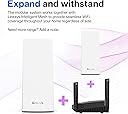
๐ Mesh Your Home Into the Future of WiFi!
The Linksys Velop MX4200 is a powerful tri-band WiFi 6 mesh router delivering ultra-fast 4.2 Gbps speeds and seamless coverage up to 3000 sq ft. Designed for busy homes, it supports 40+ devices with advanced parental controls and robust security features, all easily managed through the Linksys app. Perfect for professionals craving reliable, buffer-free streaming and smart home integration.


| ASIN | B0074JKGTA |
| Antenna Location | Home |
| Antenna Type | Internal |
| Best Sellers Rank | 3,019 in Computers & Accessories ( See Top 100 in Computers & Accessories ) 17 in Whole Home & Mesh Wi-Fi Systems |
| Box Contents | โข Linksy Velop WiFi 6 Tri-Band Series node (x1)โข Ethernet cableโข UK power adapter (x1)โข Quick Start Guideโข Printed Documentation |
| Brand | Linksys |
| Brand Name | Linksys |
| Colour | White |
| Compatible Devices | Laptop, Personal Computer, Smart Television, Tablet |
| Compatible devices | Laptop, Personal Computer, Smart Television, Tablet |
| Connectivity Protocol | Wi-Fi |
| Connectivity Range | 3000 Square Feet |
| Connectivity Technology | Wi-Fi |
| Control Method | App |
| Country of Origin | China |
| Coverage | up to 3000 square feet |
| Customer Reviews | 4.1 out of 5 stars 344 Reviews |
| Data Transfer Rate | 4.2 Gigabits Per Second |
| Frequency | 2.4 GHz |
| Frequency Band Class | Tri-Band |
| Frequency band class | Tri-Band |
| Has Internet Connectivity | Yes |
| Has Security Updates | Yes |
| Is Modem Compatible | No |
| Item Dimensions L x W x H | 31L x 13.5W x 25.1H centimetres |
| Item Weight | 1.41 Kilograms |
| LAN Port Bandwidth | 10/100/1000 |
| Manufacturer | Linksys [UK] |
| Manufacturer Part Number | MX4200-UK |
| Maximum Upstream Data Transfer Rate | 1050 Megabits Per Second |
| Model Name | MX4200 |
| Model Number | MX4200-UK |
| Model name | MX4200 |
| Number of Ports | 5 |
| Operating System | Android |
| Other Special Features of the Product | Parental Control |
| Router Firewall Security Level | Advanced |
| Router Network Type | hybrid |
| Security Protocol | WPA2-PSK, WPA2-Enterprise, WPA3-Personal, WPA3-Enterprise |
| Smart Home Compatibility | Smart Home Compatible |
| Special feature | Parental Control |
| UPC | 745883809950 |
| Wi-Fi Generation | WiFi 6 |
| Wireless Compability | 802.11ax |
| Wireless communication standard | 802.11ax |
B**E
Easy to set up. Works well.
I needed this to broadcast the WiFi signal in place of the VirginMedia combined modem/router/WiFi unit, where the WiFi signal had become very flaky. Because the V-M unit combines the three functions, I had to retain it, meaning I had to connect the ethernet cable from the MX4200 to an ethernet port on the V-M modem. This was not a problem when it came to setting up the new unit, and I had disabled the SSID signal in the V-M unit. However, typical me. I wanted to have a look around the settings in the new unit, and I had a lot of trouble getting there, because the software kept seeing the V-M unit. I got access eventually, but I don't know how I achieved that! Don't let that put you off because you don't need to access the settings in order to set it up. It works well and gives a good signal in my house. It is possible to add a second unit (or more) and link it as a mesh system (where your mobile phone for instance moves its connection to whichever unit has the stronger signal, quite seamlessly), but I do not need to do that.
J**W
BIG router BIG signal
Brilliant for extending wifi through-out the home, although warning its a large router, much larger than the nodes provided by ISP.
T**A
Set up a bit tricky
The initial set up went wrong for me, I already have a router and am using this as a node to extend it (intelligent mesh linksys router from toob broadband) and it left me needing to restart my router and turn off this node extension to get wifi back on. I reset this new node and then used the app to set up again and it worked well that time (despite me not changing anything I did...). Now in place, some older devices did not auto connect as they remained tied to the main router, but a reset of their wifi connection details fixed that and now I have much better coverage and wifi speed at both ends of my house. Quite expensive for what it is, but useful to just add to my router already in place.
S**E
Works great
Works great
A**R
Linksys has gone cheap plastic
Linksys used to be a good brand. I had several linksys routers and they used to be well thought through and reliable. Apparently not anymore. You have to give them all your personal data and use other devices (mobile phone) and accept exorbitant privacy policy allowing Linksys to do whatever they want on your network - all that just to turn this p.o.s. on and configure it. If you expect this to behave as a piece of network equipment, forget it. It's a consumer toy, suitable only for the dumbest, clueless consumer who is happy to get anything working and has no existing network or needs any configuration. I was tricked by videos on youtube that show web-based config, but you only get this after you use the app and also it's not usable and options are severely limited. And even then, you have to click on magical "CA" link at the bottom to even get the simplest options enabled. There are no options regarding backhaul between devices. Most other brands will have backhaul options, but nothing here. It's anybody's guess what it does. You also only get 40MHz channels in 5GHz bands. Most other brands at this price range offer 80MHz and even 160MHz channels and apparently achieve much better performance. The most annoying part is that every change requires reboot. So for example, if you want to switch from very poorly designed "bridged" mode (no IP configuration when in bridged mode!) to router mode and configure DHCP, you can't do that. You have to enable DHCP (often clashing with another DHCP server), apply changes (meaning reboot), then switch to static IP mode (reboot). Inevitably you end up with bricked and inaccessible device so factory reset, app, etc etc. Minutes turn to hours. Then, the app and linksys website keep sending me notifications that somebody has changed my password. Indeed, my password doesn't work, but I haven't changed anything. And, while it seems possible to reset the password, it actually doesn't do it. So I had to do another factory reset and create a new account with new email address, accept many dubious terms again, app, etc. etc. I fully expect this to happen again. The app is full of quirks. It has space for messages on the home page that is not big enough for the text they are showing and also can't wrap text so good luck reading it. It won't switch to landscape either. You can't tap this message. Most settings in the app are grayed out and not editable. It's really fussy, wants all sorts of permissions, notifications god knows what and why when it can't do much. Eventually, this only really works for me in bridged mode, but insists on having an IP address from DHCP. Interestingly, in "diagnostics" which is just a status page, it claims it is still running it's own DHCP server but this is just not true. Of course, you can't control that - nothing in the UI allows you to. Worst part is that after all this hassle, wifi speeds are fairly disappointing. Fluctuations, and drops abound. With an Intel AX wifi 6 card in my laptop the link speed goes from 1Mbps (!) to 500Mbps about 8 feet from the box. Every time I check it's substantially different. Up and Down links are also always at odds - 36/92, then 275/163 then 660/245. Never nowhere near advertised speeds. There are some comments that you have to fix the 5GHz bands as there a bugs in this router that causes too aggressive and unreliable band auto-selection. I've tried each one in turn and none of it made any difference. All in all, very poorly designed consumer device, definitely not suitable for anything but the simplest and dumbest consumer needs, and frankly I am dubious as to whether this is any better than stock Sky hub which has been rock solid but tapers out in some far corners of the house. My advice - this is not worth the hassle.
A**N
Superb router, better than expections
I bought this to replace the eero 6 mesh system supplied by youfibre. The eero 6 was advertised as being very fast with a good coverage. I was supplied with 2 nodes to cover my 3 storey house. Whilst I was able to get Internet in every room, it was giving a maximum speed of around 300Mb/s dropping to 20Mb/s at the far reaches and in the kitchen with granite work tops (which are very good at blocking WiFi signals). These speeds were not great considering I have a Gigabit Internet connection! I did quite a lot of reading before opting for this linksys system. It offered, on paper, good specs for a reasonable price. Install was very straight forward with the mobile phone app, and I'm also pleased that there is a Web interface. Coverage is excellent compared to the eero system and now I get between 200 and 700Mb/s on all devices.
R**R
It works! Range increase from your standard WiFi
Decided to go the extra bit as we need a stable WiFi signal to run our Ezviz security cameras (3). Of course plus all the other things that use the signal like PC's, phones, smart home stuff and visitors. I was shocked to find out that we have over 20 such items. But no worries, this sorts it all out. We can connect up to 80 devices and there is no penalty to pay. We live in a semidetached house and I get a stronger signal next door that he does from his own WiFi! Very easy to set up and it even covers my garage for my Google device for my music. No lag moving from one area to another, no buffering on streaming in the far corners of the house. We have a 120 mtr back garden and I get signal nearly at the top! Well worth buying, latest tech and is great!
A**R
Unit fine, app is the issue
The device itself has definitely improved the wifi signal as intended. The downside is the Linksys app which just did not complete after hours of multiple attempts to swap the parent node, so rather than starting again and changing every device used it as a child node. If you are already on Linksys I would recommend to boost your signal, but if starting from scratch maybe look for one with better installation and update reviews.
K**R
Overblown marketing. Does nothing really
WiFi transmit - Fed by a 5G modem/router : WiFi speeds down average 45 WiFi transmit - Modem/router : WiFi average down : 200 Say no more. Colossal waste vof money.
W**Y
Easy to setup.
Easy to setup, and working well.
S**L
Too bulky and slow
I have to reset it more than 3 times in one mont time !!!
E**N
Good product
Good coverage and very fast connection
C**R
Good
It works fine and is pleasant to look. I wish they had it in black
Trustpilot
4 days ago
3 weeks ago