


🔌 Elevate your PC’s wireless game—connect smarter, not harder!
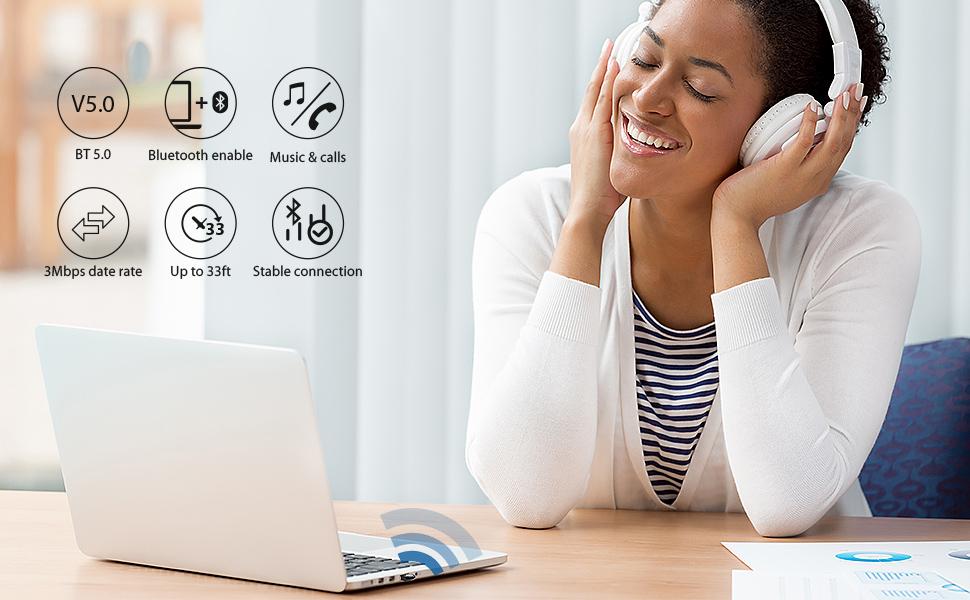
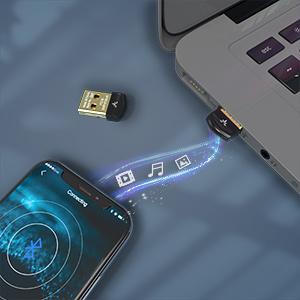
The Avantree DG45 is a compact USB Bluetooth 5.0 adapter designed exclusively for Windows 11, 10, 8.1, and 8 PCs and laptops. It supports simultaneous connections to up to 7 Bluetooth devices, enabling seamless wireless control of headphones, keyboards, game controllers, and more. Its low-profile design ensures it stays plugged in without obstructing other USB ports. Ideal for streaming stereo music and taking calls, the DG45 offers a reliable, energy-efficient Bluetooth upgrade for professional setups, backed by strong user ratings and a top-15 best-seller rank in Bluetooth network adapters.




| ASIN | B08GM1MV6B |
| Best Sellers Rank | #11 in Bluetooth Network Adapters |
| Customer Reviews | 4.3 4.3 out of 5 stars (27,806) |
| Date First Available | August 24, 2020 |
| Is Discontinued By Manufacturer | No |
| Item Weight | 0.071 ounces |
| Item model number | BTDG-45 |
| Manufacturer | Avantree |
| Product Dimensions | 0.83 x 0.47 x 0.24 inches |
D**C
Works perfectly with Windows and very cheap.
I use this dongle daily and it works perfectly. It's very cheap, sits at the back of my PC and does what it needs to do. There are a lot of expensive bluetooth dongles out there but this one does the job for less. Works perfect with Windows 10 or 11 which is what i use it with and I have found it to be compatible with jabra and apple headphones. Connects nicely, haven't had any connection issues ever.
J**O
Great Value and Works Great.
For some reason, my wireless key board and ireless mouse worked fine, but I could not pair my wireless headphone with my Windows 10 Pro. I ordered this, plugged it in, went to pair it..... but it did not work. I updated my Bluetooth drivers and I was able to pair my headphones without having to restart the computer. An added value is the low price.
J**P
I am happy to report that everything is working perfectly
Note: This is for the DG40S model, as I bought this for use on a Windows 7 PC. My goal was to find a USB Bluetooth adapter that would allow my PS4 DualShock 4 to connect to my PC without the need for DS4Windows software. Also note that the DG40SA being sold here is clearly advertised as not being compatible with Windows 7, so I didn't try that one. I am happy to report that everything is working perfectly! Though, as described here and on Avantree's site, this adapter is NOT exactly plug and play when used with Windows 7 (it apparently is with Windows 10), but it's close enough! Very simple to get working. Just go to their support site, click the DG40S icon, then look for the link labeled "Latest Driver for Windows 7." Before you click it, take note that there are also many useful support links here, in case you run into problems. When ready, click the Windows 7 driver link, and you'll see another new list of more helpful links, many of them with videos outlining the simple step-by-step install process. YOU MUST WATCH A VIDEO OR TWO HERE! It will only take a few minutes, promise. BUT WATCH BEFORE YOU INSTALL! Lol. It's just a series of left/right/double clicks that are required, takes no more than 2 minutes, but since their interface is so artistically done in a 1982 programming style, you'll save time if you just watch a vid first. NOTE: ALL STEPS OUTLINED IN THE VIDEOS REGARDING CONNECTION (key words: ALL TWO OR THREE STEPS) MUST BE DONE WHILE THE DUALSHOCK CONTROLLER IS IN PAIRING MODE! To enable this, hold down the center PS button and the Share button AT THE SAME TIME, for a few seconds, until the DualShock's light starts flashing. This means it's searching for Bluetooth devices to pair with. You might have to re-enter it into pairing mode if the lights stop flashing. Anyway, before you know it, your DualShock 4 will be connected - with great range, too. Has been working flawlessly after hours of gaming! As it turns out, I needed tech support for something I goofed up on (all that was needed was a restart of a couple things that I somehow missed). I called their support number (conveniently displayed on the main screen of their driver software after installation), and was almost immediately set up with the next tier of tech support via a live, screen-sharing conference! They sent me a link via email that directed me to download the Chrome extension called GoToMeeting Pro Screensharing. Pretty slick/legit extension, nice interface. Also had the ability for me to select specific windows for screensharing, or to just enable the sharing of my entire screen. Anyhow, a couple people on the phone walked me through a couple steps I somehow goofed up on (follow the steps above and you'll be fine, lol). They were super helpful and kind. Pretty amazing customer service, some of the best I've experienced from any company, no joke. Anyhow, if you're using this with Steam, make sure you follow online guides how to do it. Also ridiculously simple, just open up Steam, enter Big Picture Mode, click the settings gear button --> controller settings, then make sure the "PS4 Configuration Support" box is checked. You might have to restart Steam, or restart the controller's Bluetooth connection, but yeah still simple in the end, I was just in idiot mode for a few minutes there... Hope this helps!
A**.
This works great: here's how to get it working on a fussy old laptop
I really *needed* a satellite keyboard for my standing desk. But I had nothing but trouble with my built-in bluetooth...maybe because my laptop dates from 2014, even though it is Win10 now. So this Avantree dongle rescued me. Connecting to this dongle would be easy on a plug-n-play Windows 10 modern PC, but since I am not a geek, and my laptop thinks it has bluetooth but it doesn't, I had some problems. (Or maybe--per my husband--I just have problems.) Anyway, Avantree was fast to help and guide me through it in no time. The following is what I *think* I did to make it work. IIRC. WIMN. 1 Turn off PC's native bluetooth, if any (Start menu> Settings>Devices) 2 Download BlueSoleil software from Avantree DG40S product website and install it on PC. (Don't accidentally somehow install it twice or the rest won't work properly and you will have to uninstall both BlueSoleil bluetooth drivers in the Device Manager and try again. Like me.) 3 Right-click the zig-zag bluetooth icon in the system tray (lower right) and select "Display Classic View." The BlueSoleil window opens. 4 Left-click once on the orange globe. That should show the name of your PC in a message box AND in yellow text at the bottom left of the window (such as, "MyPCname: 7 services"). 5 Plug the Avantree bluetooth dongle into your PC's USB port. 6 Set your bluetooth-capable device (for me, a keyboard) to pairing mode (see your device/keyboard info for how). 7 Double-click the orange globe to search for available bluetooth devices. An icon for your device and its name ("Keyboard") appears somewhere around the orange globe. 8 Right-click on your device icon and select "Pair." 9 A "PassKey" message box appears showing a 6 or 8 digit number. Type exactly that number on your device (keyboard) and click Enter. (Be accurate but fast: it only gives you a short time to do it.) 10 Wait for a message that says "Paired." 11 Right-click again on your device icon and select "Search Services." Wait for a message that says something like "DeviceName > 1 Services" in yellow text at the bottom left of the window. 12 Double-click on the small highlighted icon along the top of the BlueSoleil window that corresponds to your newly-paired device. (For me it was the mouse icon, which represents user interface devices like a keyboard.) This causes an actual connection to be made to your newly-paired device (to my keyboard). You see a ray appear in the BlueSoleil window going from the orange globe (PC) to your device. That means your device (keyboard) is connected (just pairing isn't enough). BlueSoleil should remember what's paired during normal use and reconnect automatically. If your device is disconnected, right-click the bluetooth icon in your system tray (it should live there), open BlueSoleil in Classic View, select your device icon, and then double-click the proper icon along the top to reconnect (like the mouse, for a user interface). Doesn't take long. You can now use your bluetooth device. Your device talks to the Avantree dongle, the dongle talks to the BlueSoleil driver (software), and BlueSoleil talks to your PC. Everybody works together. (Try that in politics.)
L**E
Great Replacement
It arrived super fast, great replacement if you lose your dangle for Bluetooth.
R**E
Ever felt like your PC was stuck in the Stone Age, unable to connect to your modern Bluetooth devices? Enter the Avantree DG45 USB Bluetooth 5.0 Adapter, the tiny titan that’s here to bring your computer into the 21st century! 🖥️✨ Small but Mighty: Don’t let its size fool you. This mini USB dongle packs a punch with Bluetooth 5.0 technology, offering four times the range, twice the speed, and eight times the broadcasting capacity of older versions. It’s like giving your PC a superhero upgrade! 🦸♂️💥 Seamless Connectivity: Whether you’re streaming music to your Bluetooth headphones, transferring files to your smartphone, or connecting a wireless keyboard and mouse, this adapter handles it all with ease. It’s like having a Swiss Army knife for your PC’s connectivity needs. 🎧📱⌨️ Plug and Play: Installation is a breeze. Just plug it into your USB port, install the driver, and you’re good to go. No need to call in the IT department or bribe your tech-savvy friend with pizza. 🍕🔧 Stable and Reliable: With a range of up to 33 feet, you can roam around your room without losing connection. Plus, it’s designed to minimize interference, so you can enjoy a stable and reliable connection whether you’re in a video call or jamming to your favorite tunes. 🎶📞 Energy Efficient: This adapter is not just powerful; it’s also energy-efficient, ensuring your devices stay connected without draining your battery. It’s like having a green thumb for your tech gadgets. 🌿🔋 Compatibility: The Avantree DG45 is compatible with Windows 8, 8.1, 10, and 11. However, it’s not compatible with Mac OS, Linux, car systems, or TVs. So, if you’re a Windows user, you’re in luck! If not, well, there’s always room for improvement, right? 😅💻 Final Verdict: The Avantree DG45 USB Bluetooth 5.0 Adapter is a game-changer for anyone looking to add Bluetooth capabilities to their PC. It’s small, powerful, and incredibly easy to use. So go ahead, give your PC the upgrade it deserves and enjoy the freedom of wireless connectivity! 🚀🎉
T**N
Ich habe den Avantree DG40S USB Bluetooth Adapter für meinen PC gekauft und bin vollkommen zufrieden mit diesem kleinen, aber leistungsstarken Gerät. Hier sind meine Eindrücke: Einfache Installation: Die Installation des Adapters war denkbar einfach. Nach dem Einstecken in einen USB-Port meines PCs wurde er sofort erkannt, und die Treiberinstallation erfolgte automatisch. Innerhalb weniger Minuten war der Adapter einsatzbereit. Stabile Bluetooth-Verbindung: Die Bluetooth-Verbindung des Avantree DG40S ist stabil und zuverlässig. Egal, ob ich meine kabellosen Kopfhörer, meine Tastatur oder andere Geräte anschließe, die Verbindung bleibt konstant stark, ohne Unterbrechungen oder Verzögerungen. Kompatibilität: Der Adapter ist mit einer Vielzahl von Geräten kompatibel. Ich konnte mühelos meine Bluetooth-Kopfhörer, mein Smartphone und andere Geräte damit verbinden. Die Reichweite ist ebenfalls beeindruckend, selbst wenn ich mich einige Meter vom PC entferne. Kompaktes Design: Das kompakte und unauffällige Design des Adapters ist ein weiterer Pluspunkt. Er fügt sich nahtlos in den USB-Port meines Laptops ein, ohne herauszustehen oder im Weg zu sein. Das ist besonders praktisch für unterwegs. Energieeffizient: Der DG40S ist auch in puncto Energieeffizienz beeindruckend. Er verbraucht wenig Energie, was besonders wichtig ist, wenn er dauerhaft am PC angeschlossen ist. Das hat keinen erkennbaren Einfluss auf die Akkulaufzeit meines Laptops. Hervorragendes Preis-Leistungs-Verhältnis: Angesichts seiner Leistungsfähigkeit und Zuverlässigkeit bietet der Avantree DG40S ein ausgezeichnetes Preis-Leistungs-Verhältnis. Er erfüllt alle meine Bluetooth-Bedürfnisse zu einem Bruchteil des Preises vergleichbarer Produkte. Insgesamt kann ich den Avantree DG40S USB Bluetooth Adapter jedem PC-Nutzer wärmstens empfehlen. Mit seiner einfachen Handhabung, stabilen Verbindung und breiten Kompatibilität hat er meinen PC um eine äußerst praktische Funktion erweitert. Ein absolutes Must-Have für alle, die ihre Geräte kabellos verbinden möchten!
C**N
Je cherchais une clé USB bluetooth afin de connecter mon nouveau casque audio Sony WH-CH700N, ainsi que mes enceintes Edifier R1700BT sur mes PC dépourvus de ce type de connectivité. J'ai pu testé la clé sur mes 4 PC : - Windows 10 Home 64 bits (PC fixe sur mesure) - Windows 10 Pro 64 bits (PC fixe sur mesure) - Windows 7 Familial 64 bits (Asus X53SD-SX1053V) - Windows 7 Starter 32 bits (Asus EeePC 1001PX) Détection de la clé ultra-rapide sur Windows 10. Détection du casque tout aussi rapide. Sur Windows 7, détection un peu plus lente mais tout aussi efficace. J'ai pu testé mon casque dans l'autre pièce, à plus de 10m, sans problème. Pas de déconnexion jusqu'à présent, ni de grésillement du son ou autre. Le seul soucis constaté est sur le logiciel multimedia Kodi. Mais, j'ignore si cela vient du logiciel, de la clé ou du casque car tout fonctionne très bien pour le reste (sons du bureau, VLC, Firefox, Opera...). Je ne pense donc pas que ce soit la clé. Bref, pour le moment la clé respecte ses promesses pour un prix correct. Je ferai une mise à jour du commentaire si des problèmes de fiabilité apparaissent avec le temps. Sinon, considérez que tout est OK. :-) Je recommande.
T**E
Fonctionne super bien pour connecter un appareil en bluetooth à un pc qui n'a pas le bluetooth normalement. Très facile à installer et à utiliser
T**N
Fungerade fint i min Home Assistant applikation
Trustpilot
1 month ago
3 weeks ago



