


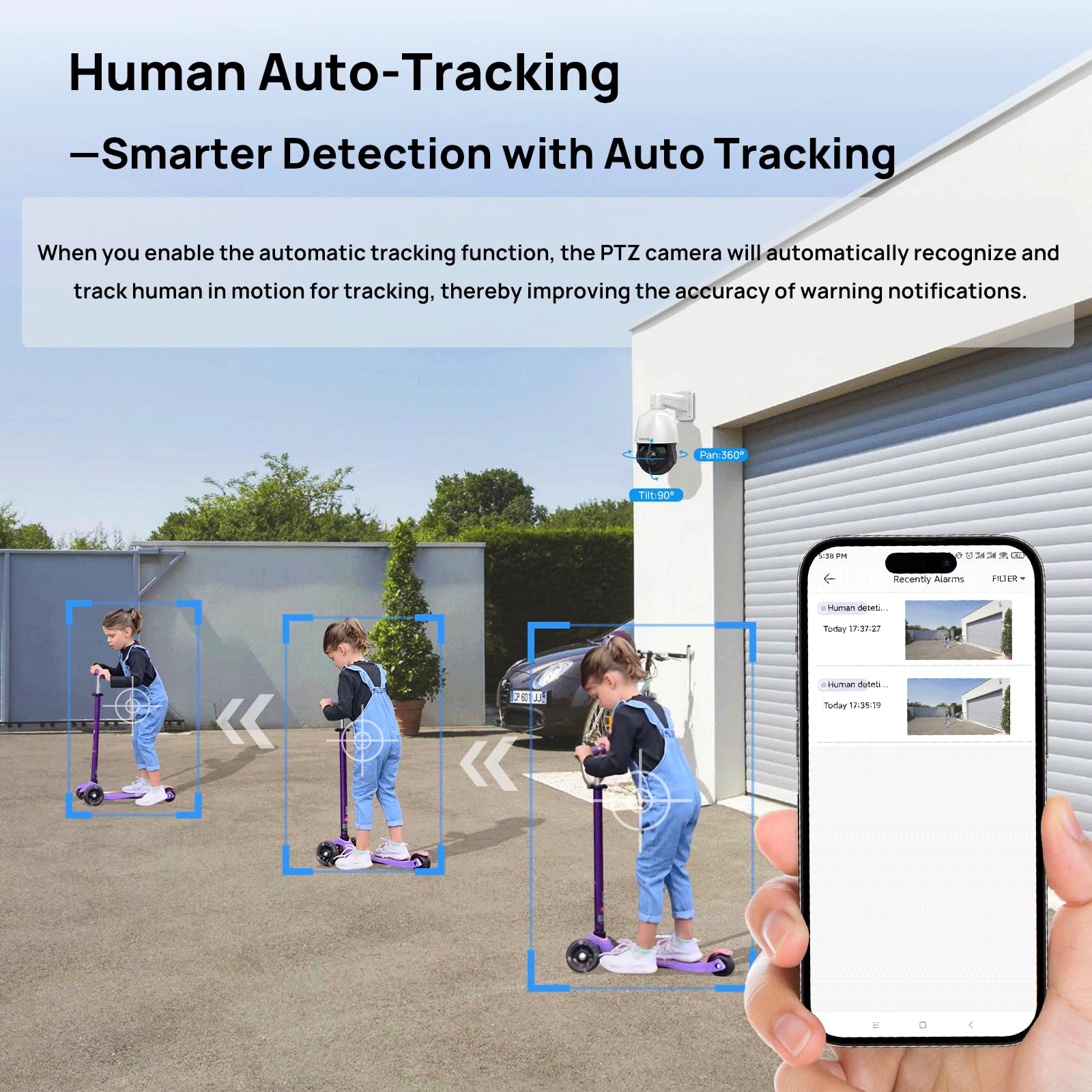
🚀 Elevate your security game with 4K precision and smart tracking—because your peace of mind deserves the best!
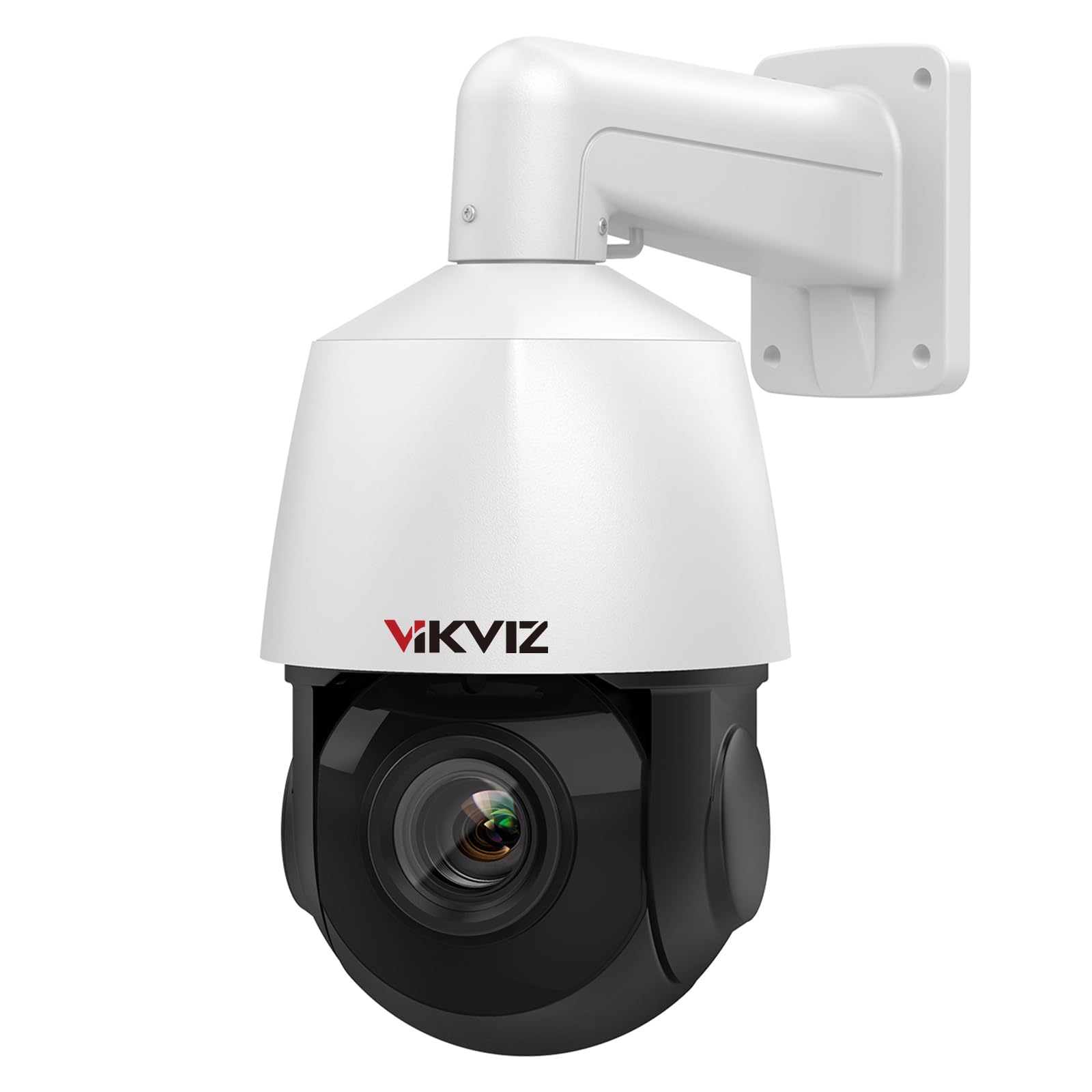
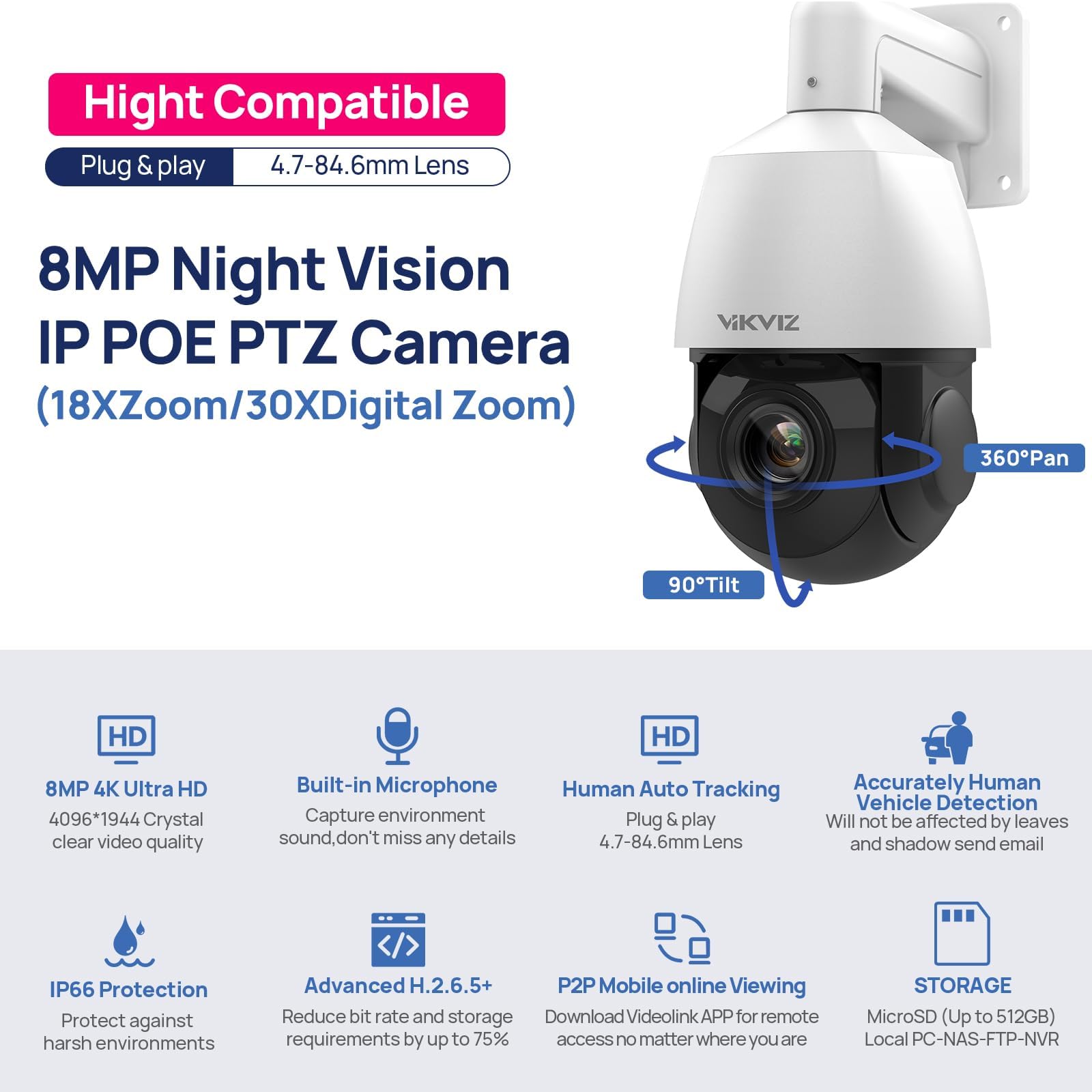
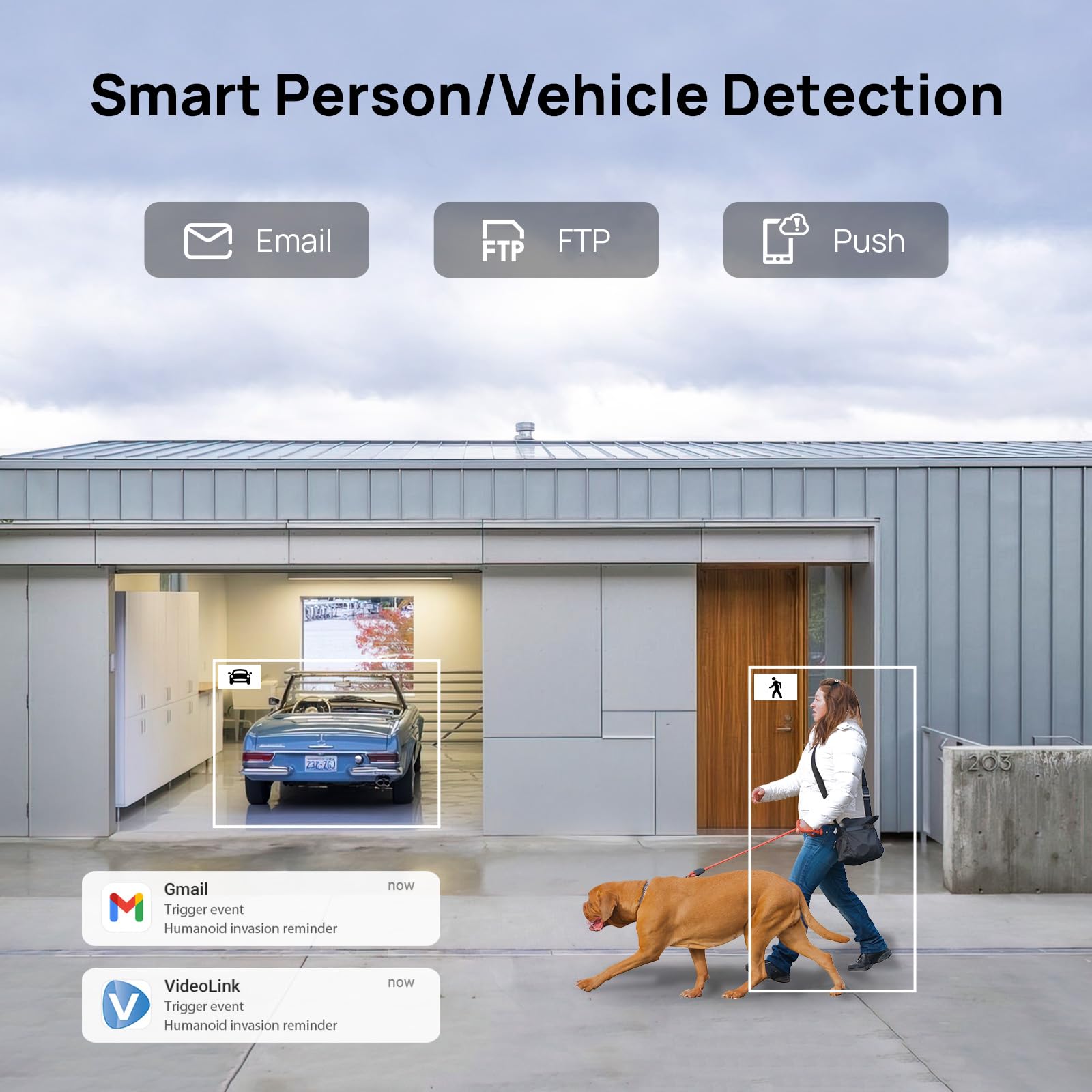
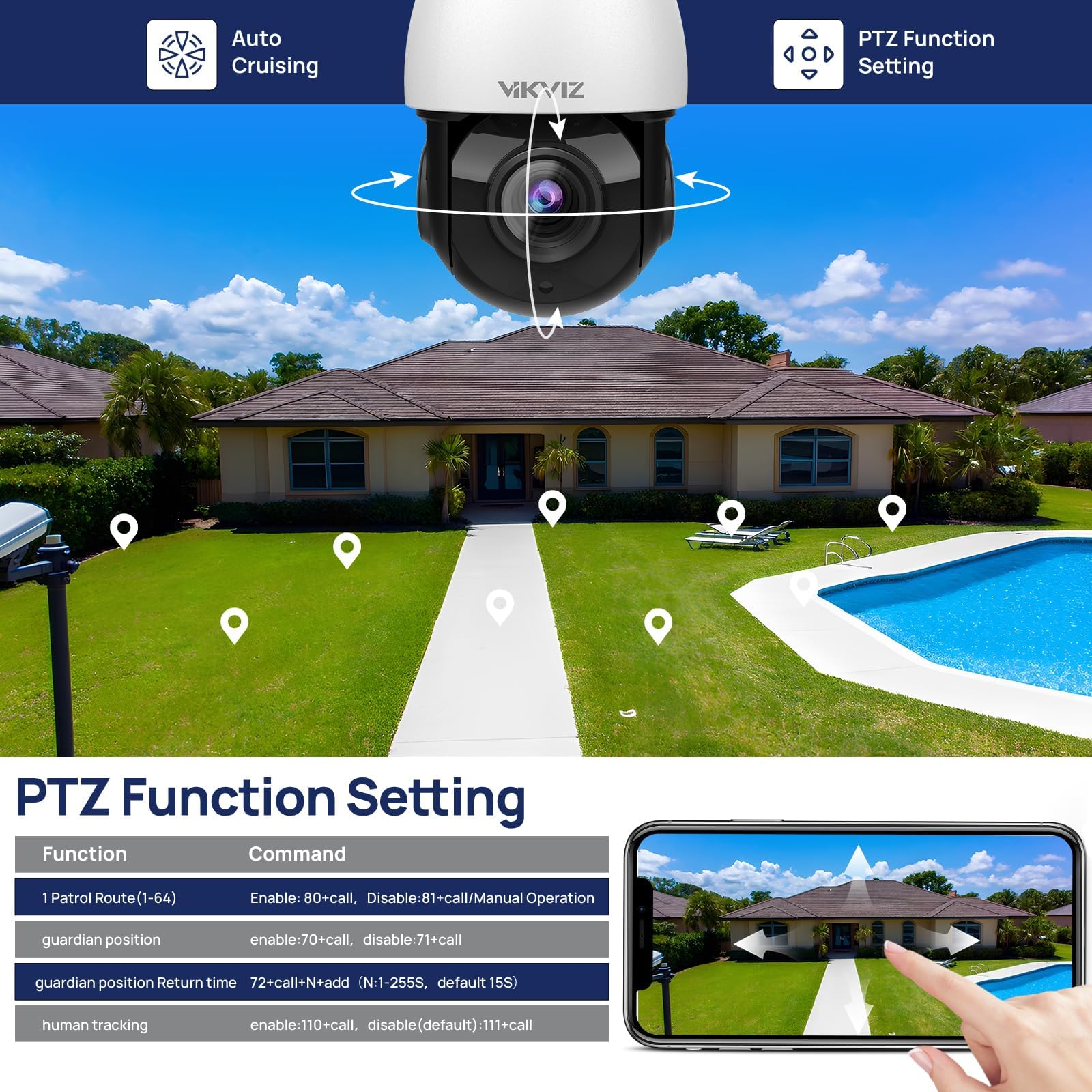
The VIKVIZ 4K 8MP PTZ POE IP Camera delivers professional-grade surveillance with 360° pan, 90° tilt, and 18X optical zoom. Featuring advanced human and vehicle auto-tracking, two-way audio, and up to 328 feet of infrared night vision, it ensures comprehensive monitoring in any outdoor environment. Its Power over Ethernet (PoE) setup simplifies installation, while IP66 weatherproof certification guarantees durability. Compatible with Blue Iris and other major NVR systems, this camera supports up to 512GB MicroSD storage and uses efficient H.265+ encoding to save bandwidth and storage space.


| ASIN | B089M9WR7L |
| Alert Type | Motion Only |
| Antenna Location | Outdoor Security |
| Are Batteries Required | No |
| Best Sellers Rank | #940 in Dome Surveillance Cameras |
| Brand | VIKVIZ |
| Built-In Media | Instruction Manual, Mounting Screw, Power Adapter, Stand |
| Color | 8MP 18X Zoom Optical |
| Compatible Devices | Smartphone |
| Connectivity Protocol | ONVIF |
| Connectivity Technology | Ethernet |
| Control Method | App |
| Controller Type | Iris |
| Customer Reviews | 3.9 out of 5 stars 208 Reviews |
| Effective Still Resolution | 8 MP |
| Effective Video Resolution | 8 |
| Enclosure Material | Metal |
| Flash Memory Supported Size Maximum | 512 GB |
| Focus Type | Auto Focus |
| Form Factor | Dome |
| Frame Rate | 20 frames per second |
| Indoor Outdoor Usage | Outdoor |
| Installation Type | Screw In |
| Item Dimensions | 11.02 x 7.48 x 7.48 inches |
| Item Height | 19 centimeters |
| Item Weight | 1.92 Kilograms |
| Light Source | LED |
| Manufacturer | VIKVIZ |
| Maximum Shutter Speed | 1/10000 Seconds |
| Model Name | VZ-PTZ-4818X-IS3 |
| Model Number | PTZ-4818X-IS3 |
| Mount Type | Wall Mount |
| Night Vision | Starlight |
| Night Vision Range | 328 Feet |
| Number of Channels | 1 |
| Number of IR LEDs | 4 |
| Number of Items | 1 |
| Optical Zoom | 18 x |
| Other Special Features of the Product | 8mp ptz auto tracking,18X zoom optical ptz poe+ starlight ip camera,(SMD 4.0)human/vehcile detection, IVS, Micro SD card slot (up to 512 GB) |
| Photo Sensor Resolution | 8 MP |
| Photo Sensor Technology | CMOS |
| Power Source | Corded Electric |
| Shape | Dome |
| Specific Uses For Product | 360 Degree Coverage, Surveillance, auto tracking technology, human/vehicle detection |
| UPC | 778112836151 |
| Unit Count | 1.0 Count |
| Video Capture Format | H.265+,H.265,H.264,MJPEG |
| Video Capture Resolution | 4k |
| Video Encoding | H.265+,H.265,H.264,MJPEG |
| Voltage | 12 Volts (DC) |
| Water Resistance Level | Waterproof |
| Waterproof Rating | IP66 |
| Wattage | 4.2 watts |
| Wireless Technology | on_vif |
| Zoom Ratio | 18X |
| Zoom Type | Optical Zoom |
R**R
Great mini PTZ camera for unforgiving environments...where SD card is not needed...
Both cameras' PTZ functons worked out of the box - for a minute anyway - when the tilt function on one of the cameras starting making this chattering noise - and the tilt stopped moving. I ordered a replacement and the Seller quickly refunded the camera that was not working properly. Obviously these should be tested for a while before installing anywhere inconvenient to reach physically. Update - so far the remaining camera's PTZ functions continue to work as I believe they should - camera does a self-test of PTZ functions upon restarting or rebooting. Second update: more testing - so far so good. All functions of the camera work as I believe they should, including recording audio. I hooked up these cameras to a Hikvision NVR with Ethernet cables - connected the NVR to a Hughes Net router (the Internet) and when I went to activate the cameras I had to scan a QR code (on the NVR's monitor screen) with my Android phone (connected to the same router through WiFi) - and about a minute later - the picture from the cameras popped on to the screen. That's plug-and-play! Whenever you turn NVR power off and then back on - cameras come back on automatically: there's nothing to do. These "mini-PTZ" cameras are smaller than most PTZ cameras typically for sale - but they have a rugged aluminum casing and a hard plastic dome protecting all the moving parts of the camera - so a woodpecker or other destructive creature cannot mess with the mechanics and electronics and hopefully the dome will deter interior dust and spider webs and the such. We will see about that. Update: so far so good. One of the things I do like about this camera - the casing has a mounting bracket incorporated in to it for easy installation on vertical surfaces outside (like on a tree.) There is a single output cord that splits in to two parts at the end: an Ethernet connection and a 12v Power connection (for non-PoE use.) That pigtail is robust and thick and unless a squirrel chews it up - it should last the life of the camera. Update: I have the white connection cord tucked into the mounting stem of the camera so only the Ethernet cable can be seen exiting the wire slot - just enough room for that. Good. I raised my review to five stars: if you want a mini PTZ camera without an SD card slot - this would be the one to get for rugged outdoor conditions where squirrels chew up anything they can get their little paws on. In the two pictures below (of the 5th wheel) one was taken in near darkness before IR lights turn the picture to Black and White at night. The other is a daytime picture. The low-light sensitivity of this camera is incredible and my Pixel 6 phone's camera would snap a dark unusable picture from the same perspective - so that is impressive. Of course all reviews are relative to price: This camera is a great price for what it is. And in this price range - I would hope the cameras last 2-3 years outside. I wanted to say this about the PTZ aspects of this camera: Once you get the tilt zoom and pan you want dialed in you will largely not want to use these functions on a daily basis - however when setting up these cameras to get exactly the picture you want - you get so much more exacting results in the end with the PTZ functions. It will save you so many trips up a tall ladder hanging on to a tree! So in my original review (3 stars) a few days ago I complained there was no way to contact the Seller - however the seller did contact me through Amazon Marketplace to give me the information I needed about this camera (No SD card slot.) I spent a lot of time pouring over every square inch of this advertisement looking for a contact email - even went to the Seller's Amazon Store Webpage and couldn't find it there. I want to repeat that I know it's a drag for the Seller to have to answer so many people's questions - but for anyone seriously contemplating these cameras - as opposed to a thousand other ones for sale out there - the question of an SD card slot will always come up in the end. The Seller updated the product information in the ad to let people know there is no SD card slot and I am satisfied with that. thank you. In the end the Seller did remedy the situation I was unsatisfied with and I am confident that customer service will be available should there be any future questions with these cameras. Since I will end up using four of these exact same cameras in my security system I will provide an update when all four have been extensively tested.
S**N
Good Price for a good overall PTZ camera
After looking at many PTZ outdoor Dome cameras, I found this brand and decided to try the Black model PTZ and the camera works overall, however there are a few things that needs to be addressed; Focus and Motorized movements. First: the picture quality is great, nice clean HD at night and day with bright LEDs for night vision, PLUS it has a built in Microphone and Speaker for two-way talk. Second: The Camera has a nice finish, not a perfect round dome, sort of square shaped but all black and stylish. Issues: The Servo motors for the Pan Tilt Zoom and Focus are a bit slow for my taste. Focusing is a bit of a struggle for the camera, the process is slow and the Focus program is constantly questioning it's decision by adjusting back and forth for nearly 15 seconds before settling on a focus set point. Panning and Tilt is OK but I haven't found a way to speed up the movement. I am using this camera in ONVIF mode with an Amcrest NV2116 NVR, no problem accessing the camera through the NVR, however the camera Presets do not work through the NVR. I do not use the app for this camera, so I can't say if the Presets would work with the direct app. Overall a very decent PTZ camera for surveillance at home or work
W**S
This camera is worth every penny!! A must buy to make your house safe.
This camera is amazing. It is built strong with great quality. You can see and feel the weight to it, and it is easily weatherproof. It was packaged with extreme care and would not break even with a rougher delivery. I installed it in my living room to my network and a DVR (see pic) in just under 35 minutes. It was a little big for where I had it, so I moved it to the outside corner of my house. It can pan and see both my cars and can pan to see the ENTIRE side yard. It is clear and quiet. You can see in the pictures that the night vison is perfect, and it even picked up 2 bunnies in the yard (and that is 50 feet away). It pans so I can see people walking down the street and the night vision is as clear as day. I have to say that I was nervous to order because i thought it was a little pricy. But I quickly learned you get what you pay for. When looking at my cars in the front i can see all my neighbors' houses across the street, so I am protecting them as well. I will be ordering a second camera and put one on the other corner of the house and it will cover the entire front and both sides of the house. It works well with my DVR, and I can log in to the software and view the areas anytime I like. I only had it 2 days now, but I really can't wait to play around with the zoom and other tools it comes with. I love it and it would be a perfect addition to anyone's security systems.
K**G
Manufacturer Has No Clue How to Manage a Network
UPDATE TO COMMENTS BELOW: After going through the annoying process of setting up a network that can see this camera, I was able to get it on my network. The imagery is really nice for an under $200 outdoor PTZ. I have to give kudos to the manufacturer's service folks. They reached out and explained that the SADP software will not work to change the camera; the camera is not compatible with that part of the software yet. And they clarified other issues I was having with the camera. If it worked as described in the web site, it would be a good, cost-effective solution. The company does offer other outdoor PTZs with long optical zoom. No matter how good a camera MIGHT BE, if you can't get in on your network, it's pretty worthless. This camera comes with no instructions other than to scan a code to get a manual. It takes you to the Mfr's web site and asks you to download software to discover the camera. Microsoft Defender sees it as a Trojan. Strike 1. Or try the SADP software to control the camera. But the camera is pre-set to a network address, and if it's not on your subnet, you can't access it. Strike 2. The SADP software can't change the address, and the SADP software cannot be controlled through the Windows Explorer: no resizing, no closing, and barely can select the camera. Strike 3. The manufacturer has no clue how to make a device discoverable on a network, provides no information about the product, and offers software that is either unsafe or non-working. The camera has nice specs so it would be nice to see if it is as good as the specs. I ordered 2 other cameras at the same time that function out of the box. Not this one.
K**.
Great image, HORRIBLE interface, even worse seller
6 January 2022 UPDATE: After many messages back and forth over the last month, the seller has completely refunded the cost. The seller was apologetic for the poorly functioning device and unhesitant in issuing the refund. This may be the seller's effort to rehabilitate their Amazon reputation. If they solve the miserable interface and random lock/freezing issues, this would be good PTZ camera. Cheers!! BLUF: I found no fault with the day/night image quality or build construction, interfacing with the camera via any means is unusable, vendor sells and forgets the customer. As this is my first foray into home security cameras, I have no other cameras for comparison. However, this is the second camera from this vendor as the first was DOA. The camera's construction quality and image quality are pretty good, however, I would prefer to have the ability to turn on/off the IR lights. The real let-down starts with trying to actually use the camera. After futzing with it enough, I was able to get the camera to connect to my network. Any attempt to use a smart device (iPad, iPhone) to connect would fail as the camera's web server presents an interface that would not adequately display, rendering it unusable. This kludgy programing was the red flag for me to NOT install any apps associated with this camera onto any smart devices. Resorting to desktop interaction would work. For a time. Until the camera stopped responding to all web inputs. Trying to use the integral motion detection or cycling between points of interest causes the camera to stop responding altogether, just freeze in place. This requires pulling the POE plug, let the camera reconsider its life choices, and attempting to get it to revive after restoring power. This truly is hit or miss. As this replacement camera came promptly, I had hopes of a good experience, however, the seller does not communicate WHATSOEVER to any technical or assistance queries. Therefore, this camera will be replaced with a better known brand/vendor, possibly at a higher cost, simply for the assurance of better reliability.
M**N
Worked for a few hours, then the lens became foggy from internal condensation. (Updated)
Note: Aug 17 2021 update at the end-- PTZ-4818X-IZ arrived today. I played around with it in my home office for an hour this afternoon and left it running. Used the tool to assign an IP address, read a previous post here about what the default password is (123456). Was going to be a top-of-roof front yard cam. The internal processor has juuuust enough unf to do h.265 when the camera does not have a fast-changing image, as in a car driving through the frame. Then it doesn't keep up as well as it should. It drops frames then. A lot of them. Also, the image sharpness isn't as sharp as it could be for a "4k" camera. It's not bad, but... it's an inexpensive PTZ, after all. You get what you pay for, usually. I still haven't figured out how to get it to do the digital zoom to the advertised 30x. It only goes out 18x optical for me. I tried some night vision testing and it may well be one of the good cams for that feature. Maybe the 30x digital zoom isn't really there? I sure couldn't find any reference to it in settings. Now for the deal-breaker part. A few hours later, I went back into my home office and noticed the image was very out of focus on almost half the area. Note the photo I took of the foggy camera lens. There's a reflection of a flashlight I used to illuminate the foggy lens while taking the photo. My office has been 73 F / 22.7 C all day. I noticed a defog setting in the settings pages. Tried it all the way to "0" as well as "255", whatever those settings extremes do. Default is 128. Documentation is sparse on this camera. My new Fluke 87V meter's temperature probe says the lens is 93.6 degrees F and the camera body is 98 to 99 degrees measured in several spots. By that, it SHOULDN'T be fogging up since it's much warmer than it's environment. My guess is it was built in a humid factory environment, then sealed. No way for it's internal humidity to get out. Probably no desiccant pack(s) inside of it like the Amcrest PTZ cam I have has to soak up residual internal humidity. Going to have to give this cam a "fail" for now. I noticed someone else has had the same issues in the comments. Going to email Vikviz and see what they say. I may later edit this post accordingly. It was super easy to connect to my Blue Iris server, though. Tell B.I. it's a hivision cam and away you go. Edit Aug 17 2021: Spent around $6 on new silica gel & did the hair dryer procedure VikViz described, all the lens fog went away. Good. However, I'm still a bit put off that I've not been able to access the claimed "30x digital zoom", only the 18x optical zoom. I have a couple of other generic ptz cams that do 30x with no issues. Maybe there will be a firmware update eventually.
U**Y
Read the description carefully
I really wanted a PTZ camera and bought this on from a recommendation on the HookUp. This is a "kind of" Hikvision compatible PTZ camera. 1. RTSP streaming works. You get HD and SD streams. 2. The webpage setup is a little funky, you MUST use their preset IP address, no DHCP for setup. What a pain. 3. Motion detection works. See cautions below. 4. Outgoing email alerts and FTP work. See cautions below. 5. The camera webpage uses HTTP ONLY. HTTPS is not available. See cautions below. 6. The webpage password can ONLY take letters (upper and lower case) and numbers. NO special characters. See cautions below. I'm using this camera with Zoneminder, so I did not connect up a Hikvision NVR. Maybe everything magically works with the Hikvision NVR. Who knows? Here are this issues, but not deal killers: A. This camera MUST be put into a vlan with NO outgoing access. Through the course of one evening the camera tried to contact outside servers over 1000 times. Most servers were AWS servers, but there were some random Hong Kong and China servers. The camera wants to phone home, probably for s/w updates. Instead, go to the website, get the s/w and do your own updates. The camera also tries to see what else is on the local lan, probably looking for a Hikvision NVR. Do your network a favor and use a decent firewall that can block by destination and port. Look into PfSense, OpnSense and Edge Router Lite. B. Motion detection is very crude, but works. If you decide to use email alerts or upload video events to your FTP server, allow these services very carefully. As noted above, use a decent firewall and restrict the out of vlan access only to destinations and ports you know of and control. C. The camera webpage only uses HTTP, meaning the content between you and the camera is essentially open for interception. Not too bad for a home network, but this means your interactions with the camera are clearly and plainly visible to others, including your janky letters and numbers only passwords. D. The camera has PTZ, but not the advertised Hikvision PTZ controls. The included paperwork says Pelco-D PTZ protocol is used....WRONG. Zoneminder has Pelco-D, but Netcat ONVIF worked. You get PTZ, tele/wide, right/left, up/down, 128 presets and camera reboot (dangerous). These controls are satisfactory for basic use, but you don't get any other camera controls. E. The biggest thing you DO NOT GET is tracking. I misread the description and missed the camera did not have tracking. The cheaper ReoLink has tracking and person/car detection, but is totally made of plastic. A $40 Wyse PTZ camera has tracking, patrol and smart object detection...... go figure. Having smart tracking and patrol would have been nice. Overall I give this camera a -B
M**.
Great replacement for an Arecont Camera at the end of the drive way
Great night vision clear and crisp compared to the old Arecont that was a 2 MP that was IR only night vision dome. It is connected to my Milestone XProtect system and this camera supports analytics, I/O events, along with some other advanced features. It has onboard Edge recording, along with SMTP mail notification, Masking, among many other features...the interface looks like Dahua built it because of the version numbers and look of the interface. Great performance, low PoE power draw and the starlight performance is great for the price! It's not a Bosch Starlight 8000 but it works great! I would buy it again! The picture submitted is in the middle of the night and there are no street lights on this road. UPDATE: The weather resistant connector was filled with water frying the camera, awaiting replacement/response. Even tried covering it with caulk but will install it in a weather box next time.
Trustpilot
3 days ago
2 weeks ago



