

Desertcart purchases this item on your behalf and handles shipping, customs, and support to Greece.
🖼️ Bring your vintage memories into the now—scan, share, and shine!
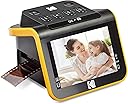
The KODAK SLIDE N SCAN is a 22MP film and slide scanner featuring a large 5” LCD screen for easy preview and editing. It supports multiple film formats (35mm, 110, 126, and 50mm slides) and uses a continuous quick-feed tray for fast scanning. With one-touch editing and compatibility with SD/SDHC cards and USB Type-C, it’s designed for effortless digitization of old negatives and slides, making it perfect for preserving and sharing your photo legacy.


| ASIN | B084NVRHYQ |
| Best Sellers Rank | 4,700 in Computers & Accessories ( See Top 100 in Computers & Accessories ) 3 in Film Scanners |
| Brand | KODAK |
| Brand Name | KODAK |
| Color Depth | 24 bits |
| Connectivity technology | HDMI , USB |
| Customer Reviews | 4.4 out of 5 stars 12,299 Reviews |
| Global Trade Identification Number | 00843812123013 |
| Item Dimensions D x W x H | 13.4D x 13.6W x 9.5H centimetres |
| Item Type Name | KODAK SLIDE N SCAN Film and Slide Scanner with Large 5” LCD Screen |
| Item Weight | 1 Pounds |
| Manufacturer | Kodak |
| Media Type | Negatives, Slide |
| Minimum System Requirements | Windows 7 |
| Model Name | KODAK SLIDE N SCAN Film and Slide Scanner with Large 5” LCD Screen |
| Model name | KODAK SLIDE N SCAN Film and Slide Scanner with Large 5” LCD Screen |
| Network Connectivity Technology | HDMI, USB |
| Optical Sensor Technology | CMOS |
| Product Warranty | 1 year limited warranty |
| Product dimensions | 13.4D x 13.6W x 9.5H centimetres |
| Resolution | 22 Megapixels |
| Scanner Type | Film |
| Scanner type | Film |
| Standard Sheet Capacity | 1 |
| UPC | 843812123013 |
| Unit Count | 1.0 count |
| Wattage | 15 watts |
M**E
Scanned my 35mm & 110 films with better results than the original prints
This relatively cheap, non-professional scanner did exactly what I wanted it to, which was scan my large collection of 35mm negatives and the few 110 negatives I had, with decent results. It produced better images than the original high-street/postal print services I used at the time, revealing more details, giving higher resolution, and better colour balance than many of the sets of prints. It also showed me how badly some of those services had cropped the prints. I managed to get some OK images off films with terrible development (like incredibly red or very dark negatives). You do need to keep cleaning the internal screen with the provided tool and I bought a cheap lens/negative cleaning kit to remove dust from the negatives and the internal screen of the scanner. Occasionally the automatic colour/brightness correction got it wrong but the scanner’s clear, bright screen showed this and the very simple adjustments available fixed the problem 95% of the time. It is a little clunky swapping between scanning a set of negatives and then saving them to the computer (I really do not see why it cannot do it directly) but all in all it did the job. I’m sure serious photography people would not be so happy with the unit, but I was always just a point-and-press photographer/ It digitised all my old 35mm negatives giving me final images better than almost all the original developed photos. One note, it won’t scan APS films - but then almost no scanner will. And the one I found that did, it created terrible scans!
S**C
Highly recommend
Great for scanning a batch of old slides and negatives. Works well. Good quality scans - but it does take time to do.
D**N
Good for casual use and backing up photos. Not good for high quality images.
The Kodak Digital Film Scanner is a great option for quickly scanning film and backing up old negatives. It’s incredibly easy to use, with a straightforward interface that makes the whole process fast and hassle-free. Setting it up is simple, and you can scan a lot of negatives in a short amount of time, which is great if you have boxes of old film to digitize. That said, while the scans are decent, they’re not quite as high quality as I would prefer. The resolution is fine for casual viewing and sharing, but if you’re looking for professional-grade detail, you might need a higher-end scanner. Still, for convenience, speed, and general film preservation, it does the job well!
A**S
Produces good quality digital images from slides
Easy to use and has allowed us to convert numerous old slides into digital images. Options are limited for image optimisation on the device but once in digital format can easily be exported to software to adjust colour etc. The digital image is obviously dependent on the original slide. Some are a little blurred but many are really good. All are considerably better quality than offered by a high street retailer. For the price I feel this was definitely worth it.
G**N
A good scanner - good results for the price
It works much better than I had hoped. I did a lot of research and this was the most cost effective model that balances price and performance. Recommended.
C**M
not bad but not great
This will do the job you want it to do and once you get used to the button controls it’s reasonably easy to use. I feel the buttons could be better laid out and nicer to press. The main issue I had was dust getting inside the machine. That dust was then showing on the negatives. You can’t get access to where the dust is sitting so you just have to blow through the gap in the hope it clears it. As I said this will do the job you want it to do and you’ll get some digital copies of old negatives. Don’t expect the best quality though if your original images where taken on a camera that wasn’t the best.
D**R
Efficiently scan 1000s of slides.
I’ve tried several ways of scanning slides before. But it was always a slow laborious process. With mixed results. This scanners design made it a lot easier. The slide adapter is a tray the runs through the middle of the device. You clip it into place, and then feed the slides through the tray by hand. Allowing continuous feeding of hundreds of slides. At any time you only have 3 slides in the tray. Vertical alignment is fixed. You use the previous and next slide to push the one you are scanning. To center it in the screen. This manual positioning is acceptable, but I would have preferred a fully automatic solution. Once you have aligned the slide you press a button to take a photo of it. This is fast and efficient. Takes a couple of seconds per slide. Some color balancing controls are provided but I just used the defaults. I did try the adjustments but it didn’t improve the output. I scanned 3000 slides in a week. Didn’t give me time to fiddle with settings. Slides are not square. If you have portrait images, you have to scan them in landscape, or it chops the top and bottom off. Thickness of the slide can be an issue. Kodachrome and Ektachrome cardboard and plastic slides are thin, but I had some really chunky plastic slides. These wouldn’t slide through the tray. I had to remove the tray, clamp the slide in the center of it, and then reinsert the tray. It worked for the odd slide but I wouldn’t want to scan a box of them. The majority of the slides worked fine. Some cardboard Kodachrome slides from the 70s were a little oversize, making them hard to push through. Picture quality is good enough. Speed of operation is more important to me. You don’t need to be connected to a computer while you are scanning. Just need a USB power socket. The cleaning brush supplied with the scanner is useless. I used a puffer brush to blow dust and debris off the slides before feeding them into the scanner. Im happy with the results so far.
J**7
Does a decent job
Having read the reviews I was unsure whether this would do a decent job having previously owned an Epson Perfection scanner which did a great job on all my late fathers slides. I regretted getting rid of it as now my late father-in-laws slides have turned up which the family requires digitizing. First of all I regretted not fully reading the manual (on the grounds that I know it all). I started by laboriously opening the slide tray (a bit tricky for banana like fingers) and carefully placing each slide before inserting and scanning. As there were well over 750 slides to go this was going to be a long job. Fortunately I discovered that the slide tray can be left in place and slides inserted, scanned and ejected by inserting the next slide. The process was much speeded up. Whilst it coped well with the cardboard and the grey plastic slides I found the blue/white plastic slides were too thick to scan using the template provide. To resolve this issue I cut a window in a piece of strong cardboard with stuck on small strips to stop the slide moving and slid this through and that worked quite well. I did fiddle with the adjustment settings however as I will be using Photoshop to improve those that the family may want to see again, I decided to just scan and drop them all in a conveyor belt like operation. The job doesn't take very long once you get in the rhythm of it. The facility to scan negatives as well was even easier as the template provided allows the strip to be fed through and scanned at each frame. Given that a fair few of the slides were of headless people and blurry holiday snaps I was not expecting David Bailey results (i.e.professional) and was impressed with the quality of the results, depending on the original, and how simple the whole operation was. There is a facility to date the photos which the I'm surprised the makers (Kodak) assumed only needed to start in 1980 as that's the earliest date allowed. Best rename the sldes on a computer which the software allows you to upload from the device. I found it also best to delete the scans from the SD card each time I'd uploaded all from a box to avoid confusion later as to which slides belonged where. Overall, although a little pricey, I was impressed with the ease of use and options this device offers with perfectly acceptable results for the average family snapshots.
J**.
Not difficult to use.
A very decent scanner for old negatives that you have been keeping. Even when all the chemicals melted away, the scanner can still pick up some good images. You may not see colour clearly, but at least good in b/w or vintage.
L**N
Mycket bra och lättanvänd scanner
Det fungerar bra. Var väldigt lätt att komma igång med. Jag har scannat in några diabilder i plastram. Hållaren för diabilderna fungerar bra men ”stängningen” för att diabilden ska sitta fast ordentiligt när man skjuter in hållaren i filmscannern känns lite för hård när man ska stänga den. Man får trycka kraftigt på stängningsanordningen och när man ska lossa den för att ta ut bilden får man trycka kraftigt uppåt. Funderingen jag har är hur länge låsanordningen håller. Den är gjord av plast och kanske inte så väldigt hållbar i längden. Kanske blir man tvungen att köpa nya hållare efterhand om låsanordningen går sönder. Men som sagt scannern fungerar väldigt bra i övrigt.
T**N
KODAK slide scanner - highly recommended.
an excellent scanner for 35mm slides. You can adjust the colour and brightness. And downloads to computer easily.
L**S
Muy buen escaner en su precio
Me está siendo muy útil para recuperar imágenes de hace 60 años que se encuentran en diapositivas de distintos tamaños. Es fácil de utilizar y el resultado es muy bueno sin perder de vista algunas cuestiones: - Sus 22 megapíxels obtienen todo lo que pueden de una diapositiva que como máximo medirá 3,5x2,3 cm, por lo que no podemos compararlo con los 22 Mpx de una cámara que los captura de todo lo que esté al alcance de su objetivo. - En ese sentido, al igual que la lente de una cámara ha de estar limpia para sacarle todo el partido, la diapositiva o el negativo han de encontrarse en muy buena condición para obtener todo lo que se pueda de ellos. Algunas de las mías están bastante mal y los milagros no existen aquí. - Para mejorar los resultados y subsanar las deficiencias de los negativos o diapositivas hay que utilizar un programa de procesado como es el caso de Photoshop. Si no lo manejas mucho, sólo con ponerle los niveles, el brillo y la saturación en automático ya ganan mucho y con el tampón de clonar se arreglan las posibles imperfecciones que tengan los originales. - Y, finalmente, hay que tener en cuenta que estas diapositivas o negativos se obtuvieron con cámaras que no guardaban tanta información de la imagen obtenida como las actuales. Estaban pensadas para imprimirlas posteriormente en papel de un tamaño normal, digamos 10x15 o mostrarlas con un carrusel de diapositivas. Ahora estamos pretendiendo una resolución mayor en la pantalla de un ordenador por lo que probablemente nos encontraremos con algunas imágenes que nos parecen (y posiblemente lo sean) un poco borrosas. No considero que sea culpa del escáner para nada. La calidad del aparato es muy buena y la transferencia de las imágenes al ordenador es sencilla. No se puede pedir más. Es un dispositivo que recomiendo sin dudarlo.
L**Z
Un aparato de muy buena calidad
Lo adquirí con la idea de convertir mis viejos negativos de fotografías pero no con muchas expectativas. Pero al recibirlo y probarlo comprobé que tiene una pantalla de buena visión y botones intuitivos para realizar las acciones que uno desee, al probar con mis primeros negativos, me sorprendió la facilidad de su manejo y rapidez con la que convierte mis negativos a una imagen digital de muy buena calidad. Muy satisfecho con este escáner y su funcionamiento.
Trustpilot
3 weeks ago
1 month ago