

Desert Online General Trading LLC
Dubai, United Arab Emirates
Desert Online General Trading LLC
Dubai, United Arab Emirates


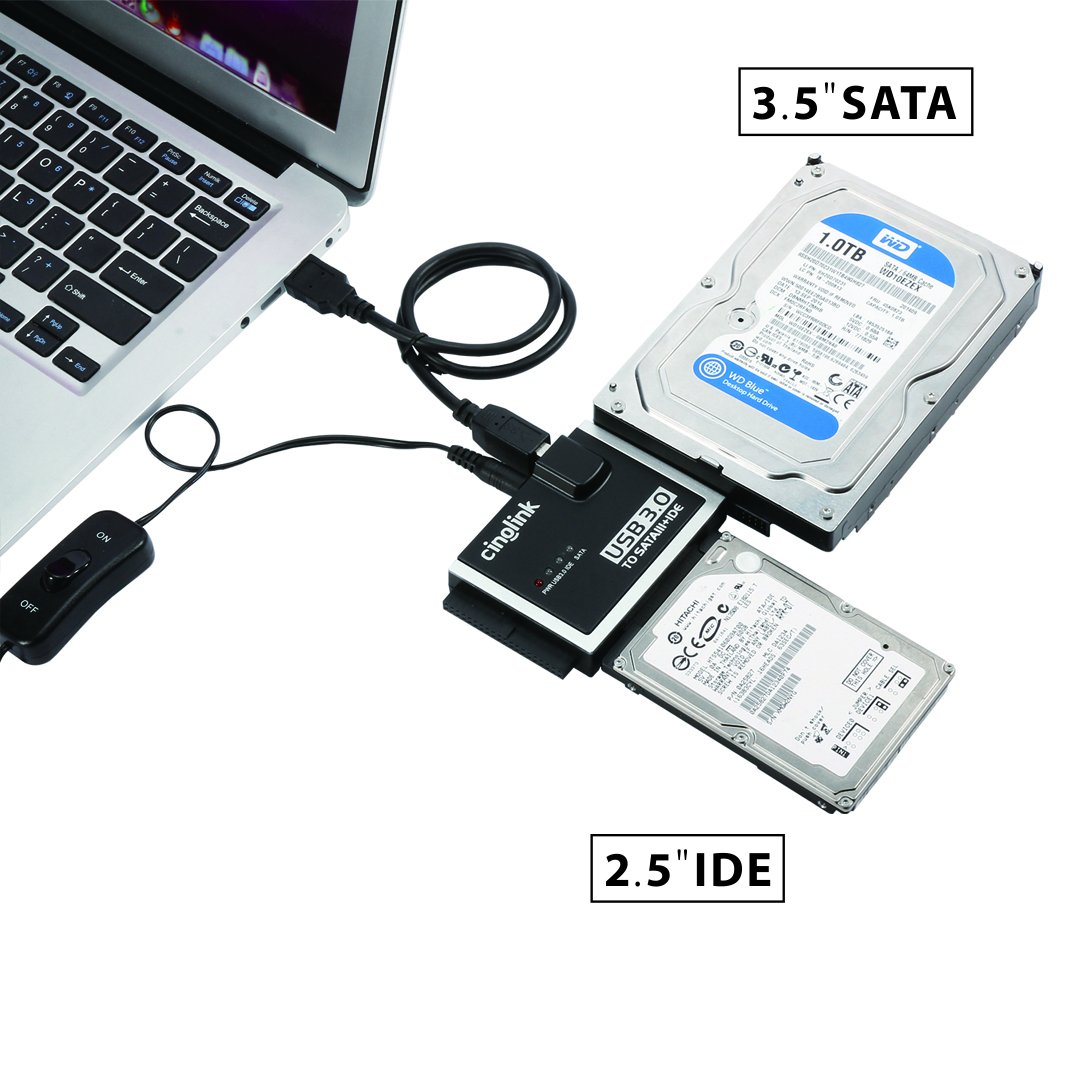
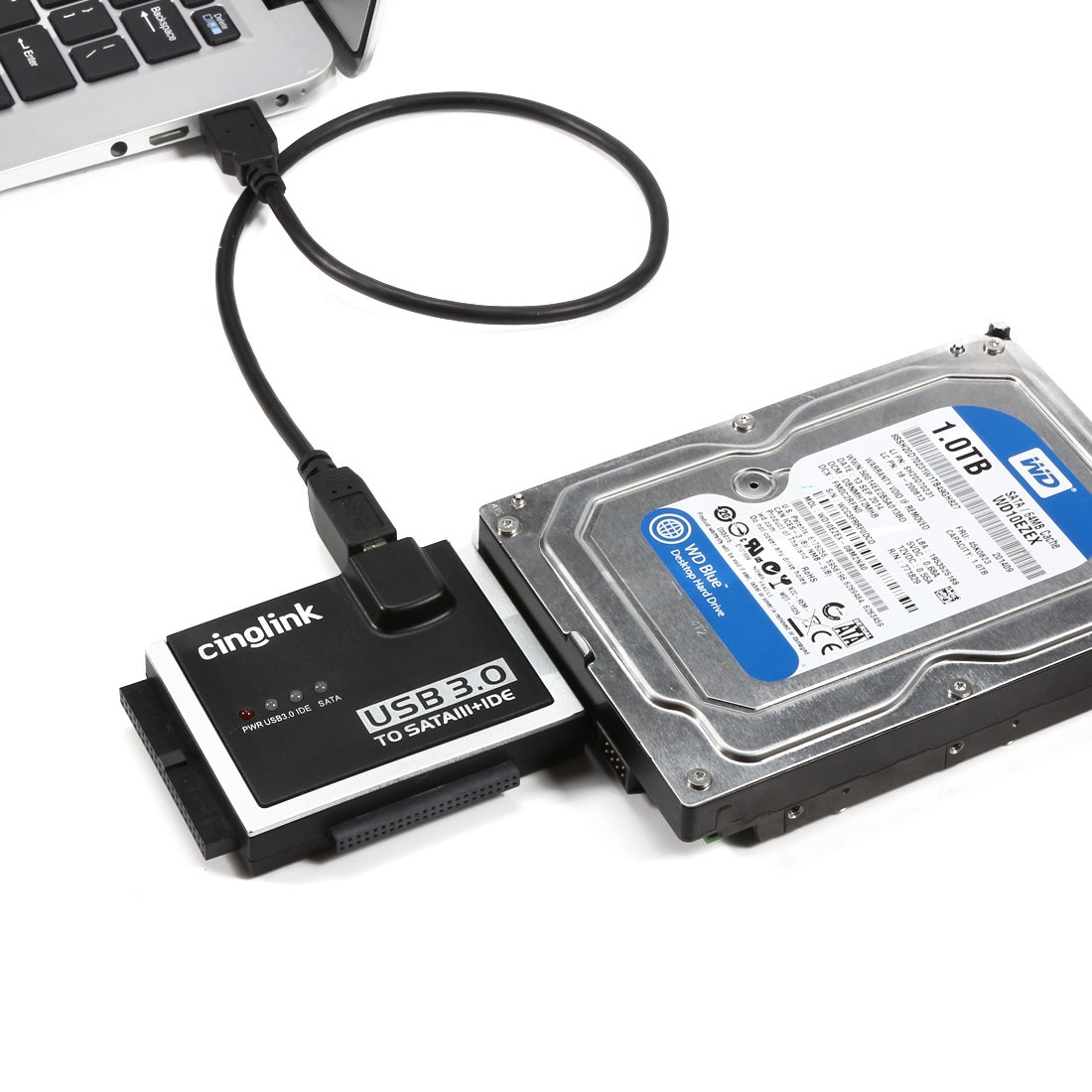
🔗 Connect, Control, Conquer!
The Cinolink SATA IDE to USB 3.0 Adapter is a versatile solution for connecting 2.5" and 3.5" SATA/IDE hard drives and SSDs to your computer. With a 4ft USB 3.0 cable, an ON-OFF switch for easy control, and the ability to operate up to three drives simultaneously, this adapter is perfect for professionals needing reliable data access. It also supports 5.25" optical drives and features an LED indicator for power status, making it a must-have for any tech-savvy user.


M**H
Well THAT was easy! Needed a way to transfer and exam really old discs. This worked like a charm!
I have several old hard drives and backup discs just waiting for their next mission. However, I wasn't sure what was on them. I used to geek out - 20 so years ago - but computers outgrew me and I had other things I was doing. Fast forward to 5 discs piling up and a new computer... I just wanted to go through all of my storage devices and see what needs to be ditched and what files I need to keep. I had a variety of brands and plug-ins, and this worked like a charm. I was able to recover all of my files that I wanted to in no time at all. Great investment for me. Saved me big bucks at a computer store - plus I don't trust others with my files.
D**R
Versatile at a good price
Works well for transferring data off various drives. For smaller 2 1/2" drives, it's good to provide some support underneath the HDD to minimize flex against the connector. A nice feature is the supplied ribbon molex connector for IDE HDDs. Just remember not to use the molex connector ribbon when connecting SATA HDDs, SATA drives provide power through their own multi-pin interface connector.
D**E
Tasting notes from a hard drive hoarder--plus CD and DVD drives including Plextor--plus a safety upgrade
I have a lot of hard drives, maybe 100 or so, dating back more than 20 years. This gizmo works for most of them, and if your drive is viable, it boots right up. The USB 3.) will in fact give you faster transfer rates if your drive supports it. I have tried a dozen of these of all different makes and models, and this is the best one I have tried so far. It looks like the others, but the internal code is better. Much better.It will, in fact, recognize older optical drives including Plextor drives (I have tried it on several models, including the Plextor Professional) if you need those for precise CD mastering. This is a big deal--most add on adapters screw this up. It doesn't just echo that there is a CD drive attached, it pulls the model number off the drive and turns it into a USB version. w00t.Ordinarily, I would give this a rave review. But it has a safety flaw. To be fair, most of these adapters have the same flaw. If you are hooking up a full size IDE drive, the molex connector has a fin on both sides for removal. The problem is, the fin puts some serious pressure on the connector.Let me just say, if you are in a tizzy to spin up a ten year old drive that has *your* data on it, the last thing in the world you need is a short circuit caused by this molex connector. The spark of doom. I kid you not. You can do two things (and only do this if you are handy with tools, obviously). You can carefully trim the fin off the side of the connector--be careful not to nick the wire--of you can buy a much better quality molex connector for a few dollars on eBay that has no fins. Test your connector with a multimeter if you really want to be on the safe side. Once I trimmed the edge of the plastic, this thing works like a dream. Buy two.
S**A
Hallelujah!! This item is a miracle!!
When my external HD just died while while transferring all my data to a backup external HD I felt my world had ended. All my photos, music, personal information, information from online courses and all my notes and stories were all gone. My life was deleted just like that!! I was devastated. I got on the phone calling around to price the cost of retrieving all my data and was quoted $700 - $1200 for data retrieval. Yeah, I loved all my data but that price was was ridiculous. After much Youtube research I found a video that mentioned this product and decided to give it a shot. At a mere $17 investment I had nothing to lose. I'm so thankful I did! Hallelujah!! This item is a miracle!! it was so simple to use it and worked. I'm not technically savvy on the inner workings of electronics so I wasn't sure when buying it if it would work with my External HD, but I felt confident that with 3 different adapter sizes one of them would work and it did. I was able to disassemble my non working external HD and take the "Brain" out and connect it to one of the adapters and plug it into my laptop and immediately my external HD was detected. No need to download software or search for it. It was there as if nothing was wrong with it, because nothing was wrong with it at all, the "Brain" was just fine, it was something in the casing that malfunctioned. If you have any problems with your HD not being detected when plugged in or it just seems to have stopped working, I highly recommend that you buy this item and try it before you discard your HD or send it off any pay hundreds to thousands of dollars to retrieve your data. I'm so happy I bought this item and now have it should I ever need it again. [UL/FCC Certified Power Supplier] Cinolink® USB 2.0 to Sata and IDE Hard Drive Adapter Universal 2.5/3.5/5.25 Drives; with 3 Feet (0.9 Meters)USB 2.0 Cable
R**S
excellant piece of hardware..
excellant. did everything i needed it too do..
L**R
Worked for my old iMac hard drive
I have a 1999 iMac G3 tray loader type that I could not get to boot up. I wanted all my old files off the hard drive, and this device did the trick. It fit right into the removed hard drive, and the included power supply ran the hard drive. I plugged the device into a modern Mac via the included USB cable, and the old hard drive was accessible. In case anyone is in a similar situation, my only word of caution, which is unrelated to this device, is that I first tried to access the hard drive on a PC with some apps that were supposed to be able to read an old Mac hard drive / OS file types, but the apps did not work. I had to use a modern Mac for this process.
Trustpilot
2 weeks ago
2 months ago
2 weeks ago
4 days ago