

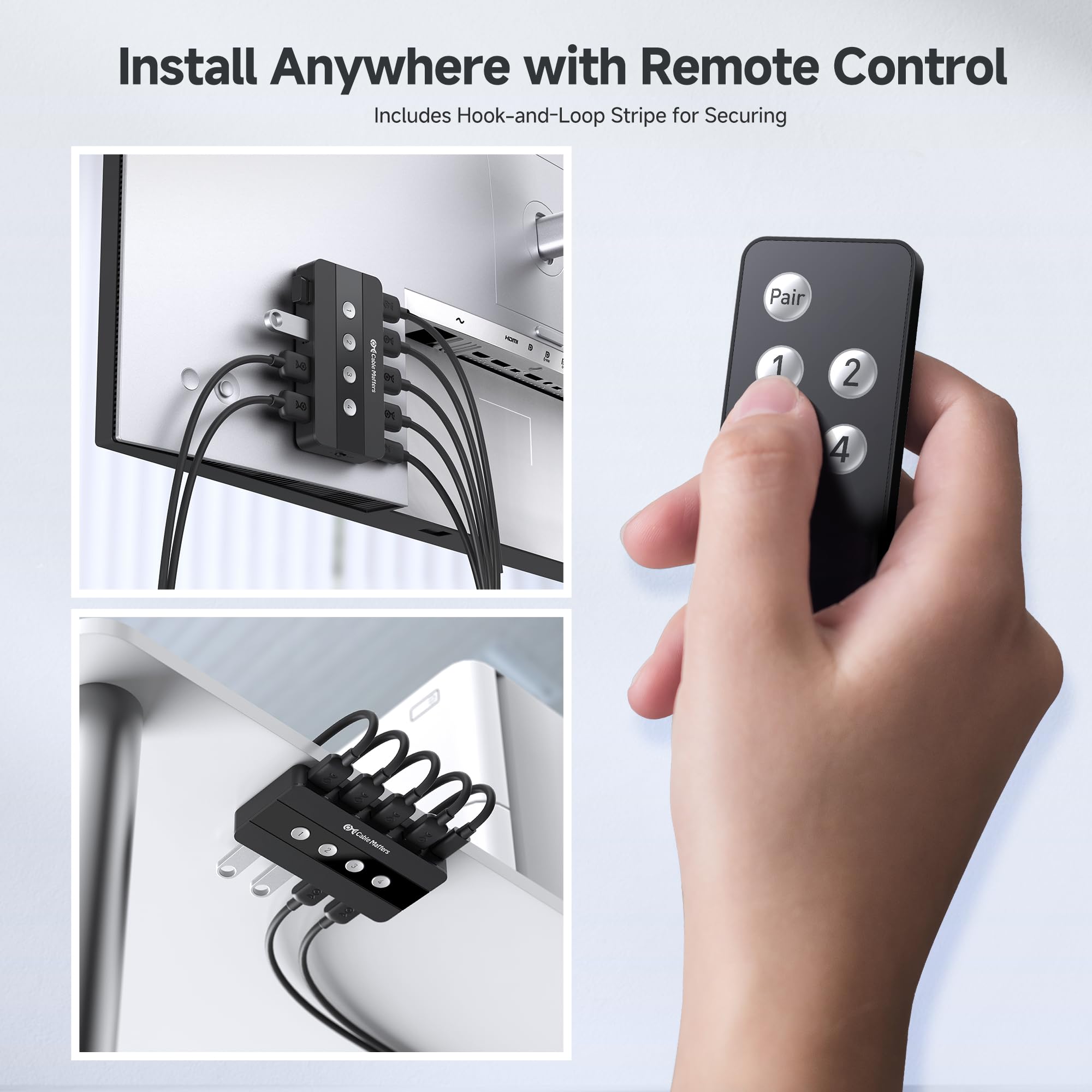

🔌 Master your workspace—one switch, endless control.
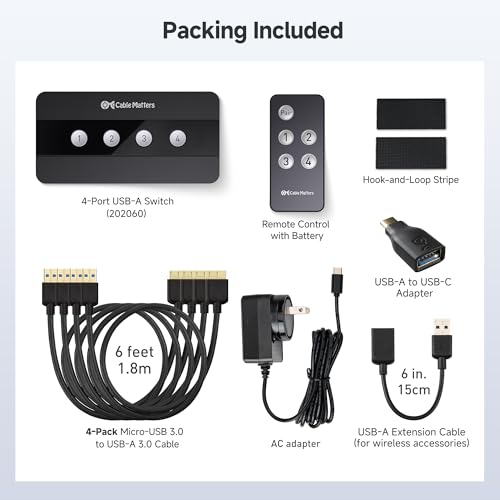
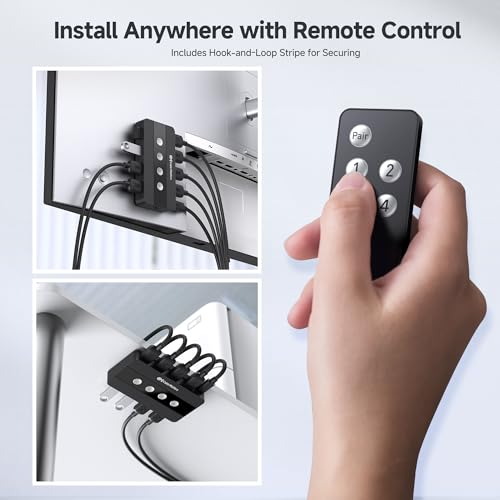
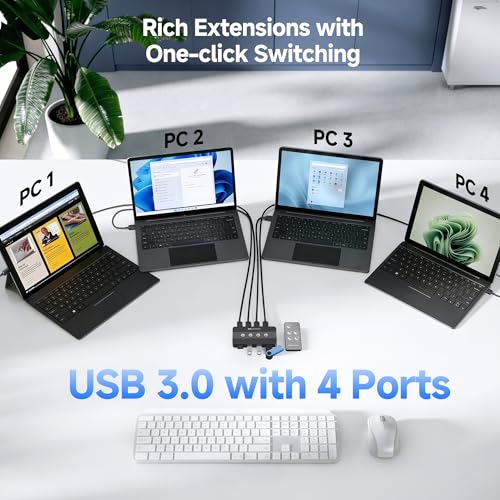
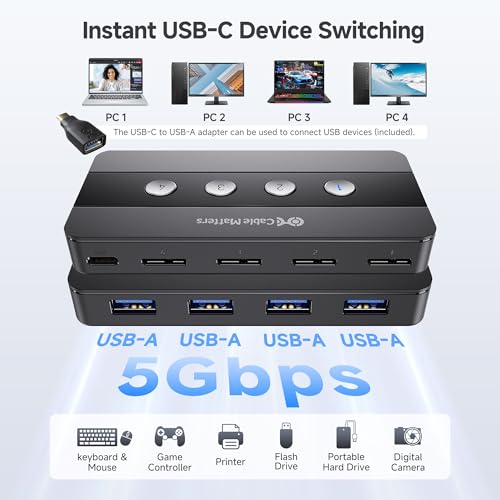
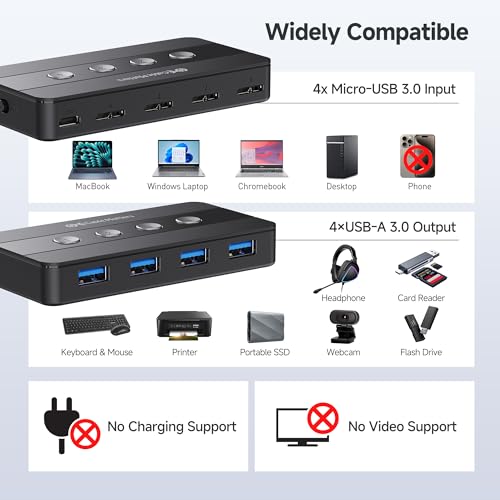
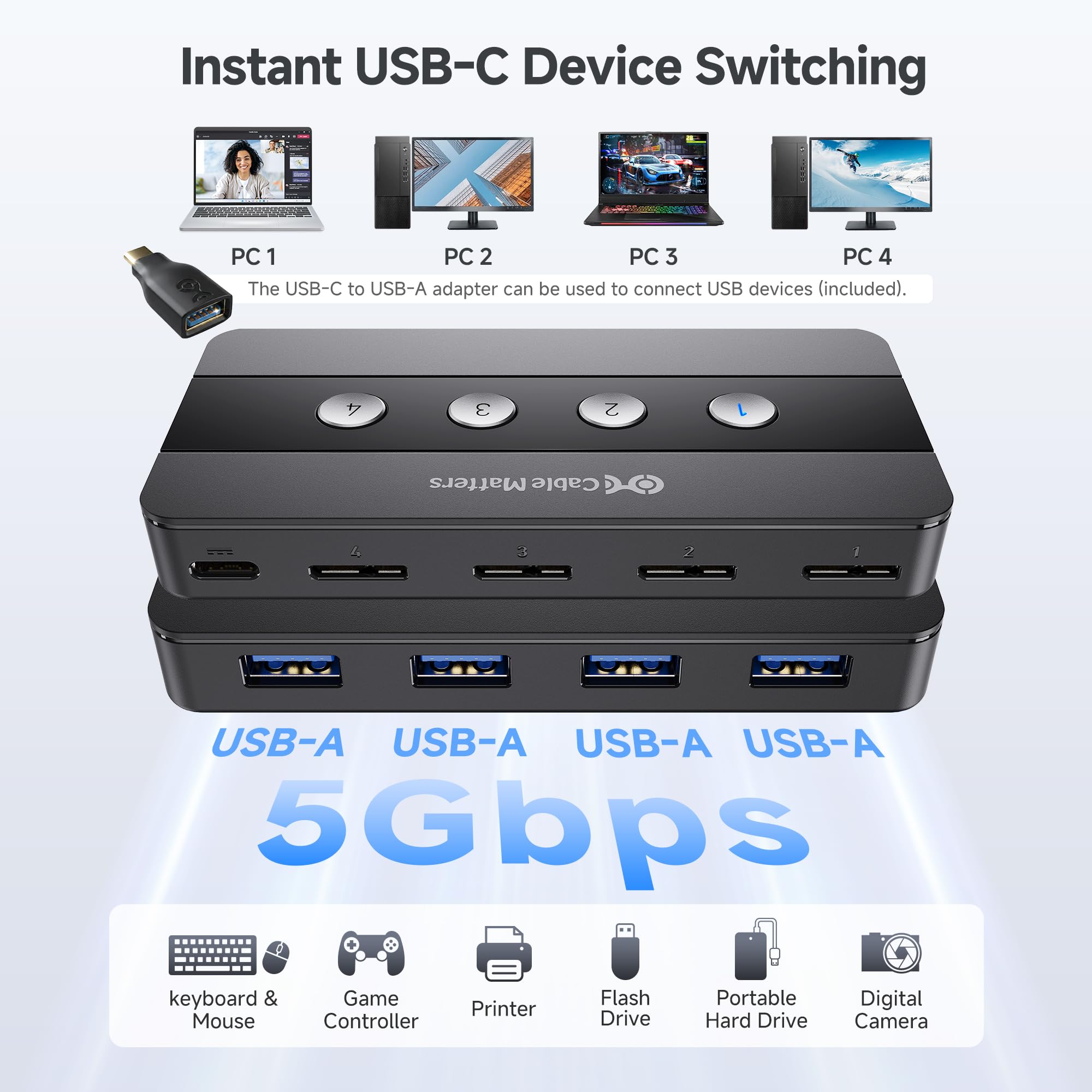
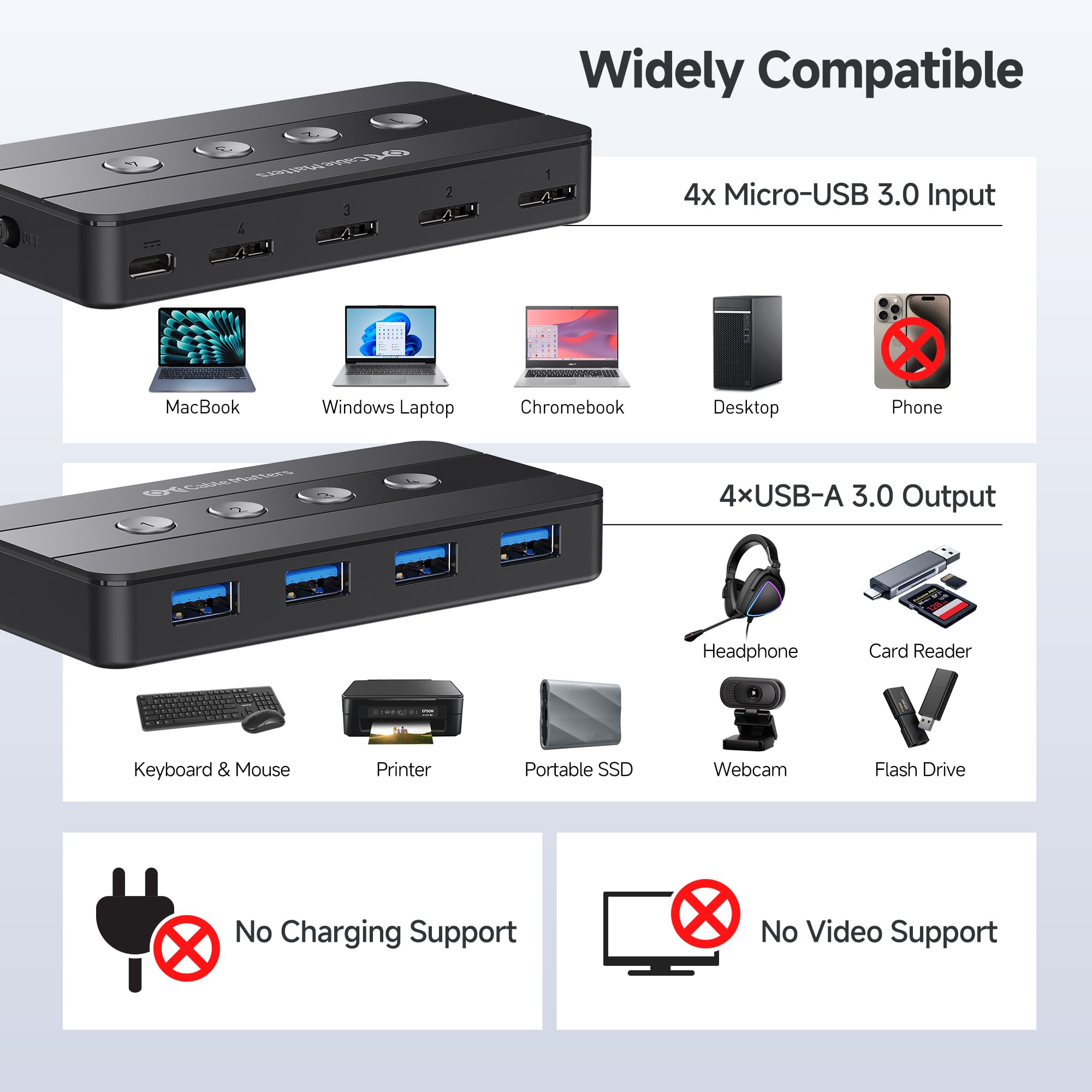
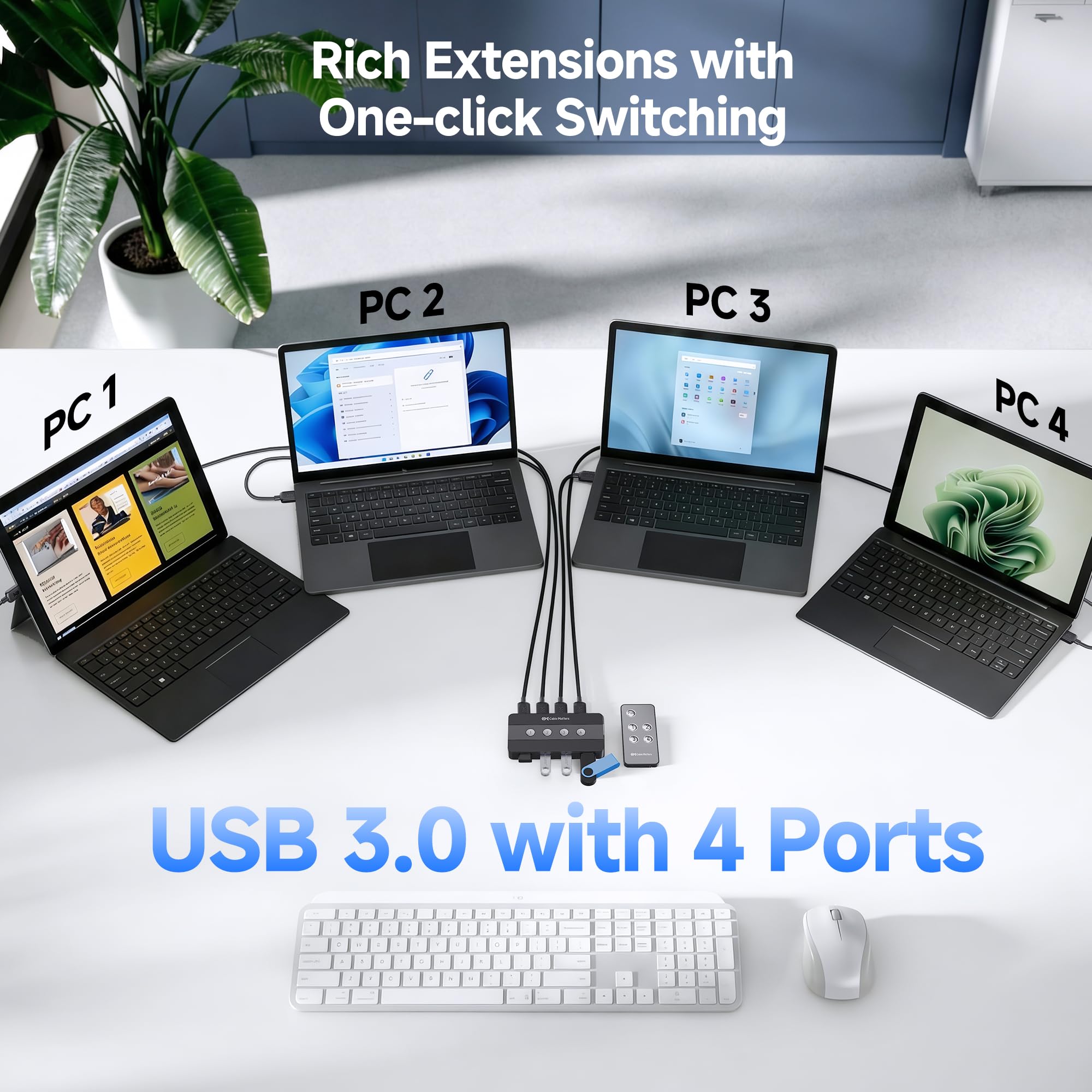
The Cable Matters 4 Port USB 3.0 Switch Hub is a compact, bus-powered KVM switch that lets professionals share up to four USB peripherals across four computers seamlessly. Featuring USB 3.0 speeds up to 5Gbps, wireless remote control for instant switching, and compatibility with USB-C and Thunderbolt 3 devices, it eliminates cable clutter and boosts multitasking efficiency in any modern workspace.


| ASIN | B083JKDNRJ |
| Batteries Required? | No |
| Batteries included? | No |
| Best Sellers Rank | 22,748 in Computers & Accessories ( See Top 100 in Computers & Accessories ) 79 in KVM Switches |
| Colour | Black |
| Customer Reviews | 4.2 4.2 out of 5 stars (1,139) |
| Date First Available | 7 Jan. 2020 |
| Item Package Quantity | 1 |
| Item Weight | 45.4 g |
| Item model number | 202060 |
| Manufacturer | Cable Matters |
| Part number | 202060-E |
| Product Dimensions | 10.9 x 5.4 x 1.5 cm; 45.36 g |
| Size | USB 3.0 |
| Switch Type | 4-way |
L**G
Great functioning USB switch
I had been looking for a USB switch since I started working from home as I share a keyboard, mouse and wireless headset between my work laptop and home computer. The main things for me were four ports to plug devices into and a switch or remote so I can hide the switch away and activate it without it physically being on my desk. After having issues with a popular USB switch also purchased on here (it was cheaper but my mouse / keyboard had disconnects even when connected to a power source, ghost key presses and was slow to wake, sent it back for a refund) I decided to take a chance on this one which had no reviews but was more expensive. Been using it for the past two weeks daily now and it has been flawless. No disconnects, quick swapping between computers and the remote is fantastic and has great range, working even without line of sight to the main unit. The switch itself is slim allowing it to be tucked away behind the desk and comes with four cables of decent length to connect to your devices. Works from USB power and no separate cable for power is required. If you are looking for a USB switch with no issues I highly recommend this one.
H**Y
Has worked flawlessly, remote control make use easy
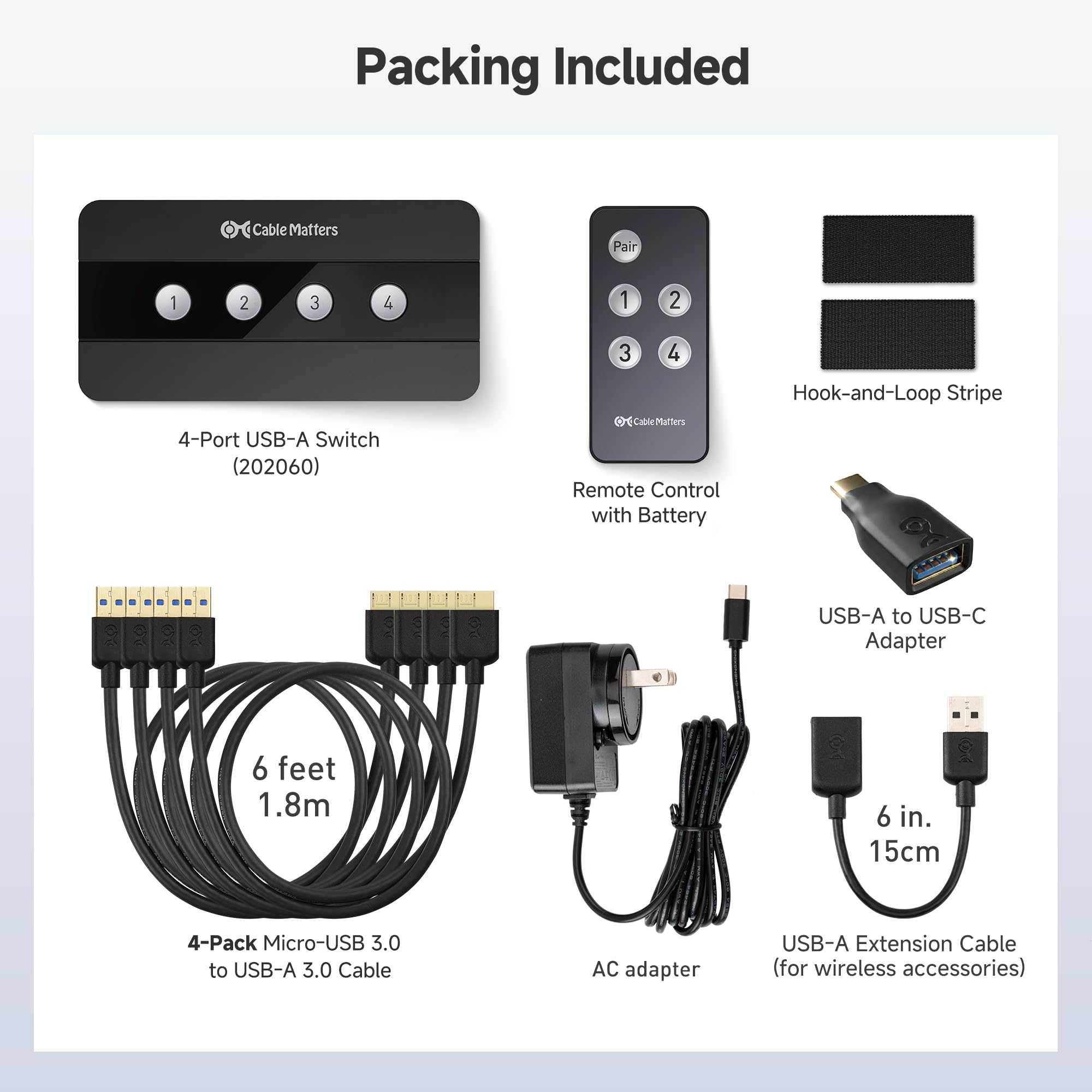
I've had several USB switches, they all eventually died, and were mildly inconvenient as one had to stretch up to press a button. I ordered this one and it arrived the next day. This switch has a wireless remote which has worked flawlessly and is super convenient. It comes with 4x 1.2m USB 3.0 A to Micro-B cables, yes A to A or A to C would be better. It also comes with a decent USB-C based charger. The remote has an extra "pair" button which is annoyingly easy to press, but otherwise no complaints. There is a 1-2 second delay when switching, however as I have a keyboard with lighting, I get a visible confirmation from the keyboard that it has switched off and on. This switch has worked flawlessly, and though more expensive than models from other vendors (Kceve), seems to be worth the extra expense.
J**T
Works well, even with many devices behind it.
I bought this to upgrade from a two-computer USB switch when I added another computer to my setup. I'm always worried with these, as you can get connection errors and problems with USB devices when they're disconnected and reconnected through a switch like this. I'm happy to say that this device has worked perfectly in the last couple of weeks. My setup involves this being plugged into three computers, and with approximately sixteen different devices across multiple powered USB hubs. That includes a couple of audio interfaces, a couple of MIDI keyboards, a few external hard drives, a mouse, two keyboards, and an ElGato external capture card. I've run all that through this switch without serious problems. The ElGato has occasionally run slowly, but it's a very high bandwidth device and needs to be run directly plugged into a computer. It did work through this at a pinch, but for general reliability you should never plug those into a hub. The build quality is fine. It's plastic, but feels relatively robust. The buttons are satisfyingly 'clicky' and don't seem like they'll break any time soon. I also love that there are separate buttons for each device, rather than just a single switch button like some others. The remote control isn't really useful for me, but does work flawlessly and doesn't rely on line of sight, so you can have it anywhere within a reasonable range. Switching devices does take a few seconds, and I've sometimes had to wait up to maybe ten seconds for my keyboard to appear on the new system. To me, though, that seems more a limitation of switching USB devices, and if this switch is erring on the side of 'slower but works every time' then I'm very happy with it. I've occasionally seen fast switches, but some devices don't come back up correctly on reconnection. Overall, I'm very happy with this and would definitely recommend it. I'd happily pay more for one in an aluminium housing for a premium feel, but in terms of pure functionality this is exactly what I wanted.
M**.
En lo particular me faltó un puerto USB
M**O
WindowsとMacでマウスとキーボードを切り替えながら使用しています。 動作はとてもスムーズで、問題なく使えています。 以前使用していた他社の製品では、Windowsでマウスがカクカクするという問題が発生していたのですが、本商品にはそのような問題もなく、安定して動作しています。リモコンがあるのも便利です。
S**N
This USB switch works great out of box with no issues at all, but the included remote control sometimes won’t let me switch to the desired device after about 2 weeks of my purchase. I first happen to find out that the battery inside the remote was faulty, so I ended up by replacing it with an Energizer CR2025. Problem solved! It’s still 5 stars, otherwise, it would be 4 if the battery issue wasn’t the case.
C**9
Posso fare solo due appunti, si deve accendere lo switch prima di tutto e se volete collegare un dispositivo oltre gli 1,8 metri dei cavi allegati, dovete usare un cavo amplificato, per il resto, facilità d'installazione, manovra ed efficienza, è favoloso, ora posso collegare W XP, W 7 e W 10 ad una serie di HD e fare a meno di un NAS che mi era morto, lasciandomi con dei dischi pieni di roba importante e con serie difficoltà per recuperare i files. Imballaggio e tempo di consegna ottimi come solito Amazon.
J**K
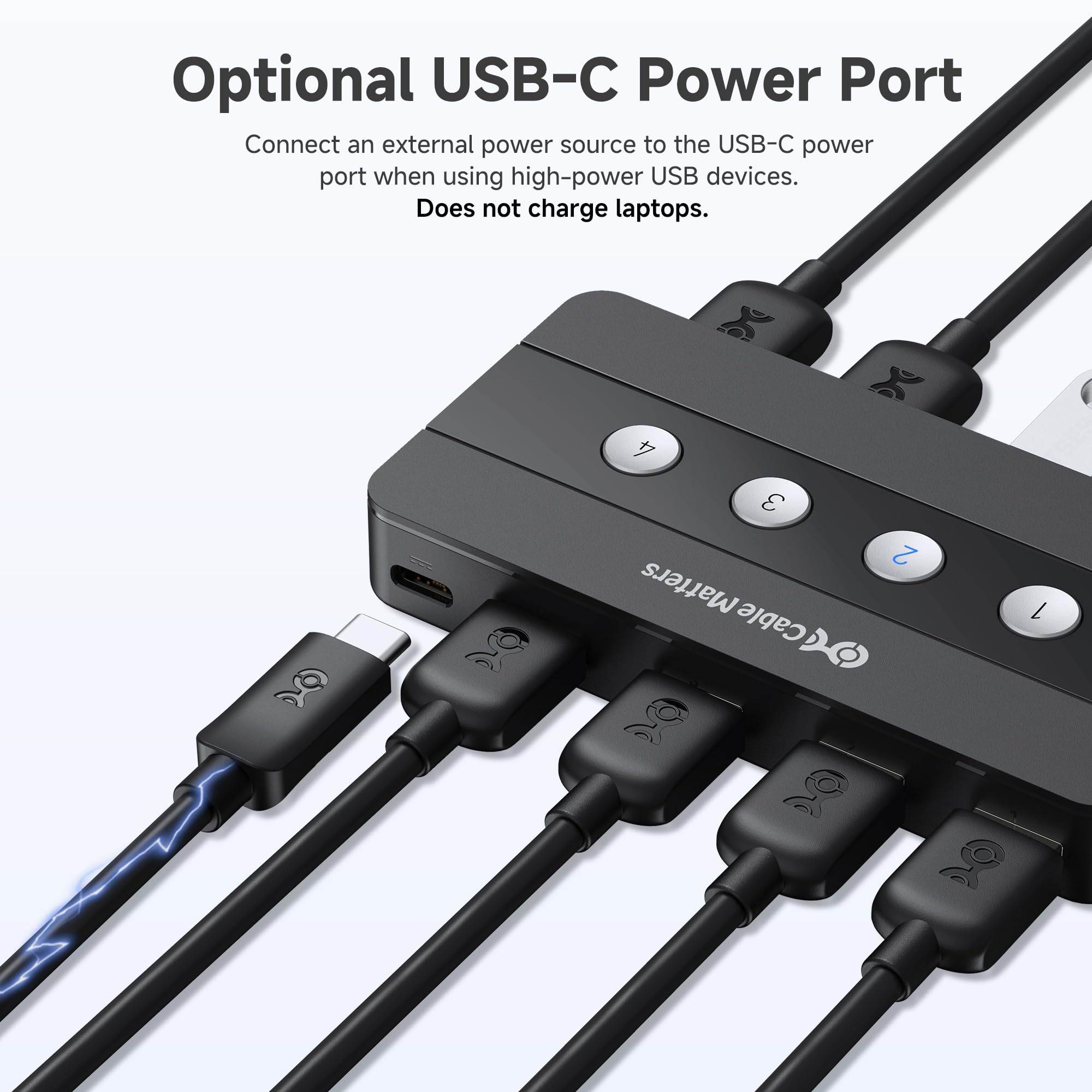
# Hinweis Gegen einige Rezessionen ist der Switch doch voll USB 3.0 funktionsfähig. Unter Windows wird der gleiche Switch 2mal als Software Hub/Port konfiguriert. Einmal bildet es die USB 2.1 Funktionalitäten ab und einmal die USB 3.0 Funktionalitäten (siehe mein Screenshot). Warum der USB-Treiber dies so macht, kann ich nicht sagen. Aber dadurch entsteht der falsche Eindruck, dass dieser nur USB 2.0 könnte obwohl dieser auch USB 3.0 unterstützt. Demzufolge sind die Rezessionen über "nur USB 2.0" falsch, diese würde man auch im Screenshot der einen Rezession sehen, wenn dies nicht nur ein Ausschnitt wäre. # Verwendung Aus privaten und beruflichen Gründen habe ich mehrere Tower und Laptops an zwei Bildschirmen angeschlossen. Da ich fast nie mehr als 2 Geräte gleichzeitig anhabe, schalte ich am Bildschirm (mehrere Ports vorhanden) um. Aber für die Geräte benutze ich fast nur eine Maus und Tastatur zur Bedienung, gerade weil mir schon der Platz auf dem Schreibtisch ausgeht und sich auch die Laptops besser/schneller für mich über externe Tastatur und Maus bedienen lassen. Da ist ein USB- Switch schon hilfreich dies über mehrere Rechner zu verteilen. Klar könnte ich auch ein KVA-Switch nehmen, aber zum einen habe ich fast nie mehr als 2 Geräte an und könnte aber auch am Monitor umschalten, ohne dass der/die Monitore an den Geräten rausgeworfen werden und dann sich am Gerät das Bild immer wieder angepasst werden muss (Anpassung Laptop 1 bis 3 Monitore, Tower 0 bis 2 Monitore). Die Bildanpassung passiert unter Windows, wie auch unter Linux und dies nervt. Daher reicht mir ein USB-Switch. # Switch-Bewertung Alle wichtigen und nötigen Kabel liegen bei, selbst ein externes Netzteil, Fernbedienung und USB-C-Adapter. Netzteil wird nicht zwingend benötigt, eigentlich nur wenn mehr Leistung nötig ist, wie bei externen Festplatten. Bei der Verwendung von Keyboard + Mouse + USB-Sticks gleichzeitig wird noch kein Netzteil benötigt, da liefern die angeschlossenen Rechner genug Leistung. Die äußere Verarbeitung ist sehr gut und der USB-Switch macht was er soll. Mir war es wichtig, dass der Switch über Tasten umschaltbar ist und es für jeden Port eine Taste gibt. Die Fernbedienung brauche und benutze ich daher nicht. Die Geschwindigkeit ist insgesamt sehr hoch vom Switch, da ich aber eine Logitech Gaming Mouse und ein Logitech Gaming Keyboard mit integriertem Hub angeschlossen habe, habe ich natürlich bei angeschlossenen externen Festplatten entsprechend Geschwindigkeitsverlust. Das liegt aber an meiner Hardware-Konfiguration. Leider trennt sich der Switch beim Umschalten inklusive angehängten Geräten komplett von den Systemen, welche momentan nicht verwendet werden. Das heißt, auch der Switch selbst ist dann nicht mehr zu sehen an den entsprechenden Rechnern, sondern nur am Target-PC. Wenigsten könnte der Switch noch vorgaukeln, dass dieser noch an den anderen Rechnern vorhanden wäre. Noch besser wäre natürlich, wenn dieser auch noch die Tastatur und Maus als vorhanden aber nicht unter Verwendung vortäuschen könnte. Aber ich weiß, dies ist nicht einfach und bringt Probleme mit sich. Somit muss man beim Umschalten ein paar Sekunden warten, bevor man die angeschlossenen USB-Geräte verwenden kann. Bei mir sind es meist nur die erwähnte Maus und Tastatur und dies dauert zwischen 1 bis 3 Sekunden. Sehr gut ist auch der Aus-/Ein-Schalter an der Seite, da meine Lenovo-Rechner (1 privat + 1 beruflich) aus dem Standby geweckt werden über USB (egal ob Dockingstation oder direkt der Rechner-USB-Port). Dies liegt aber an den Rechnern selbst und lässt sich nicht abschalten. Daher muss ich entweder den Switch ausschalten oder auf einen anderen Rechner umschalten. USB-C-Adapter brauche ich momentan nicht und habe diesen auch nicht getestet. Fazit: Da Alles so wie vom Hersteller beschrieben funktioniert, kann ich diesen Switch weiterempfehlen. Alle benötigten Kabel, sowie Fernbedienung, USB-C-Adapter und Netzteil liegen bei. Das sich der Switch beim Umschalten nur am Ziel-System anmelden kann man drüber hinwegsehen, aber das wird auch bei allen anderen Switches auch so gehandhabt und kann man momentan nicht anders umsetzen. Klar ist das schon ein stolzer Preis, aber privat kauft man nur ein, höchstens zwei USB-Switch. Daher ist der Switch auch sein Geld wert.
Trustpilot
3 weeks ago
2 months ago



