Desertcart purchases this item on your behalf and handles shipping, customs, and support to Greece.
🎨 Elevate your digital canvas — create boldly, connect effortlessly!
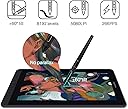
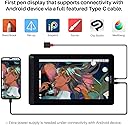
The HUION Kamvas 13 is a professional-grade 13.3-inch pen display tablet featuring advanced Pen Tech 3.0 with 8192 pressure levels and tilt support, a vibrant Full HD IPS screen with 120% sRGB color gamut, and versatile USB-C connectivity compatible with Windows, macOS, and select Android devices. Its ultra-slim, portable design includes 8 programmable shortcut keys and an anti-glare laminated screen, making it ideal for remote work, learning, and creative professionals seeking a seamless, high-fidelity drawing experience.


| ASIN | B08519KV4Y |
| Best Sellers Rank | 21,740 in Computers & Accessories ( See Top 100 in Computers & Accessories ) 51 in Graphic Tablets |
| Box Contents | Pen Display, Digital Pen, 3-in-1 Cable, USB Extension Cable, Pen Holder PH05A, Pen Nib x 10, Pen Nib Clip, Glove, Cleaning Cloth, Quick Start Guide |
| Brand | HUION |
| Brand Name | HUION |
| Colour | Purple |
| Compatible Devices | Desktop, Laptop, Tablet |
| Country of Origin | China |
| Customer Reviews | 4.2 out of 5 stars 397 Reviews |
| Display Type | LCD |
| Included components | Pen Display, Digital Pen, 3-in-1 Cable, USB Extension Cable, Pen Holder PH05A, Pen Nib x 10, Pen Nib Clip, Glove, Cleaning Cloth, Quick Start Guide Included components Pen Display, Digital Pen, 3-in-1 Cable, USB Extension Cable, Pen Holder PH05A, Pen Nib x 10, Pen Nib Clip, Glove, Cleaning Cloth, Quick Start Guide See more |
| Item Dimensions | 37 x 22 x 1 centimetres |
| Item Weight | 900 Grams |
| Manufacturer | HUION |
| Model Name | GS1331 |
| Model Number | GS1331-Purple |
| Model name | GS1331 |
| Native Resolution | 8192 |
| Network Connectivity Technology | USB |
| Operating Systems | Windows 7 or later, macOS 10.12 or later, Android(USB3.1 DP1.2 or later) |
| Operating system | Windows 7 or later, macOS 10.12 or later, Android(USB3.1 DP1.2 or later) |
| Power Plug Type | No Plug |
| Product Features | Supports Android Devices; Pen Tech 3.0; Battery-Free Pen; 120% sRGB Color Gamut |
| Screen Size | 13.3 Inches |
| Screen size | 13.3 Inches |
| Specific Uses For Product | Editing; Gaming; Painting; Teaching; Writing |
| Specific uses for product | Editing; Gaming; Painting; Teaching; Writing |
| Style Name | Without Stander |
J**S
Nice piece of tech at a reasonable price
Some people say there's not much difference between a drawing tablet and a display tablet. I think they're wrong! I own a Wacom CTL-672 that won't track properly and destroys the pen nibs within days. I also own a XP-PEN Deco 01 V2 which is okay, but looking at the screen instead of where you're drawing takes a bit of getting used to and it always felt like I was spending longer to get the results I wanted. When you upgrade to a display tablet, you realise that those cheaper drawing tablets were somewhat holding you back. Being able to see your strokes directly under where you're applying the pen nib makes drawing easier. It's not the same as drawing on paper, but it's very close. The cursor on your computer is almost exactly where the nib touches on the screen and since you're looking directly at it while applying pressure, it feels more authentic. There was no stand included with this tablet, which was disappointing but I ended up buying the Huion stand made for their Kamvas 16, which is solid. You really do need a stand because tilting your head down will eventually make your neck and back ache. Buy a stand at the same time you buy the tablet rather than later! Actually looking at the tablet screen and drawing on it, I have no issues so far. The screen isn't as bright as you'd expect but it's by no means too dim to work on. I think the built in screen protector might be affecting the amount of brightness. Speaking of the screen protector, it makes the surface feel a bit like paper. There's resistance, but not too much, which feels nice. The screen colours seem decent and I don't feel like any part of the spectrum is unbalanced. The stylus pen is quite chunky and has a rubberised cover where your finger tips sit. There are 2 buttons in this area which work well as middle click and right click, though you can customise these in the driver software. The buttons themselves seem a little less solid than the buttons on the XP-PEN stylus, but they work fine. The stylus feels good to use for several hours without any fatigue. Using the included glove prevents sweat and oils making their way onto the stylus and tablet screen. Whenever you're not using the stylus, it can be placed in one of two ways in the stylus holder. The stylus holder also contains spare nibs. There's 2 ways to connect this tablet. The first way is the same way many tablets connect, with a 3 way cable that has 1 connection to the tablet with 1 USB data cable, 1 USB power cable, and 1 HDMI video cable back to the computer. The second way is with a USB-C cable, which not only needs to have a long enough connector to fit into the tablet (Huion's own vastly overpriced cable seems to be the only one that fits without any issues) but your computer also has to be capable of delivering a compatible signal over that USB-C cable. Some modern mobile devices are capable of delivering a signal, though I don't own any of those and couldn't test that feature. All in all, very pleased with this tablet and impressed at how cheap it is for what you get.
H**N
Amazing Value for Digital Artists – Smooth, Responsive, and Portable!
The HUION Kamvas 13 has completely upgraded my digital art workflow. From unboxing to drawing, everything about this tablet has impressed me. The screen is vibrant and sharp with great color accuracy, and the matte finish gives it a natural, paper-like feel that’s super satisfying to draw on. The pen is lightweight, comfortable, and highly responsive—no noticeable lag or jitter. Pressure sensitivity and tilt work beautifully, allowing for smooth, nuanced strokes. Setup was quick, and it connected to my laptop with no issues. I love that it supports USB-C to USB-C, so I can use it with my Android phone too when I’m on the go. The customizable shortcut keys on the side are a nice bonus and really help speed up my workflow in programs like Photoshop and Clip Studio Paint. It’s also surprisingly lightweight and easy to carry, making it a great choice for students, hobbyists, or even pros on a budget. Overall, the Kamvas 13 delivers performance that rivals much more expensive tablets. If you're looking for a reliable, high-quality drawing display without breaking the bank, this is it. Couldn’t be happier with my purchase!
F**R
Good well made tablet with a nice pen + screen
I recently purchased this graphics tablet along with the stand, and I must express my satisfaction with its commendable quality and user-friendly interface, especially considering its affordable price point. Having been out of practice with graphics tablets for a few years, this device facilitated my reentry into digital art seamlessly. The drivers functioned exceptionally well, although I did encounter a minor hiccup initially with pen pressure. Nevertheless, through patient navigation and configuration, I swiftly overcame this issue, and the tablet has since proven to be a reliable companion in my creative endeavors. One noteworthy feature is the pre-installed screen protector, which undoubtedly adds a layer of protection. However, I would like to highlight that it might slightly impede the overall feel and ease of use. Exerting too much pressure can cause a subtle jitter in hand movements against the screen, even when wearing the provided glove. Despite this, the tablet's overall performance and value make it a worthwhile investment for anyone looking to delve into or reacquaint themselves with digital artistry.
K**R
A good price for a good product
I've been a digital artist for roughly 13 years and have been using a graphics tablet for a lot of that time. I finally decided to make the move to a pen display tablet (this) from my last tablet, also a Huion, which was very good quality for its price - easily comparable to the Wacom tablets I've used in the past. Granted I've only been using this tablet for a short while, but I like the fact that it can be used as both a pen display tablet/screen and as a graphics tablet with the screen off - drawing on the screen feels more natural, but it also means that I can use it in a way I've used a tablet for years. I will say that the increased sensitivity takes some getting used to if you're coming from a tablet with lower levels of pressure sensitivity, but this quickly becomes easy to use and allows a greater level of mimicry of traditional tools. The tablet is also easy to adjust if you find the sensitivity offputting. Installing the driver and getting the tablet set up is not particularly difficult. This is a good entryway into a pen display tablet for a seasoned amateur artist and excellent overall.
G**S
Great and affordable tablet
This is my first display tablet, I can't really compare it to other products but I can give you my impressions. The screen is good, at least better than what you can see on my photos (my camera isn't that great). There's a mate protector on it, viewing angles are as advertised, accuracy is good and there's basically no parallax effect: you always see the cursor right under the tip of the pen. (Except for a tiny area of about 1cm in each corner but you wouldn't go there in normal use. It might also be a calibration issue on my end). Overall I'm very pleased with this tablet, it feels comfortable to use, it has 8 buttons on the side for your most used shortcuts and I like the build quality, it feels sturdy and well made. One last thing if you're a Linux user: it works but there's no official support for it so you're completely on your own there. I still managed to do that drawing on the second picture just fine though.
J**N
Best tablet ever, If I could actually connect the damn thing
The table comes with a 3 in 1 cable which lets it connect to a large computer with a hdmi slot. On that computer it's the best tablet I've ever had, gorgeous smooth matt surface, like drawing on paper, no lag over the connection, easy to set up and customise. it makes digital art fun in a way I've haven't had before with wacom tablets. however, to connect it to a laptop you need a full featured usb c drive, which is fine. doesn't come with the tablet, but whatever, i bought a tablet not all the accessories. But no cable fits it! it's a standard connection but the sodding port is buried in a tiny hole in the side of the tablet that none of the many cables i've bought so far can fit into. I have even tried to file down a cable to fit and it's still too big. The greatest tablet I've ever used, but a dreadful experience because of some awful attempt to make you buy their own overpriced cable (£40 including slow ass shipping)
A**I
Not Great with Older Macbook Pros (Intel i7 - 2016)
I purchased this as a great deal during the Amazon Spring Sale. But have tried it solidly for 2 weeks, I am having to return for a refund. The screen itself arrived in a very nice almost premium feel package. There were no instructions, so I have to watch a quick Youtube video on how to set it up. Then had to download the driver app from the Manufactures website. This was all fairly easy. Setting up the various buttons on the tablet and the pen are very easy. The pen comes with a round holder which comes apart and contains extra nibs and a tool to remove the old nib. nice touch! the screen is bright and fairly well colourspace calibrated. have a lovely paper like feel, so very easy to draw and touch. Now for some niggling issues, its not like an iPad or any other tablet where you can pinch to zoom. you also can't move an image with your fingers either. the 13" model does need a fair amount space than a regular Wacom Tablet so you do need to be prepared for that. Also, a stand will be a must for most people otherwise you will end up with neck cramp and very bad posture. Now all of these will not have made me decide to return the item. Its the connectivity problems that I am having. Although the tablet comes with the standard USB-3 and HDMI cable, its far from the way it performs on a newer USB-C port. I am not changing my laptop anytime soon as it works seamlessly with Photoshop. It has an Intel i7 with 16GB RAM, so pretty quick machine still, but the old tech and new tech do not match Seamlessly. I have to disconnect the HDMI due to freezing issues. Sometimes, it takes 10 seconds to catch up with pen strokes. The Cable comes with 3 in one form and is fairly thick for a connectivity cable so there should be no issue. When I tried it on someones else Mackbook with a USB-C, it was worlds apart, a real joy to work with. So, its a good tablet, but has issues with older Gen Mackbooks. will have to replace for £50 Wacom once again!
L**H
Incredible impressed by quality and price
After looking around and researching about a replacement to my previous Huion (H1060p) I must say I'm incredibly happy for what I'm getting at this price. I also played around with a Wacom One, but for the price it really didn't add up to the value I'm getting with this product. The stand I bought separately, it does make the whole experience feel better as it's more comfortable when sculpting etc. If I'm doing more photobased retouching I tend to simply use the pad in Tablet mode without the screen on. The screen is ample, don't expect the crispest of screens but I wouldn't let that put you off. Honestly I found the experience more than adequate for production level projects. My only issue as was the same with the previous Huion tablet I owned is the drivers loading on startup without administrative privilledges, meaning a small number of windows (i.e task manager) don't allow the cursor to move until you tab off it. This may be a windows 10 conflict however I'm not sure. I simply close the driver down from the task bar and open it manually "as administrator" and viola. Overall, in my opinion it's great value for money.
A**A
La migliore tavoletta della Huion.
Probabilmente la migliore tavoletta della Huion. Con la penna nuova che solo questo modello ha, L'entrata della punta (sospensione) non c'e' piu, la punta adesso e' ben salda e non lunga come prima. La pellicola protettiva gia inclusa rende la penna come se si stesse disegnando sul foglio. E credo che anche la calibrazione qua sia migliore che nelle altre Huion. I materiali sono top. Questa tavoletta non ha nessun svantaggio. Per quanto riguarda il collegamento unico con cavo tipo c opzionale e' un po piu difficile del previsto. Mi sono comprato apposta un cavo tipo c con velocita 10gbps ma neanche questo funziona, quindi anche se trovate i cavi tipo c di 2 gen 3.1 potrebbe comunque non funzionare anche se riuscisse a entrare nel'entrata.
P**E
Estupenda pen display/ Buena atención al cliente
Esta es mi primera pen display y estoy súper contenta con ella, escogí este modelo porque era el más actual y barato. Es bastante intuitiva pero mejor leerse el manual, se configura fácilmente, puedes elegir que accesos rápidos tiene cada botón para así ajustarlos a los programas que más uses, los drivers se encuentran en la página oficial de HUION y es lo primero que tienes que instalar antes de conectar la tableta. Si bien es cierto que no incluye ni soporte ni el cable tipo C eso se refleja en el precio aunque varíe, otras tabletas KAMVAS 13 que ya incluyen algún accesorio suelen ser un poquito más caras y son modelos más antiguos. De todos modos son accesorios que no son indispensables para su funcionamiento si no complementarios para mejorar la experiencia. Edito: Estaba muy contenta con esta tableta hasta que hoy 29/01/2021 tras 6 meses de uso esporádico ha empezado a fallar, la tableta se enciende y apaga constantemente lo cual la vuelve inutilizable. He procedido a contactar con Amazon y el vendedor y espero una solución por su parte. Edito: Tras contactar con Amazon me pidió contactar con el vendedor, la verdad el trato fue bueno y me dieron una solución, espero que el problema que tuve no se vuelva a repetir porque me gusta mucho esta tableta.
C**M
Idéale pour l'enseignement à distance, prix raisonnable
Avec les confinements, il m'a fallu trouver une solution pour remplacer le tableau blanc des salles de cours pour l'enseignement en distanciel. Pour des publics à Bac+1 Bac+2 en sciences, des schémas sont plus efficaces que des longues phrases. Pour mes cours en visio, j'ai utilisé cette tablette et partagé mon écran avec mes étudiants. Impeccable, même pas besoin d'installer les drivers sous Windows 10, c'est reconnu directement. Pas de décalage entre le stylet et le curseur de la souris. Résolution suffisante pour écrire naturellement. Cette tablette m'a vraiment beaucoup aidé pour le télé enseignement ! Je la recommande.
D**N
If you’re someone who’s thinking of getting a Display Tablet, get this one!
First off, I’ve been drawing anime/manga traditionally for the past 3 years and decided to get myself a Display Graphic Tablet and I am loving it. The package came with the glove, a stand (you buy it separately), a cloth to clean the screen, the cables, and extra pen tips (inside of a little case that you hold your pen in). The pen is really nice. Screen quality is great and brightness is great. It has a nice paper-like texture which is pleasant to draw on with a good pen. What I like more about this tablet is that you can take it everywhere it’s light and not to big, and the pen is battery free which makes it a very good portable device. Overall, in my opinion it's great value for what you are paying and if you’re someone who’s thinking of getting a Display Tablet, get this one!
I**A
Very good entry pen display
I'm an artist for as long I can remember. After doing everything the traditional way, lockdowns forced me to work more digital. As it's my first tablet, I didn't want to go for something too expensive and some artists recommended me HUION. I'm very impressed with this tablet. I use it in combination with Clip Studio Paint and it "almost" feels like working on paper. The sensitivity of the pen depends on the software you use the tablet with, as it can be adjusted in some apps. Within CSP I experience no problems and I can adjust the sensitivity and of the pen according to my own taste. The build quality of both the tablet and pen feels good. The pen is without any batteries and so light of weight. I can work with it all day without any pain in my hand and arm. The only thing is that when working on a big canvas, the small size of the tablet can make working on your project feel a bit cramped. On the other side, a tablet this format makes it very portable. If you're looking for your first pen display, this is a very good one to start with.
Trustpilot
2 months ago
1 month ago