Buy anything from 5,000+ international stores. One checkout price. No surprise fees. Join 2M+ shoppers on Desertcart.
Desertcart purchases this item on your behalf and handles shipping, customs, and support to Greece.
🎥 Elevate your virtual presence with crystal-clear video and privacy-first design!
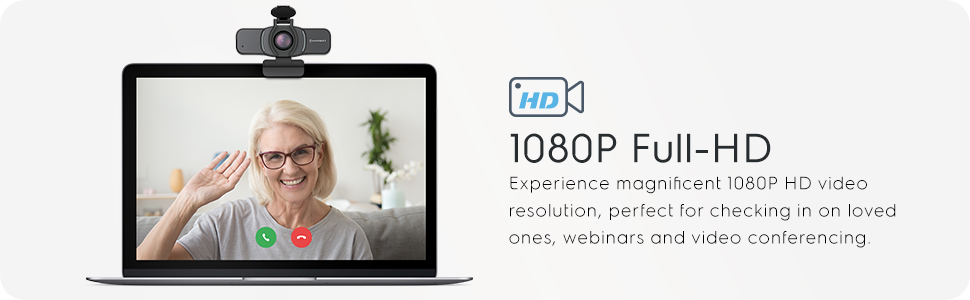
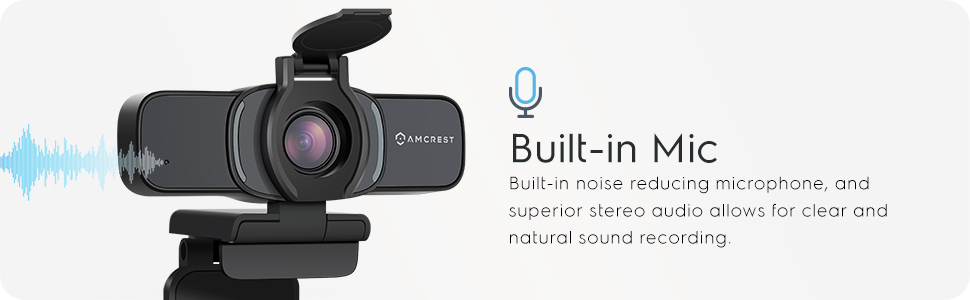
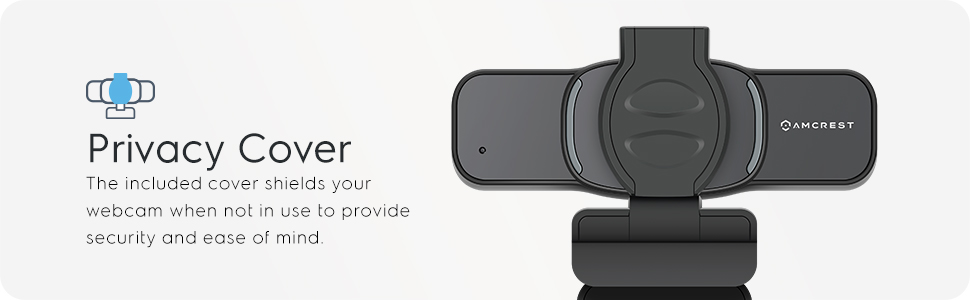
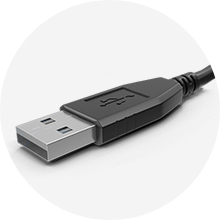
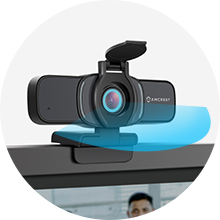
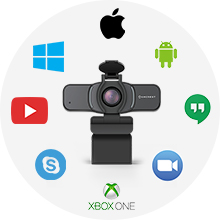
The Amcrest 1080P Webcam (AWC201-B) combines full HD 1080p video with a wide 70° lens and a large CMOS sensor for superior low-light performance. Featuring a built-in dual noise-reducing microphone and a privacy cover, it ensures clear communication and security. Compatible with major OS and popular conferencing apps, it offers versatile mounting with a clip and tripod thread, making it an ideal, plug-and-play solution for professional remote work and streaming.


| ASIN | B085STB7FR |
| Best Sellers Rank | #227 in Webcams |
| Brand | Amcrest |
| Built-In Media | Privacy Cover |
| Camera Flash | No Flash |
| Color | AWC201-B |
| Compatible Devices | Devices and systems that support Windows, Mac OS, Android, Skype, Youtube, Yahoo!atMessenger, MSN, Zoom, Windows LiveatMessager, Gmail, WeChat etc instant messaging applications |
| Connectivity Technology | USB |
| Customer Reviews | 4.1 out of 5 stars 8,034 Reviews |
| Digital Zoom | 4 x |
| Effective Still Resolution | 2 MP |
| Exposure Control Type | Automatic |
| File Format | JPEG |
| Focus Type | Autofocus |
| Global Trade Identification Number | 00850011990322 |
| Image stabilization | Optical |
| Item Weight | 0.15 Kilograms |
| Manufacturer | Amcrest |
| Maximum Focal Length | 4 Millimeters |
| Mfr Part Number | AWC201-B |
| Model Name | AWC201-B |
| Model Number | AWC201-B |
| Photo Sensor Resolution | 2 MP |
| Photo Sensor Technology | CMOS |
| Screen Size | 5 Inches |
| Sensor Type | CMOS |
| Shooting Modes | Low Light |
| Smart Home Compatibility | Not Smart Home Compatible |
| UPC | 850011990322 |
| Unit Count | 1.0 Count |
| Video Capture Format | MP4 |
| Video Capture Resolution | 1080p |
| Warranty Description | 1 Year Warranty |
| Water Resistance Level | Not Water Resistant |
| Zoom Type | smooth zoom |
A**R
Great Web Cam for the Price
With everything going on now I've been in the market for a web camera. As a lot of us are working from home or school from home, I was looking for a web cam just to be able to have enough for all the needed Zoom, Google Meets and other work / school needs. The technology gods must have heard my concerns and saw an ad for this camera. Thought I'd give it a run. To be honest, I am familiar with Logitech or Microsoft when it comes to web cams...not familiar with Amcrest. But from what I've read, and researched, they are very familiar with camera technology. The camera came in a soft envelope packaging from Amazon - VERY QUICKLY. 3 to 5 days at most. Inside the envelope a small box - 4" x 2.5" x 3" (approximate). But packaged securely and very well. Setup was a breeze. Literally plug it in and Windows 10 recognizes it. Used it on two different computers. Both setup super easy. Now, as far as quality goes, let me put things into perspective. I've dealt with two main web cams. 1. A 14 year old Microsoft web cam that no longer even worked with a PC. 2. A Macbook Pro for work. The Microsoft and Macbook cameras are polar opposite. The old one was grainy, and low definition where the Macbook is extremely clear, bright, and colors seem vibrant. My first impression of the Amcrest camera was that a bit dull. Not that it is bad - just that it wasn't seemingly as brilliant compared to the Apple camera. But others have said it compared to or was better than their Mac. I do believe that my lighting played a large roll in how the camera looked. This camera has what I think an amazing wide view. Three to four people could be around a computer and could see them all fine. An no distortion or fish eye. Video is clear! Certainly a high quality camera. In fact we actually lowered the "quality" and wide angle range so that it wasn't so wide for classroom settings and Google Meets. The audio seems to be more than sufficient, although for one of my kids classes, they had to step a few feet back so that their full body could be seen for a "speech" type assignment. It was a little quiet in that situation. But for a Zoom / Google meets situation - GREAT! Overall, I'll give this 5 stars. I really do believe that the quality of this camera for the price makes this an incredible value. I did see a difference between my Macbook Pro's built in camera and this one as mentioned above - however I would not lower any of the ratings or value to this webcam. Amcrest did a great job on this camera. Overall VERY impressed.
E**O
Hardware/Design are GREAT for the price point!
Functionality/Ease of Use: I can say that getting this webcam up and running was pretty seamless. I happen to use a Macbook Pro and after plugging in the webcam it was immediately found and able to be used. The quality of the video is pretty much on par with other top consumer brand webcams. In comparison, the Logitech 920 is of equal quality in video. The angle of the lens is large enough while only being about 2 ft from the camera itself. Can't ask for anything better there. The sound quality of the microphone is what I would consider expected. Not the quality of a dedicated microphone with noise cancellation or filters but definitely good enough to get the job done. The light indicator that shows the camera is active is REALLY a nice touch because it is obvious enough to get your attention and inform you that the camera is active. I really can't complain in any way. For the price, this is a great value buy with top of the line video quality. Design/Hardware/Practicality: I really love the design. Simple and sleek enough that the webcam doesn't overwhelm you when looking at your screen. Some webcams on the market are just too bulky and can be a distraction. The nice addon of the protection lid is a nice to have and having it be a part of the packaging and giving the user the option of installing with the provided sticker is a nice touch. I've seen other consumer brand webcams have a giant price inflation just to have the lid. That is absurd and I am glad Amcrest makes this feature/addon a simple part of the product with no price increase. Privacy should be a top concern, not a money maker. So kudos to Amcrest on that. Installation from a hardware standpoint is pretty easy. The design allows for either the install mount on top of a monitor or by use of the included tripod which was a pleasant surprise! I happen to like the use of the tripod on my desk as it gives me a better angle that I like for the video that I am in. The tripod works well although it would have been key to use a gorilla type of tripod mount instead of the wire bend type. I can't complain honestly as it works well. Just maybe a per user preference to use a more adjustable set tripod legs. But for the price, you absolutely cannot be this tripod inclusion. Overall: I love this webcam and honestly during this hard time during the pandemic when a majority of all webcams are out of stock, this particular webcam not only cam in handy but I am SO glad I was able to test this webcam out and put it to good use. I have used this webcam with Zoom, Microsoft Teams, Cisco Webex, Slack, and more. I have already begun promoting this webcam to my colleagues as well as friends and family members. For the price, quality, ease of use, this is by far the best webcam I have used. Note: One really nice touch that maybe could be added in a future revision would be the inclusion of adding RTSP as an option. I could use this for when I am away and want to monitor the office by using this webcam. There is software to do this via the computer you are using but would be really nice to have this a part of the webcam natively. This may be a hardware limitation and would require an upgrade and price increase but if there was a version that supported this feature, I would upgrade.
R**O
Great Versatile Camera for Price Point!
If you are in the market of purchasing a webcam for your work, school, or gaming needs, then this camera is for you. This is a great camera that you can easily switch between your devices (easy plug n' play). I am currently working from home like many people find themselves in, and the need to demonstrate something to my colleagues or students has become much easier because of the long length of this camera's USB cord (approximately 5ft 9 inches). I can move this camera to where I need to place it and actually set it on a stand and secure it to the bottom of the device like you would with a high end camera. I have found myself to actually prefer the quality of this camera than to the one that I have in my laptop. The camera takes pretty good quality pictures as you can see from the example of the Snowman Christmas Tree that I have provided. Additionally, the video quality is pretty good and can be seen in the example of the moving fan video. The video is shot at 1080p at 30fps using the included Windows 10 Camera application. When plugged in to your computer, the operating system does its thing and automatically detects the device as "HDA Webcam USB". Once ready to use, you can choose between any camera devices from your application settings from the apps that you use. In the case of the "Camera" application in Windows 10, it was a simple one button click to do this. When wanting to spend some down time from school or work, this camera works perfectly for your gaming and streaming needs. I have used this camera with OBS Studio for recording work related things and also to stream myself playing some Steam games on Twitch. It can also plug n' play to the Xbox One (as seen in my picture) and Xbox Series X. It works perfectly with the Twitch app on the Xbox consoles. Overall, I am happy with this product and Amcrest has done a great job with delivering a versatile product. The only complain that I have is that it came in a small tiny cardboard packaging box (see picture of Xbox Console) that was stuffed in an Amazon padded envelop. The box was slightly bent at the corners that could have easily broken the device during shipping. Luckily, I did not receive a damaged item but I feel that the packaging for the camera could be a little better.
J**.
Great Picture, Works just as it should
The camera works just as you would expect it to. I would recommend this camera. The picture is good, not great, since we are talking about 1080p which has become less than great. I currently have 6 other Amcrest cameras I use in BlueIris, and this webcam has the same quality I have come to expect. Overall, I do prefer this to our Logitech C920 Pro HD Webcam that we had been using for a while. The viewing angle on the Amcrest is better, and the picture quality was slightly noticeably better. We do prefer the wider angle for our work and casual use. The wider viewing angle may not be ideal if you have more serious work type video conferences where you don't want additional background distractions, although the zoom level was different in different applications. I'm not sure if it's the application that dictates the picture, but there was a noticable differnce in the zoom level when using the camera in the Zoom Application versus using it for a Facebook Live, and also in Jitsi Meet. The Logitech didn't seem to have this change. My wife has been using it much more than I have, and the first thing she said when I plugged it in was "oh wow, that looks great". She noticed the better quality right away. She uses it just about daily for one of our businesses, and has nothing but good things to say about it. I believe a few of her team members have also ordered them after watching her on a live or conference call. The microphone is not the best and sounds pretty "tinny", but we have a desktop microphone we have been using instead, same goes for the Logitech. Our biggest complaint would be the mount. It is not nearly as solid and firm as the Logitech mount. It just doesn't quite grab the monitor very strong. This is one thing the Logitech does better. Right now the camera is $64.99 here, but I feel like ~$55 is a better price point for this camera. I still recommend this camera, but if can wait it might drop or go on sale.
D**R
Not bad at all, especially for the price
I was able to compare this webcam directly against the Logitech C920, which is considered the best webcam on the market right now. After adjustments, I was able to make this Amcrest webcam look better to me than the Logitech. I say "after adjustments" because the default settings tended to have blown highlights and washed out colors. I tested on a Macbook Air in Google Meet and in Zoom. The Logitech has better sharpness and less noise but the Amcrest has better colors. Skin tones look more natural than on the Logi. I would say that if colors are more important to you than sharpness, you may like this camera. The Logitech camera should be much better as it costs nearly twice as much. If you're on a budget, you should give this one a look. If you primarily want to do video conferencing, this is a good enough camera and probably better than the in-built one in your laptop (not saying much as the MacBook Air camera is horrid). If you want to shoot high quality videos for social media, you should look elsewhere. I also tested on a Chromebook. In ChromeOS, this camera works fine but there is no way to adjust the settings (that I know of but maybe there is a Linux app somewhere). There is no way to adjust the Logitech settings in ChromeOS either but the Logi looks much better with default settings than the Amcrest does. If you have a room where you can adjust the incoming natural light or if you have good studio lighting, you may be able to get what you want that way. I was able to adjust my plantation shutters to make the video quality acceptable. I am giving this camera 3 stars and I consider that a thumbs up rating and for the money, I recommend it. I dock it 2 stars because out of the box settings are not great and the picture is noisy and lacks sharpness (I believe because it is a single-focal lens so it's never in focus, where the Logi is multi-focal with good AF). I would give the Logitech 4 stars, mainly for its autofocus/sharpness, but docking it one star because the colors just aren't great for skin tones. The Logitech settings software also keeps forgetting your settings, requiring you to constantly load them over and over. A third party solution can help with that, but it still couldn't help me get the colors I wanted, with the Amcrest doing better in that category. Right now, you are lucky to even find a webcam with them all being sold out everywhere. I think you should scoop up one of these Amcrest webcams now while they have them in stock. I think they will disappear quickly at this price.
A**N
A Decent Webcam For The Price
I have been pleasantly surprised by the Amcrest AWC201-B webcam. I honestly knew very little about Amcrest (just knowing they made great security cameras) before owning this webcam. The webcam comes in a very small box. On the box there is just a little bit of information about the features of the webcam and list of what's included in the box. I personally think the packaging is great. It's simple and easy to get into. There is nothing worse than having to deal with frustrating packaging. The webcam is super easy to set up. I clipped it to my monitor in a manner of three seconds. It easily clipped to my screen and seems very stable. I then connected the USB cable to my PC (which is surprisingly pretty long). My computer instantly recognized the webcam and I was good to go. I have been using the webcam for mainy Zoom calls. The video quality is much better than the built in webcam I was using. I'll admit, the video quality isn't perfect. It can appear a little blurry at times. But for the price, this camera definitely outperforms other webcams in its price range. I do kind of wish there was some software included where you could adjust some visual settings with the webcam. The built in microphone is also pretty good. I would rate it about as good as the included microphone that is built into my laptop computer. Which isn't a bad thing as everyone on my Zoom calls mentioned that they could hear me very well. I also wanted to mention the included privacy cover. I love that Amcrest included this feature. I like to consider myself a tech enthusiast and so I am very weary about internet security and safety. I love that there is a physical cover that can cover the webcam when not in use. I don't have to worry about potentially unwanted prying eyes. Overall, I am very happy with this webcam. It provides a great picture quality for the price range. And I would definitely be willing to consider Amcrest products again after using this webcam.
S**N
Good as a webcam but not for live streaming
Box: The box it comes in is big considering there is only a single camera and a tiny privacy cover. I agree the box needs space for the wire to roll in, but I bet the box could be a bit smaller and it would not affect the space taken by any of the webcam device or the supporting items inside. In the box There is obviously the main device, with almost about 2-3 foot long wire, a privacy cover for just the 1080p camera area and a tiny manual-pamphlet for any instructions, FAQs and privacy statements. Looks Has a big 1080p camera in the center piece. The center piece is big and wide enough to contain the camera and two long and tiny LEDs on the side. The LEDs go along the left and right side of the center piece and give it a cool look. I am not sure why they have the left and right extensions to the center piece, maybe to give it a webcam look or to fill for the chip on the inside of the device. I do see that the right extension has an AMCREST logo and the left extension has a tiny hole for mic input, but I believe the center piece has enough space to include all of that. I do not see why they would go any more nano than this considering the price they are selling the camera for. The device has about 3-foot-long thick wire running out from the back of the right extension of the device and ending in a USB cable. The thing with this wire is, it is difficult to fold (without a fear of damaging it from the inside) and hide behind the webcam. It seems to just stick out from the right side, and in terms of aesthetics, specifically for me, I would like the wires on my desk hidden as much as possible. Function The Camera (Vision): I used the webcam on my windows laptop. The Camera seems to pick a very wide view of the area which may not necessarily be needed. The video area is definitely wider than the current field of vision offered by the laptop camera. Being a 1080p webcam camera, it gives a good video quality if you are on a 14-inch or 16-inch screen viewing yourself, but the video quality decreases considerably if the screen size increases. Although the video quality is still better than the laptop cam that I am used to using. I also agree that a 27-inch screen demands a 4K camera, if not a 1440p camera. But I think we need to consider the fact that a person using the webcam will most probably be using a desktop. Having said that, I see pixelated videos on the 27-inch screen that I use for WFH. I’ll be ignoring the pixilation aspect since I am using a 27-inch screen which and I’m not necessarily using the camera to do live streams of any kind. I also noticed the picture quality was a bit different from a laptop camera. It seems a bit dull and the saturation in the video quality seems high. In other words, when I switch to the laptop camera, which is usually a headache for me, since I just use the 27-inch screen for work, it gives a brighter video and the colors of the video seem to pop. In the webcam view, I believe there is much brighter light filter being applied on the go, which is impressive because the video is seamless! All that being said, I am impressed by the seamless video and the amount it improves on the camera video for me! The webcam video has more contrast and sharpness, and I can better see myself as well as my surroundings than in the laptop cam video. Something I would highly recommend for a webcam for meetings. The Mic (Input Audio): I used the webcam in a couple of meetings that I attended for work and tried to observe if anyone noticed the change. The common comment that I got from most people was that the volume they were getting was lower than they were expecting. This leads me to think that even though the video quality is much better with this webcam, I might have taken a hit in terms of the mic input volume. Other than this, I really had no concerns with the mic, everyone could hear my voice and it was seamless. Mechanics: The Stand: The camera comes with a stand that can rotate up and down. It has the extensions for a screw for most tripod stands in the market today, in case you might either use it at a flat surface or just with a tripod stand. I was also very impressed by the stability of it on the top of my monitor. It has been almost two days since it is there, and even though I have moved the camera every once in a while, the change in its position stays. In other words, it does not keep slipping back to the most comfortable position for itself. Summary and Ending Thoughts: The camera, for the current price is worth it for someone who is looking for just a webcam and may not be interested in live streams of any kind using the camera. There might be a thought of using a separate mic with the webcam, even if you just plan to use it for zoom or google meet or Microsoft teams meetings.
T**O
Great Quality Webcam For Any Use
Recently, I was offered an opportunity to try out the Amcrest ProHD Webcam (AWC201-B) with Privacy Cover. First impression, the slick design of the body and clean set up makes it easy to mount anywhere whether it is on your monitor or a little tripod stand. Some of the features are CMOS ⅓ image sensor, 3.6mm Lens with a wide 70 degree view angle, full HD 1080p @30fps, built-in mic, privacy cover, and USB 2.0 connection. Pros: The price is a great selling point of this webcam. Currently, on Amazon it’s selling at 36.99 which compares to other brands that have similar features selling for more. The quality of the webcam is no joke. The image sensor works great with the color and image being very clear for a 30fps Full HD 1080p. The mounting feature was well designed with the privacy cover for when you’re not using and keeping the lens from getting dust inside. Cons: With everything there are some down side to it. With this being a webcam I’m sure a lot of people already aware of the microphone quality in them are just not good at all. Doesn’t matter how high sensitivity it is, it won’t be clear for the other side of the receiving end to hear. I rather have them put the money in other features such as adding some light aura to make the face more visible in a low light environment. Changing the USB 2.0 to a USB-C would be a great way to keep up with the technology being pretty soon. I'm sure that would be only USB-C for us to use. Overall, the Amcrest Webcam AMC201-B is a great webcam to get with the price point being lower than 40.00. Compared to other brands that cost 50.00 to 100.00, this can stand toe to toe with those high end webcam on the current market.
A**N
Webcam
The quality is pretty good for the price it wouldn’t work at first but after a minute or two it worked, I couldn’t seem to figure out the mic but that’s not to impotent to me. (Update) stoped working after a bit the cable is broken and you can’t replace I have to wiggle and move it for it to connect
C**N
la qualité
qualité du son medium
W**O
Product meets expectations at a very reasonable price
Product delivery was relatively quick at around a week and works well
Trustpilot
3 weeks ago
2 months ago