🚀 Elevate your storage game with speed, style, and seamless versatility!
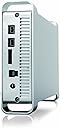
The Macally G-S350SU3B2 is a premium 3.5-inch SATA hard drive enclosure featuring advanced SATA III to USB 3.0 technology, solid aluminum construction for superior heat dissipation, and multi-interface support including USB 3.0, FireWire 800, and eSATA. Designed for Mac and PC users seeking fast, reliable, and stylish external storage with flexible placement and easy hot-plug functionality.
| ASIN | B00B7MWQE8 |
| Compatible Devices | Laptop |
| Connectivity Technology | Firewire, SATA, USB, eSATA |
| Customer Reviews | 3.6 3.6 out of 5 stars (64) |
| Data Transfer Rate | 480 Megabytes Per Second, 5000 Megabytes Per Second |
| Date First Available | January 29, 2013 |
| Global Trade Identification Number | 00701107492278 |
| Hard Disk Form Factor | 3.5 Inches |
| Hard Drive | External |
| Hard Drive Interface | USB |
| Is Discontinued By Manufacturer | No |
| Item Dimensions LxWxH | 11.5 x 2.75 x 9 inches |
| Item Weight | 2.2 pounds |
| Item model number | G-S350SU3B2 |
| Manufacturer | Macally |
| Product Dimensions | 11.5 x 2.75 x 9 inches |
| Standing screen display size | 3.5 Inches |
| UPC | 163120904600 018232772695 701107492278 |
J**I
Media Storage for my iMac
I have been very happy with this drive enclosure. I have an older iMac, so I wanted to purchase something with FireWire as well as USB 3.0 that could be used with future computing equipment upgrades as well as moved between computers as needed. I also purchased a Seagate 5 TB Expansion Drive, USB 3.0, and removed the eSATA drive from the Seagate case so I could take advantage of the FireWire capability of this new case for use with my iMac. This setup works great, and I have been using the large drive to hold my iTunes and iPhoto libraries, which continually grow. I have another external hard drive that I use for backup (at this point, I'm not a fan of relying upon the cloud). The Macally aluminum external drive case is very well made, has excellent ventilation, works well, and it looks great sitting on the desktop beside my iMac. I kept my old drive hidden because it just didn't have that artsy Apple design feel. This drive certainly does. If you want or need the FireWire capability - or you are looking for a good USB 3.0 drive enclosure - you should be happy with this product.
T**E
Daisy-chain and spin-down issues
The Macally enclosure is simple, compact, and well-made. It's working well with a Seagate 2TB drive installed. However, the enclosure's circuitry doesn't allow for proper daisy-chaining of other FW devices. The Macally enclosure must be powered up for any devices attached after it to appear and/or mount. Also, if the enclosure is powered down before other devices, they are unmounted as well. Were it not for this issue, I'd have given a higher rating. Update: The enclosure's firmware also causes it to spin down after a *very* brief period of inactivity, regardless of how one's computer preferences are set. If you need data on your external drives to be instantly accessible, this is not the enclosure for you.
R**B
Solid Drive enclosure
It was hard to find one of these hard drive enclosures to match one I already had. Not many places sell this excellent enclosure. I guess the merchant I bought my first one from stopped carrying it because it's a bit expensive. You get what you pay for however in this enclosure. It's well built out of aluminum. It has a wide variety of interfaces available. I use the Firewire connections, but it has e-SATA and USB. It also provides a FireWire loop to connect multiple units. The front panel push button and indicator lamp are tasteful. I like that I can position the enclosure either horizontally of vertically. If you use the optional wider feet to stabilize the unit in a vertical position. (not shown in the picture) Use a hole punch to make a hole in the middle of the adhesive rubber pads provided, before you put the pads on the feet. That way if the attaching screws get loose, you can still get to them to tighten. Buy this unit while you can find them. All the others you will find are all plastic.
W**P
Works Fine
I needed a larger external drive for Time Machine backups on a 2008 MacBook Pro. Most of the packaged external drives use USB3 exclusively, but my MBP supports Firewire 400 & 800 but not USB3. This enclosure provides the Firewire 800 speed I need and also the USB 3.0 which I may use in the future. It's well made and looks good, like a mini version of a Mac Pro. The HD was easily installed and a quick visit to Disk Utility allowed me to partition the drive. Once up and running, it is quiet because it has no fan, but relies on the aluminum case for cooling. It has an illuminated power switch on the front which flashes to indicate the drive is being accessed. I have been using a LaCie Quadra drive for backups and the LaCie is a more solid and heavier-duty case than the Macally. One other feature I like on the LaCie that is not on the Macally is the auto-on switch - just plug in the firewire cable and the unit powers up automatically. As a nice bonus, this unit comes with a short Firewire 800 cable and a USB3 cable.
N**C
cute, easy to use drive case.
It looks great next to my "cheese grater" Mac Pro, it was easy to open and install a drive in, and it works. If the power supply dies or I run into some other problem, I'll post about it here. [ addendum -- this case looks great but it became gimpy after about six months, disconnecting after about half an hour of use. It has finally, after two years, completely given up the ghost. The drive works perfectly in another enclosure so I know the problem is the case, which has in any case caused problems with two different drives. Do not buy.]
D**B
Power down issue requires forced eject on OS X 10.6.8 and FW 800
Purchased this enclosure for an Hitachi 2TB 7200 SATA3 drive as it supports a FW800 connection. Unfortunately, the enclosure's firmware forces a spin down, ignoring OS X setting to not do so. Once drive spins down and back up, it can't be written to or unmounted without a force eject and mount. It sometimes helps to have KeepDriveSpinning set for this drive but this is inconsistent. I have even made it the first drive in a chain of 4. Talked to Macally Tech Support. They have a Windows-only utility to change firmware but there seems to be a lot of obstacles to using it. Obviously a Windows OS won't recognize a drive formatted as Mac OS Extended (Journaled). I was told I could switch out my HDD with any Fat 32 drive to use the utility BUT that the connection also has to match. Now I need to find someone with Windows AND FW800 to update it. Tech Support offered to update the enclosure for me but that means pulling out my HDD and shipping the enclosure across the country to California. Not what I had in mind when I ordered this with Amazon Prime. Not sure if your experience will be the same but these details are not disclosed anywhere else that I could find.
Trustpilot
1 month ago
2 weeks ago