

Desertcart purchases this item on your behalf and handles shipping, customs, and support to Greece.
🌿 Power your productivity sustainably with WD Green — storage that’s smart and green!
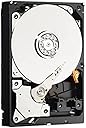
The WD Green 2 TB Desktop Hard Drive (WD20EARX) is a 3.5-inch SATA III drive featuring 64 MB cache and a 7200 rpm speed. Designed for eco-conscious professionals, it reduces power consumption by up to 40% using WD’s GreenPower technology, while delivering reliable, quiet, and cool operation. Ideal for desktop PCs and external storage, it balances solid performance with sustainability, backed by extensive testing and conflict-free materials.
| Additional Features | Portable |
| Asin | B004VFJ9MK |
| Best Sellers Rank | #2,132 in Internal Hard Drives #29,901 in Computer Internal Components |
| Brand | Western Digital |
| Built In Media | Hard Drive |
| Cache Memory Installed Size | 64 |
| Color | Green |
| Compatible Devices | PC |
| Connectivity Technology | SATA |
| Customer Package Type | Frustration-Free Packaging |
| Customer Reviews | 4.4 4.4 out of 5 stars (1,252) 4.4 out of 5 stars |
| Data Transfer Rate | 6 gigabits_per_second |
| Digital Storage Capacity | 2 TB |
| Enclosure Material | Aluminum |
| Form Factor | 3.5-inch |
| Global Trade Identification Number | 00718037776064 |
| Hard Disk Description | Mechanical Hard Disk |
| Hard Disk Form Factor | 3.5 inches |
| Hard Disk Interface | Serial ATA |
| Hard Disk Rotational Speed | 7200 rpm |
| Hard Drive Size | 2 TB |
| Hardware Connectivity | SATA 1.5 Gb/s, SATA 3.0 Gb/s, SATA 6.0 Gb/s |
| Hardware Platform | PC |
| Installation Type | Internal Hard Drive |
| Item Part Number | WD20EARX |
| Item Weight | 1.1 pounds |
| Manufacturer | Western Digital |
| Media Speed | 384-537 MB/s |
| Mfr Part Number | WD20EARX |
| Model Name | Green |
| Model Number | WD20EARX |
| Number Of Items | 1 |
| Specific Uses For Product | Personal |
| Upc | 847551072984 230494828990 718037776064 |
| Warranty Description | 2 |
User
Western Digital seems to be doing better with this newer generation of Green drives
BACKGROUND:Here's a little background on my WD drive experience, to provide context for the review. For my particular usage and review of this specific product, hop further down.My previous experience with other WD drives have been anywhere between 100 and 500gb drives, typically the WD Caviar Black or Caviar Blue series which are stout (Black being preferred). To date I still use a 250gb Black model which is almost 10 years old and has been in very harsh conditions, ranging from 0*-130* Fahrenheit sustained ambient temperatures, and has been submitted to multiple shocks and shaking around while in use. Needless to say, it's a proven performer and a very solid platform.Enter the Green drive era.The WD Green drives boast lower operating temperatures and of being quieter, which they accomplish by on-the-fly adjustment of the RPM of the spindles, which uses less power and produces less heat or noise in the process. Essentially these perform no faster than 5400rpm (some have suggested 5900), rather than 7200rpm, and they will cycle off or go into a low power state at various times.Some might wonder why such a large drive with "environmental" features, can be so inexpensive compared to the Blue or Black series drives of the same (or less) size. Basically it boils down to reliability. Do your research on the WD Green drives on a lot of tech sites and you'll find that the first generation units had lots of issues because of their "green" features. For example, my experience belowThis is my 4th WD Green drive of large capacity, the previous three being 1TB units and first generation. Two of the previous three are also dead, I might add. These 3 previous drives were purchased back in 2010. The first one to die, did so within about a week of use.It started having issues with it not wanting to come out of its powered-down mode, and shortly thereafter I started hearing the deadly "click.... click..." noise, indicating a head crash. The drive was unusable, and I later verified that the heads did in fact have a physical failure. I took the drive apart and found that when going into a low-power cycle the heads parked themselves too harshly or somehow went too far past the head park zone, so several of them got caught on the plastic locking lane. As soon as the arm tried landing on the platters, it ripped several of the heads off and scratched the platters.The other drive, it's replacement and same exact model, died within about a month. Not a head crash, but was having intermittent spindle issues with not wanting to properly spin.The third drive I've had ever since, and haven't had any major issues with it, but on a couple of occasions in the past year it has randomly powered down of its own accord (hard power down), and I lost some data.HDD RPM SPEED 5400 or 7200:If you're wondering which is better: 5400 or 7200, here's a little tidbit of info: The 5400 models spin slower, have a higher latency (seeking around the drive), but transfer more data overall. The 7200 models spin faster, have lower latency (can bounce around the drive faster), but provide less data per transfer.What this means is, if you need a drive as your primary "program" drive, which will be doing frequent drive access and bouncing all over the place, doing work with many smaller files, then you'll want a drive with lower latency such as the 7200. On the other hand, if you just need a large storage drive for storing many large files, for example movies or other huge files, then a 5400 drive would be perfect.Look at it this way, say you have a lot of small piles of leaves in your yard, and you need them bagged. If your bagger was a 7200, it could go from one pile to the next much faster than a 5400 could, but its performance benefits will be best with smaller piles. A 5400 would work best with fewer much larger piles.SPEED SUGGESTION:If you're concerned about overall speed and want this drive, once you have the majority of your files in place, run a good defrag tool every now and then to help keep all the files in sequence. This prevents the drive from having to bounce around so much. Also, WD provides a file alignment tool which you can use. They suggest using it once you have everything setup the way you want it. The link for this tool is on their website, and on the label of the drive.MY USAGE OF THIS DRIVE:The WD20EARX has so far, (a week into things), been very good to me. If you're curious about model designations, here's a couple of examples to help you while you search for your drive:EARX - The SATA 6gb/sec (600MB/sec) interface (backwards compatible with slower SATA slots)EARS - The SATA 1.5gb/sec (150MB/sec) interfaceI'm using this as both a boot drive and a data drive, something I don't usually do but for my use I want only one drive in the system. It's going to store about 1.5tb of data, mostly in only a few files which are mostly 8-10gb in size each. Latency wasn't a concern for me, so the slower Green drive didn't bother me. Boot times and program loading has actually been surprisingly fast, faster than my other Green drive.System: Shuttle XPCMotherboard: SN95G5 - 2.6ghz Athlon64 - 2gb ddr2 ramInterface: SATA 1.5gb (150MB/sec)OS: Windows XP Pro SP3Boot Speed: ~10 seconds (Once POST ends until I have a working desktop)From the time the bootloader engages until the time I'm at a working desktop, it's about 10 seconds. Shockingly good performance for a green drive. Your experience may vary.PROS:* Large capacity, low price thanks to Amazon Prime* Western Digital has a good reputation and warranty* This newer generation green drive seems to be much better than the previous, including a redesigned PCB and power traces* Full backwards compatibility with older SATA interfaces* Includes a jumper spot in case you need to manually set SATA speed or go into technicians mode* Lower power consumption, temperatures and sound signature, if that matters to youCONS:* Still worried about how the last few Green drives wentOTHER THOUGHTS:* My past experience makes me uncomfortable with the Green drive movement, but I'm hoping they've worked out the kinks in this new redesign and will post any updates..* Be aware that Windows XP will not be able to use a single partition larger than 2tb. Windows Vista or 7 will handle larger than 2tb at a time
User
Need Space - Perfect, need speed too, add a SSD...
This is a reliable, quite, cool running, LARGE SATA III HD. I used this drive for WMC (Windows Media Center) PVR. I needed a lot of hard drive space but needed it to stay really cool and quite in a small case. If you want speed (like I did) put a small SSD drive in your system for the operating system, then use the WD Green drive for storage space.Something to consider: The 2.5 ad 3TB WD Green drives use a little bit more wattage (heat) and have a little faster transfer rate. Download the spec sheet from Western Digital for more information on this.Just in case you're trying to do the same thing, I have listed my recently built media center parts list.My system build (works great)(Photo's included)-- SilverStone Aluminum/Steel Micro ATX HTPC Computer Case GD05B (Black)-- Gigabyte AMD GA-A75M-UD2H (rev 1.0) Mother board-- AMD A8-3850 APU with AMD Radeon 6550 HD Graphics 2.9GHz Socket FM1 100W Quad-Core-- Kingston Technology HyperX 8 GB (2x4 GB Modules) 1600 MHz DDR3 Dual Channel Kit (PC3 12800)-- OCZ Agility 2 OCZSSD2-2AGTE60G 2.5" 60GB SATA II MLC Internal Solid State Drive-- Western Digital Caviar Green 2 TB SATA III Hard Drive - WD20EARX-- Pioneer Internal 12x Blu-ray Disc/DVD/CD Writer BDR-206DBK-- AmuletDevices remote control and IR Receiver-- Antec (Neo HE650)(NeoPower 650) 650 Watt Power Supply-- IOGEAR Multimedia Keyboard with Laser Trackball
User
5 long years did it in
I bought this drive back in 2013. It finally bit the dust around the start of the new year in 2019. After letting Windows try to "repair" it on boot and ultimately failing, I figured it was time to replace the thing. Before heading onto the online stores in search of a replacement, I decided to write this review.I never had problems with it to be honest. Installed easily, though just a tiny bit more difficult given the size. First time format to be able to use it was easy, worked right after. I'm an avid computer user, I'm on the computer for more than eight hours a day on most days. Not only that but this drive was my main source for data storage and gaming. I can't even begin to fathom how many long hours I played from this drive, but just doing quick math from my Steam account logged gaming hours (installed on this drive of course), it was easily 2000+ hours.With the last of its breath, I'm using recovery software to salvage what I can from it. It has had a long service, from many hours on, writing and reading to moving from chassis to chassis as I upgraded parts for my gaming PC.
User
Good hard drive
This is a good hard drive. It is still running currently, even after two years of putting it through a lot of hard work. I am a filmmaker and huge PC gamer, so this hard drive has seen many large files being installed and deleted through its time. This is currently the only hard drive I am running in my desktop. For what it does, it runs well.With Windows 7 installed, the hard drive come with 1.81 TB of storage space. I currently have filled 1.4 TB of the hard drive with my files. It does run noticeably slower after filling it up to this point. Windows does take a lot longer to start and run at full capacity after signing in. Games like Battlefield 4 take awhile longer to load some multiplayer maps.I recommend getting this hard drive as a data hard drive to supplement an SSD for running important and frequently used programs. A hybrid drive also seems to be very useful as a substitute to running a dual hard drive configuration if you want speed and storage space. As SSDs are becoming more apparent and cheaper in the market, I recommend getting one of those instead of a mechanical hard drive unless you need a lot of storage space for cheap. This hard drive will do you well for that purpose.
User
Good replacement for an Airport Extreme/Time Capsule drive; runs cooler than the original
I have 2 computers backed up by a 2nd generation 1TB Time Capsule, and there was hardly enough room for all the backups. After doing much forum reading regarding changing out drives, I settled on this 2TB WD model (after first ordering and returning a Seagate, which some have found has firmware incompatibility problems affecting the fan). Apple uses Western Digital drives: indeed, this one was shipped from Apple, which was a good sign it would work without effecting either the fan on/off or other firmware dependent issues. (I replaced the original, still good 1TB Western Digital for the larger 2TB, and now use the original WD 1TB mounted in an OWC external case as a spare backup.)A problem with many, especially, 1st and 2nd generation Time Capsules has been internal power supply over-heating caused by bad placement of the fan and the lack of sufficient ventilation holes covered by the gray rubber on the unit's bottom. Indeed, both top and bottom of the TC's case, particularly, at the back where the cable plugs are, Could be almost too hot to touch. Most Time Capsule fail because of 3 burned out capacitors in the power supply. While these can be changed, the repair is tedious because of all the plastic 'goop' slathered over the solder connections and capacitors. Moreover, without fan replacement or, best, moving the power supply outside the case, another heat-caused failure will likely occur within 2 years. But the replacement WD Green 2 TB Desktop Hard Drive: 3.5 Inch, SATA III, 64 MB Cache - WD20EARX runs cooler than the original did.Still, my next step will be to replace the internal power supply with an external supply, such as a 5v,12v, 2-3 amp 'power brick' supply used on many hard drives (e.g., LaCie Power Supply). And, perhaps a fan placement mod, though with an external power supply, I may just eliminate the fan. Meanwhile, after installing the new WD 2TB drive, I have left the gray rubber bottom cover off and, to enhance heat transfer away from the TC's interior, placed the unit on a 3/4" tall finned aluminum heat sink I bought from ebay, finned side down, the flat side in total contact with the TC's aluminum bottom. One could use heat transfer silicone for better contact. It definitely runs significantly cooler now.The best source of information for fixing Time Capsules - power supply and fan mod - can be found on-line by searching: 'LaPastenague', a free, step-by-step source of information regarding fixing Time Capsules with numerous links to other technicians (I am not connected in any way to these sites). With a good fan mod or removing power supply to outside, the Time Capsule will run at about 36 degrees C rather than the usual 43 degrees C. The nice thing about Amazon is that I managed to source almost all materials I needed for this project, and at the best prices!
User
Good, solid, HDD for data storage
I know we don't want to admit that different HDD's are for different things so we buy the cheapest one then complain when it doesn't do what we want. This reason is the largest reason drives get low scores. The other two reasons being DOA's (it happens) and user error.Green's are meant for data storage. A place to put information -like movies, so it can be accessed from time to time. It's not meant as an OS drive/boot drive. If you try and play games from it speed will suffer. It is an energy efficient, cost efficient, cheap storage device. The Black's and raptors are meant for your OS and gaming (or better an SSD). The Reds for your redundancy systems (raids, NAS, etc).Order the right HDD! Once you have the right one, resist the urge to copy your entire collection of all 30,000 Simpson episodes over until after you have done a full and thorough scan of the drive.
User
Sturdy hard drive - does what it should
Man, 2Tb on a single hard drive? I'm so old that I remember 20 MEGAbytes being a big deal. I decided to take an old PC sitting around the house and turn it into a backup server running Windows Home Server 2011. The PC had an existing 160Gb drive in it, which would not be enough storage space. After searching around at other vendors (NewEgg, et. al.) and local vendors, the price of this drive at Amazon is just slightly more expensive, but we have a Prime membership and the overnight shipping for $3.99 was too much to pass up. Instant gratifaction FTW!The drive arrived packaged extremely well and well-protected against shock during transit. I opened the package, installed the drive in the computer, connected power and SATA, and fired up the PC. The drive was immediately recognized and we were off to the races.I installed WHS 2011 with no problems, set this monster drive as my backup drive and it has performed flawlessley.Well worth the money.
User
Dead after 1 day of use
I've been happy with Western Digital drives for many years, but this is the first time I've had a drive arrive close to DOA. I purchased this drive for use in by backups using Acronis True Image. The day I received the drive I plugged it in and it worked fine. Booted up to Windows 7 and formatted the drive. I did a full system backup and everything still seemed OK. The next day I restarted my computer and the computer would not boot past the BIOS screen. My first bit of troubleshooting was to unplug this HDD, and what do you know, computer booted right up. So over the next while, I tried plugging this HDD into each of my 4 SATA drives on my motherboard, but no matter which one I used, it prevents my computer from booting up, but if the drive is not connected, everything boots just fine. My final bit of troubleshooting was to attempt to boot into the Acronis recovery boot disk, but again, once my computer hits the BIOS screen it just stops. If the drive had not worked just fine for 1 day, I might think there was something wrong with my computer, but the fact that everything worked fine and then it didn't makes me pretty sure it's the drive's failure and nothing else.I would return to Amazon for an exchange/refund, but this drive has an image of my entire computer on it. Passwords, financial data, personal files, all imaged onto the drive and I have no way to access it and wipe it clean before I return it. So I'm basically stuck with an expensive paper weight.I guess it's onto another manufacturer for my 2 TB backup drive solution.
User
Great product... no fault as yet!!!!
I really like this Green thing. It is ultra quiet, there's very little vibration on start up (when I say vibration, I mean the little zzz noise during spin up), and best of all, it's quite fast. I've used 3, Terabyte-sized HDDs during my short geeky life. 1st was a Hitachi (1TB). It delivered as a backup, and was quite reliable. However, it was noisy, slow and damn right annoying sometimes. So I bought another, Samsung HDD (2TB). This was a MASSIVE improvement. Fewer DB of noise, bit faster, and noticeably cooler during operation. But the WD Green is still the best. I've read the reviews, and most people seem to either receive a dud immediately, or have an immanent failure very quickly. What I'd suggest is that you check whether the HDD comes in the original box or not + whether it was a sealed item.
User
Verpackung ist ein Glücksspiel
HDD von cS-eT Computer Shop via Amazon TOP verpackt (in Plastikhaltern in mittlerer Box die in größerer Box war). Dies steht ganz im Gegensatz zur letzten HDD die auch von Amazon verpackt wurde und nur in einem ganz dünnen Luftpolster-Kuvert daher kam. Funktion der HDD soweit OK. Alle bereits beschriebenen Vorteile können bestätigt werden: leise, wenig warm, ausreichend performant, guter Preis und diesmal auch TOP Verpackung.Achtung bei Installation auf XP-Systemen: Hier das WD-Align Tool von der WD Homepage verwenden, um die Sektoren NACH Anlage und Formatierung der neuen Partitionen so auszurichten, dass unter XP kein Performance-Verlust entsteht. Wenn das System noch einen SATA 2.0 (3 Gb/s, 300 MB/s) Controller hat, so ist auf der HDD ein Jumper zu setzen VOR der ersten Inbetriebnahme. Beim Kurzschließen der Pins 5 und 6 (s. a. WD Homepage) wird die HDD von SATA 3.0 (6 GB/s, 600 MB/s) auf SATA 2.0 umgestellt.Ich habe bereits ein paar WD20 Green Platten. Alle haben bisher schon seit Jahren ihren guten Dienst getan. Keine Ausfälle und auch keine defekten Sektoren. In Punkto Laufruhe einer der besten HDDs! Volle Empfehlung!
User
Perfecto...
Ya tengo tres unidades y me faltaba uno mas para completar una caja NAS externa de (8000GB), estos discos duros van de maravilla y nunca me han causado problemas a pesar del uso muy intenso que hago de ellos, son de bajo consumo por su tiempo de IDLE de 8 Min. además de su rápida respuesta y su velocidad (lectura - escritura), son muy duraderos si no haces mal uso de ellos (desconectar disco duro externo mientras esta en uso), perfectos para almacenar grandes cantidades de datos sin temor a sufrir una catástrofe.La entrega de este cliente ha sido fantástico, rápido y bien embalado en su caja original sin ningún problema, totalmente recomendable.
User
bon disque, silencieux et assez performant
- 64MB de mémoire cache, c'est bien- vitesse d'écriture et de lecture séquentielle d'un gros fichier sur un disque fraîchement formatté : supérieure à 100MB/s- très silencieux (par rapport à d'autres disques durs que j'ai, et j'en ai environ 2 dizaines)En fait c'est l'évolution du WD20EARS. L'interface change, et voici ce que ça apporte :- 3 plateaux (alors que sur le WD20EARS, c'est soit 3 soit 4 selon son âge, et 3 c'est mieux que 4 car ça fait des données plus denses, ce qui fait un disque plus performant)- interface à 6Gb/s au lieu de 3Gb/s : c'est mieux pour toutes les données qui sont en cache, car si on dit toujours qu'il est difficile de saturer cette bande passante, en fait quand on utilise la mémoire cache ce n'est pas si difficile. C'est toujours mieux d'avoir 6Gb/s que 3Gb/s, mais en pratique ça ne changera pas grand chose.A priori, WD20EARS n'est plus produit de toutes façons, alors vive son successeur, le WD20EARX. :)
User
Ottimo HD
Molto capiente grazie hai suoi 2 TB di capacità, ottimo per l'archiviazione, molto affidabile dato che gira più lentamente rispetto ad altri HD che vengono usati per l'avvio di Sistemi OS, ma allo stesso tempo acquisisce dati in modo veloce grazie al buffer di memoria elevato! Tutto ciò da maggiore sicurezza ed affidabilità nel tempo e contemporaneamente si scalda meno evitando rotture e maggiori consumi energetici dato che è un Green! Amazon perfetta!
Trustpilot
1 month ago
1 month ago