Some deliveries may take a little longer than usual due to regional shipping conditions.

DOWNLOAD THE APP


Customer Services
Copyright © 2025 Desertcart Holdings Limited
DOWNLOAD THE APP

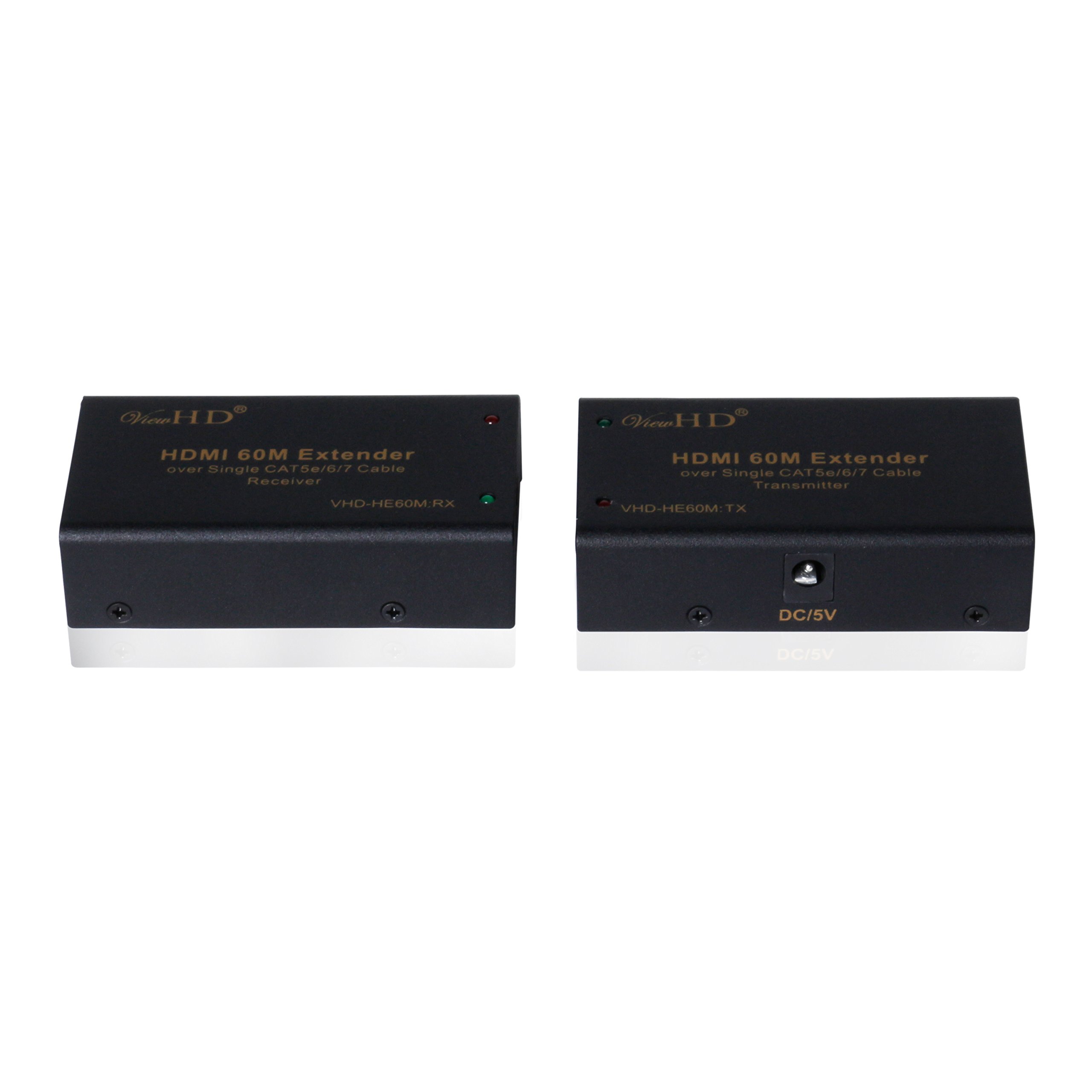

🚀 Elevate Your Viewing Experience!
The ViewHD HDMI Extender allows you to transmit high-definition video and audio over a single CAT5e/6/7 cable for distances up to 60 meters, supporting resolutions up to 1080P and advanced audio formats, making it an essential tool for any professional setup.
A**R
Great for what it is
Great item for a great price that is pretty much plug and play..sorta.Skip to the summary if you don't want the long-winded story :)I bought HDMI splitters and HDMI extenders so that I could place a TV on the wall in my bedroom without any accompanying equipment, and it could play media from my media PC, Xbox or PS3 from my living room. I initially tried to use direct burial cat5e cable.I tested first by putting jumpers in my media panel (garage) connecting my living room to my bedroom. This means that the signal went from my living room, to my garage, then to my bedroom. The run was too far / had too much interference and I did not get any picture at all.I then dropped cable across the floor to my bedroom to verify that the extenders worked. Great picture, so I proceeded to run the cable properly through the attic and walls.Sadly, when subject to the self interference and induced interference that is almost unavoidable when stringing cable in the attic (electrical lines, AC, HVAC ..etc), the extenders once again failed. They would intermittently display images; some garbled, some OK.Tired of crawling around in the attic I bit the bullet and bought two pre-made 75ft cat6 shielded cables. From monoprice, these things are dirt cheap! (about $20 ea). Ran these through the attic, and wallah..working picture.This was great until I decided to try to pass sound over the HDMI cable as well. I was previously using my media PC, which pushes the video via HDMI and audio via analog out to my in-ceiling speakers throughout the house. It worked like a charm. I decided I'd like to play blu-rays on my bedroom screen, and fired up the ole PS3. It worked great until I set my receiver to send the audio stream through the HDMI cable also. The picture would cut in and out intermittently again - I had exceeded the bandwidth limit of my HDMI extension.I had a decision to make at this point, and I sure as heck didn't want to run another cable (darn itchy insulation in the attic), and I wasn't about to give up. Luckily both the PS3 and the Xbox can split the audio and video feeds so that the audio is analog and video is digital via HDMI. I set my receiver to only push the video out over the HDMI cable, and ran the analog Xbox and PS3 audio out into the splitter that fed all of my in-ceiling speakers. Once again, great picture and sound! Phwew!Oh yeah, for those that are wondering, the PS3 has a system setting that will allow you to select your audio and video out. Just select HDMI for video and standard AV cable for the audio.The Xbox360 will automatically send the signal out both the HDMI and analog, but they do not fit without a little bit of modification. You will need to break the casing off of the AV plug to get enough room to plug both the HDMI and analog out at the same time. Most stereo receivers will allow you to set whether you are sending the full audio/video signal out to your TV, or just the video.****************SUMMARY****************To sum it up, when using these HDMI extenders, you should always:Use the highest grade, solid cable that you can afford. You'd be surprised how cheap you can find cat6 these days. Don't settle for cat5.Always use shielded cable. The HDMI is shielded, and so should your extension cables be. Don't confuse direct burial protected cable with shielded cable. Buy Cat6 or 7 STP (shielded twisted pair).Just because your extension works for one application, doesn't mean it has the bandwidth capacity to run another. To hedge your bets as it were, go ahead and spend the extra scratch up front and use the best cat6 or 7 cable you can get, the shortest, quality, HDMI jumpers you can fit..etc. You will still come out ahead as the more expensive, higher-gain HDMI extenders run about $600!Don't give up if your screen cuts out on you intermittently. Just do what you can to cut down on the extension's bandwidth requirements. Change sound source, resolution..etc.
F**N
Does not work
I installed cat6 cable everywhere in my new house and was careful to route away from power cords, etc. In the last few weeks I have experimented with a lot of extenders over single and dual installations of cat6 up to 100 feet long. The dual cat6 extenders NEVER work well over 40 feet. I found the best unit to be the Conversions Technology CT-60S using a single cat6. It is plug and play and now I have a spare cat6 to each TV! This unit is nice and big with cooling vents, so doesn't get hot. Also, the J-Tech Digital Hdmi Extender By Single Cat 5E/6/7 works very well too. This unit is a little smaller and gets a little hotter though.I'll be using the dual Cat6 extenders that I bought for TVs that are less than 30 feet of cable away from my master video panel and the CT-60S for all the rest.
S**H
Ok, but tend to have a short life span.
I have bought several of these for our church. We use them to send our HDMI video out put to various projectors and tvs for our Services. They work great but tend to have short life span. I have already had to replace 2-3 of them. I really wish they had a better lifespan. I am considering finding a different means to transfer our signal as I don't want to have to keep replacing them.
W**N
Failed
The units worked fine for a time, then failed. It could be that power fluctuations (we have a lot of them in my area)were responsible. Replaced them with a much more expensive product that is still working.
S**B
hdmi 1.4 source small issue
i've purchased these, they work like a charm. my source was a macbook air. displaying 1080p was great. another source a mac mini for htpc works great.as soon as i send them through my pioneer Pioneer VSX-1120-K 7.1 Home Theater Receiver, i loose the picture. on 1080p 30hz + . anything above 30hz will not go through. well i guess its because the pioneer required an hdmi 1.4 cable, and this product is made for hdmi 1.3well it's a little mistake of my part.but as i saw, the worked flawlessly with a direct connection with the source, i did not blame the hdmi extender, but myself for ordering something i couldve known in advance.what i've done is to lower the picture quality thorught my receiver to 1080i and everything is working like a charm. no noticeable picture quality loss. and i'm extremely happy.(note i'm using proper CAT6 ethernet cables.)so might be an idea to try out CAT7's but for the time being i dont feel like ordering new cables, pulling them through my hometheatre roof to the projector, i'm happy with the product, no need to return it. i'm not a girl thats gonna complain and cry about it.excellent product. (4 starts for dated hdmi1.3 technology)
Trustpilot
1 month ago
2 months ago