Desertcart purchases this item on your behalf and handles shipping, customs, and support to Greece.
🔗 Upgrade your legacy display game—because your content deserves the best connection.
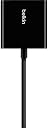
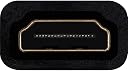
The Belkin HDMI to VGA Adapter Kit is a professional-grade solution designed to bridge modern HDMI devices like Chromecast, Apple TV, and Chromebooks with legacy VGA displays and projectors. Featuring universal HDMI-F and HDMI-M compatibility, a 3.5mm audio cable for integrated sound, and optional USB power support, this compact black adapter kit ensures seamless video and audio streaming with quick installation—perfect for presentations, streaming, and multi-device setups.


| ASIN | B00Z4TQ64Q |
| Best Sellers Rank | #57 in HDMI-to-VGA Adapters |
| Brand | Belkin |
| Built-In Media | Kit includes HDMI-F to VGA-F Adapter, 3. |
| Color | Black |
| Compatible Devices | Chromecast, Chromebooks, Apple TV, Amazon Fire TV with power input, Macbook Raspberry Pi, and other compatible HDMI devices Compatible Devices Chromecast, Chromebooks, Apple TV, Amazon Fire TV with power input, Macbook Raspberry Pi, and other compatible HDMI devices See more |
| Connector Type | HDMI, VGA |
| Current Rating | 0.5 A |
| Customer Reviews | 4.2 out of 5 stars 214 Reviews |
| Finish | Projector |
| Global Trade Identification Number | 00745883696468 |
| Input Voltage | 5 volts_of_direct_current |
| Item Dimensions | 0.1 x 0.97 x 0.32 inches |
| Item Weight | 0.05 kg |
| Item dimensions L x W x H | 0.1 x 0.97 x 0.32 inches |
| Manufacturer | Belkin Inc. |
| Mfr Part Number | B2B137-BLK |
| Model Number | B2B137-BLK |
| Number of Items | 1 |
| Number of Ports | 2 |
| Package Quantity | 1 |
| Specific Uses For Product | HDMI to VGA conversion, compatible with various devices |
| UPC | 745883696468 |
| Unit Count | 1 Count |
| Warranty Type | Limited |
L**.
El compañero ideal de tu Apple TV
Es la compañía ideal para tu Apple TV. Ideal para usarlo con un proyector.
A**R
Worked on my laptop to DVD recorder and HDTV
I was trying to connect my laptop to my DVD recorder and view what I was recording on my TV. I think I tried 6 different adapters but I could not get them to work, probably because none of them had any instructions how to make the connections. I am a tech idiot so I really needed help. Belkin's adapter came with brief instructions and a diagram. It was enough for me to make the adapter work. I can now make DVDs from what I am watching on my laptop. If anyone is interested in knowing how I connected things, I will try to explain. 1.: my DVD recorder to my HDTV. HDMI cable from TV to DVD recorder and a set of red, blue, green RCA (?) also from my HDTV to my DVD recorder component out. Another set of red and white cables from audio component on the HDTV to the audio R/L on the recorder. 2. The red, yellow, white RCA cables coming from the recorder were then connected to a VGA adapter. 3. The VGA was then connected to the Belkin adapter. My VGA has an audio cable and a USB cable. The VGA audio cable was plugged in to the Belkin audio port and the VGA USB was connected to my laptop. 4. I connected the HDMI adapter that came with the Belkin and plugged that in to my laptop. 5. An audio cable that also came with the Belkin was connected to the audio port on the laptop and the connected to the audio port on the back of the TV. Good sound and video. WHEW! I tell you, I hate this technical stuff.
Z**O
Works adequately -- but most users will need a power adapter
This is a decent solution to output from one of my AppleTVs to a ten-year-old VGA projector that had been collecting dust -- but it comes with one or two minor caveats. First, ignore that stuff in the description about " *IF* you still have no picture..." [without external power] Nay: it's not actually an "if". You *will* need an external power adapter and this product doesn't come with one, so just go ahead and drop that into your cart at the same time if you don't already have it. You're looking for a micro-USB cable and a power brick which outputs at least 500mA, which should be pretty cheap. (I just used a 1amp brick that I had lying around.) That said: I've tried two different AppleTVs on this device, and one thing in particular that I noticed is that my old projector has some difficulty initially syncing up to the output signal, when I turn it on. I suppose I could blame the projector -- except that it works flawlessly when I connect it to a Mac Mini via one of Apple's Thunderbolt to VGA adapters. Mind you, this is not entirely a deal-breaker; the screen eventually syncs up, and it *usually* recognizes the signal adequately enough to give me a good viewable image. (Once-in-a-while, it'll lose a portion of the screen image off to the side; I'm sure it has something to do with the default black background coming out of Gen2 and Gen3 AppleTVs. One possible workaround is to set the AppleTV to go into screensaver mode instead of going to sleep, and set it to one of the screensavers that uses the entire screen, but I haven't tried this yet myself.) The image it does give me is always crisp and clear; no issues there. So if you can live with the above caveats, this device can enable you to eek out a little bit more life out of what would otherwise be an "obsolete" VGA device that still works just fine.
J**N
perfect
I bought an item similar in claims, sadly it displayed annoying lines on my new monitor. I have a pc and ROKU on the moniter ,but the moniter only has one HDMI port and one VGA port. That said, this product solved the annoying lines present in the VGA hookup. You will save money, time and headaches by simply buying this instaed of the cheaper junk.
B**K
Three Stars
Failed to work with Apple TV 4.
B**T
does not work with Apple TV
no picture, even with USB power, suspect no HDCP support...
N**3
It does what it says on the tin.
I haven't used it much, so I can't really comment on short-term, let alone long-term, durability. That disclaimer aside, it absolutely does what it says on the tin. I was able to play Journey and GTA5, from my PS3, on a cheap, old lcd monitor. That's important, because of a filthy, little four-letter word, called HDCP. HDCP was invented by the devil, to punish upstanding consumers for the existence of needlessly convoluted methods of piracy. This little dongle, (tee-hee) does something technical to [REDACTED] the HDCP, allowing you to use the device in completely normal use-case scenarios. Of course, it's pretty common knowledge that you can buy little HDCP [REDACTED] boxes, all over the place, of wildly varying price and quality, but it would be ridiculous if you had to buy one, just to keep a decent, old monitor out of the landfill. TLDR: HDCP is evil. This product is good. You are also good, for not littering the planet with still functional electronics. Yay... or something.
S**H
This adapter works when others don't.
I ordered this adapter to attach my laptop to an ancient projector. It's lucky I did. Yesterday, I took my laptop into a conference room with a television offering only a VGA input. The television is part of a Steelcase presentation unit on casters, and has most of its inputs blocked by an industrial grade frame. A passive HDMI -> VGA adapter was supplied with this conference room TV. That passive adapter did not work with my Lenovo laptop -- possibly because the adapter was bad, or possibly because my HDMI out may require an active adapter. In any case, this Belkin adapter 100% worked as expected where the other failed.
M**N
Works well
I had bought a cable previously to connect an Apple TV to an old projector, it simply didn’t work. This one has a usb powered amplifier and works really well, the separate audio cable was also perfectly for me to use a non Bluetooth speaker system.great value for money.
L**E
Ottimo adattatore video
Perfettamente funzionante su un vecchio televisore. Diversamente da altro adattatore che non consentiva la gestione della risoluzione.
S**Y
Works with Apple TV 4th Generation!
I tried many converters with my Apple TV 4th Generation and none except this one worked. Mind you that you WILL need to plug the optional power source otherwise it won't work. This is something that is clearly stated in the manual but some people who say this doesn't work most likely never read the manual. Netflix app works perfectly (used it for days and so far no problems).
J**Y
Works with Amazon Fire Stick
Bought this to bring back my Pioneer plasma TV to life after it's HDMI ports all failed. Tested it out with an Amazon fire stick and it works. Easy to use, just have a micro USB and VGA cable handy. Runs at 720p rather than 1080i/p but this is fine as the TV is not the primary anymore. Haven;t tried it with other sources.
U**X
Vale cada maldito centavo.
Excelente adaptador. Pude conectar el Chromecast 2 a un monitor de pc Samsung por VGA y funcionó genial, dato curioso: no me hizo falta conectarle por micro usb, incluso llegó antes de la fecha estimada. Asi que ya saben, tan sólo con éste adaptador, el Chromecast, un monitor, y claro unas bocinas, ya tienen una "Smart TV". (obviamente necesitas el internet de tu casa o del vecino y un smartphone o tablet) Simple de usar, se ve bastante resistente, muy versátil, incluso noté que se calienta muy poco. Es un accsesorio imprecindible en la casa o la oficina.
Trustpilot
2 months ago
2 weeks ago