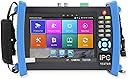
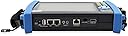
๐ Elevate Your CCTV Game with Cutting-Edge Technology!
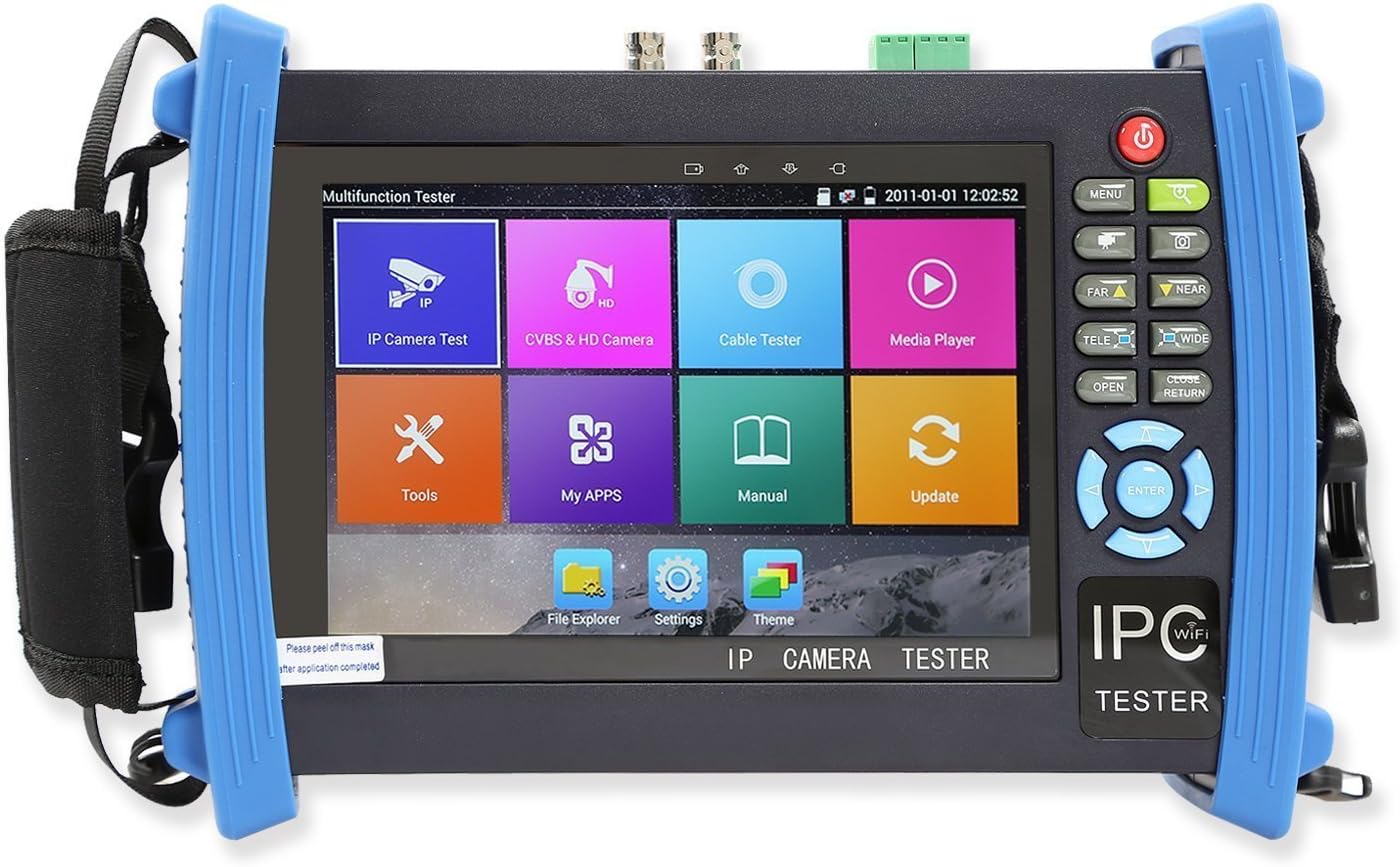
The Wsdcam 7 Inch Retina Display IP Camera Tester is a versatile tool designed for CCTV professionals. It features a high-resolution touchscreen, extensive compatibility with major camera brands, and a robust set of network testing tools. With a powerful battery that lasts up to 16 hours, this tester is perfect for on-the-go installations and troubleshooting.


| ASIN | B010SH9KLO |
| Brand | wsdcam |
| Brand Name | wsdcam |
| Customer Reviews | 3.8 out of 5 stars 39 Reviews |
| Item Weight | 5.19 Pounds |
| Manufacturer | WSDCAM |
| Manufacturer Part Number | IPC-8600 |
| UPC | 710824949088 |
M**R
Surprising usefulness, android based, works on lots of IP camera brands
I am a professional CCTV installer working mostly on industrial, medical, and government sites. I am certified by Exacq, Pelco, Axis, Lenel, and many others. I have been looking for a tool such as this. I bought this as a test to see how well it would work. This is not a tool for a novice, and the instructions are somewhat lacking and poorly translated. That being said, if you have a fundamental knowledge of IP cameras, this is an invaluable tools. It is android based, and has a variety of useful tools such as a built in POE injector, DHCP server, and it appears to use ONVIF for displaying IP video feed. So far this has worked on all Pelco cameras (select HikVision), axis, and every other industrial brand found commonly in the US. The brands supported are mostly Chinese crap, but that is irrelevant because it did work for brands not listed. I must say I am pleasantly surprised, and the build quality for the price is reasonable. I have not used it long enough to quote reliability, however I have not had any issues with it. This being the first of its class, I'm impressed and would definitely by again.
C**R
Wonderful product despite the engrish instructions.
This is hands down the best ip camera setup device out there. It allows you to show customers exactly what you are providing to them. It also allows exact placement of cameras ip and analog. It works best with onvif supported cameras but will use a few other brands but if you're like us you use hikvision or other reputable brands that are fully supported by this device. One quick thing the manual into clear about: 1st plug in camera poe or not and make sure it boots up 2nd goto ip discovery and let it run it will have a check in temporary ip you can unchecked this if you want it sets your devices ip and subnet to the cameras ip and subnet matching range. 3rd click quick onvif and it will take you directly to the ip live view screen (make sure it has username and password in top box) it's painless! Tried many other brands that claim a lot this has lived up to it! Only cons: It currently doesn't have a 15 hour poe in use battery more like 4 hrs but this is really good! And it has a total junk toner and cable mapper (i love fluke intellitone)
F**K
I use it to fine tune CCTV and IP cameras
Does what it should, I use it to fine tune CCTV and IP cameras. Great tool although sometimes I get a bit irritated of the Chinese apps as i don't speak Chinese!
E**Y
Works great - Until it doesn't. No help from seller.
This thing worked "fine" for a while. It would discover IP cameras from two manufacturers on its own, auto assign a relative IP and then play either via onvif or the native protocol. However, as camera models advanced (even over a few months), both of these features stopped working. It will no longer find cameras own its own, nor will it display video even when I enter the information manually. The English translation isn't that great - especially when you get an error. Error messages are generally kind of obscure anyway, so when you get something like "Error not device", it's hard to know what is wrong or how to fix it. There are also plenty of places that the translation isn't done at all so you have no idea what the thing is trying to tell you. The device definitely suffers from phantom power draw - I have to disconnect the battery when storing or it will be dead on its own within a few weeks. Speaking of power - it randomly will not keep cameras powered via POE - even with a 1 ft network cable. The device stopped doing its software update (some obscure error occurs instead) and the seller wouldn't help me get it resolved. Because of all of this I now have a $350 device that is essentially useless. I would recommend buying a device that has an actual brand name, a US website, a support number, downloadable firmware updates, etc. The price tag is just too high to risk it in my opinion.
J**.
It Worked great!!
Purchased this for several 40+ ONVIF POE IP Camera installs with Blue Iris NVR software. It Worked great!!! I read in a review that it does not output POE to the camera, but whoever wrote that does not know how to operate it (You need to turn off the 12v output which then turns on POE) The retina screen is perfect and makes it easy to focus Megapixel cameras spot on. I had none of the problems that I have read in the lower rated reviews. I used a complete static IP camera structure, which took time at a computer to configure each camera's IP according to the network map I planned for it. (I used a 192.168.1.10 through .49 for the cameras and left .1 through .9 for other connections) I used mainly WI-FI connecting the tester through the Gigabit WI-FI router which the POE Switches were connected to. All cameras were using the same "Login"... This populated all connected cameras on the tester through the router after doing an ONFIV discovery on the left side of the screen. I just went to the camera (Which I labeled with the last of the IP numbers) and tapped on it to sight it in. Some cameras that were outside the building and had me too far from the WI-FI so I just direct connected it with a network patch cable using the POE output and did a fast ONVIF discovery and reconnected it to the network after I was done sighting it in. There were other brands of this product out there but they were more than double the price with no retina display and lower screen resolution. The price and features this unit had were the best bargain hands down!!! Shipped out fast too! the same day I ordered it.
N**R
So close...
Ended up returning it. Was planning on using it to point POE cameras in the field, but it _doesn't provide POE from the internal battery!_ Yea, its kinda cool. It's clearly running some kind of Android, but being so locked down with half usable "apps" really neuters the device. What would make it awesome is if it provided POE power to the connected cameras, and opened up the Android its running. So many amazing apps exist that would make it much more than a "Wanna-be Fluke".
K**H
... moved to using IP cameras and this tester is great. The way my cameras are installed I did ...
I am a homeowner that moved to using IP cameras and this tester is great. The way my cameras are installed I did not have access to the camera lead once the camera was installed so I had to access the camera some other way so I could point it and see the results immediately. The WiFi connection this tester offers allows me to connect through my local WiFi connection to the camera and so it makes camera adjustment a snap. Tester is well built and easy to learn how to operate. Battery last a long time. It's a good all around tester for setting up IP cameras.
S**N
Three Stars
it is complicated and confused
Trustpilot
2 weeks ago
2 days ago