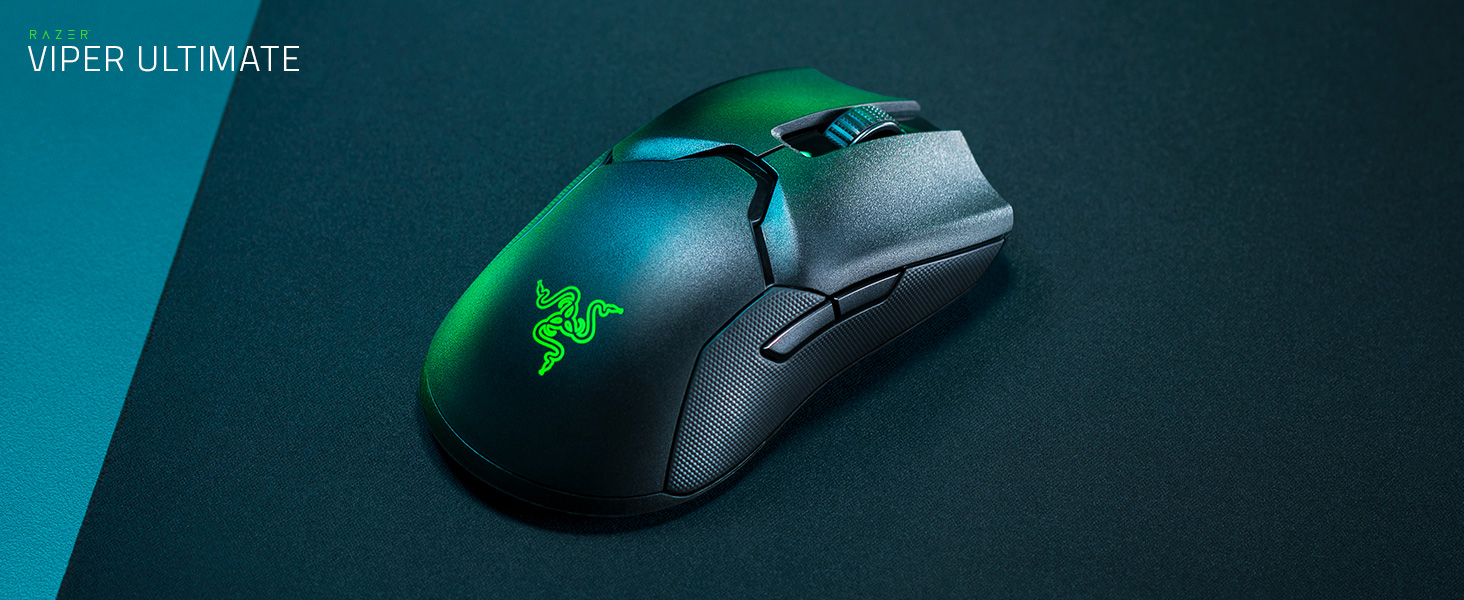
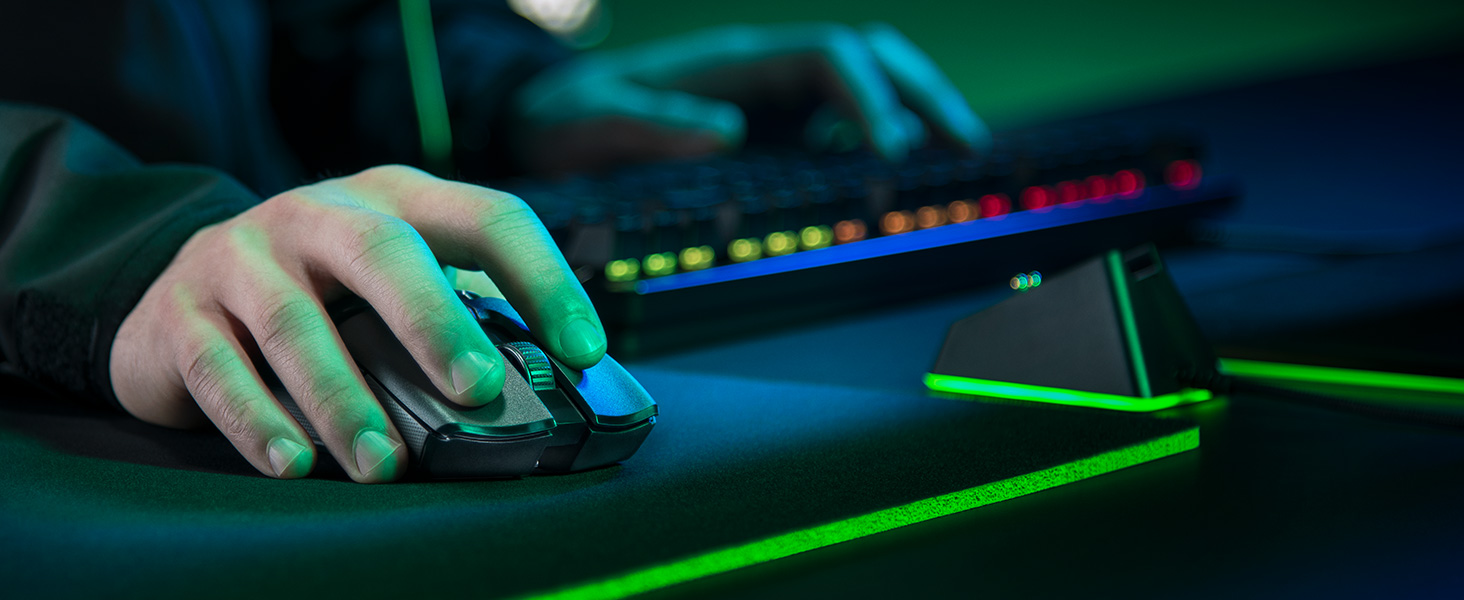
🎮 Own the Game with Wireless Precision & Speed
The Razer Viper Ultimate is a cutting-edge ambidextrous esports gaming mouse featuring HyperSpeed wireless technology for ultra-low latency, a Focus+ 20K DPI optical sensor for exceptional accuracy, and a lightweight 74g design for swift, fatigue-free control. With up to 70 hours of battery life and an included charging dock, it’s engineered for serious gamers seeking top-tier performance and convenience.
| ASIN | B07Y8M4BCW |
| Antenna Location | Gaming |
| Are Batteries Included? | Yes |
| Are Batteries Required | Yes |
| Battery Average Life | 70 hours |
| Best Sellers Rank | 1,641 in PC & Video Games ( See Top 100 in PC & Video Games ) 82 in PC Gaming Mice |
| Brand | Razer |
| Brand Name | Razer |
| Button Quantity | 8 |
| Colour | Black |
| Compatible Devices | Gaming Console, Laptop, Personal Computer |
| Connectivity technology | USB |
| Customer Reviews | 4.5 out of 5 stars 7,119 Reviews |
| Embellishment Feature | Logo |
| Enclosure Material | Plastic |
| Global Trade Identification Number | 08886419332688 |
| Hand Orientation | Ambidextrous |
| Hardware Platform | Gaming Console |
| Included Components | Razer Viper ultimate gaming mouse • Razer mouse dock • USB wireless dongle • charging cable • product information guide |
| Item Dimensions L x W | 12.7L x 6.6W centimetres |
| Item Weight | 2.61 Ounces |
| Manufacturer | Razer |
| Manufacturer Part Number | RZ01-03050100-R3G1 |
| Model Name | Viper Ultimate & Mouse Dock |
| Model Number | RZ01-03050100-R3G1 |
| Mouse Maximum Sensitivity | 20000 Dots per Inch |
| Movement Detection | Optical |
| Movement detection technology | Optical |
| Network Connectivity Technology | USB |
| Number of Batteries | 1 AAA batteries required. (included) |
| Number of buttons | 8 |
| Operating System | Linux, Windows 7, Windows XP |
| Pattern | Single |
| Power Source | Battery Powered |
| Product Features | Wireless |
| Product Finish Type | Smooth |
| Product Warranty | 24 months manufacturer warranty |
| Range | 10.0 meters |
| Special feature | Wireless |
| Style Name | Viper Ultimate + Charging Dock |
| Theme | Gaming |
| Unit Count | 1 unidad |
B**E
The Brand speaks for itself
Razer is a brand that i have come to love and trust with my pc gaming It arrives in the branded box shown and on removing from the box your meet with a well made (as expected) mouse and docking station, Docking station is well made and the wire is woven material and is well made, the dock is lightweight nice shape, the bottom of the dock has rubber bottom this is great as it stops it sliding all over the desk, inside the dock is the space where you plug in the 2,4hz dongle if your using the dock (the dongle is stored in the underneath of the mouse. The mouse is impressive its lightweight and is simple perfect in my hand is small than my Razer Basilisk X Hyperspeed which is the main reason i choose it. The optical sensor is amazing it boasts a tracking speed of up to 650 IPS (inches per second) which for me when im gaming is perfect, and when used with the right mouse Matt (see my other reviews) is gaming changing, The Viper Ultimate is also loaded with Razer’s HyperSpeed Wireless transmission tech, which in essence gives it the same latencies as a wired version. This mouse is an ambidextrous mouse, and you switch the left and right click commands with a simple toggle in Razer Synapse (Software) The mouse only has two programmable buttons on each side, one set for right-handers, one for left-handers, plus a click-in scroll wheel, which for gamers mmmmm. The battery life is really great and will last for long periods (Razer claim 70 hours) but I don’t think i will be playing that long straight through ( mmmmm or will i new call of duty on the horizon 😂) I have now been using for a few months, playing Warzone, MSFS, and Hell let Loose and it still feels as good and responsive as the day i got it. Very happy and happy to recommend
L**L
Best mouse I've ever owned up to this point
I bought the viper ultimate back in April 2021 with the charging dock. First things first, don't think about the dock. The metal contacts on the base of my mouse (where it connects to the dock) got dirty and/or rusted within a few months rendering the dock effectively useless to me. I also have friends with this mouse who experienced the same issue. Charging with the cable isn't a big deal to me. The mouse itself is great. I play with a strange hybrid between fingertip and claw grip and its perfect for me. My hand only contacts the mouse via my fingertips and then the rear left of the mouse makes some contact with my palm for stability. The shape of this mouse is perfect for this grip as I'm able to move the mouse around a large amount horizontally/vertically with just my fingertips due to its small height. I've tried other mice such as the G PRO Superlight and found that the back of the mouse was too tall and bulky and therefore made too much contact with my hand for my grip style which reduced effective movement. The mouse clicks are great, light enough to be easily spammable with no effort while also being heavy enough to never mis-click. There is no noticeable post or pre travel to these clicks so they feel super snappy. Side buttons are ok I guess, I don't have enough experience with other mice to talk about placement, but they are fine for me. They feel good and you can definitely tell when you've clicked them so no uncertainty. One thing I wasn't a fan of was the rubber grips that come with the mouse. After a few months I ended up replacing my side grips with my own ones, before ultimately tearing them off entirely. I find that the raw plastic underneath the side grips is perfectly grippy and allows for a slightly closer grip which I really prefer. If you're in the market for a fingertip/claw grip mouse that allows for a lot of fingertip adjustment then this mouse is great. If you can get the Viper V2 pro for the same/slightly more expensive then I'd recommend that as afaik its just a lighter variant with some improvements. That said, if you can get this mouse for <100 pounds then its great in my opinion.
J**M
It's the best, but the most expensive.
You get what you pay for. It's an incredible mouse, haven't used it for too long but I definitely feel confident in recommending the house to anyone with medium sized hands, my hands are on the larger side of things and I have absolutely no issues with getting a strong grip on it. For a true ambidextrous mouse, potential customers might be worried about the side buttons on the other side of the mouse accidentally being pressed, I have never accidentally hit them. In fact I use one of them to active hypershift and it turns my mouse into a multimedia peripheral while I hold it (e.g. hold the button and left click to play/pause music and use the scroll wheel for volume up/down) which is done through synapse with setting that up taking a couple minutes at most. Synapse isn't needed, and the mouse is just plug and play but with that you have no control over the RGB on the mouse or dock. Battery life is amazing, with RGB maxed out I left it on for 2 days straight without putting the mouse on charge at all, and on the third day I checked the battery; ~35%. The battery is amazing. The mouse feet glide nicely (I believe they're 99% PTFE, if that means nothing to you then it basically means smooth af) and paired with the ridiculous weight of the mouse at 74g... This thing flies on a decent mousemat. The sensor (razer's focus plus sensor) is brilliant. 0 issues at all, I used to own a mamba TE which had issues with the sensor refusing to track when it was picked up but there's no such issues here. Oh and it's rated for 20,000 DPI, if you feel inclined to set it up as a dpi setting to spin round and round a million times when you move an inch in game, the DPI changing button is found on the bottom of the mouse with a little triangular led to show you which setting it's on. There's also a power switch and a place to store the wireless receiver there (nice and useful for travelling if that's your thing). All round it's a brilliant mouse, and as for the dock... It's not a must have but it makes life so much easier it's worth buying outright, you will not regret it if you buy the mouse, you may aswell spend the little extra on the dock. It's as close to the perfect mouse or there right now, but you're paying for it. Hope this helps!
A**R
A great wireless gaming mouse for right and left-handers alike
I am left-handed (as in I actually use the mouse in my left hand) and finding a decent left-handed gaming mouse over the years has been quite the task. The reality is that there are barely any true left-handed mice out there. Razer seem to be one of the very companies that actually cater to us southpaws and for that I give them a lot of credit, considering how few of us there are and thus I imagine they would be barely making much profit, if any at all. They've released a true ergonomically left-handed version of both the Deathadder and Naga (both of which I've used) although they are both wired and I've been looking for a light wireless mouse to use for gaming (especially fast paced shooter games like Call of Duty Modern Warfare, where speed is very important) and I'm pleased to say that I am very happy with the Razer Viper Ultimate. There's no noticeable lag compared to the aforementioned wired mice, which is a great thing for gamers. The mouse feels extremely responsive and feels nice and light in the hand whilst it's comfortable to use with a claw grip (can't comment on how it is for fingertip or palm grip users). The design is truly ambidextrous, as in it has side-buttons on both sides, not just the left side like the majority of "ambidextrous" gaming mice. This means that as a leftie, I can make use of the buttons on the right side with my thumb. The buttons aren't removeable like the ones on the original G Pro Wireless are, but this hasn't really been an issue for me because they don't stick out too much so I have never accidentally pressed the buttons on the other side. The buttons feel nice to press, especially the primary and secondary mouse buttons which have a nice "clickyness" to them. I like the grip on the scroll wheel, it's easy to press and comes in very handy as a keybind (such as a quick melee) when in intense moments in games. The texture of the mouse is nice, the top of it has a nice matte touch whilst the sides have a more grippy texture to them so there's little chance of slipping and misclicking a side button. I got the mouse with the dock and it is certainly very convenient. I leave it on the dock to charge when taking quick breaks and this pretty much stops it from ever getting low in battery. It was a bit awkward at first to position the mouse so that it connects with the magnetic pins, but after a few times I got the hang of it and now it fits on quite seamlessly. Both the dock and the mouse have RGB which is nice if you're into that. When the mouse is charging, it flashes a specific colour along with the dock to indicate the battery level which is pretty neat (e.g red if it's very low, yellow/orange if it's around the middle and green if it's high). When they're not charging, I have both of them as a matching static colour, but you can customise them a fair bit in Razer's software called Synapse. In general, Synapse is very useful as it allows me to remap all of the mouse buttons. Being a leftie, I use the right-click as my primary button and the left-click as secondary. However I didn't rebind them in Synapse, but rather Window's own mouse settings so that I don't have to wait for Synapse to start up every time I turn on my PC. I like that I can have different profiles in Synapse for my mouse (I have one for general use and one specifically for gaming, and I can link specific games to the latter profile). Each profile can also have their own DPI and RGB settings. However Synapse is unfortunately not without its issues, like when booting my PC up it sometimes doesn't connect to my profile automatically and keeps asking me if I want to use the cloud settings or the on-board settings of the mouse and I haven't found a way to resolve this yet, but Logitech's G Hub software never gave me any issues like this. I would have given this 5 stars if it wasn't for the issues I've experienced with the software. Overall, the mouse itself is pretty much the best wireless gaming mouse around at the moment if you're left-handed like myself and I am very happy with this purchase. Razer are known for their expensive prices but luckily I got this in a deal with the dock included for £64.99. For all the flack Razer get in the gaming community, they genuinely are one of the very few companies that care about us left-handed gamers and hopefully continue to do so. If I was right-handed I probably would have gone for the G Pro X Superlight as it's around 10g lighter, but that's not to say that this mouse is bad in any means for a right-handed gamer, it's still very light and comfortable to use and is certainly a solid choice. Sorry for the long review but I hope this is helpful to anyone looking for a solid wireless gaming mouse that caters to both right and left-handed users.
C**O
End game wireless mouse for now.
This is an amazing mouse for gaming and casual browsing. Pros: There is a very nice tactile feeling on the left and right mouse buttons for precise & super fast clicks. Rubber on the left and right side make for great gripping. It is ambidextrous and the buttons are low profile but easy to click without miss clicks. Scroll wheel is nice and subtle. Charging dock is a very nice charging alternative. Razer software works surprisingly well with the mouse with a lot of customisability. The gliders on the bottom make it a lot smoother to use than mice from competitors. Cons: It is quite a low design, so if you have larger hands it may be difficult to use for long periods without cramping up, if this is you the g pro wireless is a great alternative with a higher hump. Battery life is good, but could be better. Charging dock can become inconsistent so you will need to regularly clean the contact points and it just doesn’t charge the mouse fast enough, you can leave it on charge if you are afk for a while but the wire charges it a lot more faster. All in all the mouse is amazing, it feels fast and smooth, never had any issues with the mouse and I have been using it for a few months now. If you want a wireless mouse for gaming this is it chief. Also don’t think that because it’s wireless you’ll get connectivity issues, sometimes I feel like it’s faster than my previous wired mouse ;)
J**S
Better than the g703 for gaming, and design is better than the deathadder.
Let me start by comparing this to the Razor Deathadder. The Deathadder is incredibly comfortable to hold, with well placed buttons. The problem the deathadder has is the reliability. All mouses that seem to shield 1 sheet of plastic from the base down to the mouse buttons on the front seem to suffer from double-clicking, or not clicking, or something wrong with the buttons on the front over time. If you go back 20 years you will find mouse's were designed with separated sheets of plastic for both the left and right buttons, and these mouses lasted for decades, literally (examples were the intelli mouse explorer 3, and the Microsoft 3-Button optical mouse). So I'm glad to see the separated front mouse buttons. This mouse is also far better than the Logitech G703 for gaming. The G703 suffers from being excessively tall, causing you to arch your palm over the mouse in order for it to feel comfortable. The problem with an arched hand is that your precision on aiming is diminished, and the side-buttons are more awkward to use quickly. The base of your hand needs to sit on the pad, with your fingertips on the buttons ready to go to react as accurately and quickly as possible (something I couldn't achieve with the G703, but can with this mouse). As a past pro-level CS1.6 player, and a excessive CSGO player, I've gone through more than my fair share of mouses so I hope that adds some merit to the review. I still have very small gripes with the mouse in that it is slightly too light and the up-scroll is noisy. The RGB lighting on the docking station is also too bright. However these are very minor, and I'm not knocking any points off for those, because the functionality, comfort ability, and the design is very good.
M**H
Best mouse thats out there
The Razer Viper Ultimate is an exceptional gaming mouse that has truly elevated my gaming experience. The lightweight design makes it incredibly easy to maneuver, and the wireless technology provides a seamless connection with zero lag. The customizable RGB lighting adds a personal touch, The battery life is impressive, lasting for days on a single charge. However, it may take some time to get used to the ergonomic shape. Overall, the Viper Ultimate is a top-tier gaming mouse that combines performance and aesthetics, making it worth every penny. Worth the money THE BEST
S**R
Phenomenal. No other product at this price (£48) can match it.
This mouse is my first wireless mouse. I bought it mainly for FPS and MOBA games, far exceeding my expectations. Every design element fits my needs perfectly, and the mouse is speedy and precise. The packaging is very high-end and gives a premium unboxing experience. Inside the box, you will find the mouse and docking station held firmly in place by a foam cushion. Underneath the foam, you will find the cable, manual and some stickers. The build quality is phenomenal. The mouse buttons have a very comfortable indent, and the scroll wheel feels tactile. The side buttons are great because it's difficult to hit them accidentally while being very easy to click when intended. This is useful because if you use the right side ones for gaming, the other side can be mapped to things like mute discord. The dock is sleek and compact, so it is easy to find a place for it on any desk. The mouse is very light and easy to grip, so it's easy to pick it up during a long turn. You can also adjust the height you need to lift a mouse before it registers movement. The performance boost from using a wireless mouse has been drastic for me. I'm very pleased.
A**D
Love it!
Worth the buy, best mouse out there for gamers. ⭐️⭐️⭐️⭐️⭐️
E**R
Muito preciso
Mouse espetacular com uma precisão muito boa e sem atraso por ser um mouse top de linha deveria ter RAZER HYPERSPEED MULTI‑DEVICE SUPPORT FORA ISSO O MOUSE E EXCELENTE
O**R
"Selon moi", la meilleure souris
Etant un aficionados des souris gaming, j'ai eu l'occasion d'en tester et d'en avoir un paquet : G502 lightspeed, roccat kain ou kova, razer basilisk, corsair M65, G703, glorious model O... Cette souris, est pour moi, de loin la meilleure que j'ai pu avoir, et ce, pour plusieurs raisons. -La légèreté. Quoi que beaucoup puissent en penser, pour les fps, il faut une souris légère. L'inertie est meilleure, c'est bien plus agréable lorsque vous êtes en low DPI (ce qui est préférable si vous voulez de la précision) et que vous devez faire des mouvements plus amples afin de recentrer votre mulot au centre du tapis. Si vous préférez qu'elle soit plus lourde (coucou G502), c'est peut être juste une question d'habitude. -L'ergonomie/confort. Toutes les prises en main sont envisageables, quelque soit la taille de votre main. Les grips sur les tranches sont très agréables. Après plusieurs heures de manipulation, on ne fatigue pas ! Bonus : si vous êtes gauchers, c'est parfait, étant donné que c'est une souris ambidextre. -La glisse, grâce aux patins en ptfe, est parfaite. -Les clicks, grâce aux capteurs optiques, sont très agréables. Ils sont souples et ne sont pas trop audibles. Autre avantage de cette technologie : vous pouvez dire adieu aux problèmes de double clicks que l'on rencontre parfois sur des souris qui embarquent une technologie mécanique, telles que celles de chez logitech par exemple. Les boutons sur les tranches sont très bien placer. Pas la peine de faire des mouvements du poignet afin de les atteindre. -Aucun soucis avec le capteur non plus. Mais ce ne doit pas être un critère dans votre recherche étant donné que tous les constructeurs possèdent aujourd'hui d'excellents capteurs. A condition que ce ne soit pas du cheap à moins de 10 non plus... Même chose du côté de la latence. Il n'y en a pas. C'est comme si vous jouiez en filaire. -L'autonomie de la batterie est top. Une semaine en jouant et en travaillant sans avoir à recharger. Et même si ce n'était pas le cas, vous n'aurez aucun soucis à ce niveau là non plus, étant donné la présence de la station de recharge, qui est vraiment très pratique. -Enfin, un petit mot en ce qui concerne le RGB. Je ne suis pas un fan. Je préfère l'éteindre pour économiser la batterie. Cela dit, je note deux points positifs. SI vous l'éteignez, aucune trace de logo Razer sur la souris. Et la bande led qui se situe tout autour de la base de la station de recharge est plutôt bien pensée. Vous pourrez l'accorder avec le reste de votre setup et elle vous servira d'indicateur sur le niveau de votre batterie en recharge. -Seul point négatif à mon sens : le prix. Chez Razer, c'est cher. Au moins, maintenant, la qualité est présente, ce qui n'a pas été toujours le cas chez eux... Elle est plus chère que la g pro wireless de chez Logitech, mais je trouve cela logique. Vous gagnez en sérénité avec la technologie des capteurs optiques et vous avez une station de recharge vraiment très pratique. Alors bien sûr, vous n'aurez pas de tapis qui recharge automatiquement votre souris, mais ce dernier vaut actuellement 120 euros... Pour conclure : j'aimais changer de souris régulièrement... plus maintenant ! Si ce com' a pu vous aider à faire un choix... Au plaisir !
A**I
Ottimo mouse per gaming
Mouse leggero, reattivo e funzionale, anche grazie alla sua basetta di ricarica molto comoda e bella da vedere. L'ho utilizzato diversi mesi per accertarmi dei lati positivi e quelli degativi, anche se di negativo c'è poco da dire, unica pecca che dopo un pò di tempo i connettori per la carica si possono sporcare e iniziare a dare problemi riguardo alla connessione con la basetta, si può risolvere semplicemente pulendoli. Del resto mouse ottimo per il gaming essendo un top di gamma in questo campo, molto bello esteticamente migliorando di gran lunga il proprio setup e ampiamente personalizzabile tramite l'apposito softwere di casa Razer. Consiglio a tutti coloro che necessitaano di un mouse affidabile e di alta qualità.
R**I
Mysz ze stacją
Myszka do komputera. Dobra jakość wraz ze stacją nie trzeba się martwić o ładowanie
Trustpilot
2 months ago
2 months ago