


🖨️ Elevate your workspace with wireless, vibrant, and smart printing—because your ideas deserve the best!
The Canon PIXMA TS3350 Series is a compact, wireless inkjet printer designed for home and small office use. It delivers high-quality color prints with up to 4800 dpi resolution, supports automatic duplex printing, and integrates seamlessly with mobile devices via Wi-Fi and the Canon PRINT app. Featuring borderless photo printing and energy-efficient operation, it combines convenience, vivid output, and eco-conscious features in a sleek, easy-to-use package.





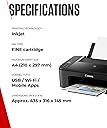
| Additional Printer Functions | All In One |
| Asin | B07WV59HLM |
| B W Pages Per Minute | 7.7 |
| Best Sellers Rank | 14,309 in Computers & Accessories (See Top 100 in Computers & Accessories) 50 in All-In-One Printers |
| Box Contents | Ink Cartridges (Black, Cyan, Magenta, Yellow), Power Cord |
| Brand Name | Canon |
| Color Depth | 24 bpp |
| Color Pages Per Minute | 4 |
| Colour | Black |
| Compatible Cartridge | PG-545 black and CL-546 colour |
| Compatible Devices | Laptops, PC, Smartphones, Tablets |
| Control Method | App |
| Controller Type | Android, iOS |
| Customer Reviews | 4.2 4.2 out of 5 stars (4,017) 4.2 out of 5 stars |
| Display Type | LCD |
| Dual Sided Printing | Yes |
| Duplex | Automatic |
| Hardware Interface | PictBridge, USB |
| Ink Colour | Black, Cyan, Magenta, Yellow |
| Item Dimensions D X W X H | 31.6D x 43.5W x 14.5H centimetres |
| Item Type Name | Multifunction Printer |
| Item Weight | 4.6 Kilograms |
| Manufacturer | Canon (UK) Ltd |
| Maximum Copies Per Run | 100 |
| Maximum Copy Resolution Black And White | hoch |
| Maximum Copy Resolution Color | [HOCH] |
| Maximum Print Resolution Black And White | 4800 dpi |
| Maximum Print Resolution Color | [HIGH] |
| Maximum Sheet Capacity | 60 |
| Maximum Supported Paper Size | A4 |
| Model Name | TS3350 |
| Model Number | 3771C008AA |
| Model Series | PIXMA |
| Network Connectivity Technology | Wi-Fi |
| Number Of Drivers | 1 |
| Number Of Trays | 1 |
| Other Special Features Of The Product | Auto Power On, Borderless Printing, Display Screen |
| Output Sheet Capacity | 60 |
| Paper Size | 21 centimeters |
| Power Consumption Size | 11 Watts |
| Print Media | Glossy photo paper, Paper (plain) |
| Printer Output Type | Colour |
| Printer Type | Inkjet |
| Product Warranty | 1 Year |
| Resolution | 600 x 600 |
| Scanner Type | Flatbed |
| Series Number | 3300 |
| Specific Uses For Product | Home |
| Total Usb 2 0 Ports | 1 |
| Total Usb Ports | 1 |
| Unit Count | 1.0 count |
| Warranty Type | Limited |
| Wattage | 11 watts |
User
Best inkjet I've had
I bought this after finally loosing patience with the Epson inkjet I had before. I don't print very often, but the printer is in a different room from the PC, so I want it to stay on standby and wake up reliably when I need it. Also, when it prints, I want clear, sharp print first time and not have to go through cleaning and aligning the head like I did with the previous one. The Pixma does all that brilliantly, so I'm very happy on that score alone. I bought a set of spare cartridges, but am still using the ones supplied with the printer, so it seems to be very efficient. My only grip is the setup is tricky and confusing, even using the app. When things go wrong, as they do, it doesn't provide useful feedback that helps you to get it right. But once it is up and running, it is a very good printer and great value for money.
User
Canon has the best support team ever!
So I bought my Pixma TS3300 and I was looking forward to printing via my phone and my laptop, I input the WiFi settings and made a mistake with the password and now no matter how many times I reinstall and press buttons on the printer it won’t let me connect to my WiFi!I love canon products but this was a huge failure!I contacted canon support and they called me and within minutes I had a working printer!The quality of the prints is amazing! On plain paper in draft mode it is stunning!The scans are amazing I’m over the moon!
User
Bit on the slow side but overall a good printer
I had a Canon printer before from the PIXMA range specifically the MG2950 that lasted for well over 10 years. It gave up last month sadly with the ink absorber being soaked and consequently rendering it unusable.This is a problem that Canon really should solve because if I'd been able to replace this the printer would still be in a good state of repair.Sadly most people will bin their old printers ending up in landfill which is sad. I have recycled mine so hopefully it'll get turned into something that can be used again with all the electronics and plastics involved.Back to this printer and it's a good design, I got the black one and quite like it over white. White printers show all kinds of muck so I chose a black one this time.Setting it up was a bit difficult but eventually I managed to hook it up to my smartphone and my other halfs phone and printed some samples off. The printer is slow (compared to my older Canon PIXMA) but the print quality seems to be better than the old one.There was no need to calibrate the printer and because this uses the same cartridge system as my old one it was easy to pop the colour and black cartridges in. The setup guide is a bit on the vague side which is supplied in other language formats as well. The guide doesn't really explain what some of the buttons are for although I'm used to most of the buttons due to them being the same as my old one. There is (what appears to be) a service button denoted with a couple of tools logo. Not sure what this is for but I'm sure YouTube will teach me lol.The print interface (Canon print app available for iOS and Android) was the same as my old printer so I had no issues with this and it's pretty intuitive for new users to the Canon brand.A disc is included for those wanting to print from computers that don't have WiFi connectivity.I tested the scanning and this was good as well as photocopying although the printing was again on the slow side.I think the price is very good tbh at just under £40 and there's a 10% discount at the moment. Bear in mind that this also comes with ink cartridges (which alone can be upwards of £25) so the printer theoretically is only costing around £15!I trust Canon printers so this is why I've stuck with the brand due to my old one lasting so long but I really wish Canon would redesign their inkjet printers so users can change the ink absorber pads.If I get over 10 years use out of this printer I'll be extremely happy.Overall this is a decent budget printer especially with the 10% discount at the moment.
User
Good basic printer with easy wireless printing
I bought the Canon PIXMA TS3350 as a simple home printer for occasional printing and scanning.It does the basics well. Print quality is good for everyday documents, and the wireless setup is straightforward. Being able to print directly from my computer or phone without needing a cable connected is a big plus and makes it far more convenient to use.It’s compact, easy to set up, and works as expected for light home use. Not a heavy-duty printer, but that’s not what it’s designed for.Overall, a solid, no-frills printer that’s ideal if you want simple wireless printing at home.
User
I was scammed somehow
So the printer works great, no probs there. Came in secure packaging and both ink cartridges came with it too.I opened the box initially and found booklets in Czech/polish only, I was super suspicious, and confused as nothing had alerted me to Thai coming from eastern Europe. I did eventually find instructions in English and followed the link in the booklet using the QR code to download an app in order to use the printer via Bluetooth etc.I downloaded the app and then it asked me to pay £1 for access, I figured this was why the printer was so cheap as the company then make more money by making sure you purchase the app.I paid the pound, I was sceptical....It came out my account, no problems.I then was alerted the next day by text that a £60 transaction had been attempted on my account.I called dmy bank and turns out this company were based in Czechoslovakia - coincidence....I think not.The attempted transaction came out at the same time as the pound that came out of my account for the app download the previous day...Now I don't know if this was a whole scam of actually printing a fake QR code in a fake booklet with the printer or whether a scam company piggy backed on the app and tricked me that way.I have mobile security on my phone and I wasn't alerted to any fraudulent website....Anyway. Proceed with caution.I haven't used the winter since, I'm hoping I can use it without the app.
User
Printer
Great printer, easy to use, prints relatively quickly. App is easy to use on my phone and easy to set up. Ink consumption isn’t too bad and ink cartridges are not too expensive for it if you buy unbranded. Can be a little fiddly to install the ink cartridges.
User
Good product at very cheap price.
I bought this printer after problems with a brand new Epson printer costing £170. I read the reviews about problem with WiFi set up so searched online and found that vest way was to set up wifi using WPS.I kept getting E04 error on the printer screen and discovered that ink cartridges needs to be installed before anything.After that, it was seconds to set it up. Although it came with a CD, I downloaded the latest software from Xanan site and was extremely quick to con ext yo windows 11 laptop and Galaxt S23U.I have seen quite a few negative rdviess but did not have any of the issues. Please don't forget this is a 2019 printer that costs £34.
User
Good printer but faulty cartridges included
I really like this printer, but the ink cartridges that came with it did not work (I kept getting the support code "1430 - Remove the ink cartridge and then reinstall it. If this message appears again, the ink cartridge may be faulty"). A bit of a let down as one of the reasons why I chose this printer over others is because it came with ink. Contacted Amazon and they wouldn't send replacement cartridges, the only option they gave me was to send it to an engineer to fix it when there's nothing wrong with the printer, just the ink... Other than that, after breaking the bank and purchasing more ink I've not had any problems with the printer - but if like me the reason you're tempted by this one is that it includes cartridges, maybe think again (or at least make sure you have some backup cartridges so you're not caught short like I was!).
User
Excelente relación calidad precio
La relación calidad precio es excepcional. Perfecta para las cosas del día a día. Fácil de conectar al ordenador y al móvil, una opción muy útil.
User
Toller Drucker, einfach zu installieren und macht was er soll!!@
Bester Drucker bisher den ich jeh hatte: super einfach zu installieren und verbinden mit Notbook und Smartphone und mit der Canon print App vom Smartphon perfekt drucken.Hatte Bedenken da mein Notbook kein CD Laufwerk hatte aber auf der Canon Homepage konnte man einfach unter Eingabe von Druckerbezeichnung Treiber installieren und verbinden im Setup.Nach ca. 30 Min war Drucker ausgepackt und betriebsbereit. Handbuch deutsch konnte man auch direkt von Canon runterladen. Soviel ich gesehen habe hat der Drucker keinen Direktknopf am Gerät zum Scannen, hab aber noch nicht im Handdbuch gelesen und mich so durchgefummelt bei Einstellungen, Drucker, Scannen..."Mit der App drucken". Kann aber sein dass man doch manuell kann, mal sehen hab ihn gerade erst installiert, wollte nur melden dass er toll Druckt und einfach zu installieren und bedienen ist!Zudem war Lieferung vorgesehen 5-6 Tage...am 3. Tag war er schon da!Danke Amazon!Von mir deshalb volle 5 Sterne
User
Ottima
Ottima, fino ad ora fa bene il suo lavoro
User
Wouldn’t recommend
A lot of connectivity issues from the beginningStopped working completely after 4 monthsSo disappointed
User
Excellent product
It does the job in printing and scanning. Before you get started make sure that you have everything connected correctly, especially the ink cartridges I don't need wifi in my case. Just plug it in and your computer will find your printer.BTW great Cannon support.
Trustpilot
1 month ago
2 days ago