Some deliveries may take a little longer than usual due to regional shipping conditions.

DOWNLOAD THE APP


Customer Services
Copyright © 2025 Desertcart Holdings Limited
DOWNLOAD THE APP
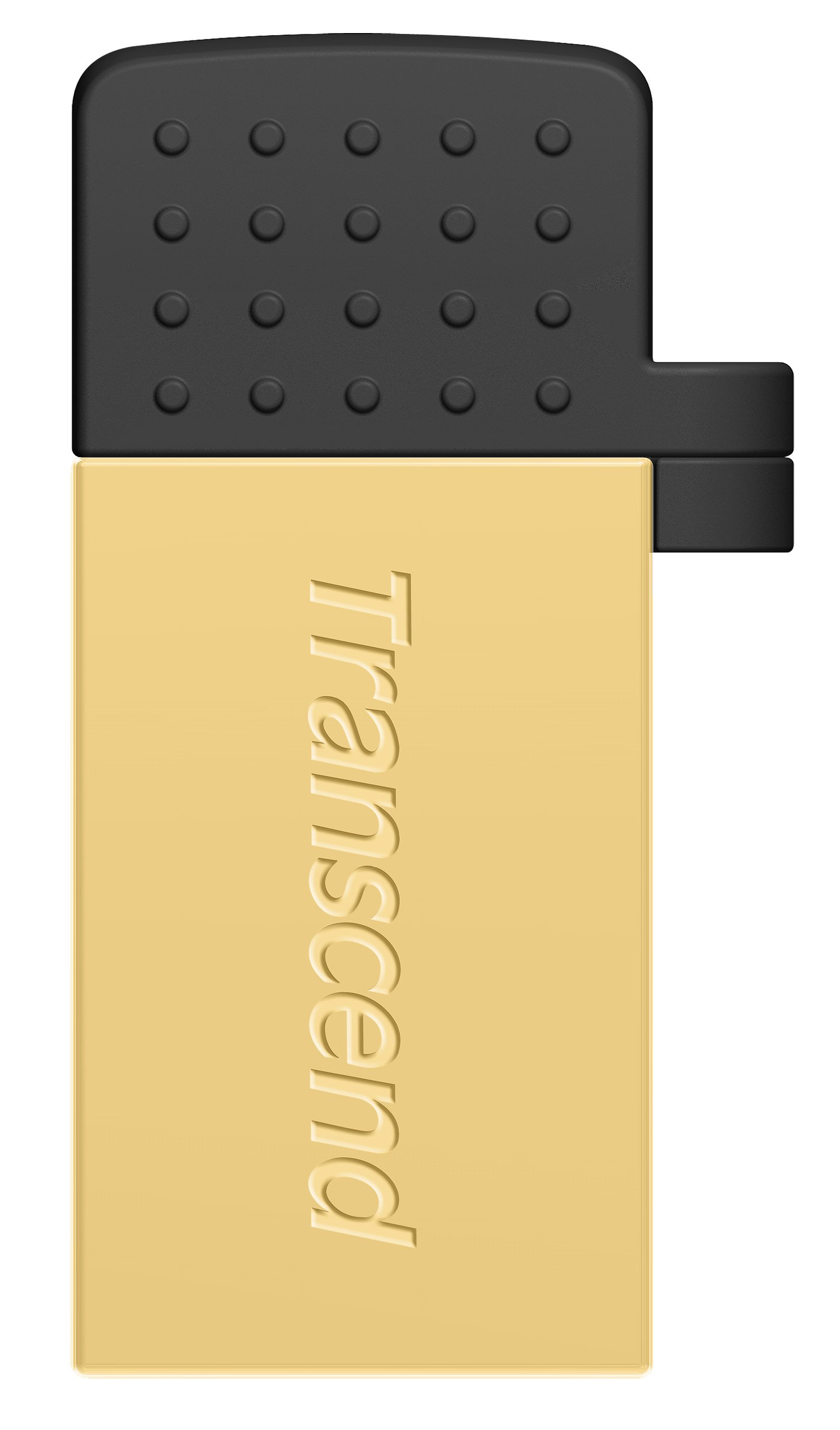

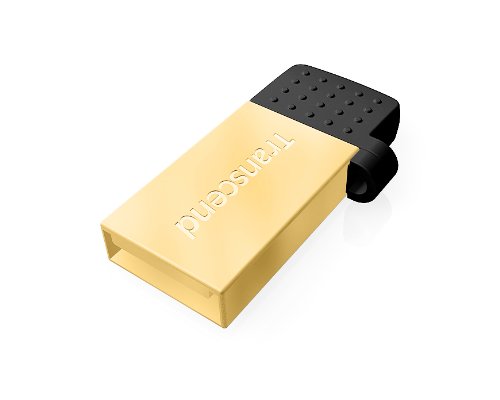

🚀 Elevate Your Storage Game!
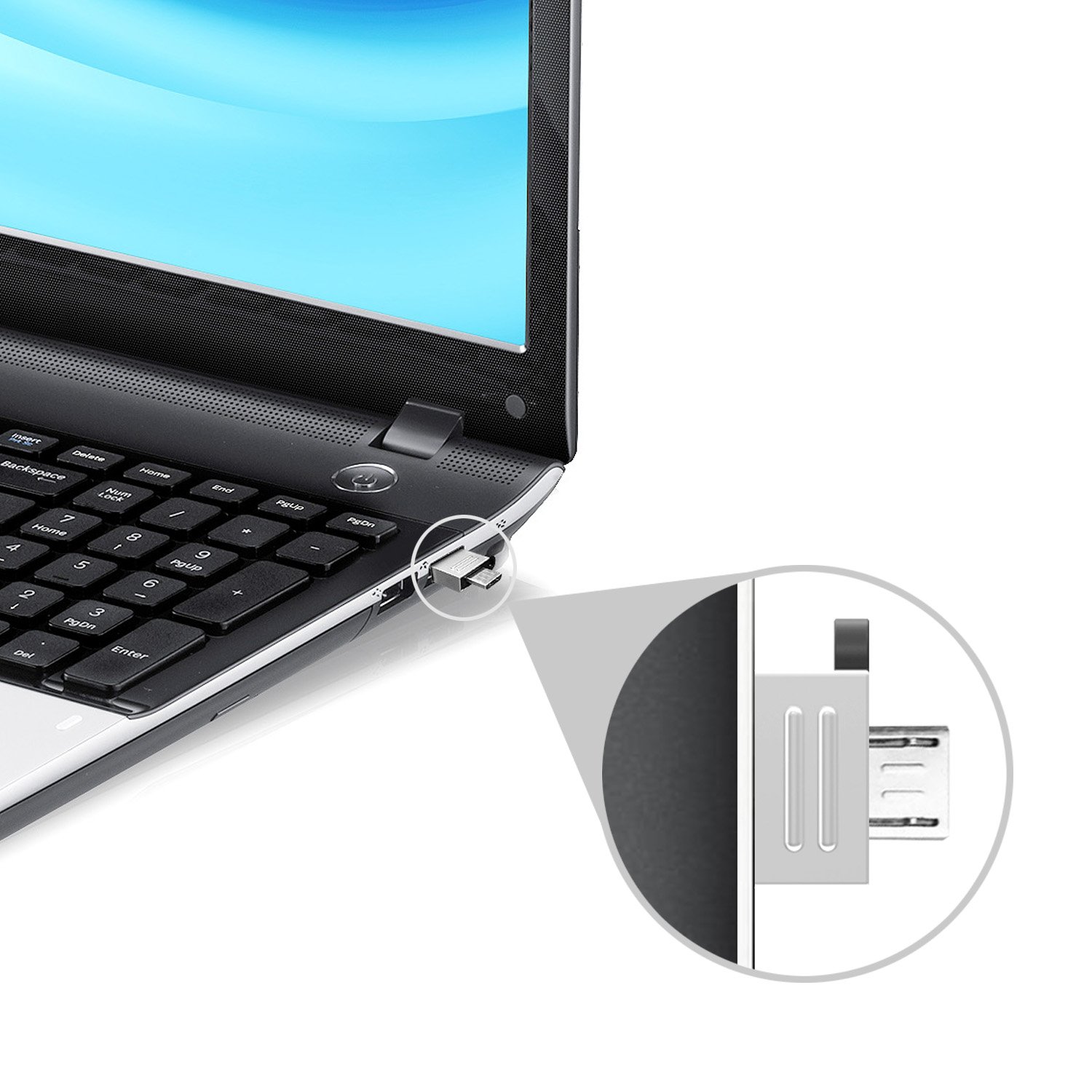
The Transcend 16GB JetFlash 380 USB 2.0 Flash Drive combines dual access storage with impressive speed and durability, making it the perfect companion for both mobile and desktop users. With its rugged design and exclusive software, it ensures your data is always secure and easily accessible.
Y**U
Works as advertised
TAKE NOTE...-- I have only used this by transferring a small file to the drive from a computer, then copying that file to my phone (Moto X) and tablet (Nexus 7). Did not have a problem doing this.-- The drive should work with ANY computer (Windows, Mac & Linux) that has a USB port (assuming it is USB 2.0 or above :-).-- The drive will ONLY work on phones & tablets that support USB On-The-Go (OTG).----You can go to Transcend's web site to see if your device (i.e., phone or tablet) will work, however I suggest that you go to the maker of your device to see if it supports OTG. Transcend's site seems (to me) overly complicated and if I remember it said that the Nexus 7 was not supported which is not correct.-- You will need software on your device to read the drive. I suggest that you use ES File Explorer.---- ES File Explorer is free and can be found in the Google Play store and Amazon's Apps for Android.Pros:-- It works.-- It is small (a little over an inch with the cap on). Granted, its small size can be a Con for some. :-)-- You can use your hands to open the package. No tools needed.Cons:-- It comes with a removable small cap that covers the micro USB end that is BEGGING to be lost.--- If you have a small lanyard, then I suggest that you thread the rope in between the cap and hole on the body of the drive. That way you would not lose the cap and you can attach the drive to a key ring.-- It does not come with a lanyard. See above why I think that is a good ideal.
L**S
It's Hot!
It works as advertised but I had two minor gripes about it. the first is that the cap always got lost. I ended up putting a tiny key ring between the drive and the cap to hold them together so then of course the little hole on the cap broke... I can't win. The other issue that I had with it is that it gets surprisingly hot when it is in use. Not like burn you, or cook breakfast hot, but definitely much hotter than any other flash drive I have ever used. Just for my peace of mind I actually ended up fashioning a makeshift heat sink out of office supplies for when I has to use it backup files from my phone. Probably overkill but it made me feel a little better.Also worth noting I have used it with a Nexus 5 and 7, and a Moto X (2014 version) and it worked perfectly with each one.*** Update***Ok, I just had to pop back into mention that this is officially no longer the hottest flash drive that I have ever used that crown has been officially passed down to the SanDisk Cruiser Fit 128gb... That one really does get alarmingly hot, and I am pretty it sure could burn you.
G**E
This thing is great
This is so quick and easy for transferring stuff/storing of my android phone. In the earlier days of android you could simply just hook a usb cable to your phone and computer, the computer would then recognize as a mass transfer , and you could simply drag and drop. With the more secure android OS now, or at least with my Samsung S4, it doesn't work on XP (office computer) without issues, and on windows 7 transfer times are painfully slow whether they are USB, wifi direct, or blue tooth. This device will transfer stuff much faster and without the hassle of having to install anything on either your phone or PC. Plug it into your phone, copy the files you want , then plug the other end into a pc and copy them back. Even though it seems like an extra step- the file transfer is much faster than a direct connection between the phone and PC. The only thing I would like to improve on this would be how it attaches to the keyring- I wish it could connect in a way that i would not have to take it off my keyring to use it (micro usb end)
M**M
Transcend JetFlash 380 works flawlessly; as expected!
I purchased the JetFlash 380 to transfer pics, info, digital media, etc. for better privacy between phone and PC. It does exactly what it suppose to do with plenty of room; with 3 storage options: 8gb, 16gb, 32gb; you also have 2 colors to choose from: Silver or Gold in color. I went with the silver 32gb option.If your device has a micro USB you can use the JetFlash 380 to transfer docs, media and data files. If you're tired of syncing your device with a micro USB to your PC, this is the perfect go between; in my case I use it for my Galaxy S4. The great thing about the JetFlash 380 is one side is a micro USB and the other side is a regular USB, so you can open, rename, playback, or transfer files with the Transcend Elite app, free in the GooglePlay Store.In my humble opinion the 380 is a great product all around; I give this product, the Transcend JetFlash 380, a solid 5 stars. I have no worries with Transcends limited lifetime warranty.
A**S
0 OTG Flash (Golden) and purchased it because it was a good deal. I am fan of Transcend products because ...
I already have a Transcend JetFlash 380 16 GB USB 2.0 OTG Flash (Golden) and purchased it because it was a good deal. I am fan of Transcend products because they have always been good quality products (External Hard Drives, Flash Drives etc..) and always had good experience with them. I liked this product but I do not understand why they made the cap totally separable from the drive as it could get lost easily. Look at SONY's OTG Flas Drives, they are well made and the cap is inseparable from the drive (it has a twist open cap). Except that I find this OTG Drive very good.Recommended.
C**E
The only thing that bugs me about this cool little trinket is that the cap and the drive ...
Make sure that your device is "OTG" (On The Go) compatible before you buy. The only thing that bugs me about this cool little trinket is that the cap and the drive both have a string/lanyard hole (the bump on the left side of the picture, at the back) but any lanyard has to be removed before inserting the drive because the hole is flush with the shoulder of the micro-usb plug. This means using a clip rather than one of those nylon string lanyards. Otherwise it is well designed.
J**D
Brilliant solution combined with Nexus Media Importer, gets hot...
Plugged in downloaded Nexus Media Importer app, and bingo works straight off the bat. But if you play say music files off it and play an app game at the same time, it can get very hot an then the music stops and when you go back in the Nexus Media Importer app it reloads but the music you queued up disappears and you have to re queue the music you want to listen too. Works fine if the only app playing and I guess the environment you are in as well. For instance sitting on the train with the tablet on my lap this happened about 4 times in an hour. But in the air conditioned office I work it is cooler and it works fine, it is rather hot but not as hot as it was when I was playing a game at the same time. So not up to the job with the Nexus Media Importer when using other apps at the same time in a warmer environment but fine for listening to music whilst doing some else....I guess it could be the app or the stick, who knowsPutting that aside, brilliant solution to store music on the memory card and not on the tablet. Effectively you can store masses of music for instance and not touch the memory on your tablet. Super, no lag or anything
E**D
Great USB drive with OTG
I bought this USB whilst on offer so it was great value for money but I would pay full price for it. You can buy cheaper but the lifetime warranty was a big attraction as I've had a number of drives fail on me. For anyone not familiar with 'On-the-Go' (OTG) it means that you can plug it in to a compatible device which has a micro USB socket but BE WARNED if your phone/tablet is over a year or so old, you should check whether it has OTG functionality.My only criticisms are that it's formatted in FAT format so you can't copy any single file bigger than 4GB onto it but a quick reformat into NTSF sorted that out and also that it's so compact that it can be a little fiddly when trying to extract it from a USB port (say on your laptop or TV).
A**F
Good while it works but very flimsy micro usb side stopped working after 2-3 months
Very small size which may be a plus or negative.It is difficult to put in a key ring and becomes difficult to pull out of usb slot of computer.Key ring attachment is very flimsy and broke within a week in keyring so now I keep this in my purse.works quite well with Samsung note 3 and and note 10.1 2014 edition but gets very hot.Other issue with the micro usb side is that it is very flimsy as well and became a bit loose after 2-3 months of occasional use with my phone and stopped working completely on micro usb side.Contacted transcend who suggested to contact the seller.Amazon customer service have been brilliant and replaced the item.I do not know how long it is going to last.update 19-02-15 Micro usb side stopped working again on replacement sending to Amazon for replacement againupdate 27-03-15 stopped working again gave up on replacements and requested a refund
J**H
One of my best purchases ever
I travel a lot (business and pleasure) and this little gadget is just amazing. I can load hours and hours and hours of video and films on it, and either watch it on my phone, my tablet or my chromebook. Long gone are the days where we used to have to drag a portable DVD player with us on our travels, plus DVD collections. I think its wonderful. Bought partner the silver one so we can differentiate - I don't want to watch episodes of Smallville and Lord of the Rings and I'm sure he doesn't want to watch the girly things I enjoy, so everyone's a winner!
M**Y
Small enough for a lego man..
This drive is absolutely tiny! At one end is the black cover which is the cover to a micro usb, the other end itself, not so clear in the pictures, is the normal usb insert. So the whole unit is no more than 1cm wide and 3cm long with cover on. So it really is easy to attach to your phone as it is also naturally very lightweight.I bought this to plug into a Sony smart TV so that I could record from the freeview program guide. I can report that it didn’t work. Apparently Sony TVs need specially formatted drives. However that is a problem with the tv and not this drive.
Trustpilot
4 days ago
1 month ago