Some deliveries may take a little longer than usual due to regional shipping conditions.

DOWNLOAD THE APP


Customer Services
Copyright © 2025 Desertcart Holdings Limited
DOWNLOAD THE APP
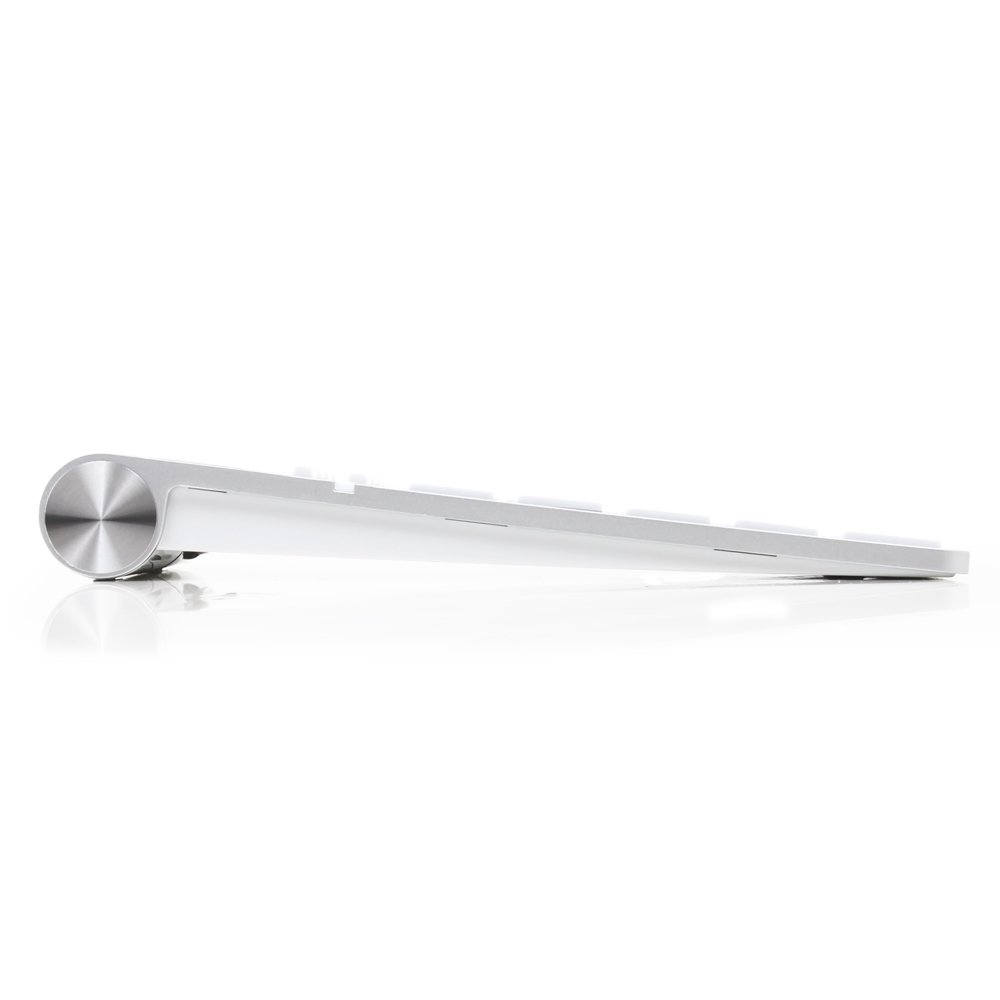
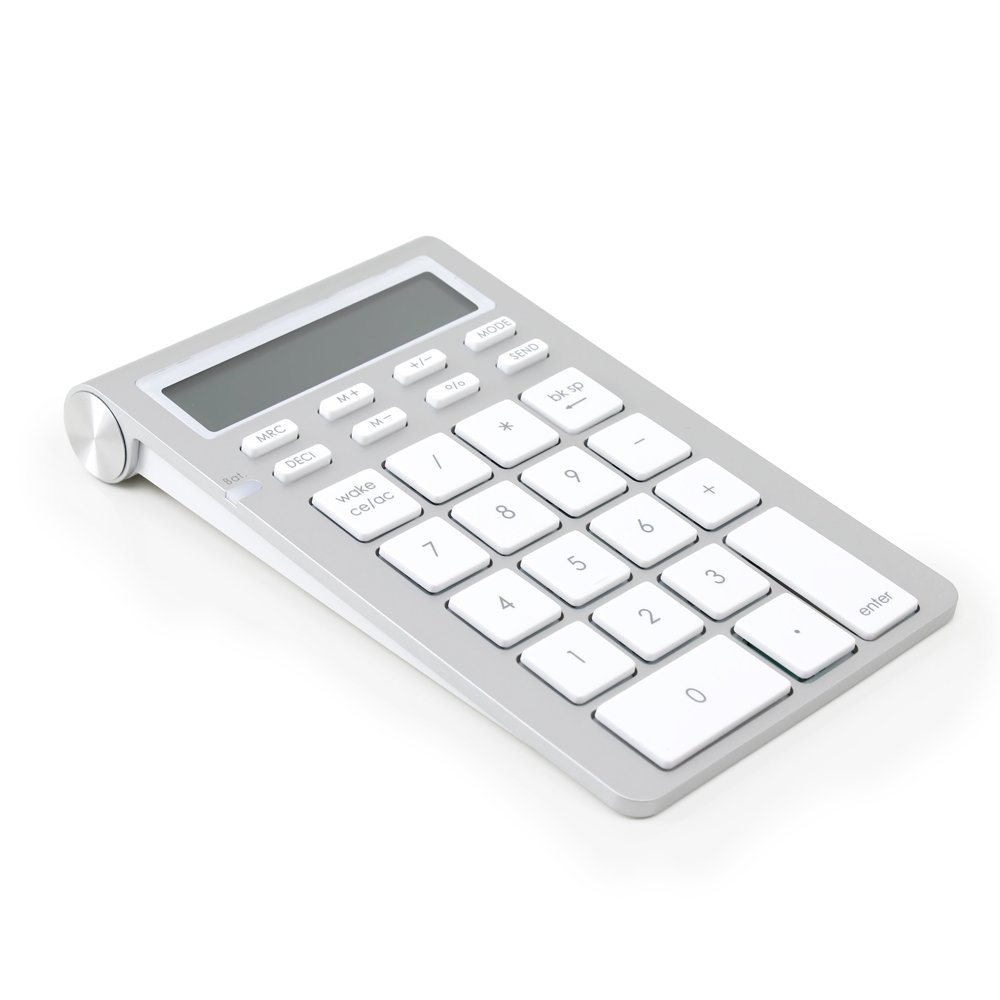


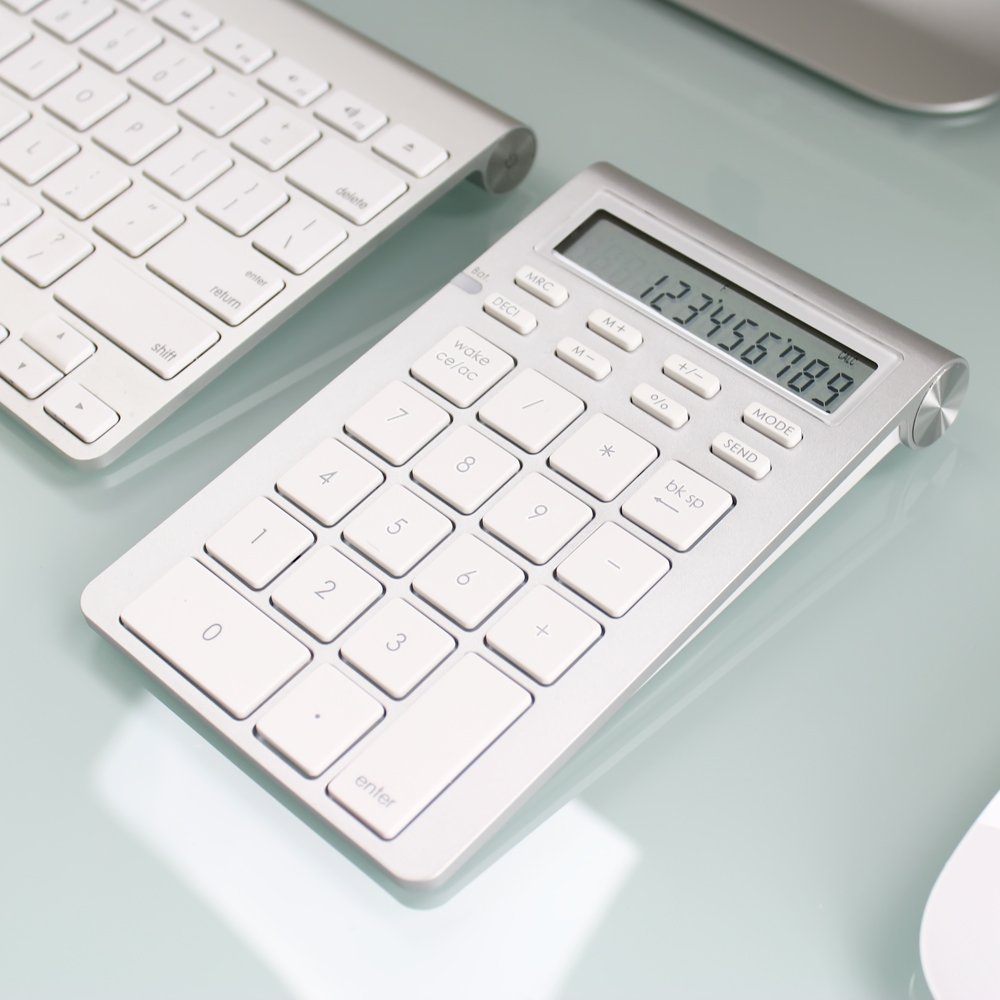
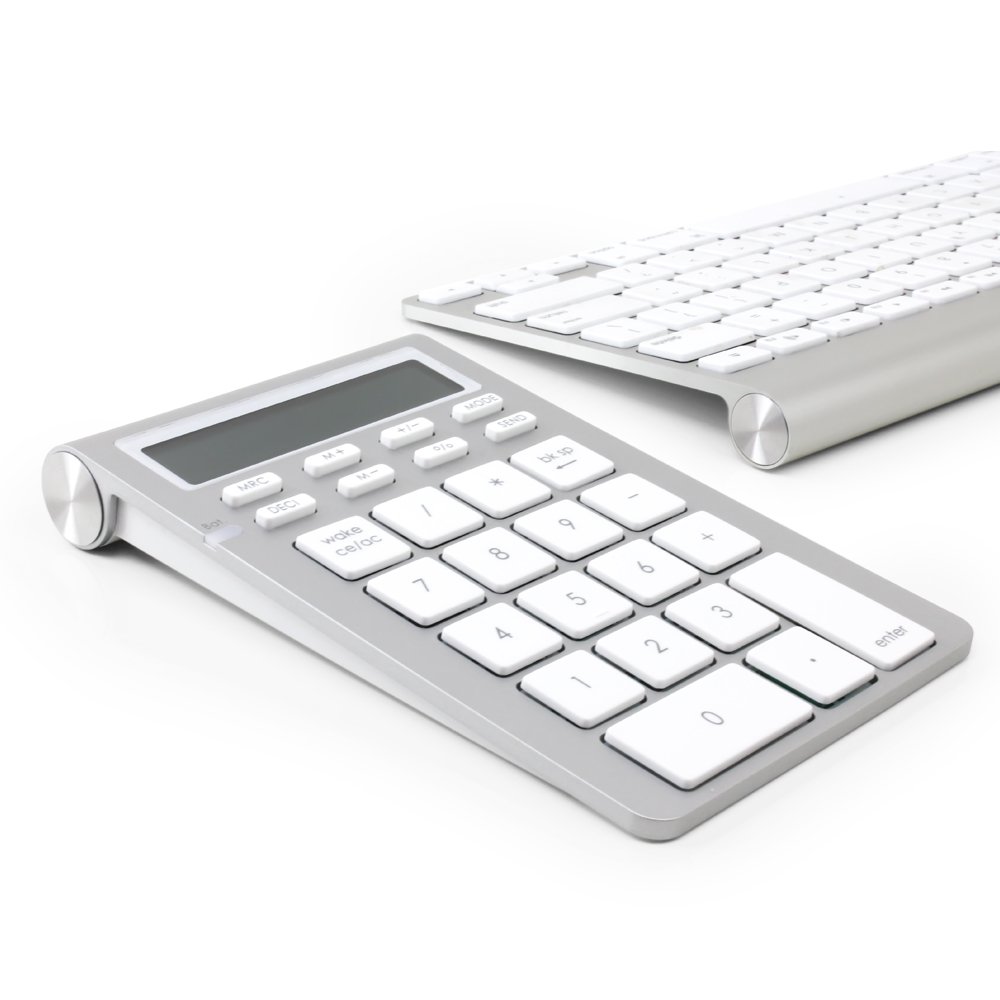
🔢 Elevate your number game—wireless, sleek, and smart for pros who demand more.
The Satechi Aluminum Bluetooth Wireless 26-Key Smart Keypad is a versatile numeric extension designed for professionals who value efficiency and style. Featuring Bluetooth 3.0 connectivity, a large 12-digit LCD display, and dual calculator/keypad modes, it seamlessly integrates with Mac, Windows, and mobile devices. Its sleek aluminum finish complements Apple products, while smart features like equation transfer and power-saving sleep mode make it an indispensable tool for data entry and calculations on the go.














| ASIN | B00CJKW4WQ |
| Batteries | 2 AAA batteries required. (included) |
| Brand | Satechi |
| Color | Bluetooth |
| Customer Reviews | 4.1 4.1 out of 5 stars (1,260) |
| Date First Available | April 26, 2013 |
| Hardware Platform | PC, Smartphone, Tablet |
| Is Discontinued By Manufacturer | No |
| Item Dimensions LxWxH | 6.14 x 0.87 x 3.74 inches |
| Item Weight | 5.3 ounces |
| Item model number | ST-WKP31 |
| Manufacturer | Satechi |
| Operating System | Android, Mac OS, Windows |
| Power Source | Battery Powered |
| Product Dimensions | 6.14 x 0.87 x 3.74 inches |
| Voltage | 1 Volts |
E**Z
One nice keypad
I needed a keypad to use with a MacBook Pro I recently purchased. I was going nuts using the laptop keyboard to do numbers. I was spoiled with my previous Windows computers with the keypad on the laptop. I reviewed quite a few items before trying the Satechi. I wanted a bluetooth keypad because past experience the mouse would always get tangled in the wires. I was leery of the product infromation as it sounded to good to be true, but I really liked the fact that it had a digital display on the keypad and could be used as a stand alone calculator so I figured I'd give it a try. I have been really impressed with the keypad since I purchased it! It was a breeze to start using and get the feel of the keys. It was easy to connect to my computer and works like it is built into the computer! I connect to the Cloud and work in a Windows environment and the keypad works like a charm. What was really a plus was they included a switch so you can run the keypad with PCs too, even though I didn't see that information in the review. I tested this and found the keypad worked just as well on a small PC I use for presentations. The sleep mode that is built in works well and the button to wake it up is really responsive and reconnects quickly, every time, which really surprised me! I am quite impressed and would definitely recommend this product to others. The only cons I can see is it would be really nice if the display and keys were backlit for low light situations and they had included a tab key with the back space. The back space key is a great plus and really handy in various applications.
K**O
It paired ridiculously easily with my Macbook Pro and even matches the look ...
First off, this was exactly what I needed. I do a lot of data entry and this made it so much easier. It paired ridiculously easily with my Macbook Pro and even matches the look and feel my Apple keyboard. The functionality was flawless and it was easy to switch back and forth between the keypad and the calculator mode. Plus, it's nice that you can do a calculation and then hit the "send" button and it automatically populates where you cursor left off. I do have to say that after about 1 year of use, the bluetooth functionality just stopped working. It's just a hunch, but I have a feeling that traveling with it may have disrupted when it went through the xray machine at the airport because it stopped working immediately after that trip. However, I called customer service and they told me to return it and they would send me a new one. Sure enough, about two weeks later, my brand new one arrived and works perfectly again. All I had to pay for was my return shipping. So overall, it's a great product that is support by an even better customer service group.
A**M
Lifesaver bluetooth calculator for online math coursework!!
Came earlier than anticipated. Hard to open packaging (typical plastic you need to cut open). Works GREAT as a regular keypad to replace your numpad or in addition to. Works great as a regular calculator (meaning normal calculations not involving higher level math, and absolutely no parentheses, sadly a feature I would have LOVED). The great thing about this is being able to swtich between keypad mode and calculator mode. I greatly prefer and see a huge advantage and productivity boost in using the calculator mode. Here's why: You can do quick calculations (i.e., 5*5/20*45), come to an answer after hitting the Enter key, then press the SEND key on the calculator to send it to wherever your cursor is currently placed on your computer. I have to do online math work where for college calculus class, and this thing speeds up my productivity in this program 10 fold. Instead of having to press something like the results/answer to a problem twice (i.e., 1st: solve problem using calculator in keypad mode, 2nd: reenter answer in answer box), simply come to you answer by calculating up to the final step, ensure the final answer (i.e., a number) is on your calculator screen, then press SEND, and it sends it right into the answer box, where you can quickly click SUBMIT, and just move on! I love this. Again, make sure you cursor is currently in wherever you want your calculator to SEND the number on screen. Of note, this can also switch between a Mac and PC OS using a switch in the back (for those who work on multiple computers that are between Mac/PC). This calculator connects by bluetooth, which for most devices (really all devices), should require a ONE-TIME connection phase (i.e., paring thorugh passcode, etc.), then should automatically connect without issue when both receiving computer's bluetooth is activated AND bluetooth calculator is on. Understandingly, when switching between two devices, you have to reestablish a link since you can't have two different computers linked to same device. So yes, I do switch between computers and OS so I expect this. However, I've tried many times to use the same computer/OS in consecutive sessions, and each time I had to RECONNECT the calculator (i.e., press the connect button under the calculator, which is hard to press, need to use a pen, fine tip, needle, etc.). At worst, I have to remove/dissasociate the device from computer's list of bluetooth devices, then go thorugh the initial repair process all over again. For me, this is worth deducting a start because it should automatically connect when both devices are on, and have not recently switched to another computer/OS. Its really just a 30sec -1min slowdown in the whole process so I'll live with it for all the speed benefits I've had using this calculator, but its something you should know, and hopefully Satechi can address. Oh, and the battery cover is not all that easy to pop off and takes some effort. Battery life is great for this product, and it does auto turn off/sleep after time of inactivity. TLDR: Great calculator. Use it in CALC mode and learn to use the SEND button in conjunction with your mouse cursor. Can be used as keypad to but the real winner for this is the CALC mode. Great battery life. Hard to open battery door. Some INITIAL connection issues regardless of computer/platform: have to redo initial connection/pairing each time want to use calculator, but is only a 30sec to 1 min delay in your productivity.
M**T
Fabulous but not w/ Windows 10
Bought the device February 11 and the calculator still works, but the device will not send in keypad mode. Replaced batteries, reset, confirmed Bluetooth connection. Update April 8: The very cordial Satechi customer support team reached out to me about the device and kindly shipped me a new one. Alas, it didn't work again. Paired perfectly, but didn't communicate with Excel. Instead, every time I tried to enter date in keypad mode, my system froze and I had to reboot. It worked before on my windows 7 machine, but I now have a windows 10. Having read a response from Satechi in the questions that said it would work with win 10, I wasn't worried about my upgrade. But I should have been as the instructions that came with the device do not include win 10 as suitable for the device.
B**R
Well-made, sturdy.
I bought this Aug. 4, 2015 and it has worked like a charm ever since. It's survived a lot of travel. I only had to replace it due to something getting spilled on it, causing the back-space button to cease working. My one grip: No "=" sign.
P**X
Excellent matériel qui semble être solide. Clavier très agréable et facile à mettre en œuvre même si la notice est en anglais. (attention mettre en mode "keypad" en appuyant sur la touche "mode" avant d'effectuer la liaison Bluetooth et garder le code d'accès proposé par le Mac Book. (sur PC je pense qu'il n'y a pas de code proposé et que le code saisi doit être celui qu'on lui donne...)
A**R
Bluetooth pairing failure.So this product is useless and wastage of money
G**夜
Excel入力や、 家計簿入力 など、数字をいっぱい打ち込まないといけない時ってあるじゃないですか 最近のノートPCには、テンキーついていないし 数字を打ちづらいったらありゃしない。 それで、テンキーを探していたんですけど、 テンキーだけ持ち運ぶってなんかもったいないですよね。 テンキーマウスみたいなのもあったけど、マウスはマウスの方が良くない? ということで、電卓搭載のテンキーにしました。 結論から言うと、正解 だって、計算機で計算した後に、その結果をPCに送れちゃうんですよ。 めちゃくちゃ便利じゃん。 しかも、ちゃんとテンキーとしても使用できる。 もちろん、電卓単体としても使用できる。 めちゃくちゃ便利 ただ、電卓とテンキーを入れ替えるのをよく忘れちゃうんですよね。 あれ、PCに表示されないぞ? みたいなことが良くあります。 入れ替え操作は、裏のスイッチを切り替えるだけというシンプル設計なんですけどね。
L**M
Bought this as my new iMac keyboard doesn't have a number pad and I have to say that I think it is actually better than having a number pad on the keyboard. There is the flexibility of being able to move it around separately and use it as a stand alone calculator which I do a lot. It is about an inch deeper than the keyboard but the difference doesn't matter to me. When you line up the keyboard and number pad on the bottom edges, the keys line up exactly and the slope matches the keyboard. The shell is plastic rather than the aluminium of the apple keyboard but when you put them next to each other they match really well. The build quality isn't as good as the Apple but I wasn't expecting it to be and it's much better than I expected. Overall an excellent product. The seller also provided excellent service. It arrived quickly and they sent me an email with extra instructions (I didn't need these as it was really easy to set up) and were happy to provide any extra assistance should you need it which is not something you get from sellers very often nowadays.
M**T
Wir haben einen PC und einen Mac im regelmäßigem Einsatz. Bei beiden Geräten fuktioniert die "SEND"-Funktion - Taschenrechner Ergebnis z. B. an Excel schicken - und die Tastatur Funktion einwandfrei. Die Installation via Bluetooth ist relativ einfach, die Geräte finden sich schnell und sind schnell einsatzbereit. Ich verwende diese "Zusatztatstatur" regelmaßig seit dem 9. Januar und habe bis heute (9. Oktober) nur 1x Batterien gewechselt. Würde ich jederzeit wieder kaufen.
Trustpilot
2 weeks ago
2 weeks ago