Desertcart purchases this item on your behalf and handles shipping, customs, and support to Greece.
📀 Elevate your mobile media game—burn, play, and impress anywhere!
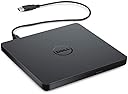
The Dell External USB Slim DVD RW Drive DW316 is a sleek, plug-and-play optical drive designed for professionals on the move. Compatible with USB 2.0/3.0 ports, it offers lightweight portability (200g) and a slim 14mm profile, enabling easy DVD/CD reading and burning without extra power sources. Pre-loaded with CyberLink Media Suite, it ensures seamless media management, all backed by Dell’s trusted 1-year warranty.


| ASIN | B00VWVZ0V0 |
| Additional Features | Plug & Play |
| Best Sellers Rank | #18 in External CD & DVD Drives |
| Brand | Dell |
| Built-In Media | Dell USB Slim DVD +/- RW Drive - DW316, Documentation |
| Color | Black |
| Compatible Devices | Laptop |
| Connectivity Technology | USB |
| Customer Package Type | Standard Packaging |
| Customer Reviews | 4.5 out of 5 stars 16,003 Reviews |
| Digital Storage Capacity | 2 TB |
| Enclosure Material | Plastic |
| Form Factor | 5.25-inch |
| Global Trade Identification Number | 04580691187908 |
| Hard Disk Description | DVD Drive |
| Hard Disk Form Factor | 5.7 inches |
| Hard Disk Interface | USB 2.0/3.0 |
| Hardware Connectivity | USB |
| Hardware Platform | PC |
| Installation Type | External Hard Drive |
| Item Dimensions L x W x Thickness | 5.7"L x 5.4"W x 0.6"Th |
| Item Type Name | Dell USB DVD Drive-DW316 |
| Item Weight | 7.04 ounces |
| Manufacturer | Dell |
| Mfr Part Number | M8WNW |
| Model Name | DW316 |
| Model Number | DW316 |
| Number of Items | 1 |
| Read Speed | 10.64 megabytes_per_second |
| Special Feature | Plug & Play |
| Specific Uses For Product | business, personal |
| UPC | 884116181477 792137834459 |
| Unit Count | 1 Count |
| Warranty Description | 1-Year Limited Hardware Warranty |
A**R
Positive
The DVD player is flimsy where you load the disc which is something I did not expect from Dell. However, it appears to run just fine. I did have to load DVD media software which I chose VLC. I think I will be very happy with this addition to my computer. I thought the price was as it should be. I am using it with my Dell Laptop Windows 11.
B**G
Plug&play, device mgr file explorer media software worked normally, runs on computer battery alone.
Dell USB DVD Read Write DW216. Upon plugging provided cable and drive into computer, the drive functioned as a plug and play device on Microsoft Surface laptop running Windows 11 64 bit. Device manager, file explorer, and media software functioned normally. Surprisingly, the drive functioned normally on computer battery alone. Provided CyberLink Media Suite 12 disc did not auto run as Windows blocked installation requiring Administrator access even though I am the administrator for the computer. I used/mixed two suggestions found in these Amazon reviews to install the Suite. 1. In the search bar, I typed "command prompt" and then clicked "Run as Administrator" on the right side of window. 2. In the command prompt window, I typed "net user administrator /active:yes" (exactly - keeping the spaces in between words & symbols) and tapped enter. 3. The computer replied "The command completed successfully". 4. I determined the drive letter of the DW316 in file explorer. I right clicked on the drive and selected properties to see the drive letter. 5. In the command window, I typed the drive letter and a colon sign and tapped enter. 6. I typed "cd cms" and tapped enter. 7. I typed setup.exe and tapped enter. 8. From this point the software installation process started. 9. After installation, at the command prompt, I typed "net user administrator /active:no" and tapped enter which was followed by the message "The command completed successfully" to take the computer out of administrator access. Good luck.
W**R
Connected to my laptop with no problems, works just fine, but...
Update: Maybe the quick connect to my laptop was beginner's luck - I haven't always been so successful lately. Plus I got a 6-foot cord which has the proper plugs but using it seems to make it even harder to get the computer to recognize the drive than with the short original cord. I'm getting almost superstitious in my attempts to get the laptop to recognize the drive: boot the computer with/without the drive plugged in, try to connect the drive with/without a disk in the drive, long cord, short cord, etc. I usually get the computer to recognize the drive and the disc eventually but i haven't worked out the correct formula yet. I'm lowering the rating from 5 stars to 4. Original review: Based on some other reviews I read, I was a little concerned about whether the drive was truly plug-and-play, but I was pleasantly surprised to find that it it connected to my Lenovo laptop right out of the box with no muss, no fuss. It remains to be seen how long the drive will last, but so far it's performing admirably. My only complaint at this point in time is that the cable is too short, and longer cables are hard to find and quite pricey. Yeah I should have paid more attention to the photos in the listing, they do show quite clearly how short the cable is, so mea culpa, but I still think the supplied cable should be about twice as long. So if you're OK with a 2-foot cable, I recommend this drive without reservation. But if you ever want use the drive while your laptop is on your lap, you may wish you had a longer cable.
B**H
Powerful Little External CD Drive--Works Great for CD Rips
I've only had it for a few hours, but I've been able to rip about 30 CDs so far, which is most of my collection. I didn't even need the software disc it came with, just plugged the cord into the external CD drive, plugged the USB into the USB port my laptop, and popped in my own CDs. It started right up with Windows Media Player. I configured a few settings in WMP (rip automatically and eject after ripping) and soon had a good little system going. Very easy. I'd say the only downsides so far is that after about 10 CD discs, it makes a really loud whirring noise, so for ripping CDs you should definitely plan to give this thing a break after awhile. It also takes about 3-5 minutes per CD to rip. I'm not sure if that's a long time or not, but it was fine with me. This external drive seems like it would be very portable for watching DVDs on the go, but I didn't really buy it for that, so I don't know if I'll ever test that theory. It does play DVDs, though. I'll see how it does for burning CDs later, since I have a few albums I need to burn to new CDs. Again, it's been less than 24 hours since the package with this drive got here. But I've been very impressed with it so far. 30 CD rips, rather seamlessly. Much better than the random no-name brand I had a couple years ago. I'll update this if anything changes. Edit: 2/8/26 I've been using it for CD burns lately, and I've been getting some mixed results. At first it made excellent CDs, but after a few, it's been making glitchy CDs that skip and pause, and it's not my player. So I need to figure out if that's me, or the device. I took a star off for that. It's also been good for putting CDs on my iPod.
L**G
Works great -- needed a little assist with software installation
Recently I had a need for a DVD player for my laptop to play a few specific discs however with technology change, of course it did not have a built in optical drive. So I hit up amazon and picked out an external DVD/BD that claimed to be plug and play. But upon using it, there was no software to read discs and it would not work with the VLC software I already was familiar with and had installed. I returned it and went looking again. I came across this external player that specifically advertised it came with software to read discs as well as to burn them. It was a bonus this Dell external would save me $$. It arrived quickly and sealed. Nearly flawless plug and play but it did require a little Googling during the software installation. I ran into trouble that Windows was blocking the installation requiring Administrator access regardless that I am the admin of my own computer. If you find you run into trouble installing the PowerDVD software that comes with this drive, try the following which was taken from the Microsoft Answers Community Forum: 1. type "command prompt" into the search bar and then RIGHT click it to "Run as Administrator". 2. in the command prompt window type "net user administrator /active:yes" and it should follow with "The command completed successfully" message. 3. from the Start window and your user profile, click it to change to the Administrator profile and wait for it to be set up. 4. locate the setup.exe file for the software and install it. 5. switch back to your original user profile from the Start window. 6. to disable the Admin account access the Command Prompt with Admin rights and type "net user administrator /active:no" which will also be followed by the message "The command completed successfully" This worked perfectly for me, and the software has had no issues reading the DVDs I placed in the drive. The drive initial disc spin up has a little bit of noise but then the drive quiets back down and is not noticeable during playback. Highly recommend this drive with its included PowerDVD software.
L**T
Finally, An External Cd player that works! Outstanding
I am totally satisfied with this Dell DW316 External CD/DVD player/writer. It does what you want and expect it to do, when you want it to. Plug'n'Play worked very well. I just returned a highly rated player of another brand that was a total disaster, so much so I was blaming the blank cd's I had purchased. Then I got some replacement cd's and had similar issues, even with the player failing to eject cd's. I was getting failed burn and rip rates over 80% with both of those brands of CD's. Concluded that maybe the CD's weren't the problem. So I decided to try a NEW Dell DW316. I emphasize new, because I had just gotten rid of an old DW316 That I had worn out over the last 8 years. Around 1500 dvd's and cd's recorded over that time. I decided to try a new brand/model looking for improvement - what a fail that was. I should have just ordered the new DW316 in the first place. Back to the new DW316, today alone, I have already burned 7 cd's and ripped them all into my Music Database on my digital music player. All were done crisply, quickly without any glitches. Been doing spot checks of my older cd's and all have been playing well as I skip through the tracks verifying that the discs are working. No failed ejections. Both brands of discs have worked well with the new DW316. I should add that the Media Suite 12 included with the player is useless as I can't load it. I found numerous others have had this same issue, but it doesn't matter to me since I don't need it. They should save some money and discontinue these from the shipments.
A**D
Easy to Install and Use
I read a lot of reviews, and I went with this one, even though it was a little more expensive because the less expensive ones didn’t have the best reviews. This one arrived very carefully packaged with everything intact, lots of plastic around the actual unit, so it wouldn’t get scratched. It came with a disc that I wasn’t really sure what the disc was for, initially I thought it was to load software, but my firewall wouldn’t allow it and, as this is a new computer for me, I wasn’t sure how to turn that off. However, I slipped a music CD disc into it to try and it worked perfectly fine. Maybe the disc is for rewriting CDs or making copies or something. So as a senior who is not very techno savvy, this was very easy to just plug in and start using, no issues. The Quickstart guide was very helpful. The other information that was in the packet was incredibly difficult to read. It had to do with warranties, I believe. I could not make out the small print. It’s a very compact unit and easy to use because it connects with a USB. I did not have a DVD to try so I may update my review. Price point was a little high compared to the other ones but I wanted a real Dell product and like I said the reviews for it were very good so I would recommend it.
P**T
A must have for your laptop
Great cd drive for data writing and storing digital information. No complaints
V**6
Dell External Slim Optical Disc Drive
The Dell slimline DVD R/W optical disc drive was extremely easy to set up with my LG Laptop. It was basically plug and play, as LG uses the same operating software as Dell. It's excellent quality, lightweight, and comes with a USB-A connector for the laptop input. I purchased it from Amazon because of the excellent pricing.
K**K
Nice!
It works very well.
G**G
amazing
awesome little product. does what it needs to do in a tiny form factor
M**0
Déçu
Ce produit ne fonctionne pas sur mon pc Dell.
A**R
Good and Genuine Product
Fantastic - My Old Dvds works in it.
Trustpilot
5 days ago
2 weeks ago