Some deliveries may take a little longer than usual due to regional shipping conditions.

DOWNLOAD THE APP


Customer Services
Copyright © 2025 Desertcart Holdings Limited
DOWNLOAD THE APP
![LandingZoneDock Docking Station for The MacBook Pro [Model A1398] with Retina Display (15-inch MacBook)](https://m.media-amazon.com/images/I/61xfKlVSQ3L.jpg)


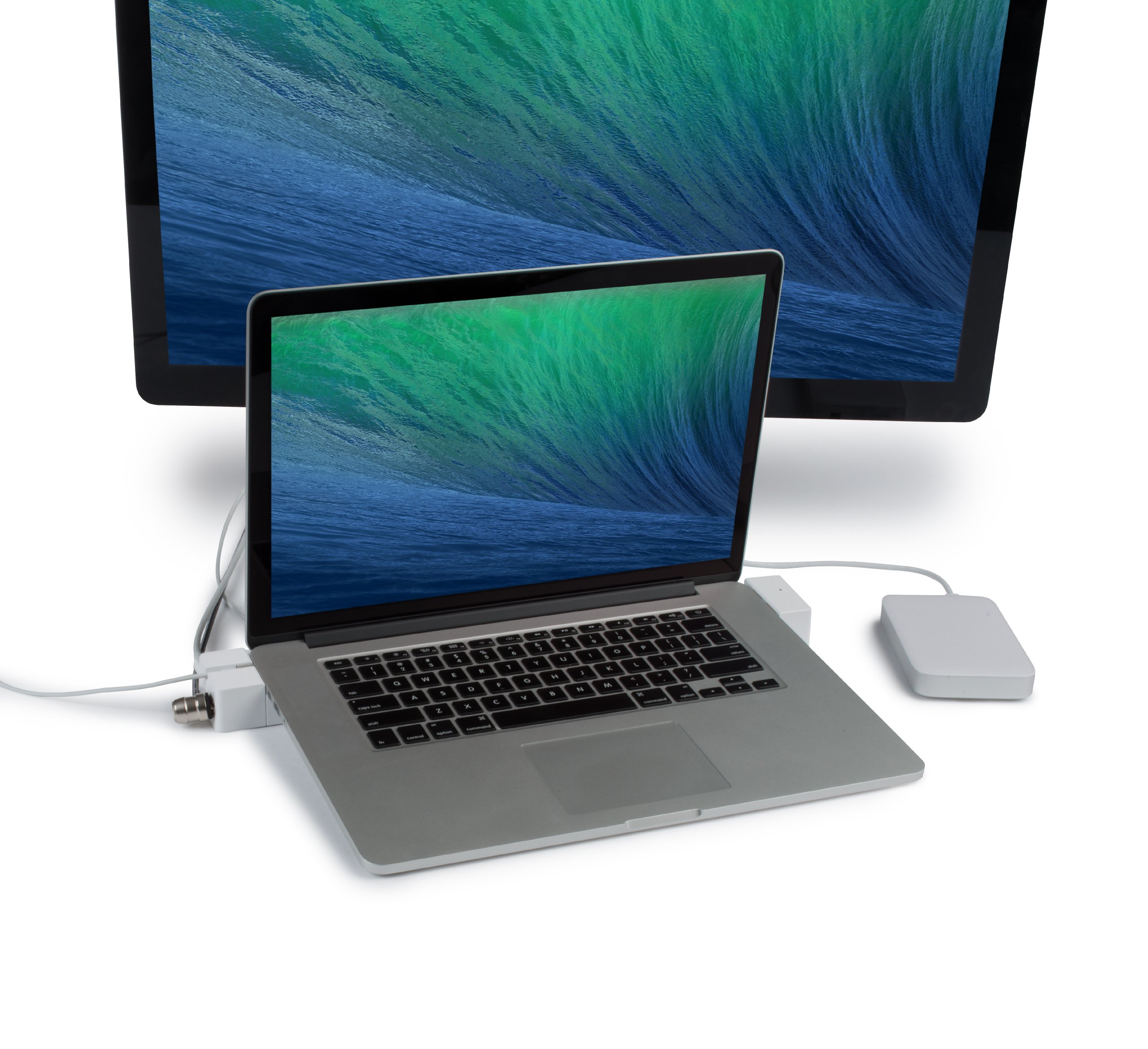

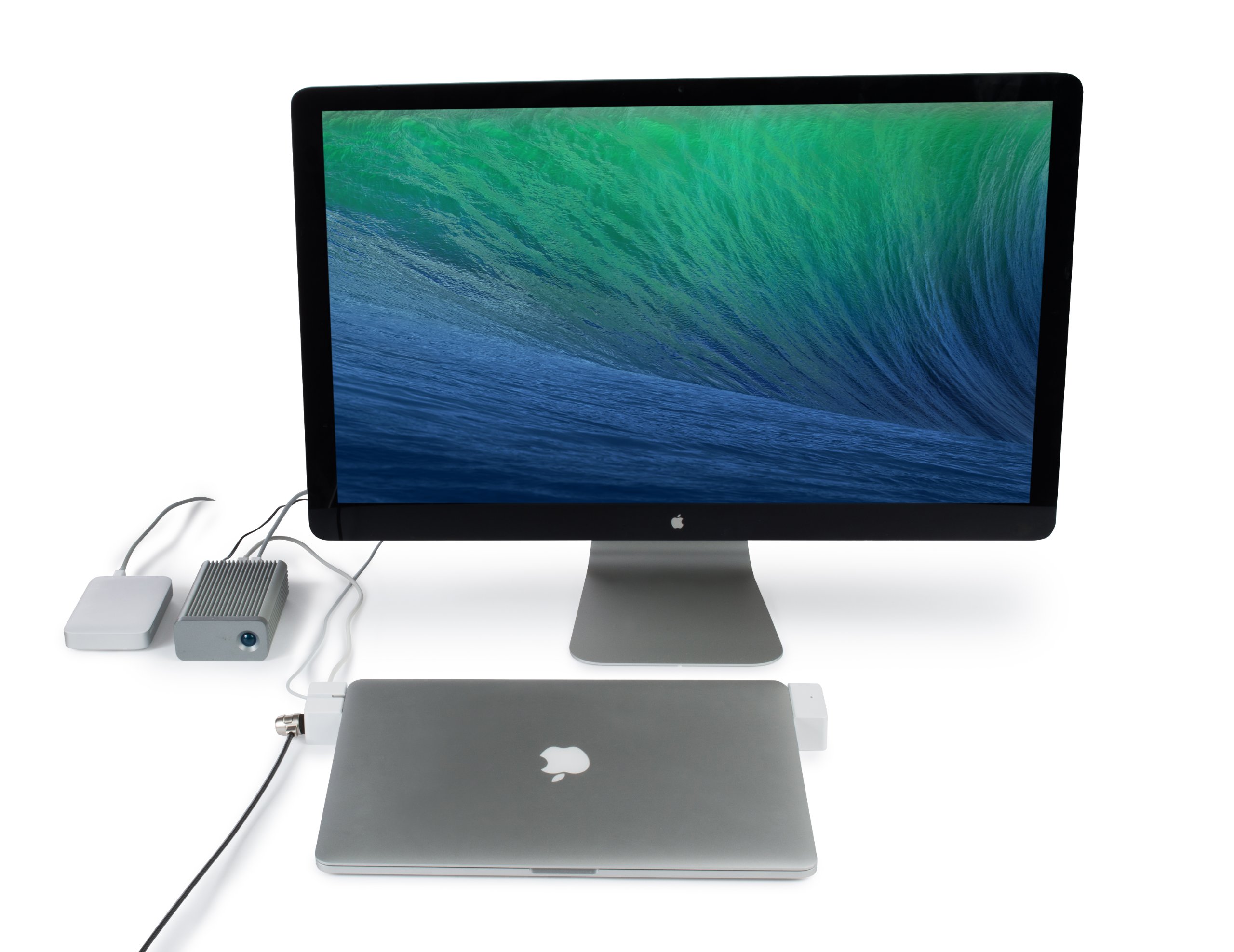
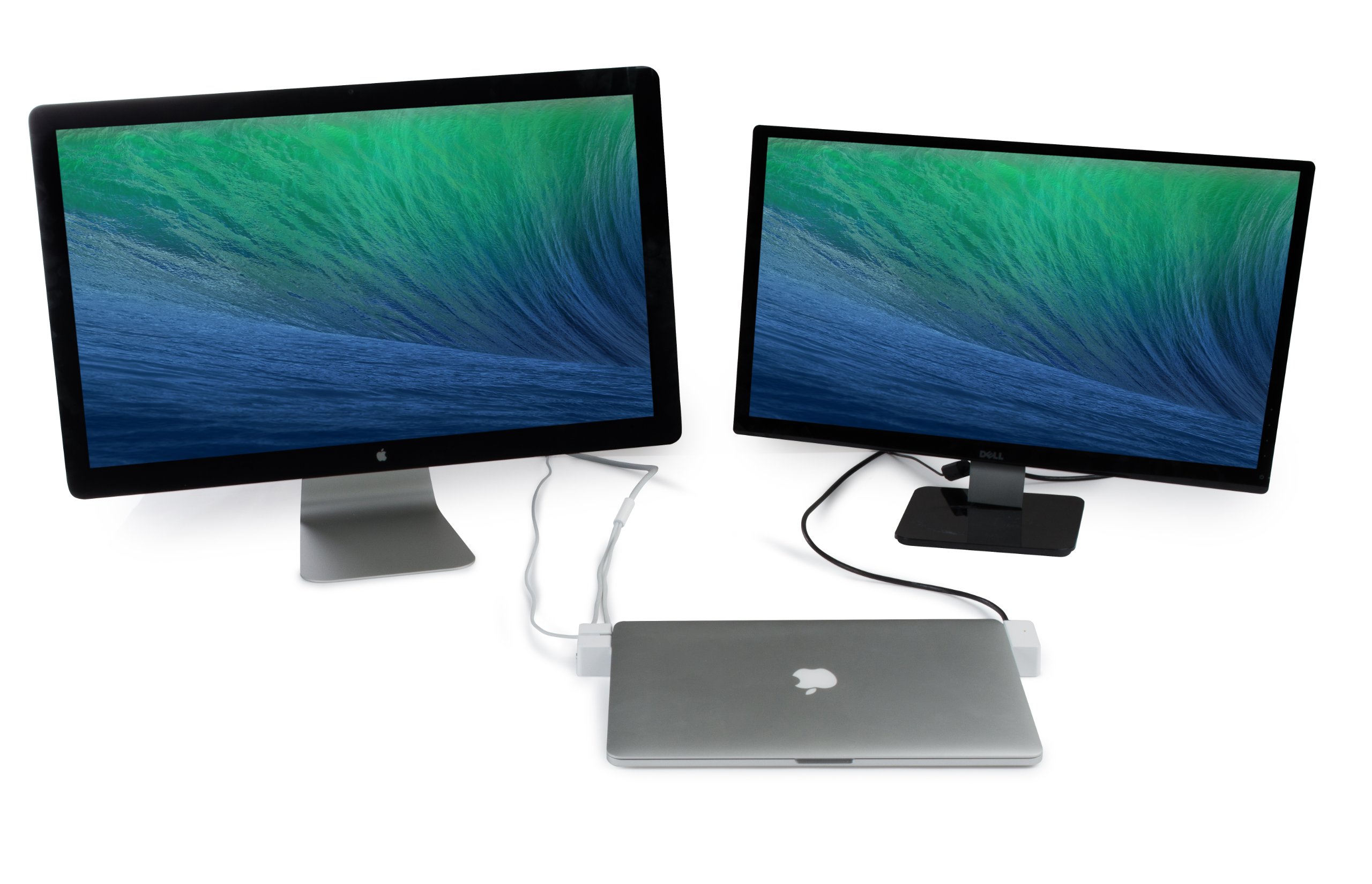
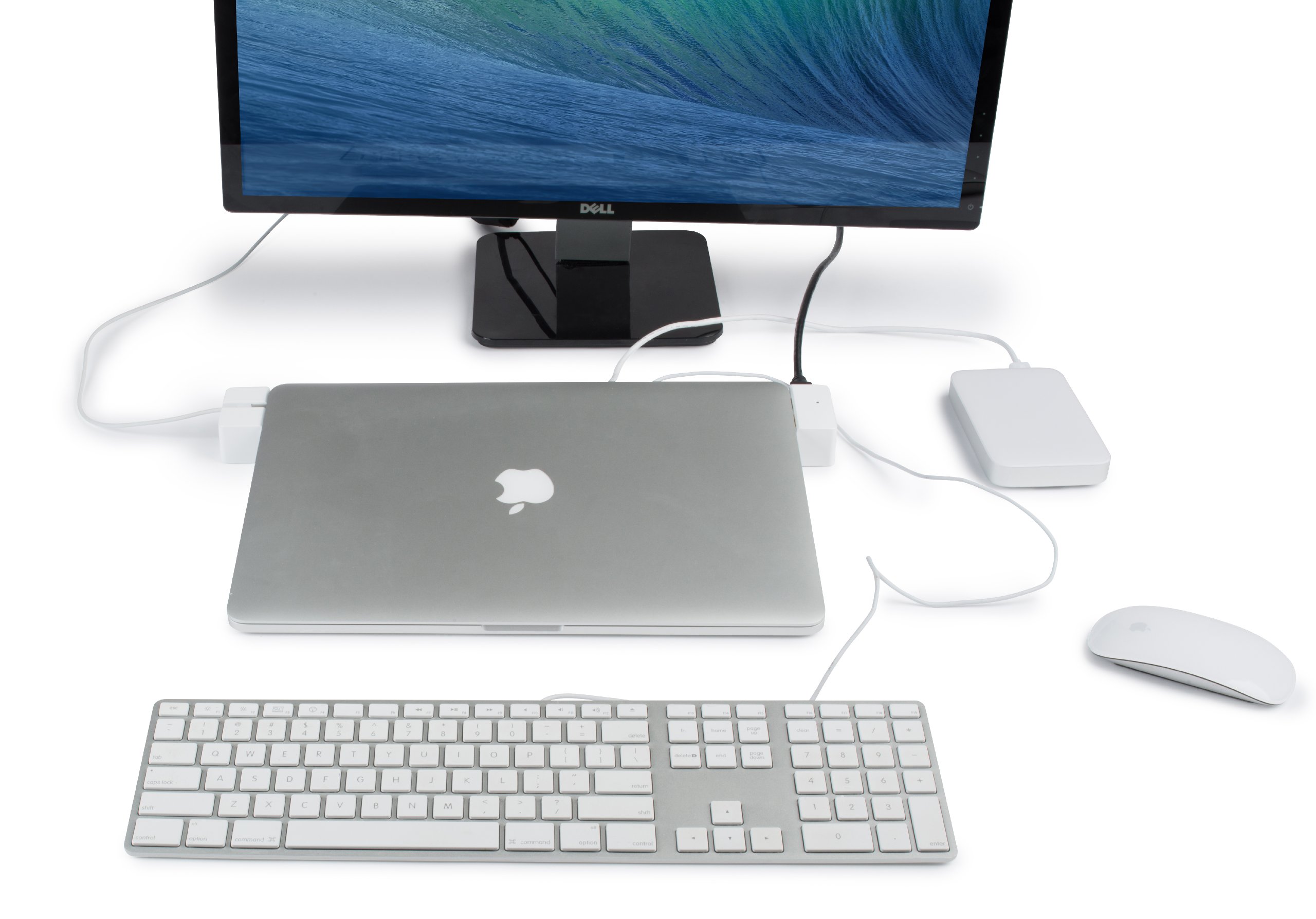

🔒 Dock, Connect, and Conquer your workspace!
The LandingZoneDock Docking Station is specifically designed for the MacBook Pro Model A1398 (2012-2015), offering seamless connectivity with 5 USB ports, dual display support, and a secure locking mechanism. It features a Gigabit Ethernet port for high-speed internet access and maintains accessibility to essential ports on your MacBook, all while providing a sleek and compact design.
| Total Number of HDMI Ports | 1 |
| Wattage | 40 watts |
| Total Usb Ports | 5 |
| Number of Ports | 2 |
| Hardware Interface | Ethernet |
| Compatible Devices | Speakers |
| Item Weight | 1.9 Pounds |
| Item Dimensions L x W x H | 18"L x 4"W x 4"H |
| Color | White |
W**X
2nd Choice turned into the Best Choice.
Hello boys and girls. This is my review for the LandingZone DOCK 13” Secure Docking Station.TLDR;Pro’s:Great for expanding ports and adding external monitor without the hassle of plugging and unplugging cables all the time.Aesthetics are great. Looks nice on my white desk. And helps me organize my cables.Ports work well and produce at expected speeds.Docking the MBP is not as difficult as others have claimed. Mine went in multiple times with no alignment or adjustment needed.Con’s:None really.Full Review;To be honest don't expect some spectacular review, because honestly I'm not much of a speechwriter and that's exactly what writing a review is. But I will tell you this, all of the opinions listed here are my own, not taken from any other review, and not paid for in anyway.I purchased this item as a way to connect to an external monitor and extend the ports on my 2015 13 inch MBP Retina. At the same time I wanted a way to reduce the clutter from cables everywhere. As you can see you in the before picture my desk was a mess. So my first priority was to find a docking station or a hub that would allow me to organize my desk and get rid of some of the clutter. And as you can see from after picture while it may not be perfect (I'm not much of a cable organizer), it does get the job done in reducing some of the cable clutter.After hooking up all the wires getting everything organized, it was time to connect my MacBook. Now I have seen in a few reviews customers talking about having to adjust their MacBook in order to get it position correctly. I did not have this problem the dock has two guideposts which allows the MacBook to sit in alignment. As long as there is nothing under the dock, or the MacBook, then thing should lineup fairly well. My first time putting it in I had to slightly slide my finger under the left side in order for the thunderbolt port to lineup. But not wanting to have to do that every time I took a close look I noticed there was a little edge of a cord preventing the Dock from sitting flat. I cleaned off underneath the dock and tried again the second time and every time since then it has gone in and out without any alignment issues.Now as you can see from the pictures, I have a Logitech mouse in a mechanical keyboard from Unicomp (the people who make the original IBM model M). I plugged both the mouse and keyboard into the USB 2.0 Ports, connected to 3 TB external drives to the USB 3.0 Ports, external display to the thunderbolt pass through, and speakers to be headphone port and powered up the MacBook.Now obviously it did not take long to boot since it has a PCIe SSD. And within seconds of booting the mouse is working as well as both external hard drives and the display. But the keyboard did not work. I double checked all the connections and everything was secure so I thought, at first, that I had a defective Port. I need a keyboard worked as it has been connected directly, but just to check I swapped keyboards. The keyboard I used was one that came with my Lenovo server. A cheap membrane keyboard. And it appeared to work fine. So I disconnected it reconnected the mechanical, and still it didn't work. I was getting little frustrated so I got up and got me a cup of coffee and on the way back to my desk I noticed I had not plugged in the dock to the surge protector. I got underneath my desk plugged it in and voila everything worked.Then I set about to test all the ports and make sure that they were going to work according to specs. Since the network port on the dock requires a driver from the manufacturer I headed to their website and downloaded it. It took just a few seconds to download in about one minute total to install and restart. It does require a restart or did for me. After it came back up I connected the network cable which is connected to a gigabit switch. First thing I did was perform several different speed test for the Internet connection. Using random server selections at speedtest.net the speed was approximately the same on both wireless and wired. I expected as much as neither can be saturated by my connection. I pay for a 50 Mb/s connection and my speeds vary between 40 and 120 Mb/s. The real test going to be connection to my server. First I chose a 3 GB ISO and downloaded it from the server to my MacBook via wireless. And then I downloaded it with the docks gigabit Port. Then I chose a folder with several documents in it approximately 2.5 GB and repeated the downloads both wireless and wired.Wireless (peak) Wired (peak)2GB Small Files (av. Speed) 22MB/s (27MB/s) 86MB/s (112MB/s)3GB ISO 29MB/s (35MB/s) 124MB/s (133MB/s)This was only transferring FROM the server not TO. To speeds would likely be a bit slower as there are Mechanical Drives in Raid 5 config so the write speeds are not the fastest.Next I wanted to test the USB drives. For that I used Blackmagic Disk Speed Test. As you can see in the Screenshot Max write was 165.4 MB/s for the 3TB External Drive.So overall, I would have to say the ports work as expected, producing speeds I have come to rely on. And the Gigabit Ethernet port works very well and I couldn't be happier.I will up date this review after I have used if for a while and see if the speeds and satisfaction hold up. It will be a daily user so I will know shortly if there will be any issues.I only have on Con. I learned that LZ offers a education discount and I may have saved a few dollars but I had already ordered it from Amazon. Oh well, you live and learn. Still a great product.
M**E
Excellent Full-Featured Dock for the Money.
I work in the film industry as a DIT (Digital Image Technician), so I'm not a "light/casual" user. My LandingZone Dock has been on my production cart for over 6 months in various weather conditions, different hard drive configurations and multiple workflows involving connecting and disconnecting cables hundreds of times. I'm currently using it with every port occupied and 6 Thunderbolt devices daisy chained on a 5+ Camera TV Show where I have to host a switcher, input/output hub, hard drives, internet feeds, and so forth. The dock is a huge convenience for cabling because it routes almost ALL of the cables out the back, so at night I simply pull the tab and walk away from set with my MBP while leaving my cart cabled and ready. There's simply no other option on the market that can function in this manner, especially not with 5 USB ports, Kensington Lock, and HDMI. I use a rack case with tabs that holds a Macbook in place on top, so the whole system (dock and laptop) form a single unit that stays put during operation.Here's a quick PRO rundown:- The ethernet adapter drivers have worked on every Macbook Retina I've placed into the dock. That includes ethernet to USB3 adapters plugged into the USB ports- HDMI port is firm and has a nice click to it with quality cables. I have not measured its support for 4K, only HD. I assume it will pass 4K 30hz appropriately.- 2 USB 2.0 ports are great for simple devices like UPS Battery backups and Phone charging- Magsafe 2 port has a nice, simple lock. I purchased a spare 85W Apple Charger and left it with the LZ Dock permanently for convenience.- After a few tries, you quickly get used to lining up the ports and clicking it shut. As others have said, just line up one side at a time.- Same price as the basic TB docks on the market but with more features.CONS:- No USB 3.0 port multiplier support or Software RAID. This was a big let down as a power user with USB 3.0 hard drives. It is common to show up to set and have a client hand over 3 drives for redundant copying. Typically, you can conduct a software RAID and mirror copies off the Macbook USB3 ports. However, the LZ Dock causes a kernal panic on both Mountain Lion and Mavericks and refuses to cooperate if you attempt to RAID any drives plugged into the USB 3.0 ports. Also, I did not have luck using port multiplying (hosting an enclosure with multiple hard drives and a single USB 3 connection.- Must remove hard shell case to make dock work. I wish they made a Speck Case version so that I could keep my Macbook protected while not in the dock. Since you must use the dock with a naked Macbook, it requires you to snap the bottom of the case shell on and off. The TOP does fit however (you can leave it on).- Rubber feet on bottom are coming off already. Could use better adhesive.- Would be great to have a lip on the backside that could allow you to simply push the Macbook flush against it and then click it shut. In other words a mold that doesn't require as much "lining up" of the ports to dock it.- Matching Silver aluminum finish would be nice.- Could use a travel case that protects the male port connections sticking out when not in use (TB, Magsafe, HDMI, USB3)If you want the convenience of leaving accessories plugged in and want to accomplish a desktop feel to your Macbook, this is an excellent solution. It could use a few tweaks to the USB 3 hub hardware but it's still very versatile, especially for this price tag.
Trustpilot
2 months ago
3 weeks ago