Some deliveries may take a little longer than usual due to regional shipping conditions.

DOWNLOAD THE APP


Customer Services
Copyright © 2025 Desertcart Holdings Limited
DOWNLOAD THE APP


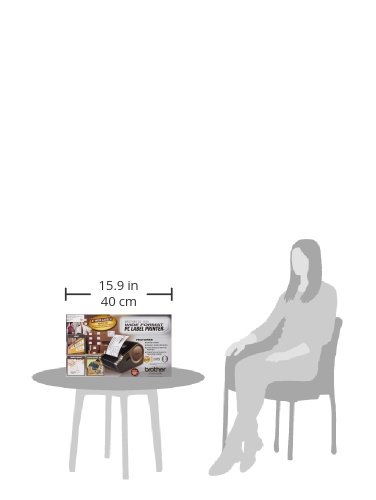
🚀 Label Your World with Speed and Style!
The Brother QL-1050 Wide Format PC Label Printer is a high-performance label printer designed for efficiency and clarity. With a 4-inch wide print head, it can produce up to 66 labels per minute at a crisp 300 dpi resolution. Compatible with both Windows and Mac systems, it offers versatile connectivity options, making it an ideal choice for professionals seeking reliable and high-quality label printing solutions.
| Duplex | Automatic |
| Hardware Interface | Serial Interface |
| Resolution | 300 x 300 |
| Processor Count | 1 |
| Number of USB 2 Ports | 1 |
| Total USB Ports | 1 |
| Specific Uses For Product | personal |
| UPC | 151903080146 777780142991 071030036642 012502616658 012502610922 807027544742 021111192316 777780534628 999990904002 012502615583 |
| Global Trade Identification Number | 00012502616658, 30012502616659, 00012502615583 |
| Manufacturer | Brother Printer |
| Item Weight | 3.75 pounds |
| Product Dimensions | 9 x 7 x 6 inches |
| Item model number | QL-1050 |
| Is Discontinued By Manufacturer | No |
| Material Type | Polycarbonate |
| Number of Items | 1 |
| Size | 4 In |
| Manufacturer Part Number | QL-1050 |
R**Y
I liked it and would hve used
I liked it and would hve used. The problem is they are not compatible with Stamps.com. Which was my purpose in buying the product.
J**D
Fast, and Reliable Label Printera
I bought this primarily for printing shipping labels for selling in eBay. After about a month of use this machine is a huge time saver! Worth every penny. I have it hooked up by my MacBook Pro and after abit of configuration it works perfectly. If you print a lot of labels and want something that's easy to use and reliable, look no further!
Z**A
Does not print shipping labels!!! WARNING
I bought this product because the advertisements all say "Prints 4x6 Shipping Labels."Once I received this printer, plugged it in, and called tech support, I was informed that while this printer does technically print shipping labels (only for Ebay or Paypal), it does NOT support or print labels through any of the main shipping companies: USPS, USP, or Fed Ex (unless you also subscribe to Endicia for $16 per month). I promptly returned it and called DYMO. Their 4xl printer is the only one I've found that prints typical shipping labels on a Mac computer through the major carriers. (They provide the Endicia software free of charge.) Be forewarned...
J**L
easy to change between label widths (2
I am undecided on how I feel about this unit. It prints fast, easy to change between label widths (2.4" and 4" for me), and the quality is good. The only reason I am docking it a star and the reason why I am undecided about the unit is the random times when the label maker doesn't work at all. It'll throw a virtual fit and flash red and no matter what I do to try and fix it I cannot get it to work. I'll come back in 20 minutes and it'll work. Sometimes it occurs after printing a few hundred labels, of which then I'd understand, and then other times it will happen even if I haven't printed any labels that day.Here's a tip that I found out too, if you plug in your QL-1050 to an Airport Express you can make it a wifi-enabled label maker saving you money from having to buy the QL-1070 that has Wifi.
S**S
No flexible on labels
It works well, but don't like the fact that you can't use UPS labels. You have to use brother brand labels for this printer.
E**A
Works with Mac El Capitan 10.11.3 and Endicia
Great machine. I bought the Brother because: A. it was priced below $200 (lower than DYMO and Zebra), B. it had better product reviews than most other label printers, C. Brother has been a trusted brand for me, for years.I bought the machine to print 4" x 6" shipping labels, using Endicia. It works, though you'll need to configure the margin and scale settings in Endicia's 'Printer Setup' so that the print job fits within the 4" x 6" space. It was trial and error for me, and I went through about 6 labels to get it right.The attached screen shots capture the setting I used (Scale = 95%, Top Margin = 0.65, Left Margin = 1.25).I'm not sure why Endicia's 'Printer Setup' does not have a default "Brother" setting (it has a Zebra and DYMO), perhaps their relationship is not as "strong".Anyway, the machine is very well built, quiet and quick. Printed label quality is very professional looking. I would buy this machine again.
M**T
label me
I have the brother ql-700 label maker and have used it everyday for past 2 years. It is awesome and works great with off brand labels. I needed the ability to print 4x6 and found an amazon warehouse price that was awesome and I am very satisfied with this wide printer. It functions just as good as the ql-700.
G**
Quality, versaltile well ;made printer
This is a quality label printer that I use to print labels for medication containers. I have stored all the templates for the different drugs and it is easy to simple add the information for each person and print. It is much better than the dymo that I also have used.I highly recommend this label printer and would buy it again if given a choice.
A**ー
安く買えた
日本のドライバも使えました。しかも14,800で買えるなんて、米アマもよく利用していますがこちらはとってもお得でした。サプライが高いですけれどもラベルプリンタはブラザーが群を抜いてる感じですね。
T**2
今ひとつ
ちょっと使いにくいかな。平行輸入だから?がんばって、設定を詰めてみますが。
一**一
日本と仕様が違います
DTラベルが使用できません。使用できるラベルはDKラベルのみとなります。
Trustpilot
3 weeks ago
4 days ago