We remain fully operational. Our teams are working around the clock to ensure your deliveries continue safely.

DOWNLOAD THE APP


Customer Services
Copyright © 2025 Desertcart Holdings Limited
DOWNLOAD THE APP


✍️ Upgrade your Apple Pencil game with precision, durability, and style!
NIUTRENDZ Replacement Tips offer a premium 4-pack of 1.95mm ultra-fine, nickel-plated metal nibs compatible with both Apple Pencil generations. Featuring a built-in spring for enhanced sensitivity and wear resistance, these tips deliver precise control and a smooth, natural writing experience. Easy to install and stored in a stylish box, they’re the perfect upgrade for professionals seeking durability and flawless performance.

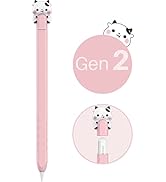

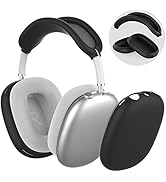
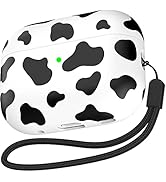


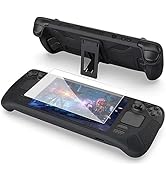


| ASIN | B0BJVCPDRX |
| Best Sellers Rank | 112 in Stylus Parts & Accessories |
| Colour | Clear+Blue+Grey+Pink |
| Customer Reviews | 4.4 4.4 out of 5 stars (958) |
| Date First Available | 15 Nov. 2022 |
| Item Weight | 18 g |
| Manufacturer reference | C04A+4L |
| Package Dimensions | 12.5 x 11.5 x 1 cm; 18 g |
S**A
better than the original
Great alternatives to the original tip as well as more expensive versions ones out there. No issues on screen impact and good quality. Enjoyed using them and definitely recommend.
O**E
Good sharper nibs, with a harder but more precise feel. Great for what I do.
Well I have been using these nibs for some time now, I say some time, about two weeks so that I can get a good impression of what they are really like. They are a lot harder than the original tips but that isn’t a bad thing. Together with a paper feel screen protector I now have the best setup for colouring B&W photographs. I can now focus better and keep my coloured lines within the margins better. As long as I have the settings set correctly in the software I use I then get a result which isn’t too hard that you can notice the margins. I imagine that these would be great for writing but it has certainly improved my ability to colour just where I wish to colour and not walk blindly into the incorrect areas. Of course you need to calibrate the pen in the first place, once that is done I’m in colouring heaven. Good nibs, I imagine that I may need to change my paper feel screen film a bit sooner than with the softer original nib, but that is a price that I am willing to pay. Can be used no matter what generation Apple Pencil you have which makes a change as there are few things a first generation owner of pencil or iPad Pro can actually purchase to improve matters. Five stars
S**J
Different
The colour nibs arrived and the main nib part is thin at 1.96mm and all see through, I put the pink nib on my ipencil straight away to see how it flows and if it made a difference and even though I love my original nibs and the fluidity of it and I’ve tried others in the past this one flows and writes just like a normal biro pen would which has thrown me a bit as it’s so strange the difference but a good version of weird! The colours which are transparent are grey, pink, clear and blue.
I**T
Wow. Very fine tipped allowing extra precision when drawing.
These are amazing! I always thought that the tip on the end of my Apple Pencil felt a little thicker than I liked and also that it was always annoying that you couldn't really see where the nib was on contact with the screen - as the original tip was opaque white. These solve both of those issues and it really does make a difference to me. I'd recommend using some sort of screen protector before using these, as they do feel a little harsher than the original tip - though whether that's just me being over-protective is anyone's guess.. But the difference these tips seem to make for me, personally guarantee that I'll be using them at all times, so it makes sense to me anyway. The way that they alter the appearance of the pencil is also pretty radical as well - mine now looks much more like a biro and far less 'toy-like' which I didn't expect. Being able to see where the tip touches the screen and where the 'ink/pixels' emanate from the nib really does help when doing any precision work. I would recommend these to anyone who has similar issues with the original nibs in a heartbeat. Very impressive indeed - especially at this price!
D**S
Bit finer then the default one. Seems to stop bottom left screenshot swipe…
Got these to test out on my 2nd Gen Apple Pencil. Quite nice. Bit finer than the normal pencil tips. Quite good if you like digital drawing with something like Procreate and want finer control. Also great for GoodNotes. I use a Paperlike screen protector, so not fussed if it is a bit harsher on the screen. But something to think about if you only use the normal iPad screen without a screen protector. Also, one big thing to point out, is that swiping up from the bottom left with this on doesn’t produce the ‘screenshot’ screen. Not sure why? Not the end of the world. Your finger still works fine! But just something to point out. Going to give this 5 stars though, regardless, because I do think these tips feel like an ‘upgrade’ to the writing experience; and swiping up with my finger to take a screenshot really isn’t a problem. If you like ‘fine’ tips on your fountain pens, then I suspect you will like these tips .
K**T
Nice fine tips for accuracy, but tilt not working properly.
I was sure what these tips would be like with them being metal but I thought I would give them a try. I am using my iPad with a paper like screen protector so I couldn’t say how these perform on glass, but they work well in the paper screen protector. My first impression was very good, the metal tip is much finer than the regular plastic one and gives you a good feel of accuracy and all owes for a nice light touch when sketching. The problems began when I started to try and use Procreate brushes with tilt functionality. The problem is the metal nib does not work properly with the tilt function. Using the normal plastic nib on my Procreate charcoal brush I can get a good range of fine to thick lines using varying tilt angles. Using the metal nib there is no real tilt range you either get the fine tip or effectively full tilt only giving you one main tilt thickness. The image shows the regular nib on the left and the metal nib on the right. So in closing if you do not regularly use tilt enabled brushes you will likely find these nibs have a good feel and good accuracy. But if you do use a lot of tilt enabled brushes in apps such as Procreate then they may not be suitable for you.
L**N
Apple Pencil replacements tips
A set of 4 replacements for the Apple Pencil (and v2) pen. The replacements have a harder and thinner tip, making it really feel like using a real pen. If combined with a paper-like screen protector, it really feels like writing on paper with a pen, moving your writing and drawing experience to another level. One of the best purchases for my iPad setup.
A**A
i dont give the 5 stars because the tips where not as thin as i expected
G**M
these worked better than i expected and are so much more durable than i thought!
J**E
Tun was sie sollen.
M**O
ボールペンで描いてるみたいでビックリしました。ペーパーライクフィルムを貼っているのですがいまいちしっくりこず、彩度だけさがってタッチ機能は鈍くなるし、剥がそうと思っていた矢先、こちらを発見。高摩耗性に惹かれ購入。 書き心地はまさに、ガラステーブルの上でケント紙にボールペンで書いてる感じです。 アップルペンシルの性能のままなので、傾き感知、濃度などそのままで細くて綺麗な線が引けます、ガタガタに見えますが私の手ブレのせいです(笑) お絵描きが楽しくなりそうです\(^o^)/
J**Y
This is great for sketching in my iPad. Pinpoint accuracy.
Trustpilot
1 month ago
1 week ago