We remain fully operational. Our teams are working around the clock to ensure your deliveries continue safely.

DOWNLOAD THE APP


Customer Services
Copyright © 2025 Desertcart Holdings Limited
DOWNLOAD THE APP
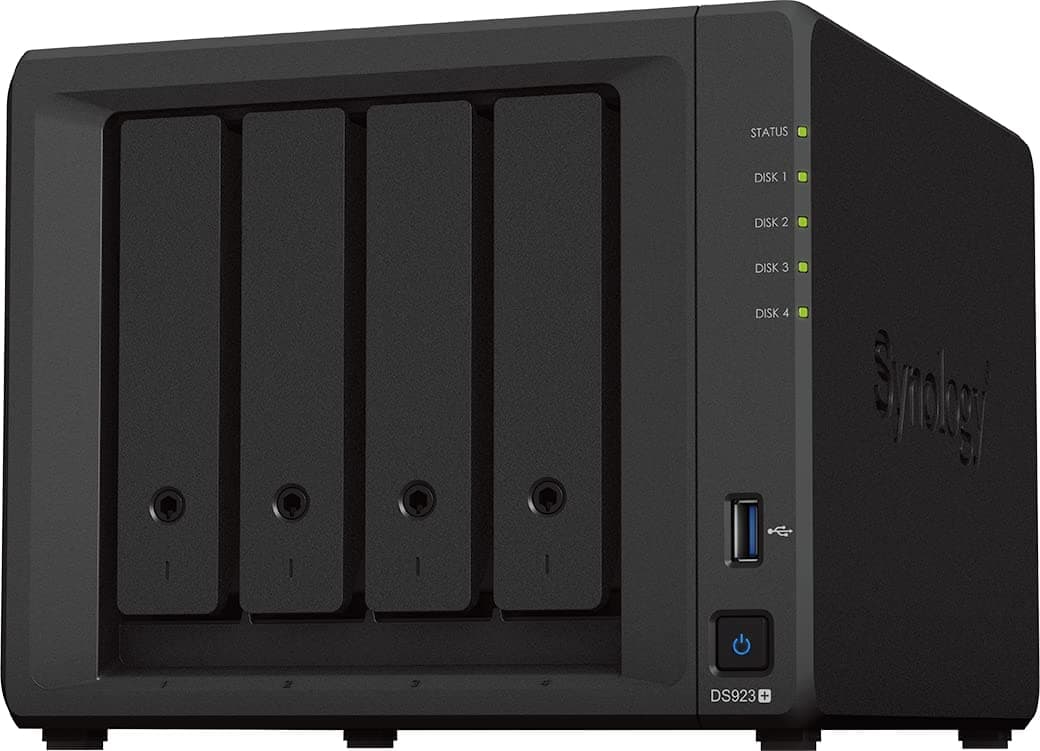
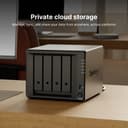
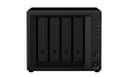
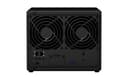
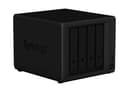
🚀 Elevate your data game with Synology DS923+ — scalable, speedy, and smart storage for the modern pro.
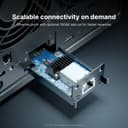
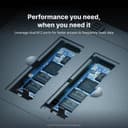
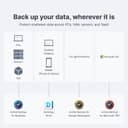
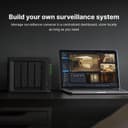
The Synology 4-Bay DiskStation DS923+ is a versatile, diskless NAS designed for professionals seeking scalable storage solutions. Featuring 4 drive bays expandable to 9, dual 1GbE ports with optional 10GbE connectivity, and dual NVMe SSD slots for caching, it delivers high-speed, reliable data management. Powered by Synology's intuitive DSM OS, it supports advanced RAID configurations including SHR, virtualization, surveillance, and backup applications, all backed by a 3-year warranty and extensive support resources.


| ASIN | B0BM7KDN6R |
| Best Sellers Rank | #14 in Network Attached Storage (NAS) Enclosures #35 in Network Attached Storage (NAS) Devices |
| Brand | Synology |
| Built-In Media | 1 x DS923+ main unit; 1 x Quick Installation Guide; 1 x Accessory pack; 1 x AC power adapter; 1 x AC power cord; 2 x RJ-45 LAN cables |
| Color | Black |
| Compatible Devices | Android, Desktop, Laptop, Server, iPhone |
| Customer Reviews | 4.7 4.7 out of 5 stars (3,586) |
| Enclosure Material | Plastic Metal |
| Is Assembly Required | Yes |
| Item Dimensions D x W x H | 6.54"D x 7.83"W x 8.78"H |
| Item Type Name | Synology NAS |
| Item Weight | 2240 Grams |
| Manufacturer | Synology |
| Mfr Part Number | DS923+ |
| Model Number | DS923+ |
| Mounting Type | Tabletop |
| Size | DS923+ |
| UPC | 846504004454 |
| Unit Count | 1.0 Count |
| Warranty Description | 3 Year |
| Weight Capacity | Maximum weight: 4.9 Pounds |
G**E
New horse with some new tricks !
First of all, let me start by saying, a RAID is NOT a backup in itself, as RAIDs can also fail, corrupting some or all of the data. This can happen at anytime, in year 10 or year 1 and depend on the hardware, which are a combination of the RAID device (NAS, DAS, etc...), de storage medium (Hard Drive, SSD, etc...), power supply, etc.... However the chances of that happening all at once are less than having no RAID at all. My advice, if you are able, is to constantly replace the olders/smallest drive in your (RAID) array with a newer one. Similarly to changing (pairs of) your road tires on your vehicle, before even 1 shows signs of failure or fails at all. Drives in these devices can get into a sleep mode, but are otherwise constantly on and or running/spinning and thus wearing out. Above is basic knowledge for storage and not just Synology. While there are drives and devices (and cars) that can reach a 20year lifetime, certainly not all can or will. There is a "3-2-1 Rule" for data storage/backup out there, which is: - There should be 3 copies of data - On 2 different media - With 1 copy being off-site (aka at different location) As for the purchase of this device, Synology DS 723+, I'm very satisfied with the performance and features. The price reflects that also, even for home use. My previous NAS/RAID devices are a Buffalo Linkstation (2 drive) and a Drobo 5N (5 drive), both are around 10 years old and an 8 drive Drobo at work, still in use. The 5 bay Drobo for it's time had a nice feature of being able to use all (or most of) the usable space when using drives of different sizes, and also being able to swap out any drive out for any other drive (smaller or larger) and the Drobo device would take care of it ALL (called BeyondRaid). No messing with pools or volumes. You only have to make a folder share. For it's time, this was VERY sophisticated and worth the investment then. Even today with Synology you have to specify manually if and how you want to add a drive to a storage pool, and how you want a volume on one of these pools, and then define your shares. For the home user, you'll need some basic knowledge or just read the manual of course if you have not done this ever before. It's just not as straight forward as with a Drobo. However this is not a bad thing in itself, as you may want to configure this Synology device for different uses and keep multiple volumes on different storage pools for different uses etc... I consider this a Pro, but it will require some more knowledge of the workings of this device. It has many other features and plugins (apps) which I will not go into in this review, but again there is a use for each and every one of them for a specific use(r), depending on your needs. Synology now also has a RAID mode capable of using drives of different sizes, they call it SHR (Synology Hybrid Raid) and works similar to Drobo BeyondRAID. Hardware wise, it has 2x Gigabit ports, which can be used individually, as a fallback or bonded. Some other brands have 10Gigabit networking built in, with this particular Synology it is an optional plug-in upgrade at $110 at the time of writing this. I don't have a 10Gigabit network at home at this time, but I will be upgrading down the road, I think. There are also 2 NVME slots which you can utilize for cache (and storage) and you can also upgrade the RAM (memory) if you plan on using more apps (plugins). For basic nas use, this is not required. 1 con for me is the flimsy plastic of the device and the trays. It might be fine for you, and even if made from titanium would not affect the performance of this device at all. However coming from Buffalo (Metal + plastic) and Drobo (full metal), this is a step down. This is also true with the very flimsy plastic disk trays and clips.......... (Drobo uses a trayless design, you just pop in the drives like a VHS cassette in a VCR !). Other bonus features new to me also are the web interface, which is quite snappy. There are also apps/plugins for remote login etc, you can enable this if you want it. I'm still figuring out many of these. All in all I'm satisfied with my purchase so far and will update this review down the road. Purchased in october of 2023.
J**.
Rock solid performance!
I have 4 Synology DS Series NAS Servers for both home and work purposes. I use them for standard file servers, VPN servers, Plex Media Servers, and backup servers. The suite of tools for Synology DSM is impressive and covers all I need without having to purchase 3rd party software. Knowing all my data is safe with the raid array allowing for disc failures is worth the price alone. I have had to rebuild/restore several computers and have not lost a single byte of data. Speed of transfer has been great, even while the DS is under a heavy load. Streaming 4k video has not been a problem to multiple displays simultaneously. I keep these in dedicated spaces so noise is not a consideration for me. I will say that these are very quiet even under load. The build quality is very good and I love the way the discs can be hot swapped without issue. I did have a disc failure on one of my servers. I provided another disc of the same capacity, clicked replace and the system rebuilt the RAID with the new disc. Very easy and did not require any downtime. For me, the price, ease of use, DSM operating system and suite of tools provided puts Synology above all other NAS servers I have used.
M**E
Over the moon with this NAS
Hi Everyone, I have had mine for a few weeks now and I consider myself somewhat of a heavy user and this seems to hold up very well, I work with photography and I moved roughly 40000 images over to the NAS and I have Synology Moments app running and the AI facial recognition is simply amazing and really help me find some order to my life :) I must say the NAS did work hard to catalog all those pictures and the CPU was averaging around 99%. Even though with the high CPU usage I was login and use the system, for the other users that I have created they didn't really notice the overhead on the CPU during this time ( Which took around 2 days for the AI to do it's thing) However I also have the 220J and when I tried adding that number of images, we had to wait for the cataloging to complete before I could do anything. Being able to access my files and photos remotely thanks to Synology's quickconnect/Drive options is simply fantastic, This is also a great option to create backups for your phone/laptop whether you are away or at home for the whole family or colleges. Synology has a great SHR Raid, (Synology Hybrid RAID), thanks to this RAID I was able to expanded my volume without having to rebuild the array and still have 1 drive fault tolerance and zero down time! I haven't had any trouble with mine thus far, it was really easy to setup and connect, it was as simple as going to a find.synology.com from your PC/laptop which is on the same network and either create a synology account or sign into an existing account. I will be looking at the Synology 420+ in the future and setting up a remote/ off site backup and open a lot more possibilities. ( I'll circle back here in a few months or so to add any additional comments. My primarily uses are at the moment are: Phone/ laptop backup and shares (Synology Drive) photography file managing and organization, It's more than a giant hard drive. I also have DNS (Domain Naming service) running on it for the network. Docker, which allows you the ability to build virtual machines within your NAS. (pretty useful) If you are thinking of purchasing this Synology 920+ I can assure you, this a great NAS with enough options to upgrade in the future. As it supports the additional drive unit which can be attached. ( If you go with additional expansion bays, I suggest creating separate volumes for each unit rather than creating 1 volume across both units.) you are also able to upgrade the memory to 8GB and add SSD caching to further improve the performance. If you have any question, please ask. Thank you
A**R
Great at home NAS
For an at home NAS, perfect. Synology works well for backup of my work stuff, photography as well as our phones - helps avoid paying a bunch of cloud fees. now, it does require some work to ensure everything is connected properly, setup and maintained but far outweighs other complications. love the dual LAN ports, speeds are great. placed it out of sight so no noise issues.
A**R
Synology products are amazing. I upgraded from a 2-bay and this one is just what I needed (just had to add more ram). Excellent build quality, performance and it's very easy to use.
M**M
Otimo produto, perfeitamente como descrito
H**T
I had an old DS414j for a decade, and astonishingly Synology would still deal with support queries. It was time, however, to replace it, so I bought this and have not been disappointed. Setup was a total breeze and its performance is excellent. Given the limited role I have for it, it's basically bored out of its skull most of the time.... but it just works. It's quiet, it's cool (in all senses of the word) and I know it'll be reliable. Brilliant.
L**I
Comprato per sostituire un vecchio ds 115. Installazione semplice e rapida con prestazioni top.
F**Y
A recommander
Trustpilot
1 week ago
4 days ago