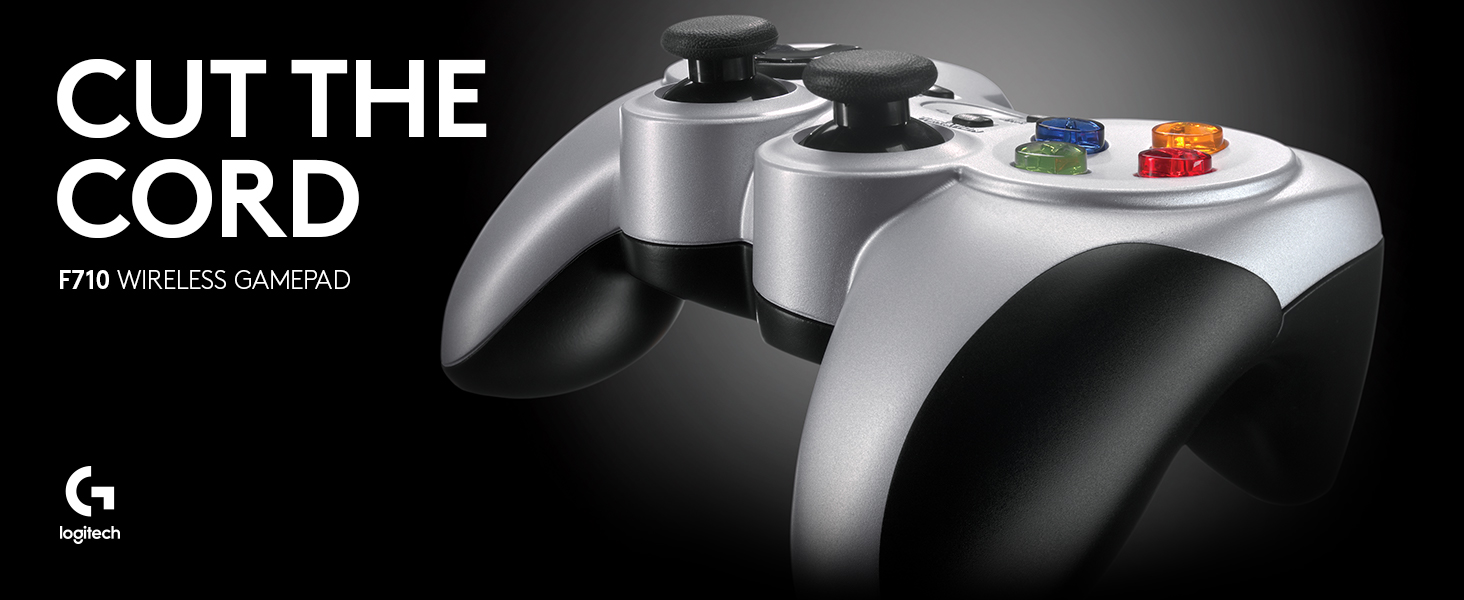
🎮 Elevate your game with wireless precision and immersive feedback — don’t get left behind!
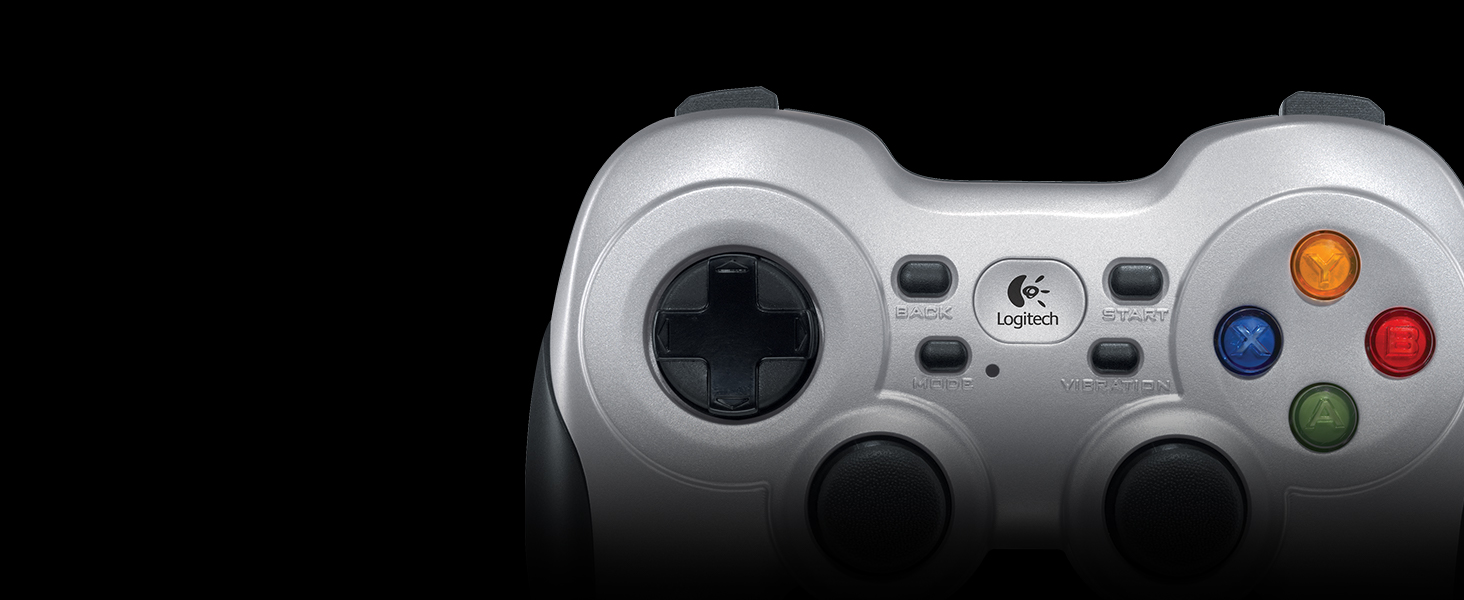
The Logitech G F710 Wireless Gamepad offers a premium wireless gaming experience with a 2.4 GHz nano-receiver for lag-free connectivity, dual vibration motors for realistic feedback, and broad compatibility with Windows PCs. Featuring customizable controls via Profiler software and an ergonomic design, it’s built for gamers who demand comfort and precision without the tether of cables.


| ASIN | B0041RR0TW |
| Additional Features | Grey, Black |
| Best Sellers Rank | #2,428 in Video Games ( See Top 100 in Video Games ) #52 in PC Gamepads & Standard Controllers |
| Brand Name | Logitech G |
| Button Quantity | 15 |
| Color | Silver |
| Compatible Devices | Windows 11, Windows 10, Windows 8, Windows 7, or Windows Vista, ChromeOS |
| Connectivity Technology | Wireless |
| Controller Type | Gamepad |
| Customer Reviews | 4.1 4.1 out of 5 stars (4,863) |
| External Testing Certification | Anatel: 01342-13-03229 |
| Global Trade Identification Number | 00097855068859, 00978550688590 |
| Hardware Platform | pc |
| Item Dimensions | 6.61 x 3.11 x 7.87 inches |
| Item Weight | 290 Grams |
| Manufacturer | Logitech |
| Model Name | F710 |
| Package Quantity | 1 |
| Power Source | 2 AA batteries |
| UPC | 097855068859 |
| Warranty Description | 1 Year Limited Hardware Warranty |
C**Z
Garbage. 1 year and it's dead.
Man they just don't make them like they used to. I still have a Logitech Dual Action from what maybe 2004? It's still my "old reliable" controller. I wanted something nicer and something wireless. Well the F710 was nice when it was new. It worked perfectly until it didn't. Windows will tell you it's not connected, then that you are "missing files" when the gamepad isn't detected. This thing went from "best gamepad ever" to "complete trash" for no reason. It's kept on a shelf in a cabinet and used less than 30 times. When new, I could use this gamepad from 20 feet away. Now it has to be within 8 inches of the receiver. When it was new, everything worked, all the time. Now, it simply disconnects on its own. When it was new, it was simply plug and play. Now it's an infuriating piece of garbage you can find COUNTLESS articles about. Because it's garbage and it just stops working after a year. Original review: Feels more expensive than it deserves to at this price! A great PC or Retropie controller. No-nonsense pairing (it's paired out of the box). The controller has a good heft to it, giving it that "expensive toy" feel. The buttons are responsive and the analog sticks are calibrated correctly. Using this on a Retropie and it's been a dream.
R**7
Excellent PC controller for Steam on Windows or Linux
I bought this controller primarily to use with Steam Big Picture and games. Both the internet at large, and Valve reccommend this or the 360 controller. I've used the 360 controller fairly extensively, and from reading reviews this had some additional features, to I decided to give it to try. I'm very glad I did. This is an excellent controller. I'll give a quick highlights, then if you want to know more read on! Pros- Beautiful well designed hardware High build quality Plug and play (for the most part) DirectInput and Xinput support makes it very compatible Sport mode is handy to easily use the D-PAD in place of the Analog stick or vice versa in any game. Potentially battery saving feature to toggle vibration DPad is much nicer than 360 Great for Steam Big Picture Nice small receiver Neutral- Heavier than Xbox 360 controller. I like the heft, others may not. Triggers are stiffer than 360 controller. Nice for shooting, may be not as nice for racing. Cons- Home/Center button doesn't do anything in directinput mode It's not perfect, but it is the best, so 5/5. IMO the only reason to get the 360 controller instead is if you want to use it with a 360 as well. Hardware/Build Quality The first thing I noticed when I got this out of the box is it's beautiful. The silver/black looks really nice, and the button colors are vibrant. The matte black back and non glossy (don't know if it qualifies as matte) silver front don't attract fingerprints like some controllers. Next I noticed it's weight. It's got a good weight to it. It's heavier than the 360 or PS3. I like the heft, gives it a bit more of a high quality feel. It's also well designed. The matte back, and rubberized gribs make it comfortable to hold. The shape is perfect, your hands wrap around it just right. The triggers are stiffer than the 360 controllers or ps3s. Makes it feel a little more snappy and responsive, it's super nice for shooting. Some people report it tiring them out for games you have to hold it for a long time (like racing games). The rubberized tops of the sticks are rounded and textured for grip and feel much nicer than the 360's controller. I didn't notice any deadzones. Drivers/Software Support Overall the support is great. For most features it's pretty much just plug and play. It works flawlessly as a replacement for the 360 controller and has additional features. The sport mode is handy for anytime you want to use the dpad instead of the stick (or vice versa) in any game, in either mode. Being able to turn off vibration is a feature many might find useful. Also being able to use directinput or xinput with the flip of a hardware switch makes it compatible with nearly any game easily. The provided software makes it easy to use as a remote to control any program on windows. For linux it's as simple as plugging it in. LSUSB and games call it "Logitech, Inc. Cordless RumblePad 2" in direct input mode. LSUSB reports it as "Logitech, Inc. F710 Wireless Gamepad [XInput Mode]" and games normally call it generic xbox pad in xinput mode. Both work without a hitch. If you want to test or calibrate it there are various tools. jstest-gtk for one. Windows is just as simple for many. Others, myself included have had to manually tell windows to use the xbox 360 controller drivers for xinput mode. If it doesn't seem to work out of the box, you may have to as well. Go to device manager find it and right click to "update drivers" choose to find your own, select from drivers on the PC and find the 360 driver to install. Once you do that it works great. Logitech provides a profiler for direct input mode to program the buttons to any shortcut for each program individually. It's a handy tool. Steam big picture works flawlessly in xinput mode. It's almost the same story in directinput once you set the buttons. The only problem with it in directinput is the home/center button doesn't do anything. Steam uses this for it's overlay or to take screenshots by default, so if you plan on using this for steam games that don't support xinput you might need to find a new shortcut. It's a little frustrating. I imagine they did it because the Rumblepad 2 (which it basically is in directinput) didn't have the button, but I can't imagine it would be hard to add a button to the drivers. At the very least it seems like it should report the button, and let the drivers handle it or not, which would make it work on Linux at least. But that's a relatively minor complaint since most games will use xinput, and it's so easy to switch.
N**O
Good Quality, But Is The Wireless Worth The Price?
I, like most people probably, was going back and forth between the Logitech F710 and the 360 for Windows gamepad before ultimately deciding. In the end, I preferred the D-pad dominant layout (best for platformers and old-school RPGs), so I went for the Logitech. I was concerned about a few things though - would the quality be as good as the 360 pad? Would it install ok? Would it feel comfortable? Glad to say, my fears were pretty much unfounded. IN SHORT: This is a great controller, and if you want a great D-pad dominant layout, this is for you. You might have to play with receiver position a bit more than you'd expect to get a perfect signal, though. INSTALLATION: On Windows 7, a cinch. Just plug it in and you're basically good to go. I was playing Recettear on Steam within minutes. LAYOUT: The gamepad is laid out much like the PS3 pad, with two analog sticks on the bottom, and the D-pad up top. While this isn't the best configuration for dual-stick games like shooters and perhaps even 3D platformers (in my opinion, the 360 for Windows is the better choice there), the D-pad dominant layout is perfect if, like me, you intend to play more 2D-style platformers or old-school RPGs. Of course, if you're a PS3 fan, then you should have no problems with it whatsoever. My only complaint would be that the vibration button seems to be where the start button SHOULD be, but this is a minor quibble at best. QUALITY: In a word, impressive. The plastic feels heavy (if anything, a tad TOO heavy), not cheap. The rubber grips are a beautiful, comfortable, and functional touch. The D-pad is responsive. The shoulder buttons and triggers are a bit resistant to pulling, but I kind of like it. The Logitech button in the middle (think of the 360 button on the Xbox controller) feels a tiny bit loose, but again, extremely minor quibble. A real issue for me, however - enough to take a star off of the review - regards the signal strength. Signal strength tends to get a bit weak if you're just using the straight-in wireless button-USB. I ended up attaching the optional USB extender, ran it behind my desk, and haven't had a problem since, which is great. That being said, though, if you're going to charge the extra $10 for wireless capability, I would expect the signal strength to be a bit stronger without having to resort to clever receiver placement and extra cords. Don't have that problem with my 360, you know... PRICE: The price is about what you would expect for a wireless, competing appropriately with the 360 for Windows controller. The question, however, is how much you're willing to pay for that capability. Honestly, after using the USB extension cord, there's just about the same amount of wire cluttering up my desk. In retrospect, I probably would have been better off going for the wired (and likely more responsive) version of this controller and using the extra $10 on a game or something (not including the hidden price of batteries, by the way). Of course, if you're the multimedia wizard who can play PC games while lying in bed, there's no question the wireless is the way to go.
B**N
Great!
R**M
Lo usó principalmente para jugar con emuladores de videojuegos hasta la sexta generación de consolas en una laptop con Kubuntu 20.04. El sistema operativo lo reconoció de inmediato en ambas funciones (direct input y Xinput). Los botones se sienten duros al principio, pero inmediatamente te acostumbras, los botones laterales hacen click al presionarlos y los gatillos se sienten bien. El control direccional es preciso y los controles análogos son como los de las consolas de Sony. La vibración va desde suave a muy intensa dependiendo del juego y como lo configures con los distintos emuladores. Se siente pesado por las baterías AA que utiliza, pero con el tiempo te olvidas de ello. El diseño es muy ergonómico, se ve que está diseñado para las partidas largas. Los plásticos son buenos, me se ha caído un par de veces y sólo ha sido el puro susto. Recomiendo que el conector inalámbrico esté siempre "visible" para el control, si es posible, usar la extensión USB que viene incluido para mejor recepción. me siento a 2 metros de mi laptop que está conectado a la televisión y el lag es casi nulo, durante varias horas de juego al día se desconecta una o dos veces por un segundo. Un detalle positivo es que puedes guardar el conector USB dentro del compartimiento de las baterías. Llevo semanas con el control y aún las baterías con las que vinieron con el dispositivo siguen funcionando. Este dispositivo es de lo mejor que he probado, sólo superado por los controles originales del Xbox y PS4. Incluso funciona sin problemas en un PS3 (modo D-input) y en juegos con un teléfono android (debes usar un adaptador OTG).
E**M
I'm a PC Gamer and as such my control scheme of choice will always be keyboard and mouse. That said I do my gaming on a couch in front of a flat screen so sometimes you just want a simple hands free controller. I was using a wired XBox 360 controller for a while but found the D-Pad beyond useless for the games where I really need to use a controller (ex. Rogue Legacy). I've been gaming for about 32 years and my rule of thumb was anything other than a 1st party controller is garbage. I'm looking at you Madcatz, Pelican, et al. This controller has changed my mind. It's like an XBox controller and a Playstation controller had sex and this was their kid. The analog sticks are not as snappy as an XBox controller, nor are they as sloppy as a Playstation controller. I'd say they're closer to the Playstation. You do get use to them pretty quickly though. The D-pad is brilliant, it is the best D-pad I've used since the SNES days. Seriously if you want to pogo jump an enemy 10 times in a row in Rogue Legacy or Shovel Knight, this is the controller for you. The quality of the controller is obvious as soon as you put it in your hands, it is solid and well built. The triggers feel odd compared to an XBox 360/One controller but after a little adjustment they're good. The rumble is present but not obnoxious and the wifi connectivity is pretty good. I did have drop-out issues at about 3.5M away from the PC but I just used the extension cable and that fixed it up. I'm still using the batteries it came with and the ability to hide the usb dongle inside the controller is just genius. Honestly I love this thing and for the price I paid it's a silly deal. If you have trouble getting it set up just make Windows identify it as an XBox 360 Controller and it's smooth sailing. Buy it now!
L**I
Controle muito bom, rápido e de boa empunhadura. Baixo consumo e carga de pilhas que duram bastante. É super resistente e durável.
J**.
Great product for retro to modest level gaming (at least). Gameplay functions are just as perfect as a well tuned wired controller (you would never know you were using wireless - unless you happened to see there's no cable!). It is a bit heavier which I like. Based on my experience with lighter (wired) joysticks, this adds durability without compromising feel. Two things though. First, I would highly recommend using the included USB three foot extension cable to distance the wireless dongle from any usb ports. I put mine on top of my computer tower now, with a direct line of sight to the controller. Before when I had mine plugged into a front usb port, I had occasional (but very unsettling) dysfunction but now I have zero interference. The second thing is for W10 (and probably 11) users. You may run into a problem like I did where the computer might inexplicably drop the driver files for the device and no longer recognize it in a functional form (typically after startup / reboot). To correct this I went through the "Update Driver" procedure (from Device Manager). Basically you want to select to set the device to the "X Box 360 Wireless Controller" device drivers that are native to Windows (not a misnomer here, I do mean X Box... drivers for this Logitech product). This is done by manually selecting the driver files to install rather than have Windows search for the "Best Drivers...". For me (W10), this has 99% fixed Windows from rejecting the device (only 1 drop in about 40 reboots). My research indicates Logitech does not have any updated drivers for the F710 so I don't think they are going to be much help, at least from a software basis. To conclude, I'm sure there are better wireless pc controllers out there but I doubt very many will be as affordable as this one. This is a really good 'retro to mid' level gaming wireless controller for budget conscious consumers.
Trustpilot
2 months ago
2 weeks ago